Parsware Platform
Checking stock on an order
The answer to "is there enough stock?" isn't on the order line. It's on the product. We saved three order lines against a product with 10 in stock and watched a plugin step read the product, take the stock and log the movement, or refuse the line, then read the script that does it.
Este artículo solo está disponible en inglés.
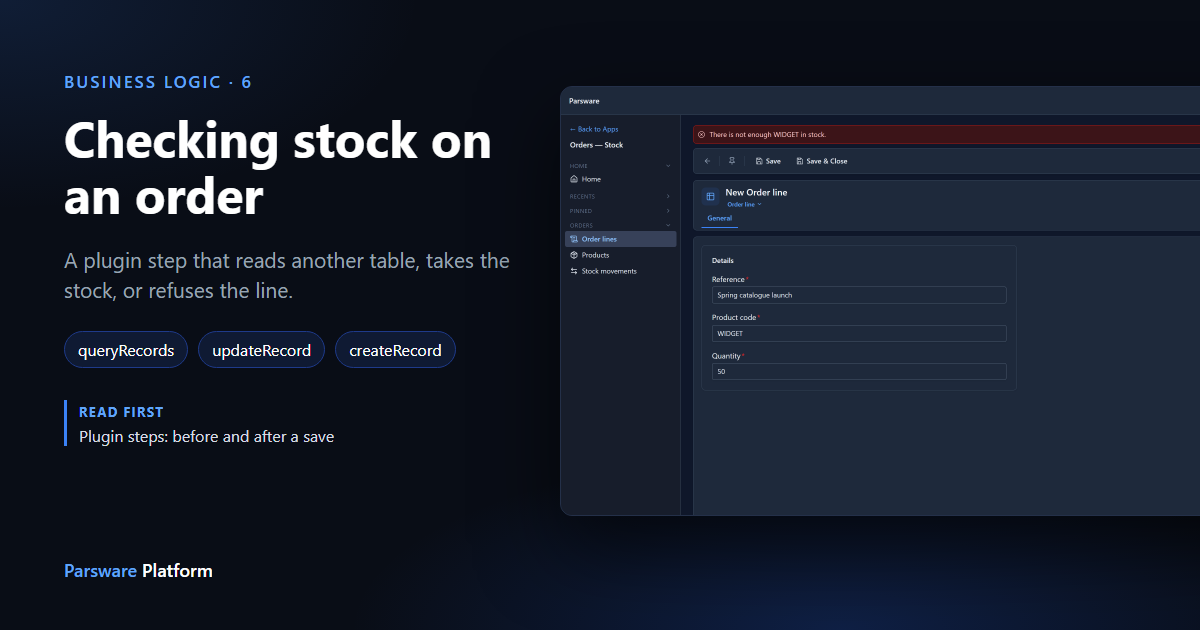
Every rule so far has looked at the record being saved. An expense limit reads the claim's amount; a purchase-order rule reads the claim's amount again. This one can't: whether an order line can be filled depends on another table, the product's stock.
That's a job a form rule can't do. The browser has the order line in front of it, not the product, and even if it looked the stock up, it couldn't stop two people ordering the last ten at the same moment. A plugin step can, because it runs on the server, inside the save.
We used the Order Stock sample, as in the last article.
Import it from samples/solutions/business-rules-order-stock to follow along. It adds an
Orders — Stock app with Products, Order lines and Stock movements.
An order that can be filled
We added one product, WIDGET, with 10 in stock. Then, in Order lines, we saved a line for 3:
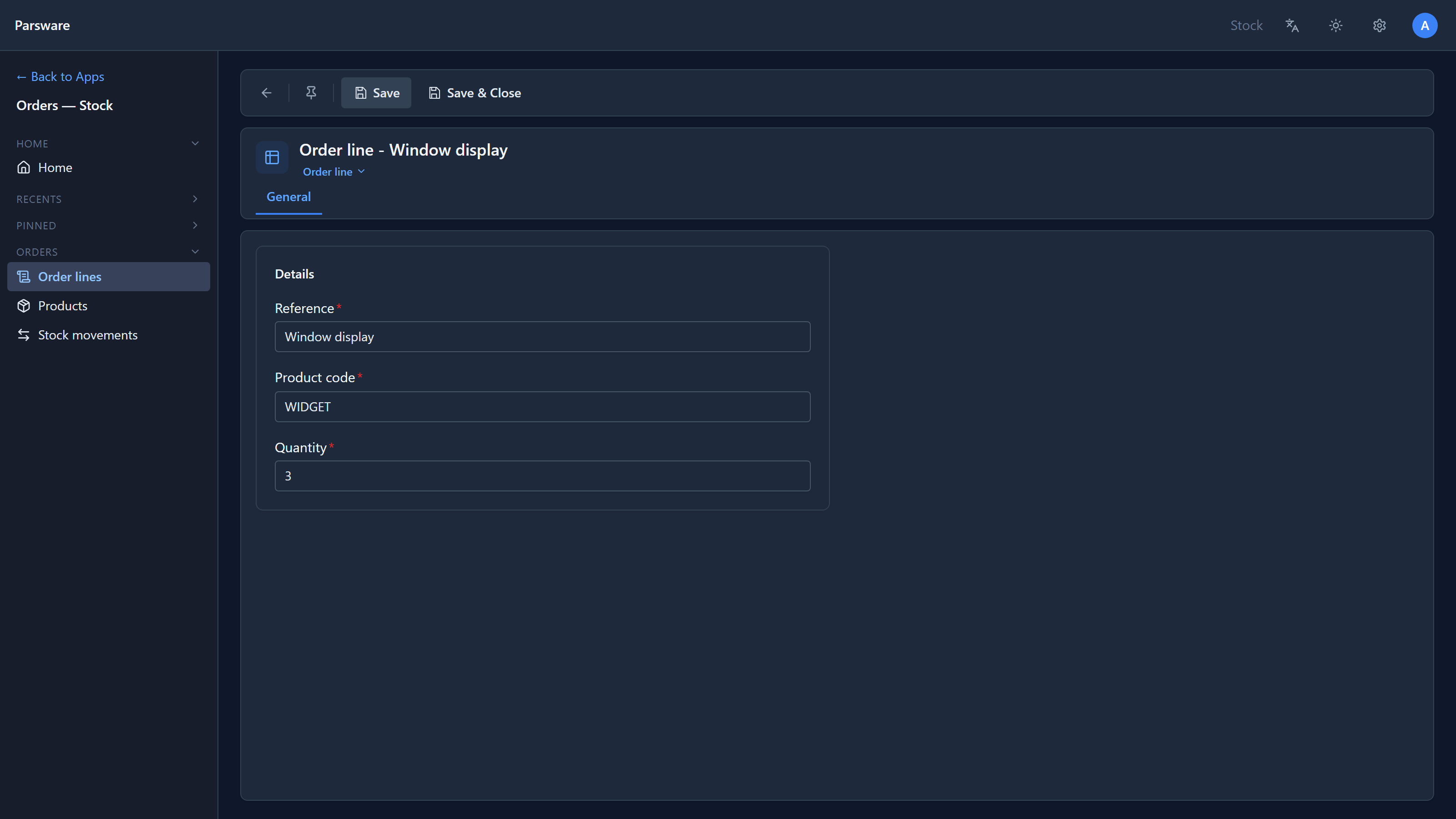
Nothing on the order line changed. The other two tables did. The product is down to 7:
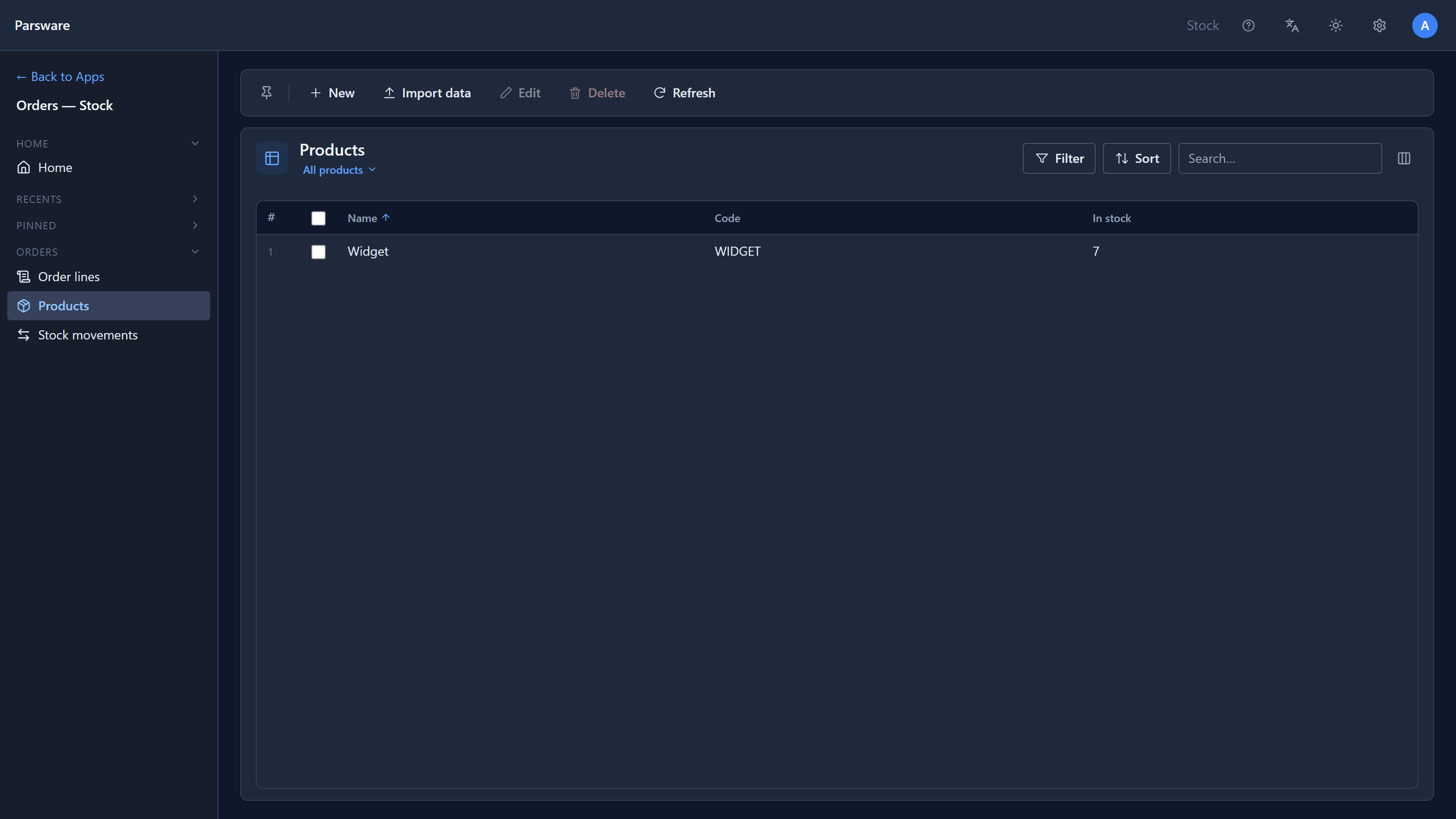
And there's a new stock movement saying why:
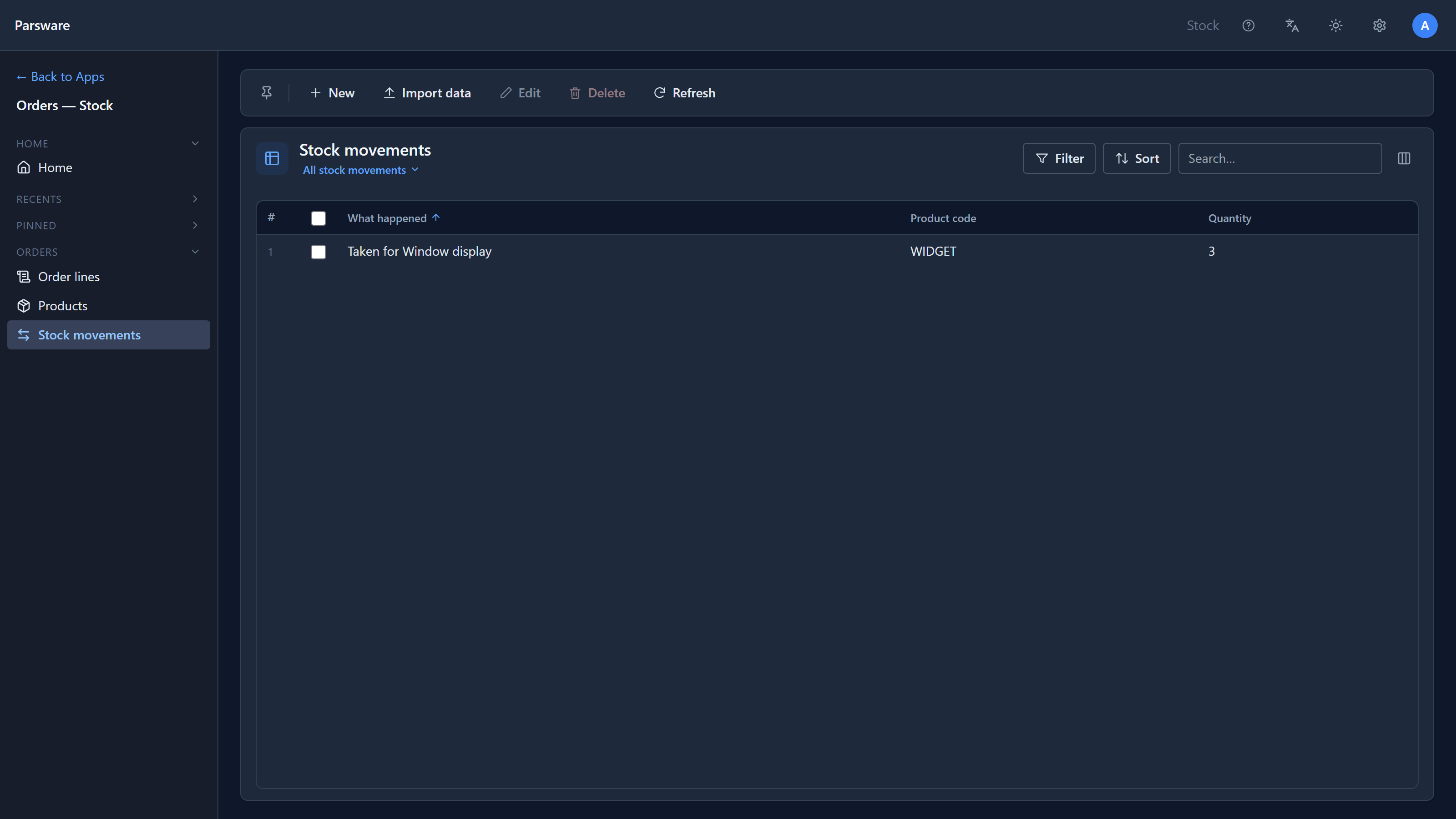
Two that can't
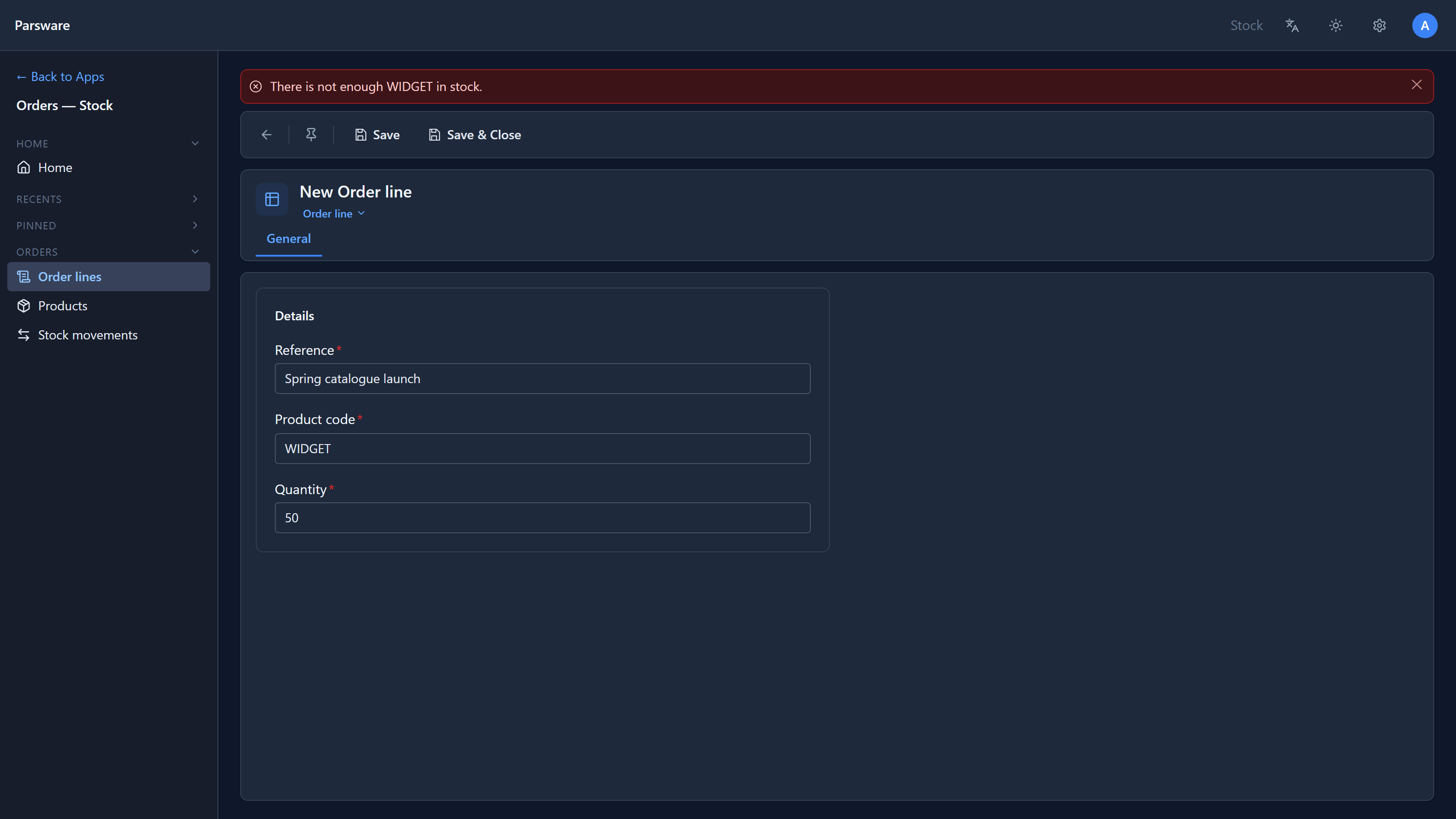
A line for 50, with 7 left:
And a line for a product code that doesn't exist:
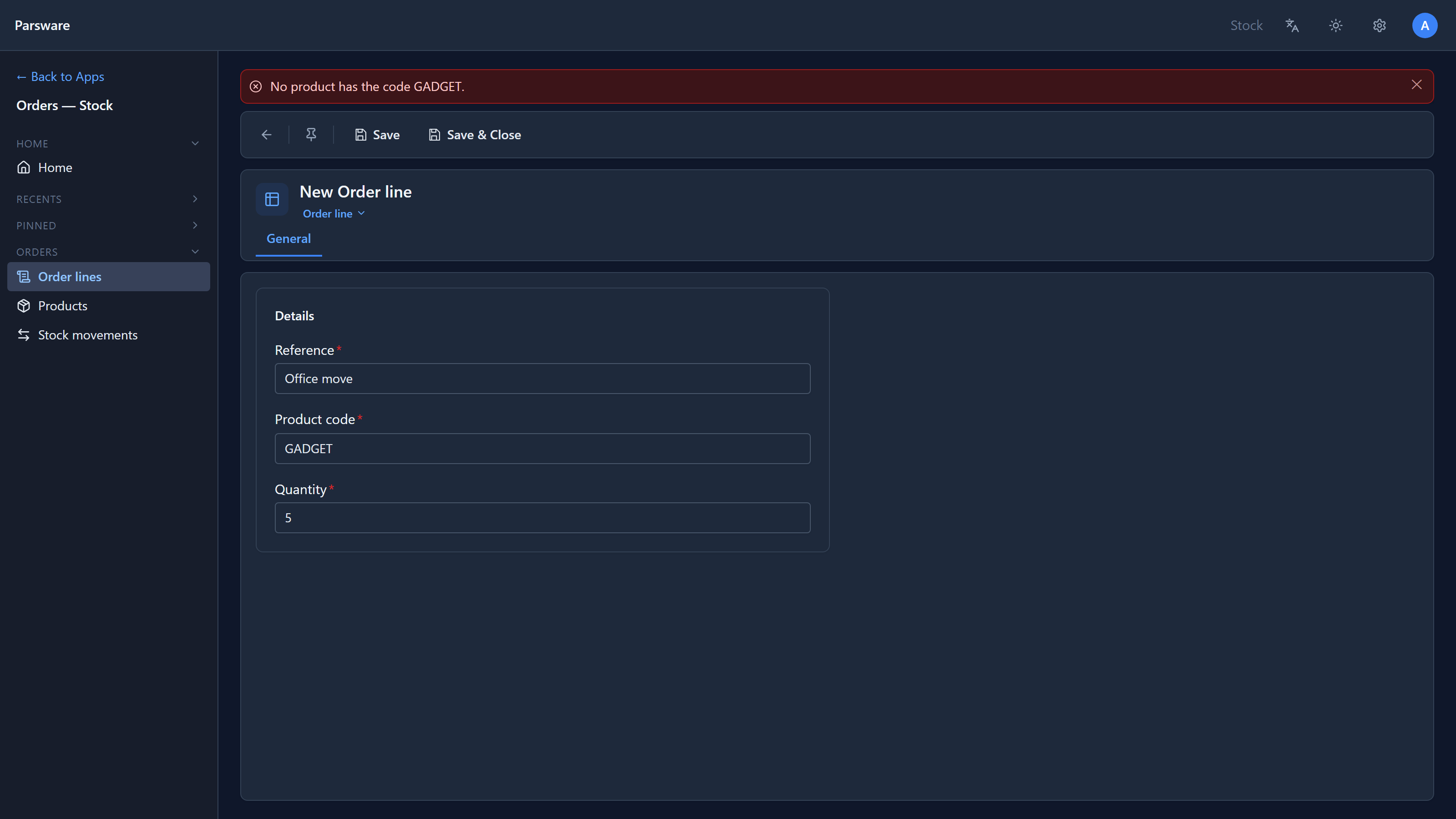
Both refused, both before anything was stored. The product still says 7.
We also sent the second line straight to the API, with no form involved:
POST /environments/{environment}/data/par_order_line
{ "par_name": "Warehouse top-up", "par_product_code": "WIDGET", "par_quantity": 50 }

400  { "title": "modelapps.record.validation_failed",
       "detail": "There is not enough WIDGET in stock." }
Same step, same sentence. An import or another app would get the same answer.
The script
In the maker portal: the sample's solution, Plugin steps, select Take the stock, or refuse the line, Edit code:
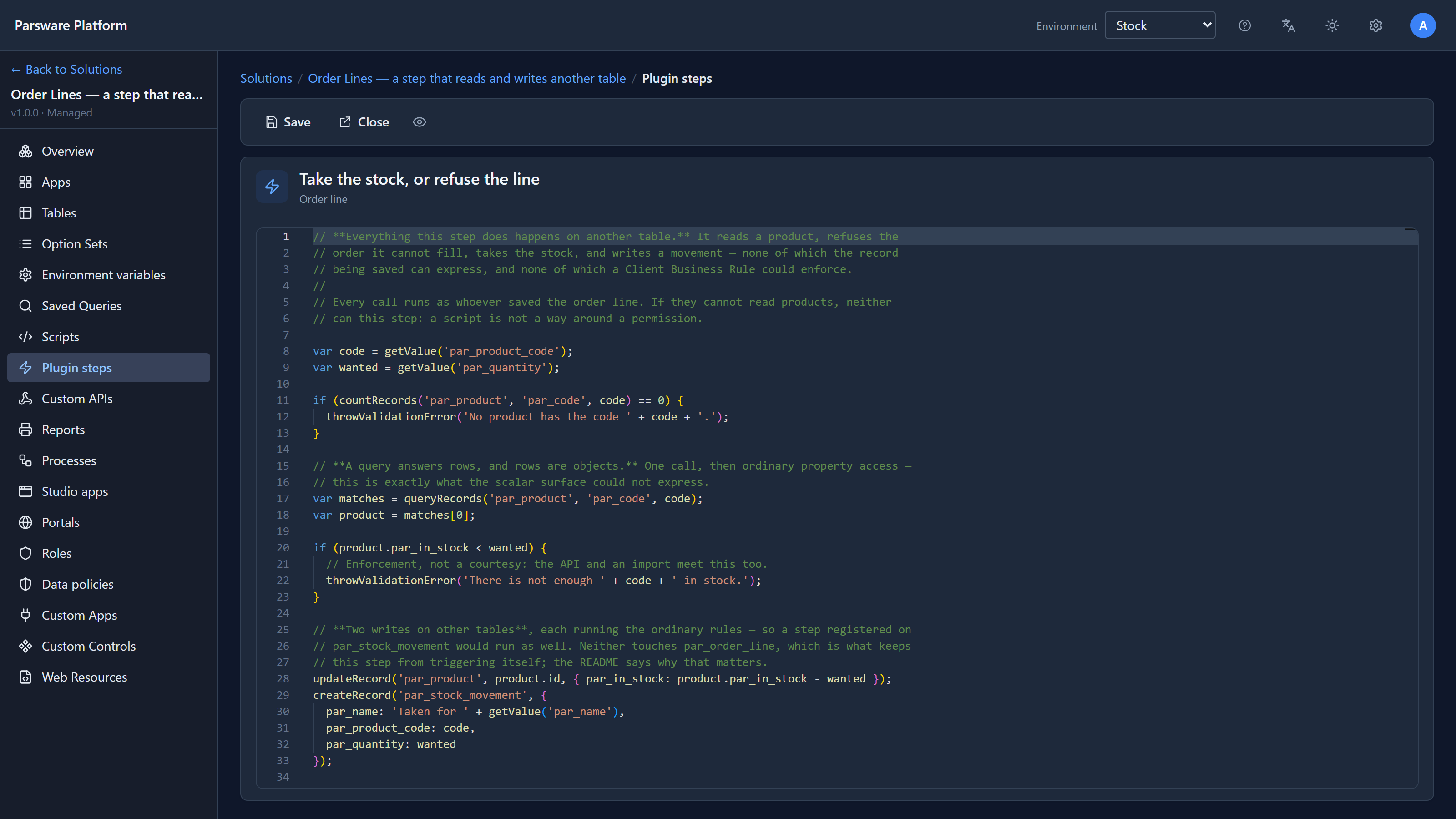
Without its comments, it's short:
var code = getValue('par_product_code');
var wanted = getValue('par_quantity');

if (countRecords('par_product', 'par_code', code) == 0) {
  throwValidationError('No product has the code ' + code + '.');
}

var matches = queryRecords('par_product', 'par_code', code);
var product = matches[0];

if (product.par_in_stock < wanted) {
  throwValidationError('There is not enough ' + code + ' in stock.');
}

updateRecord('par_product', product.id, { par_in_stock: product.par_in_stock - wanted });
createRecord('par_stock_movement', {
  par_name: 'Taken for ' + getValue('par_name'),
  par_product_code: code,
  par_quantity: wanted
});
Four functions do the work on other tables:
| Function | What it does here |
|---|---|
countRecords(table, field, value) |
How many products have this code. It asks the database to count, so it's cheap however many rows there are |
queryRecords(table, field, value) |
The matching products, as a list. Each one is an object: product.par_in_stock, and product.id |
updateRecord(table, id, fields) |
Writes the new stock level to that product. Pass every field you're changing in one object |
createRecord(table, fields) |
Adds the stock movement, and gives back its id |
Three things worth knowing
It all happens in one transaction. The step runs before the write, so the stock update, the movement and the order line are stored together or not at all. If the order line then failed to save for any other reason, the stock would come back. The last article showed this with a second step refusing after this one had taken the stock.
It runs as the person saving. The step reads and writes products with the permissions of
whoever saved the order line. If they can't read products, queryRecords returns nothing for
them. A script is never a way around a permission.
It never writes the table it watches. A script's writes go through the ordinary save, with
its plugin steps. If this step updated an order line, that update could start another run of a
step on order lines, and so on. The platform stops after eight levels, and depth() tells a
script how deep it is, but the real fix is not to do it: write another table, as this step does,
or check a condition first.
Limits
queryRecordsmatches one field against one value. For ranges, several conditions or a sort, userunQuery, which takes the same query the Advanced Find builder produces.- A query returns at most 200 rows. A question about every row is a report's job.
- The check reads the product and then updates it. Two lines saved at the same instant can both read 7. Treat this step as the pattern, not as a warehouse system.
Try it
Add a second product and a line for each. Then add a plugin step on Stock movement, Create,
that refuses a movement for more than 100, and save a line for 150 of a product you've stocked
with 500. The order-line step's createRecord triggers the movement step, and the refusal
undoes everything, stock included.
Next: a claim approved by the server: a step that doesn't refuse anything, but sets values on the record as it's saved.