Parsware Platform
Query records from a script
A server-side script can read more than the record it's working on. getRecord fetches one record, queryRecords and countRecords match one field, and runQuery takes a whole query with and/or filters, joins and totals. We used them in a plugin step that refuses an invoice when a customer would go over their credit limit, and in a Custom API that joins two tables.
Este artículo solo está disponible en inglés.
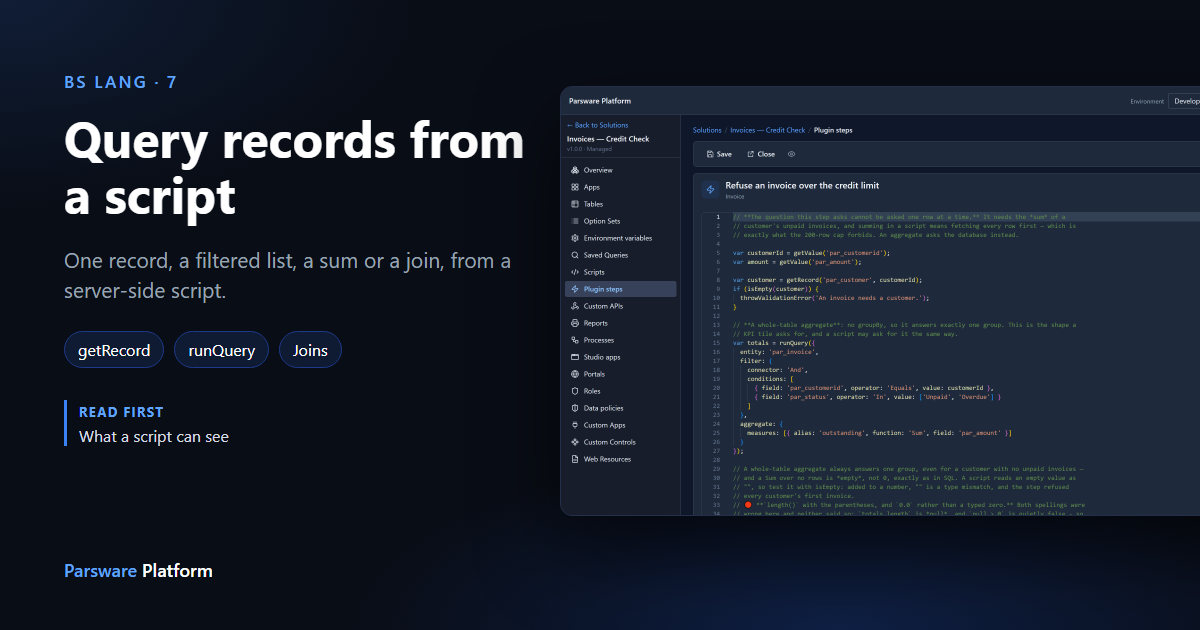
A plugin step, a Custom API and a process step all run on the server, and all three can read other records: not just the one being saved, but anything in the environment that the person running the script is allowed to see.
There are four ways to do it, from the simplest to the most flexible:
| Function | What it answers |
|---|---|
getRecord(table, id) |
one record, by its id |
queryRecords(table, field, value) |
the records where one field equals a value |
countRecords(table, field, value) |
how many records match that |
runQuery(query) |
anything a query can ask: and/or filters, joins, sorting, totals |
A fifth, runSavedQuery, runs a query somebody saved in the designer. It's covered in
save a query and use it everywhere.
We used the Invoices — Credit Check sample, which uses getRecord and runQuery. Import it
from samples/solutions/business-rules-query-documents to follow along.
The question: will this invoice go over the limit?
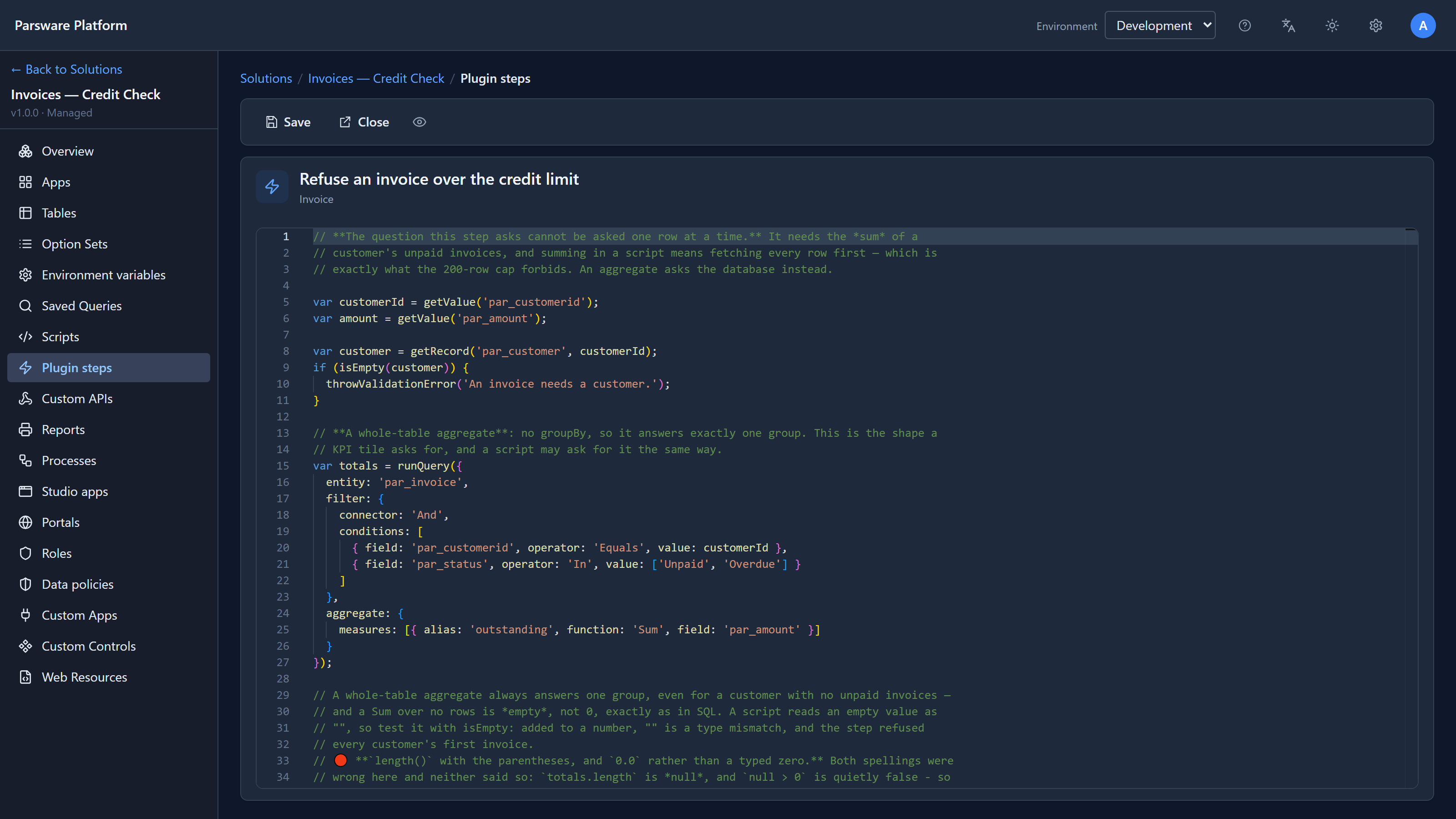
Each customer has a credit limit. When somebody saves a new invoice, a plugin step checks that the customer's unpaid invoices plus this one stay under it. Open the solution, choose Plugin steps, select Refuse an invoice over the credit limit and choose Edit code:
One record: getRecord
Line 8 reads the invoice's customer:
var customer = getRecord('par_customer', customerId);
What comes back is the record, with its fields as properties: customer.par_name,
customer.par_credit_limit, and customer.id. If there's no such record, or the person saving
can't see it, you get nothing, so check with isEmpty before using it, as line 9 does.
A total: runQuery with an aggregate
Now the step needs to know how much the customer already owes. It could fetch their unpaid invoices and add them up in a loop, but it doesn't, for a good reason: a script never gets more than 200 rows. A customer with 300 unpaid invoices would be added up wrong, and wrong in the direction that lets the invoice through.
So the step asks the database for the sum instead:
var totals = runQuery({
  entity: 'par_invoice',
  filter: {
    connector: 'And',
    conditions: [
      { field: 'par_customerid', operator: 'Equals', value: customerId },
      { field: 'par_status', operator: 'In', value: ['Unpaid', 'Overdue'] }
    ]
  },
  aggregate: {
    measures: [{ alias: 'outstanding', function: 'Sum', field: 'par_amount' }]
  }
});
This is the same query language the query designer saves, written as a BS Lang object:
entityis the table;filterholds the conditions, joined withAndorOr.Inwith a list covers two statuses in one condition;aggregateasks for totals instead of rows.Sumofpar_amount, namedoutstanding.
An aggregate with no grouping always answers one row: totals[0].outstanding. The database
does the adding, so there's no 200-row limit.
One thing to know: a Sum over no rows is empty, not 0, just like in SQL. A customer with no
unpaid invoices gets an empty outstanding. The step checks for that with isEmpty before adding,
because adding an empty value to a number is an error.
Then the check itself:
if (owed + amount > customer.par_credit_limit) {
  throwValidationError('That would put ' + customer.par_name + ' over their credit limit.');
}
Trying it
In the sample's data, Fabrikam has a credit limit of 3000 and two unpaid invoices, 1200 and 640, so it owes 1840. In the Invoices — Credit Check app we added a new invoice for Fabrikam, 1500, unpaid, and pressed Save:
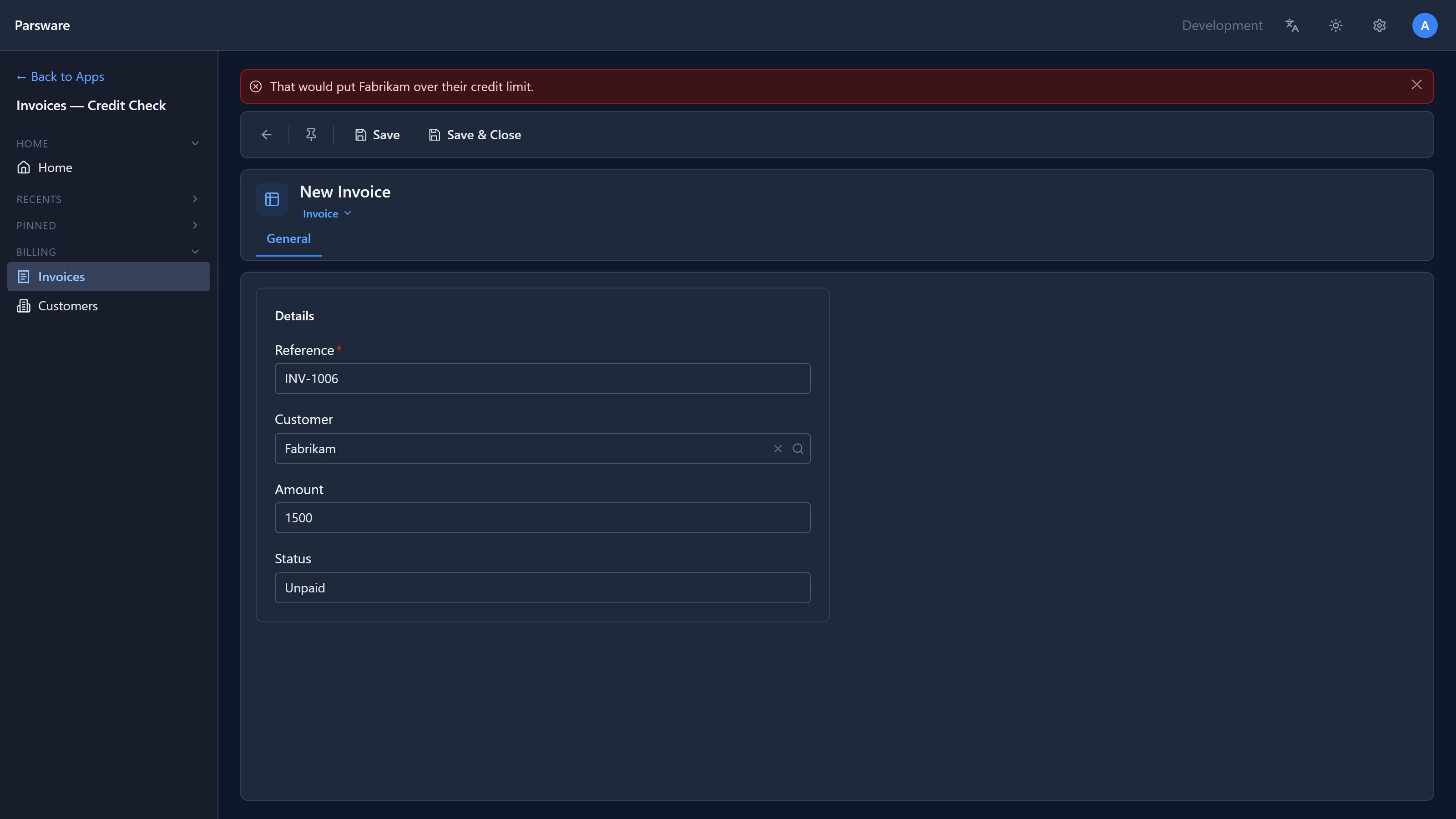
1840 + 1500 is 3340, over the limit, so the save was refused and nothing was written. We changed the amount to 1100 (1840 + 1100 = 2940) and pressed Save again:
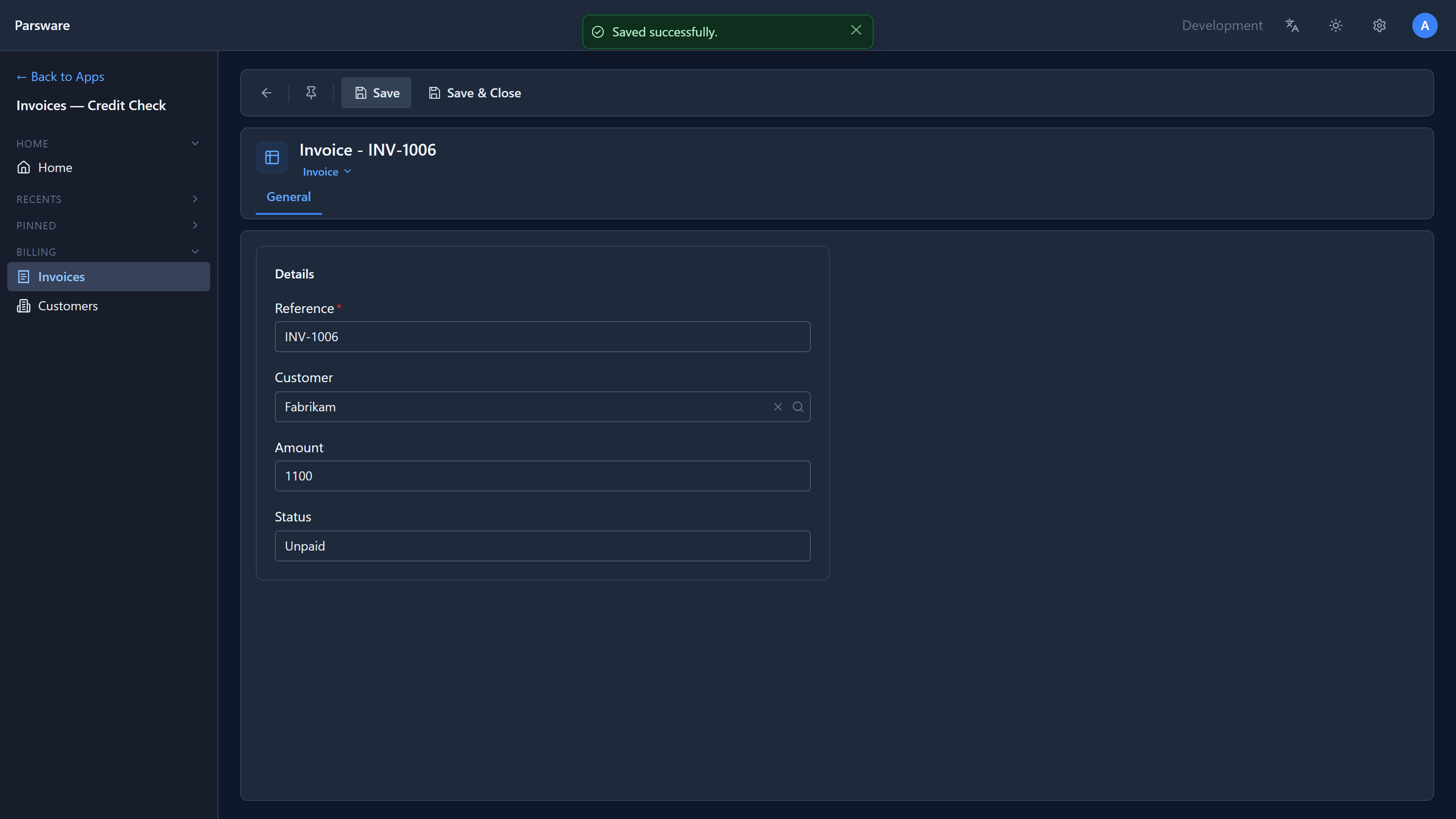
Because this is a plugin step, the check isn't only on this form. An invoice created through the API or an import is refused the same way.
Two tables: a join
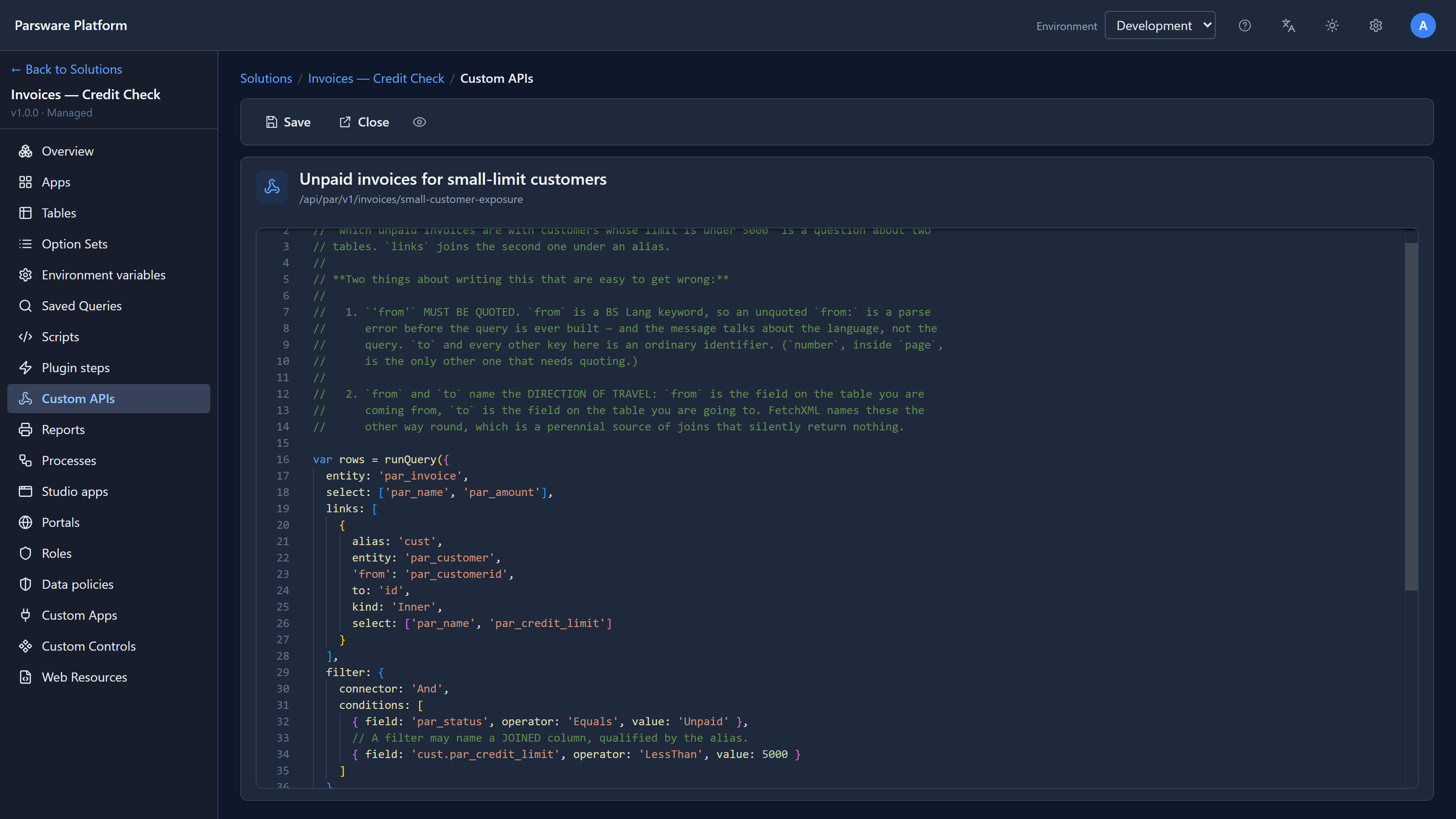
The sample's Custom API Unpaid invoices for small-limit customers answers a question about two tables: unpaid invoices, but only for customers whose credit limit is under 5000. The invoice doesn't know its customer's limit, so the query joins the customer table:
A join goes in links:
aliasis the short name for the joined table, herecust;'from'is the field on the table you're coming from (the invoice'spar_customerid), andtothe field on the table you're going to (the customer'sid);kind: 'Inner'keeps only invoices that have a matching customer.'Outer'would keep the rest too, with the customer's fields empty.
Two things that are easy to get wrong:
- Put
'from'in quotes.fromis a word BS Lang uses itself, so without quotes the script doesn't parse. The other keys don't need them. - A joined field goes by its alias, both in the filter,
cust.par_credit_limit, and when you read a row,rows[i].cust.par_name.
Calling the API after the save above answered:
{
  "count": 3,
  "lines": "Fabrikam owes 1200.00 on INV-1004;Fabrikam owes 1100.00 on INV-1006;Fabrikam owes 640.00 on INV-1005;"
}
Northwind Traders has unpaid invoices too, but its limit is 20000, so none of them are in the answer. And the new INV-1006 is there, sorted by amount.
The simple ones: queryRecords and countRecords
When the question is just "the records where this field equals that", you don't need a query document:
var open = queryRecords('par_invoice', 'par_status', 'Unpaid');
var howMany = countRecords('par_invoice', 'par_status', 'Unpaid');
queryRecords gives back a list you can loop over, and like every list a script reads, it stops at
200 rows. countRecords is a real count from the database, so it's right however many there are.
Use it when the number is all you need.
Who can see what
A query from a script runs as the person who triggered it: whoever saved the invoice, or whatever called the API. It sees only the records they could see themselves, and a join checks each table separately, so a join is never a way into a table you couldn't open. A process runs as the process, since there may be nobody at the keyboard.
Try it
Import the sample, add a customer with a small limit, and save invoices for them until one is refused. Then change one invoice to Paid and save the refused one again: the query only counts Unpaid and Overdue, so it now fits.
Next: shared logic, one solution script imported by rules, plugin steps and processes.