Parsware Platform
Save a query and use it everywhere
A saved query in Parsware is one question with one definition. A report fills its table from it, and a server script runs it by name, so correcting the question once corrects every answer that names it, in this environment and in the next one the solution goes to.
Este artículo solo está disponible en inglés.
Every report, chart and script that asks a question of your data needs a query. If each one keeps its own copy, the copies drift: somebody tightens the report's filter and not the script's, and six months later two numbers disagree and nobody can say which is right. A saved query is the fix. You save the question once, under a name, and everything that needs it names it instead of copying it.
This article follows one saved query into a report, and another into a server script. It uses two samples: reporting-expense-claims for the report and business-rules-query-documents for the script. Import both into a development environment. We imported the forty expense claims that come with the first, and typed a few invoices into the second. Every picture is the real product.
The question, saved once
You met the query designer in Design a query. Open the Invoices — Credit Check solution and choose Saved Queries. It holds one query, Unpaid invoices, largest first: the Invoice table, four columns, a filter on the status and a sort on the amount. Preview shows what it returns today:
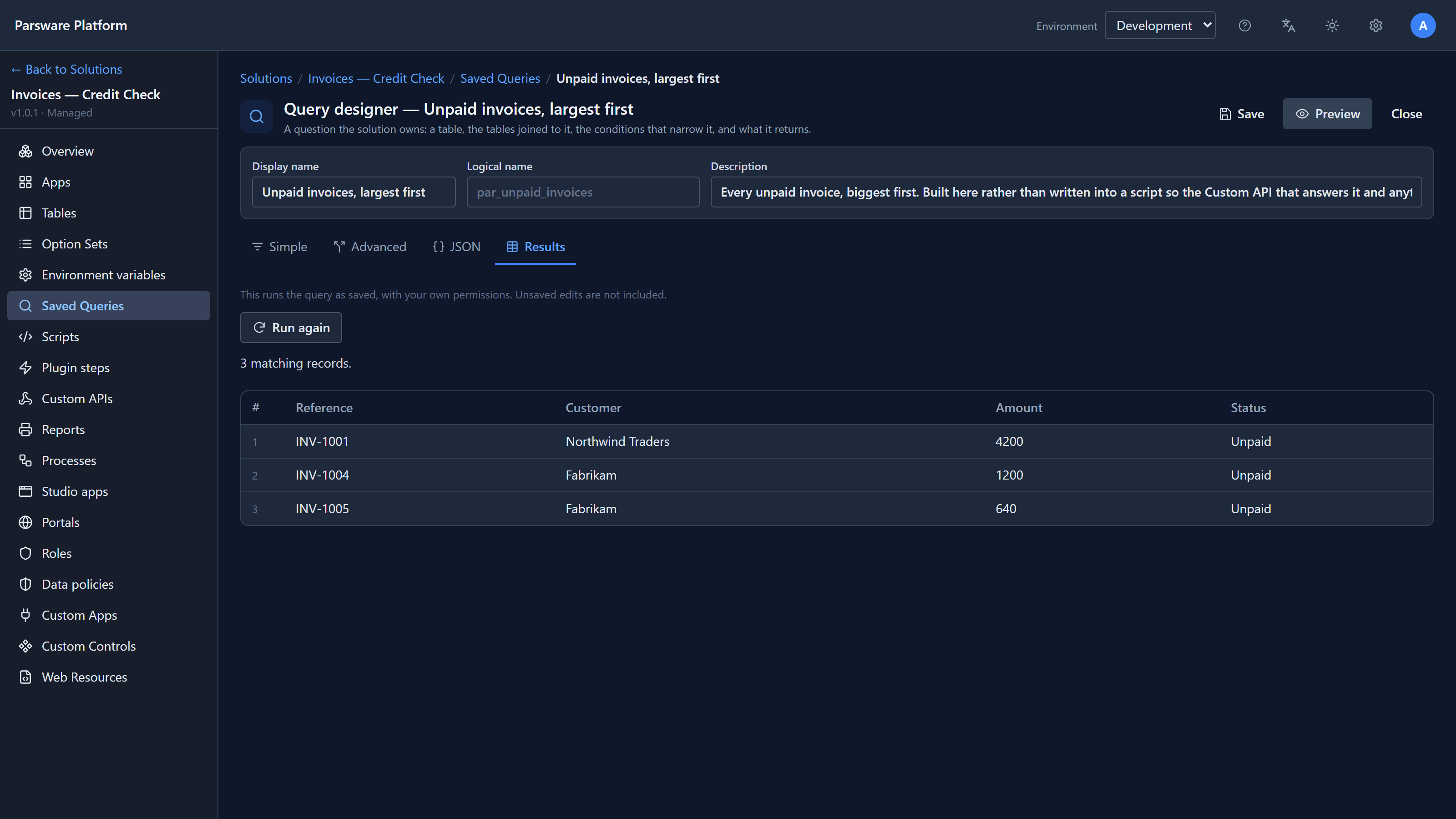
Two things make it more than a view:
- It has a logical name,
par_unpaid_invoices, which can't be changed. That name is what everything else stores, so renaming it would break them all at once. - It is a solution component. It travels to Test and Production with the tables and forms, and on import it's checked against that environment's tables, the same way it was checked when you saved it here.
A report that names it
Now open the Expense Reporting — Report solution and choose Reports. Select Expense claims and choose Edit. The drawer has two halves: the template, which is the layout, and the Datasets, which say what fills it:
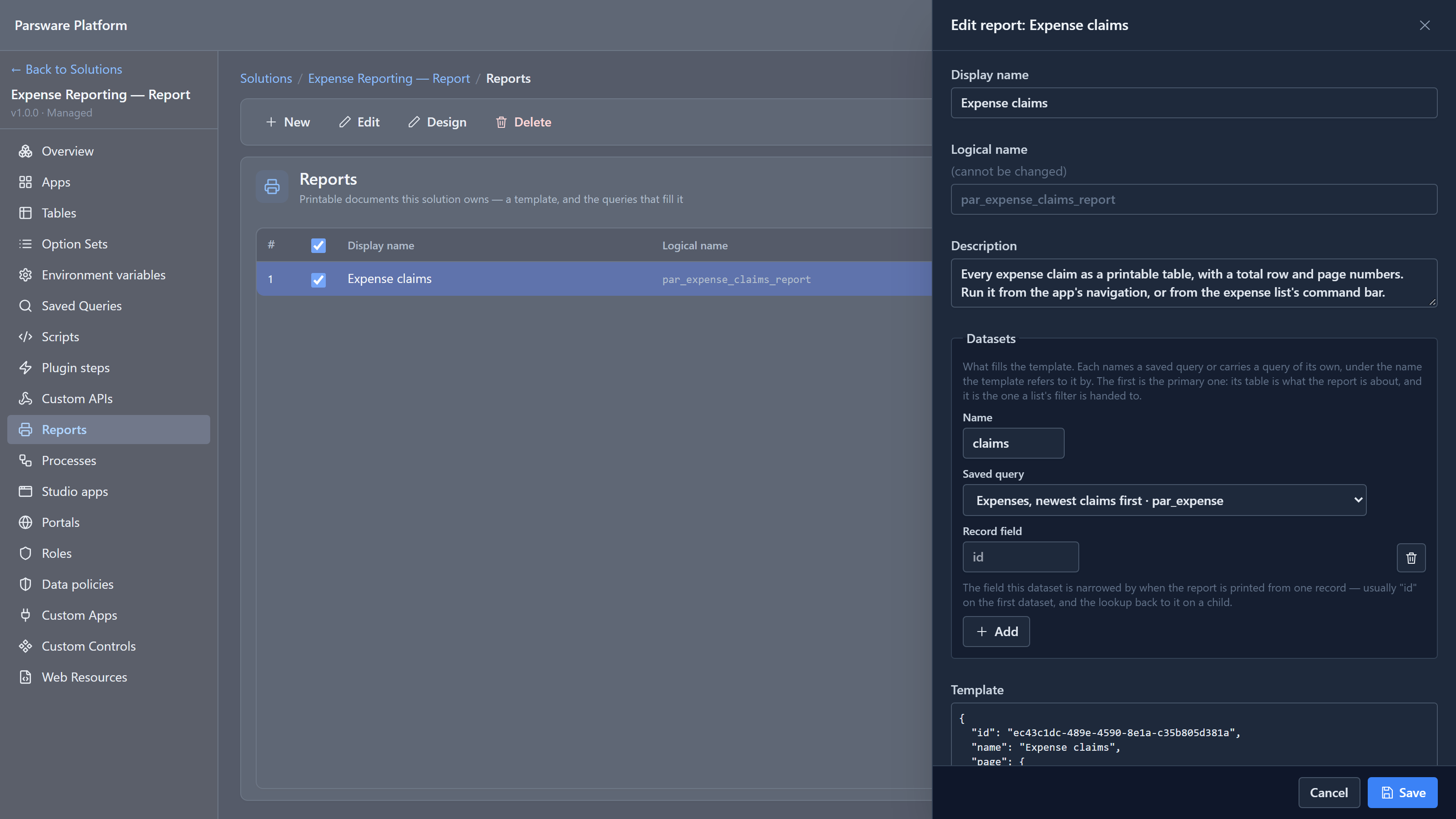
The report has one dataset, called claims. It doesn't hold a query of its own: it names the saved
query Expenses, newest claims first. The list offers every saved query in the environment, from
any solution, so a report can reuse a question somebody else built.
The name claims is what the layout uses. The report's table repeats over claims, and its total
row reads sum(claims, 'par_amount'). The layout never mentions the Expense table, the filter or
the sort, because that's the query's job.
Open the sample's app, Expenses — Reporting, and choose Expense claims on the left:
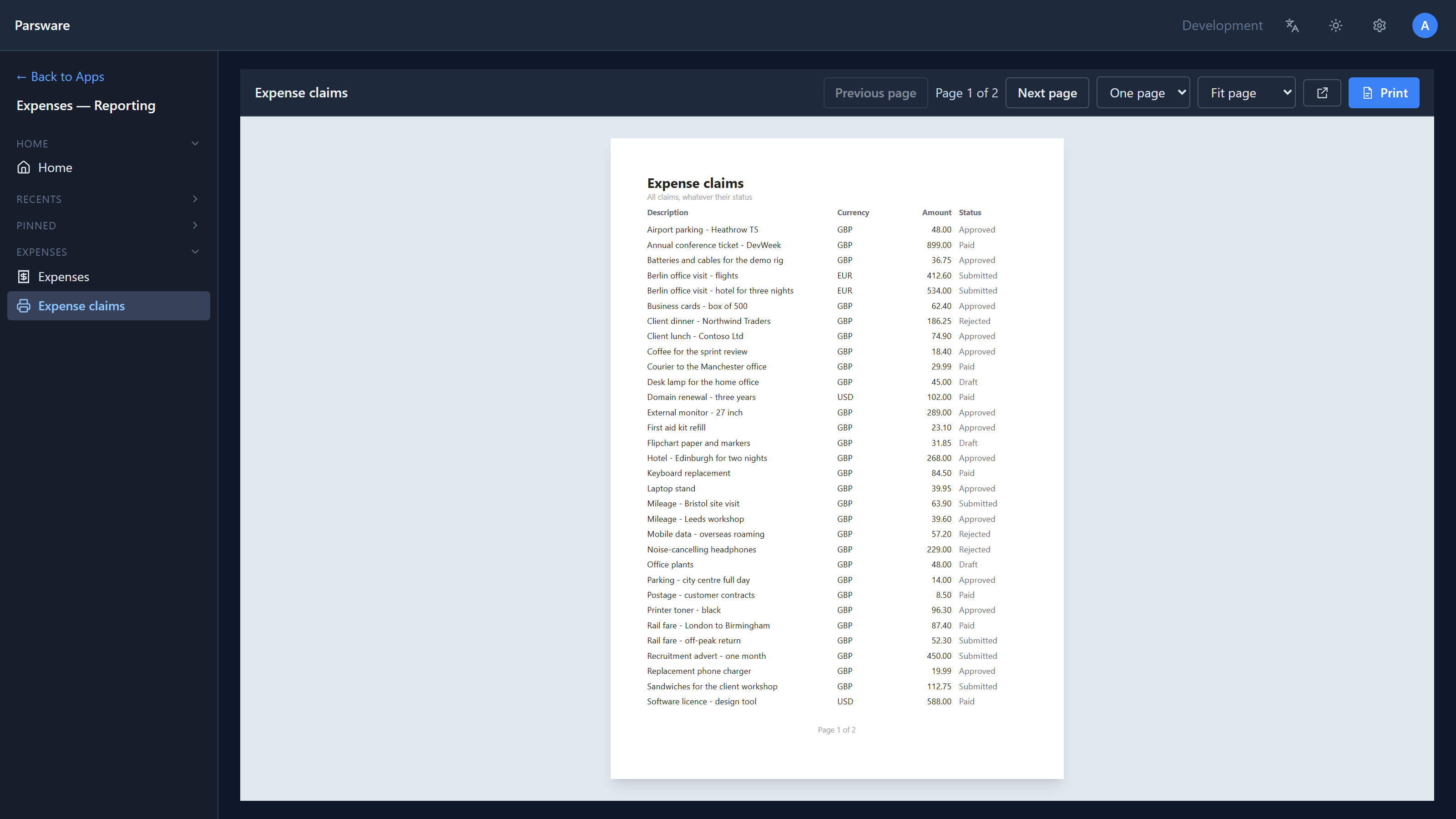
Forty claims don't fit on one sheet, so it runs to two pages, with the column headings repeated on the second. The report stores no data. Each time someone opens it, the saved query runs with that person's permissions, so two people can print the same report and see different rows, if they may see different claims.
A script that names it
Back in Invoices — Credit Check, choose Custom APIs. Unpaid invoice summary is an HTTP
address another system can call: GET /api/par/v1/invoices/unpaid-summary. Select it and choose
Edit code:
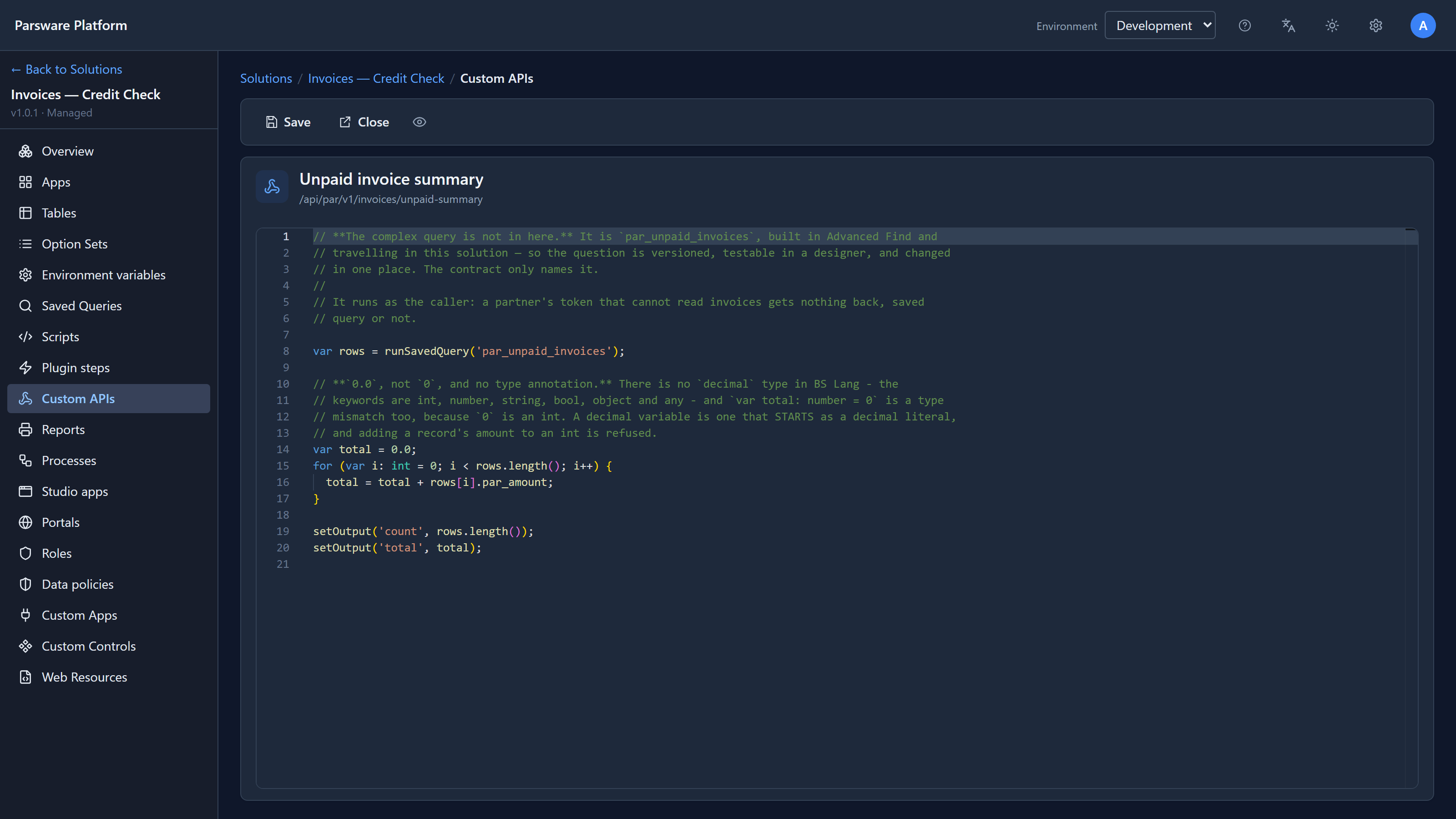
The query isn't in the script. Line 8 names it:
var rows = runSavedQuery('par_unpaid_invoices');
The rest adds up the amounts and answers with two values. With the three unpaid invoices above, calling the address returned:
{ "count": 3, "total": 6040.00 }
INV-1002, which is Overdue, and INV-1003, which is Paid, aren't counted. That's because the saved query's filter asks for Unpaid only. Change the filter in the designer and this answer changes too, with no edit to the script.
runSavedQuery works in the scripts that run on the server: Custom APIs, plugin steps and the
steps of a business process. A custom React app can call it too, as
runtime.data.runSavedQuery('par_unpaid_invoices').
Where it can't be used yet
A Studio screen can't name a saved query. A screen reads records with loadRecords, which takes
its query inline, so a screen that needs the same question still carries its own copy. Keep that in
mind when you plan one: if a report and a screen must agree, the report's query is the one you
maintain, and the screen's filter has to be kept in step by hand.
The sample had a bug, and we fixed it
The same solution has a second use of a query: a plugin step that refuses an invoice which would take a customer over their credit limit. It asks the database for the sum of the customer's unpaid invoices. While writing this, we found that it refused every customer's first invoice with "Type mismatch".
A sum over no rows isn't zero: it's empty, exactly as in SQL, and a script reads an empty value as
"". The step added the new invoice's amount to that "". It now checks with isEmpty first, and
its test uses the shape the server really sends, so it can't come back. Import version 1.0.1 of the
sample. With the fix, Fabrikam, whose limit is 3,000, could save invoices for 1,200 and 640. A third,
for 1,500, was refused: "That would put Fabrikam over their credit limit."
Why this matters
- One definition. Correct the question once and the report and the script are both correct.
- Tested where it's built. Whoever understands the question builds it in the designer and sees the answer in Results, instead of typing it into a script.
- It travels. The query is versioned with the solution, so it's the same question in Test and Production.
- It lends no access. A saved query runs as whoever asks. Saving it doesn't let anybody read more than they already could.
Next: queries that answer "how many" and "how much": totals and groups.