Parsware Platform
Code on a task
Every step in a process can run code at the moments that matter to it: when the run arrives, when the task is given to someone, when they finish it, when the run leaves. A user task also works out who gets it and which record they look at. We opened the manager's step in the Leave Approval sample and went through all six.
Dieser Artikel ist nur auf Englisch verfügbar.
A step in a process is more than a box. It can run code at the moments that matter to it, and a user task also works out two answers: who gets it, and which record they look at. All of it is BS, and all of it is written in the same place.
We used the Leave Approval sample from samples/solutions/bpms-leave-approval-process. Open its
process and click Review Request, the manager's step.
The step's code list
At the bottom of its properties is Code:
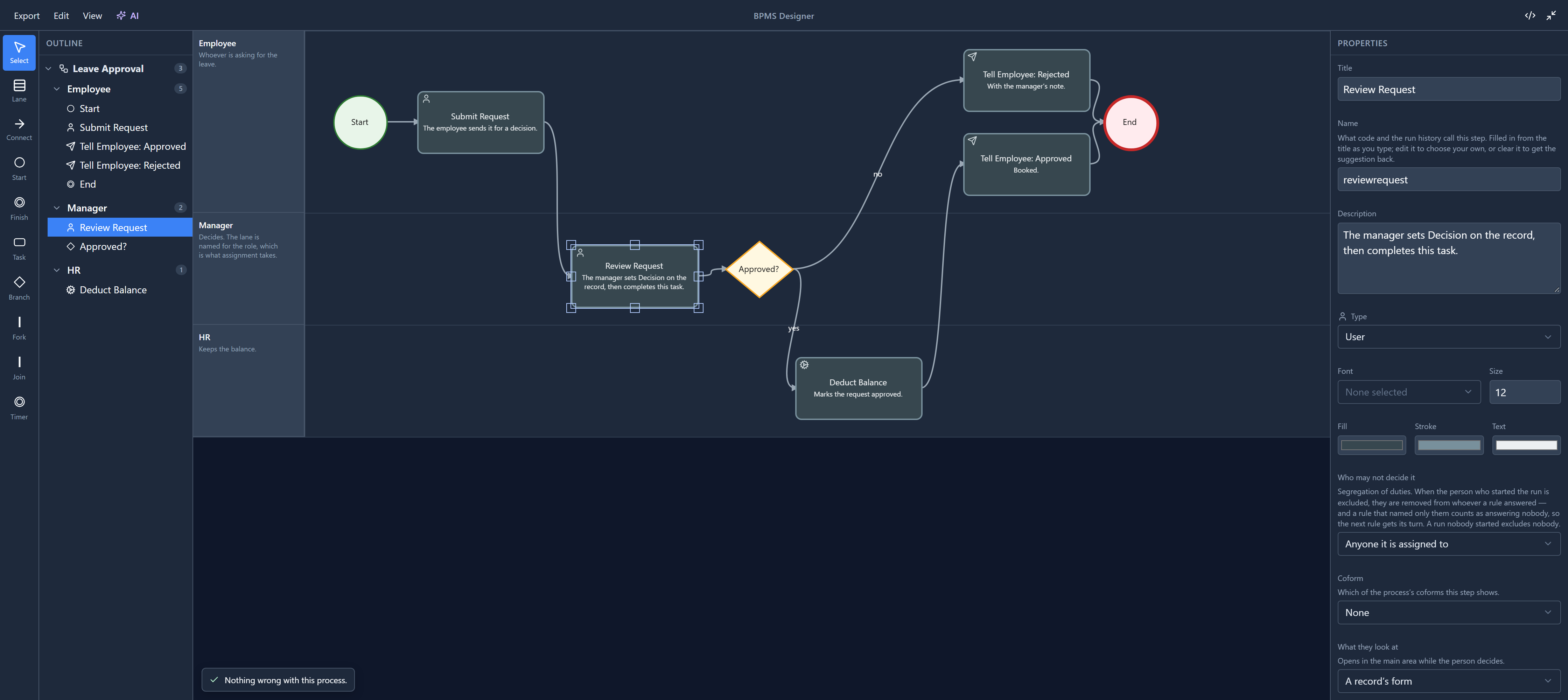
Each row says Written or Nothing written, so you can see at a glance where a step does something. Review Request has three rows written.
(While we were here we fixed the Due within box just above it. Its placeholder, No deadline, was cut off to "No d" because the box was too narrow.)
The moments a step reacts to
The first four rows are events, moments in the step's life:
| Slot | When it runs |
|---|---|
| On enter | The run reaches this step. |
| On assign | The task has been given to somebody. User tasks only. |
| On complete | That person has finished it. User tasks only. |
| On exit | The run leaves this step, whichever way it goes. |
On assign and On complete only exist on a User task, because only a user task has a person in it (task types explains the rest). Every other type has just On enter and On exit. Change a user task into a script task and those two disappear, along with anything written in them.
The process itself has three moments of its own, on its properties: On start, On complete and
On cancel. Leave Approval uses On start to give approved its first value, false.
The code page
Select a row and the code page takes over the middle of the designer:
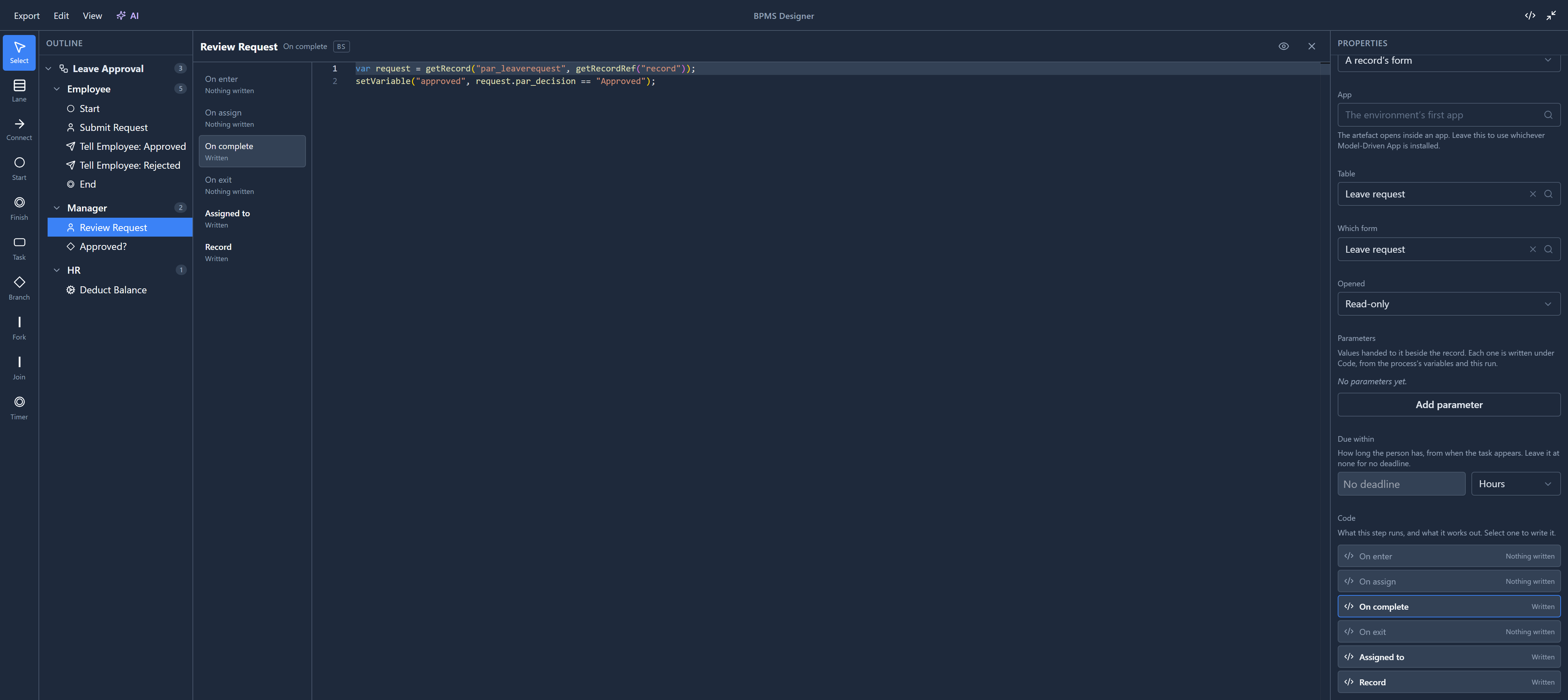
It's the full-width BS editor, with checking, completion and signature help as you type. Down its left side is the same list of slots, so moving from On complete to On enter is one click. The diagram comes back when you close the page with the ×.
Review Request's On complete is:
var request = getRecord("par_leaverequest", getRecordRef("record"));
setVariable("approved", request.par_decision == "Approved");
When the manager finishes the task, it reads the leave request this run is about, and records whether
they chose Approved in the variable approved. The branch after
it only reads that variable.
There's no Save on the code page. Save in the title bar saves the whole process, code included.
What each slot can call
The eye in the header lists what you can call from the slot you're in. Here it is on On complete, filtered to Variable:
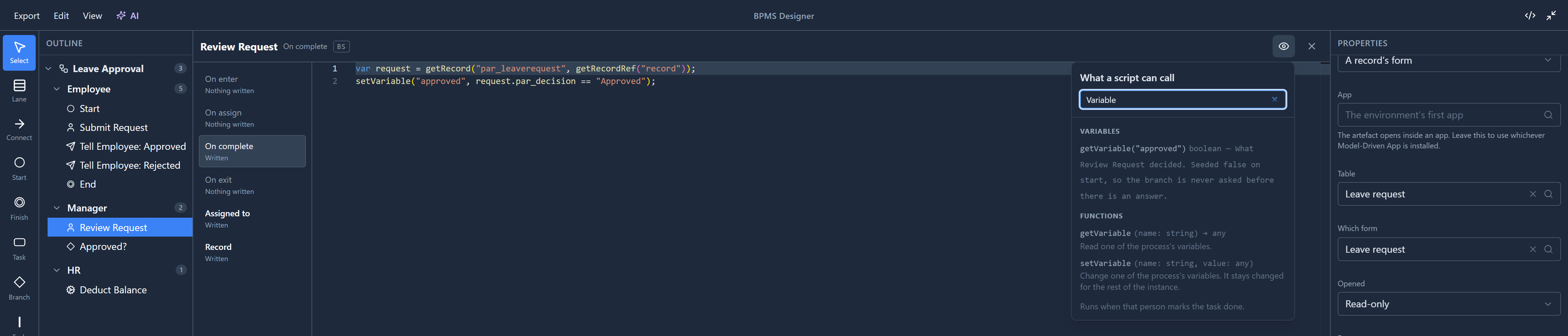
A step's events can change things, so setVariable is there, as are functions that update records.
A branch condition only gets the reading half, which is why
setVariable is refused in one.
What a step works out
The last two rows aren't events. They're answers the platform asks the step for:
- Assigned to: who should do the task.
- Record: which record they look at while they decide. Usually
getRecordRef("record"), the record this run is about.
A user task with parameters gets one more row per parameter, named after it.
Open Assigned to and the eye lists different things again:

Only Assigned to is offered role(), user() and team(), because only it answers who. Here it
is role("par_manager"): whoever holds the manager role. A step with no Assigned to falls back to
its lane's role, so you only write one where a step differs from the rest of its lane. Assignment has
an article of its own next.
Try it
Open On enter on Review Request and write
setVariable("approved", false);
The slot list now says Written next to it. That line would reset the decision every time the run reaches the step. Clear it again, or close without saving.
Next: assignment: who gets the task, and how to keep it from the person who asked.