Parsware Platform
Approval by amount
Small requests go to a department head, bigger ones to the finance director, the biggest to a committee as well. The bands live in a table finance edits, not in the process, so moving one changes who decides the next request. The sample said it worked this way and didn't; now it does.
هذا المقال متاح بالإنجليزية فقط.
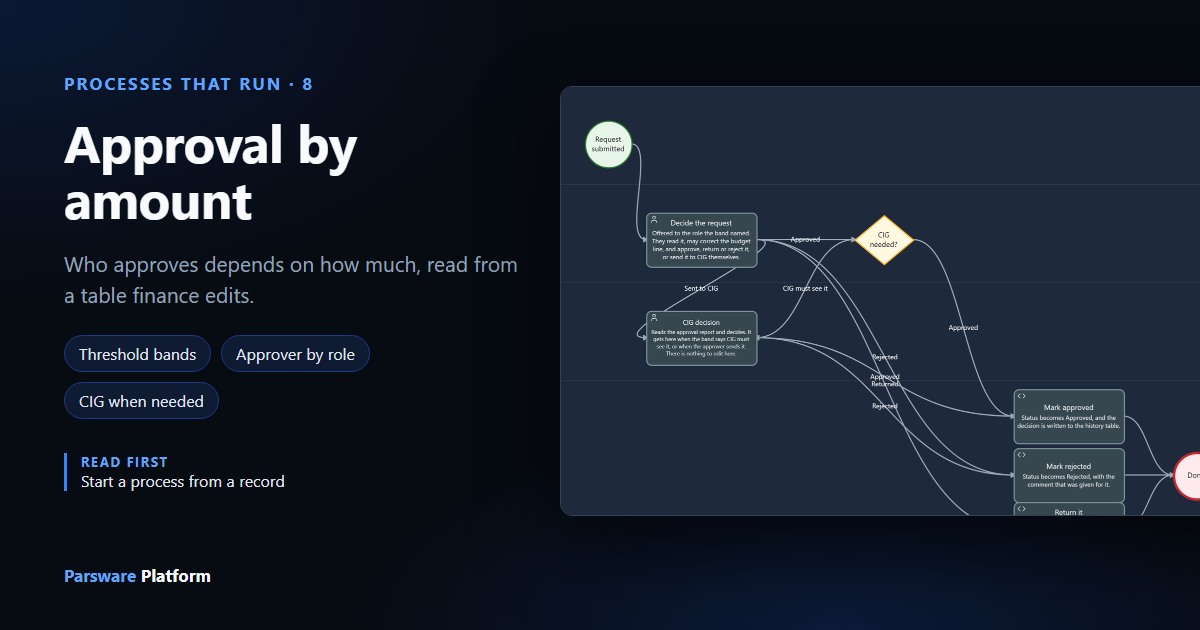
Most organisations decide who approves spending by how much it is. A department head signs off small purchases, the finance director the larger ones, and above some figure a committee has to see it too. The figures change: a new finance director, a tighter year, an audit finding.
So the figures shouldn't be in the process. Here they're rows in a table finance can edit, and the process reads that table each time a request comes in. Change a row, and the next request goes to somebody else, with nothing redrawn or republished.
We used the Capital planning, end to end sample from samples/solutions/studio-capital-planning:
an NHS-style capital programme where staff raise funding requests on a phone screen. Robin Park
holds Capital requester. Sam Taylor holds Budget holder, Finance director and CIG member, so
one person can show every route. In a real organisation those are three different people.
The bands
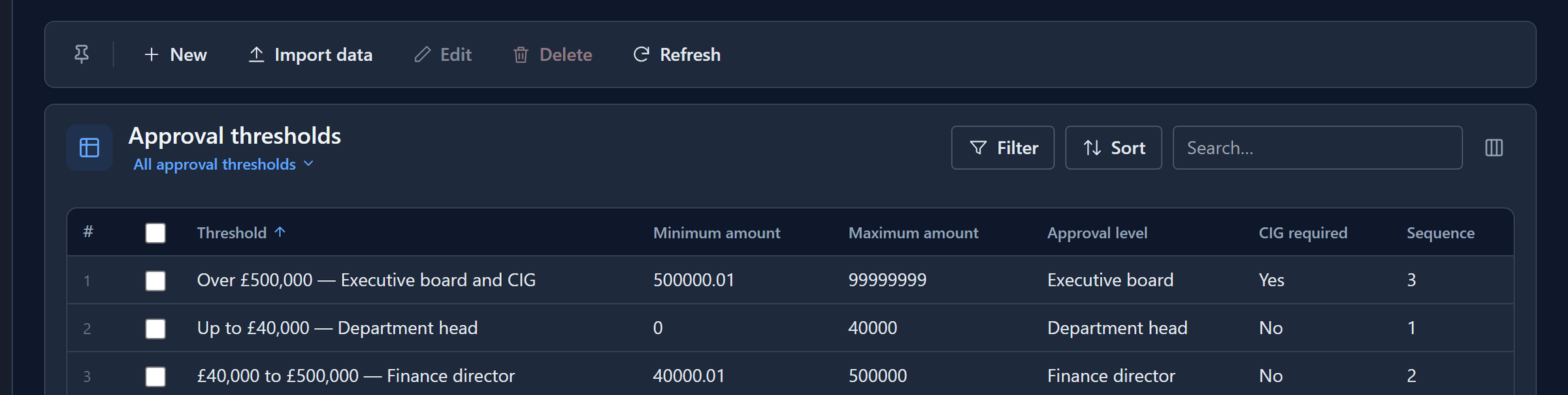
Configuration → Approval thresholds in the app:
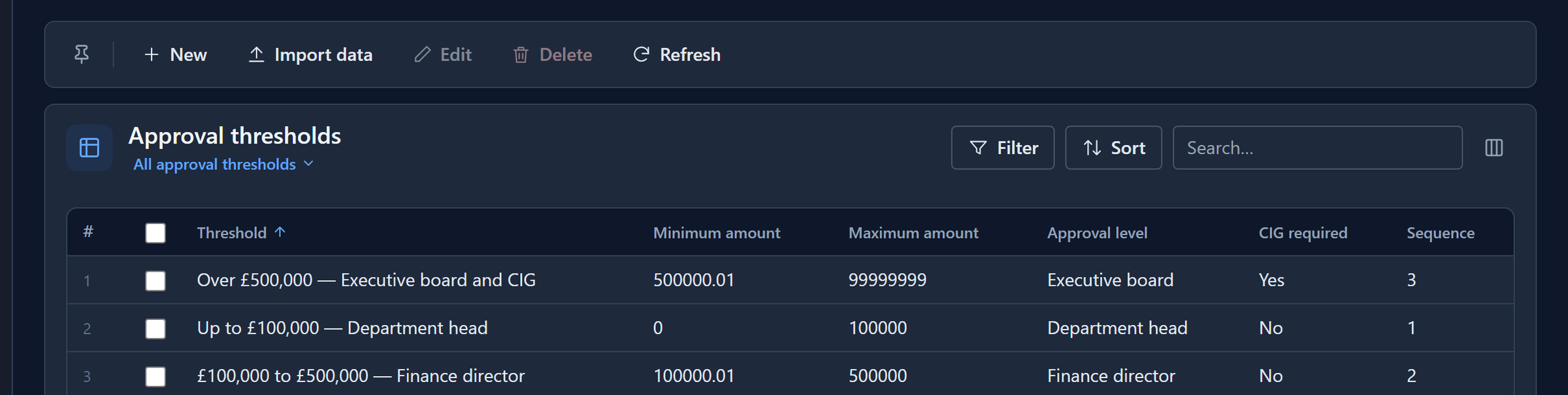
Each band has a minimum, a maximum, an Approval level, and whether the Capital Investment Group (CIG) has to see it as well.
The process
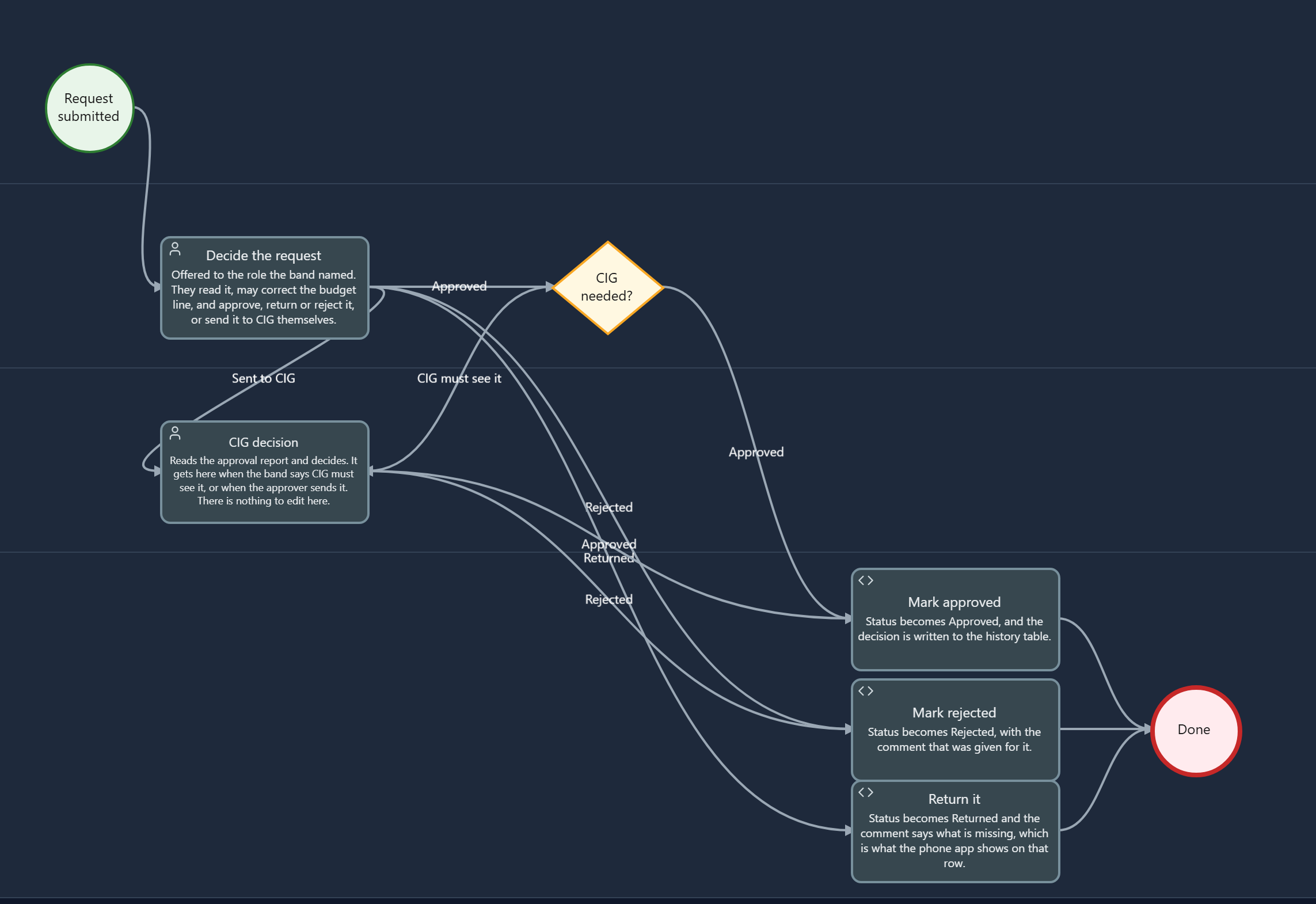
A request starts the process when it's created, as in Start a process from a record. Then:
- On start finds the request's band.
- Decide the request goes to whoever that band names.
- If they approve, CIG needed? sends it on to the CIG when the band says so.
- The outcome is written on the request and in an approval history.
Finding the band
The process's On start script reads the request, and asks the threshold table for the band its amount falls in:
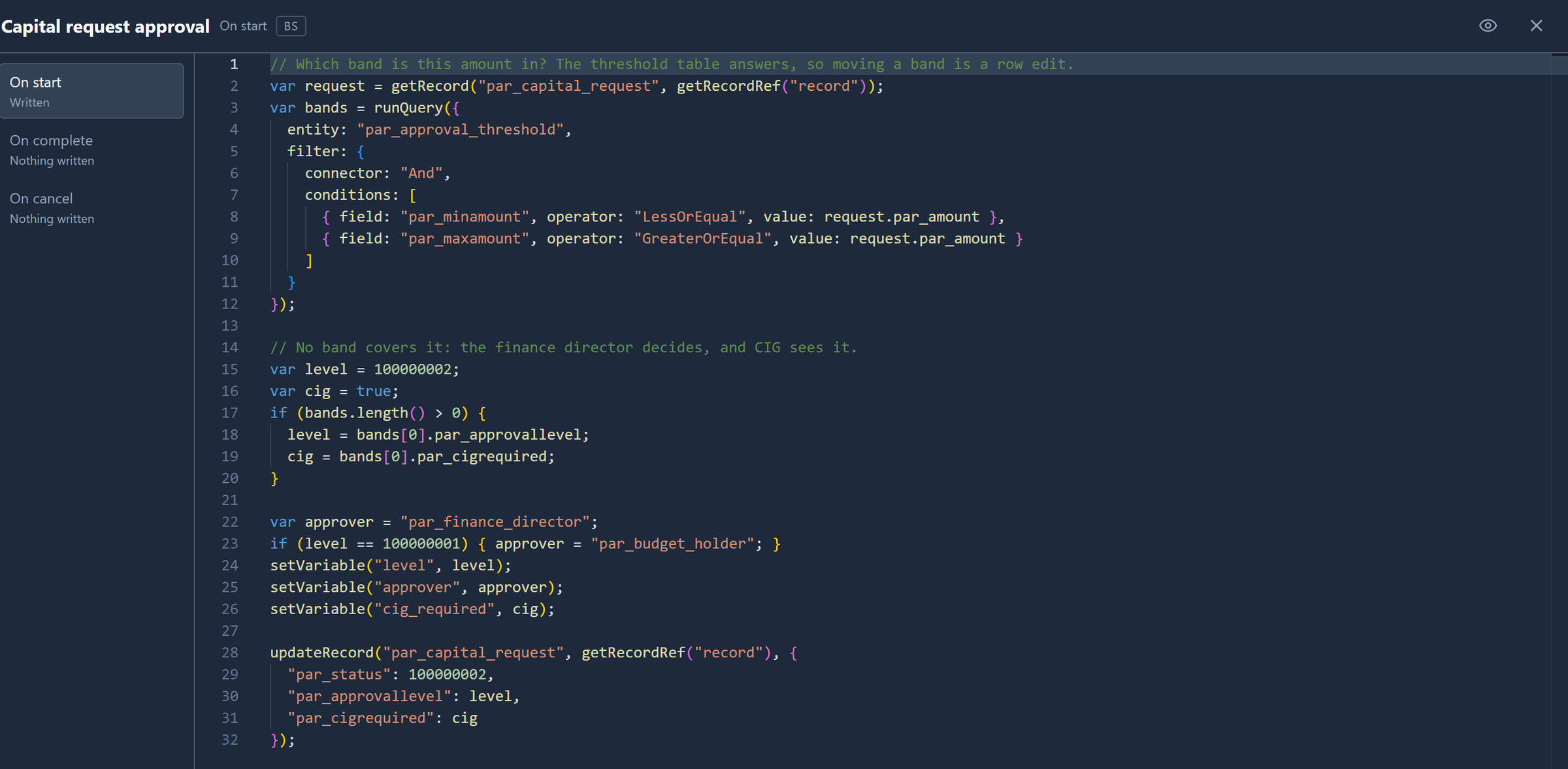
runQuery is the query language written as an object: two
conditions, minimum at most the amount and maximum at least it. The band gives two things:
- its level, which the script turns into the role that decides: Department head means the
par_budget_holderrole, anything above itpar_finance_director; - whether CIG has to see it.
Both go into process variables, and onto the request itself. If no band covers the amount, the script plays safe: the finance director decides and the CIG sees it.
Who gets the task
Decide the request doesn't name a role. Its Assigned to is
role(getVariable("approver")): whichever role the start chose. Robin raised two requests, £38,000
and £240,000. Sam's task list shows where each went:

The two rows look the same apart from Assigned to. The task list doesn't say which request a task is about yet; you find out when you open it.
What the requester sees
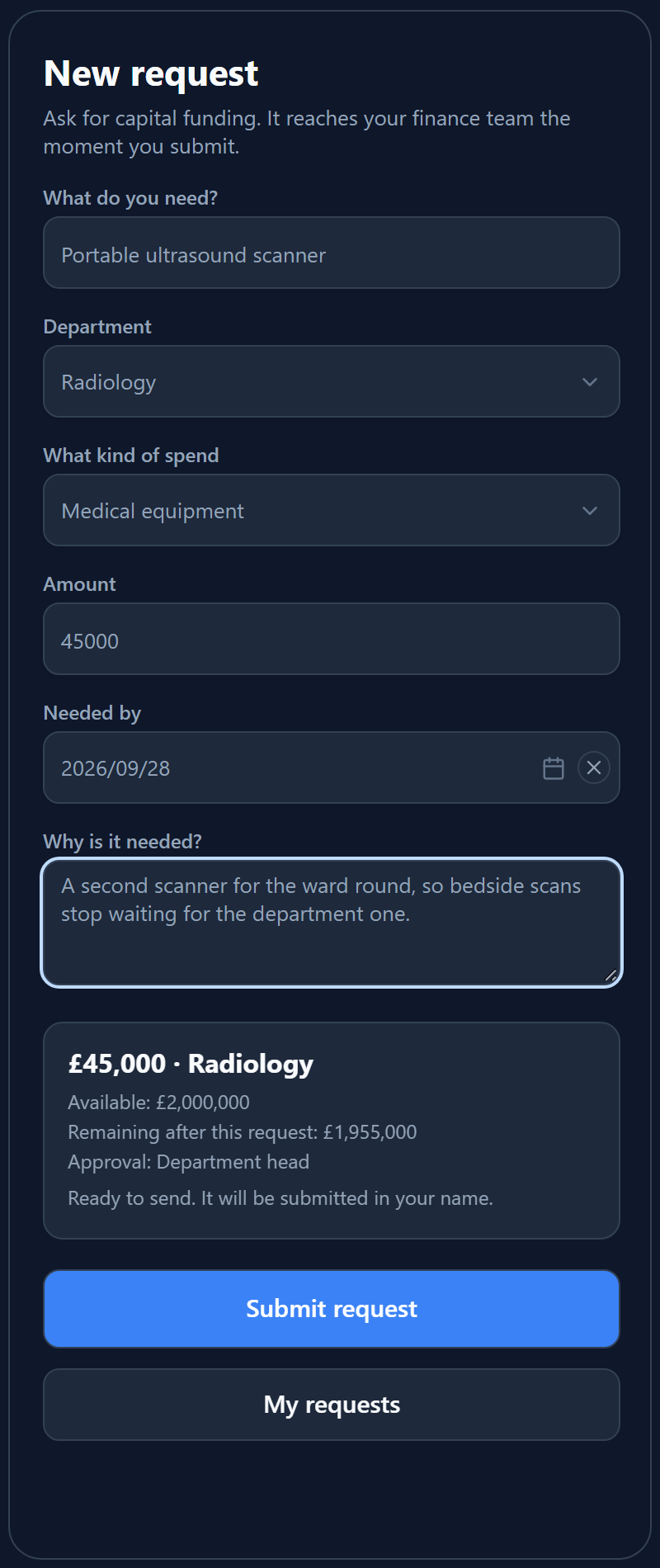
The phone screen works out the band too, as Robin types, so he knows who'll decide before he submits:
The same line at £150,000 and at £650,000:
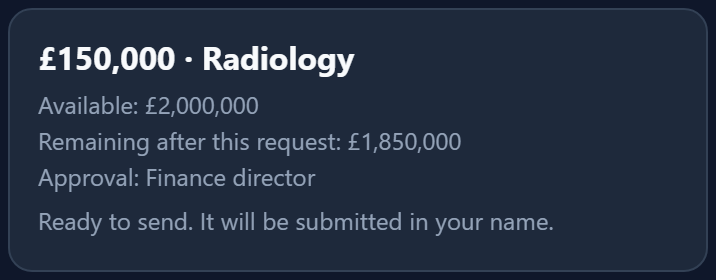
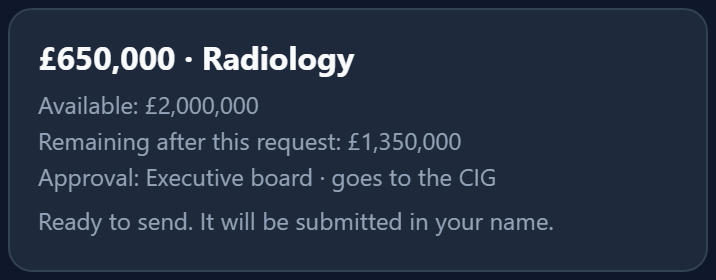
The screen only shows the answer. The process works it out again from the table when the request arrives, so a request created any other way, on its form or by an import, is routed the same.
The approver decides
The approver's task opens the request's own form, where the start has filled in the band:
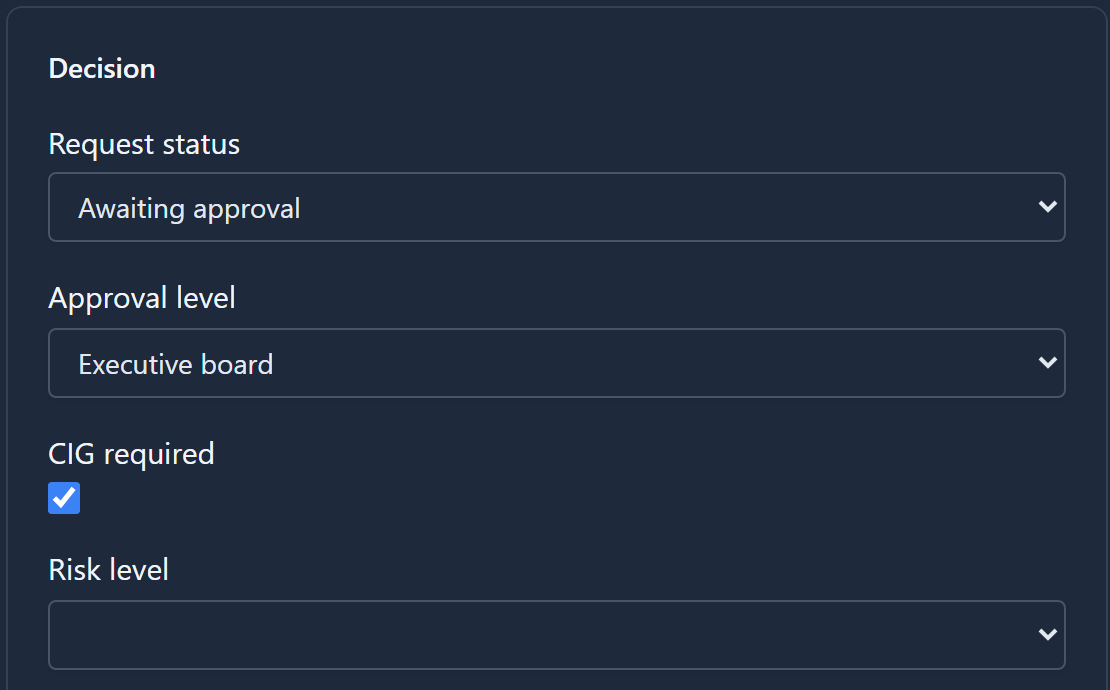
They can Approve, Return for more detail, Reject, or Send to CIG themselves.
CIG needed?
When the approver approves, CIG needed? reads the cig_required variable. If the band said no,
the request is approved. If it said yes, the CIG gets a task. The CIG reads a report of the request
rather than its form, because they're deciding, not editing:

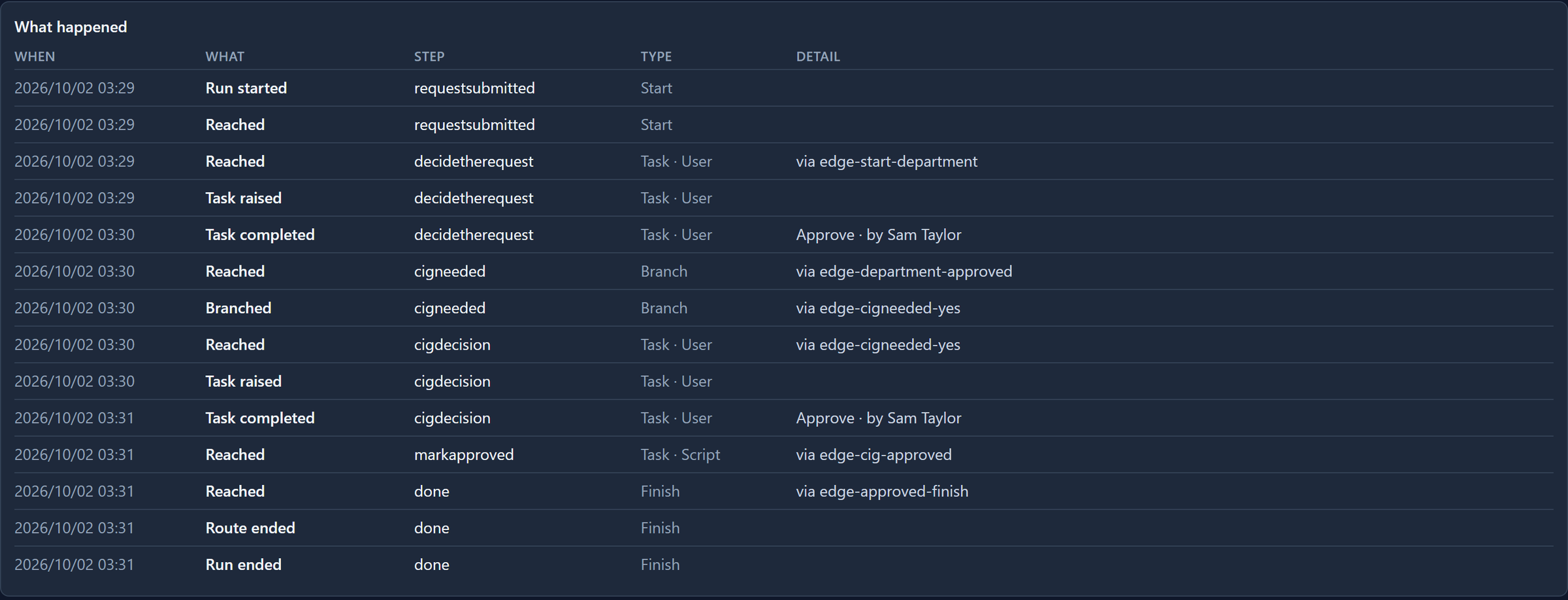
The run's history shows the route the £720,000 request took:
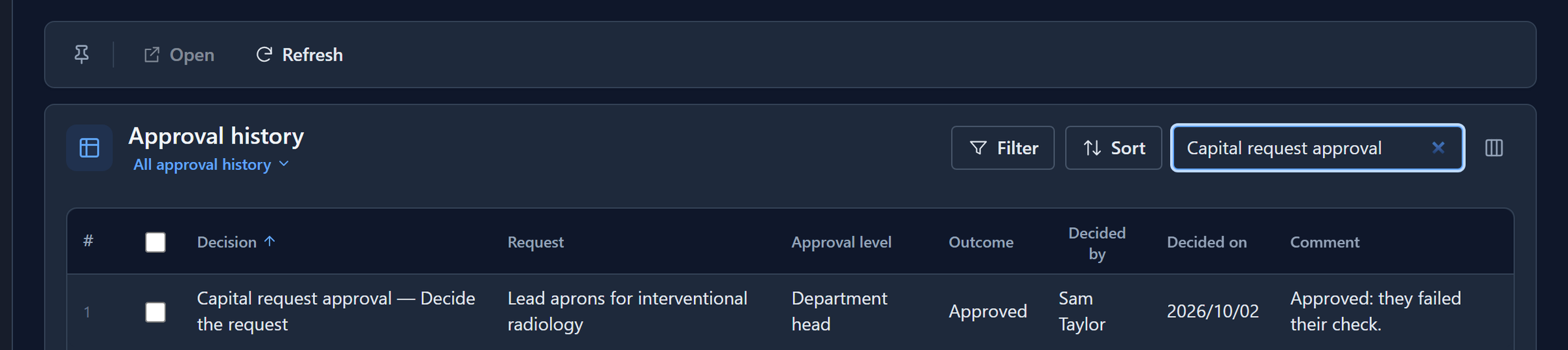
Each decision also adds a row to Record → Approval history, with the level it was decided at, who decided, when, and their comment:
Move a band
Finance decides the department head should only sign off up to £40,000. In Approval thresholds they change two rows: Department head now stops at 40,000, and Finance director starts at 40,000.01:
Robin then raised another £45,000 request. Before the change it would have gone to the budget holder. Now:

Nothing was redrawn, republished or redeployed. We put the bands back afterwards.
Keep the bands touching: if one ends at 40,000 and the next starts at 50,000, a request for 45,000 falls in no band, and goes to the finance director and the CIG.
What we fixed
The sample said all of this and did less. Running it found:
- It didn't route by amount. The process's own description said it did, but every request went to the budget holder, whatever it was for. The start now reads the band, and CIG needed? is new.
- The CIG read every request. Their report printed the whole table, not the request they were deciding. A report can be told which field to narrow by when it's opened from a record; this one now is. The two-step approval sample's report had the same gap.
- Nobody but an administrator could do anything. The four roles had no rights at all, not even to open the phone screen the app starts on. Each now has what its step needs.
- The history named things badly. Rows were called par_capital_approval — …, because
processTitle()read the process's title from the wrong place in the document and always fell back to its internal name. Decided by held a reference such as systemuser:01a0… rather than a name, and the date was empty. All three are fixed, the first in the process engine. - Who decided could come out as a role. In a step's On complete,
taskAssignee()now answers the person who decided it, even if they never took the task first.
If you imported the sample before October 2026, import it again.
What it doesn't do
- Approving doesn't spend the budget. The panel still says Available: £2,000,000 after approvals. Nothing in the sample takes an approved request off its budget line.
- The level-to-role mapping is in the script. The table says Department head, and the start
script turns that into the
par_budget_holderrole. A table with a role column would take that last step out of the script too.
Try it
Import the sample, give yourself the four roles and sign in again. Raise one request in each band, then move a band and raise the same amount again. Open Approval history to see who decided each one, and at what level.
Next: watching a process run, as it runs.