Parsware Platform
Process variables
A process carries values from one step to the next: what the manager decided, how many days were asked for. Each is a variable, declared once on the process with a name and a type, given a first value in On start, and read and written by name. We added one to the Leave Approval sample and misspelt another on purpose.
هذا المقال متاح بالإنجليزية فقط.
A record holds what a request is: the dates, the employee, the reason. A process also needs to remember things about this run: what the manager decided, whether finance has seen it, how many times it's been sent back. Those are variables.
We used the Leave Approval sample from samples/solutions/bpms-leave-approval-process again.
Open its process and select the process itself, Leave Approval at the top of the outline.
Declaring one
Under Variables in the properties panel, the sample declares one:
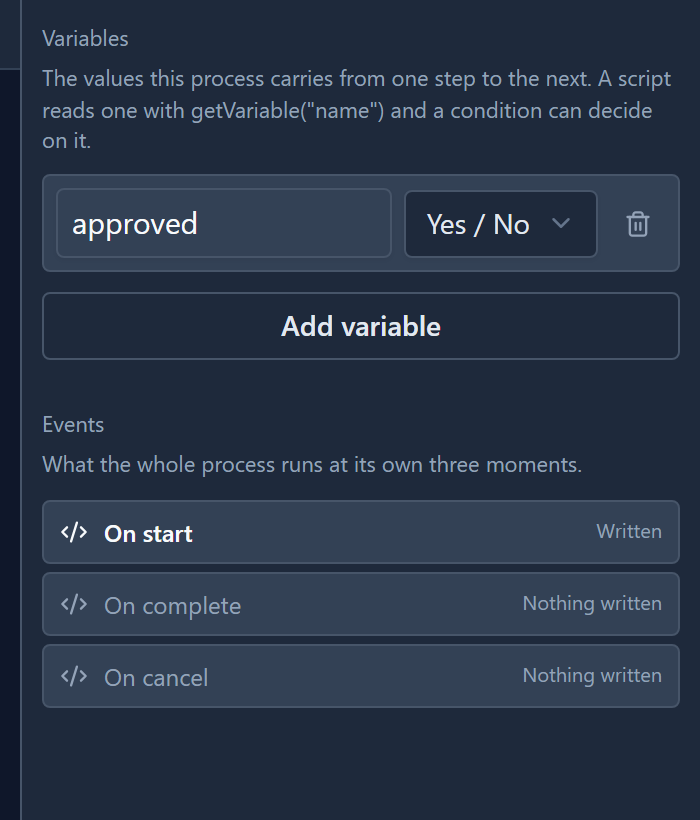
approved, a Yes / No. Review Request sets it, and the branch after it reads it.
Select Add variable, give it a name and pick its type. There are four:
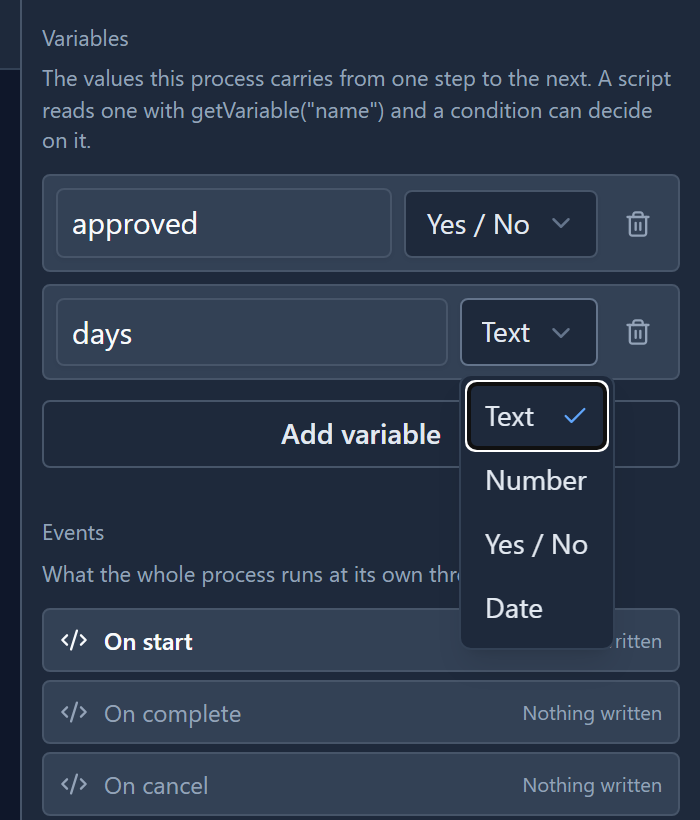
We added days, a Number. The trash can at the end of a row removes it.
The name is what scripts write, so treat it as fixed. Renaming a variable doesn't rewrite the scripts that use it. A row with no name isn't offered anywhere, and the problems panel reports it.
A first value: On start
A variable has no value until something gives it one. The process's own On start, under Events, runs once when a run begins. The sample uses it for exactly that:
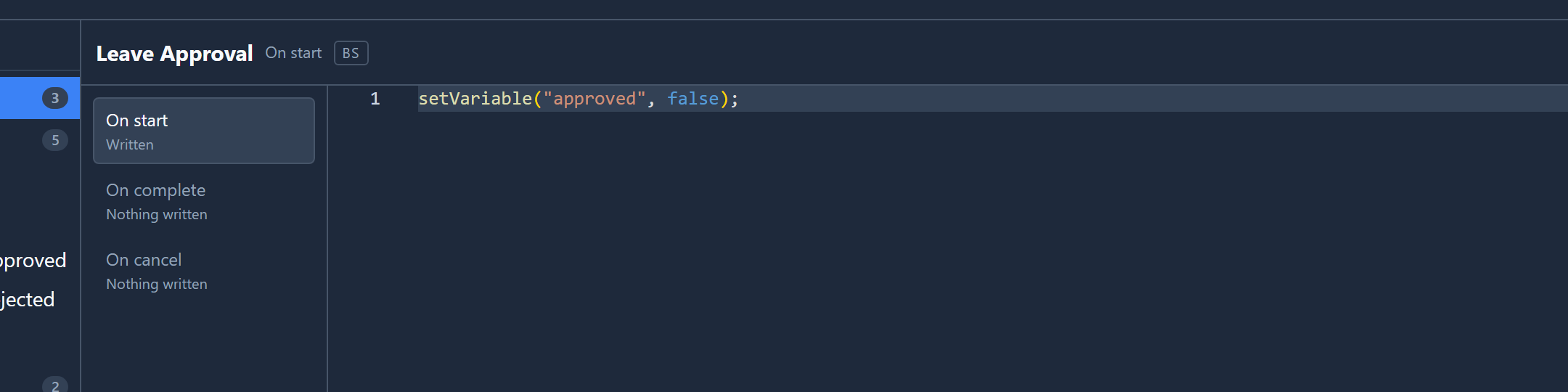
setVariable("approved", false);
That way the branch never finds approved empty, even if it's asked before anyone has decided.
Reading and writing
Two functions, anywhere a script runs:
getVariable("approved")reads it.setVariable("approved", true)changes it, and it stays changed for the rest of the run.
A branch condition may only read, so it's offered getVariable and
not setVariable. A step's events, like Review Request's On complete, may do both.
Type getVariable(" and the editor offers the names you've declared:
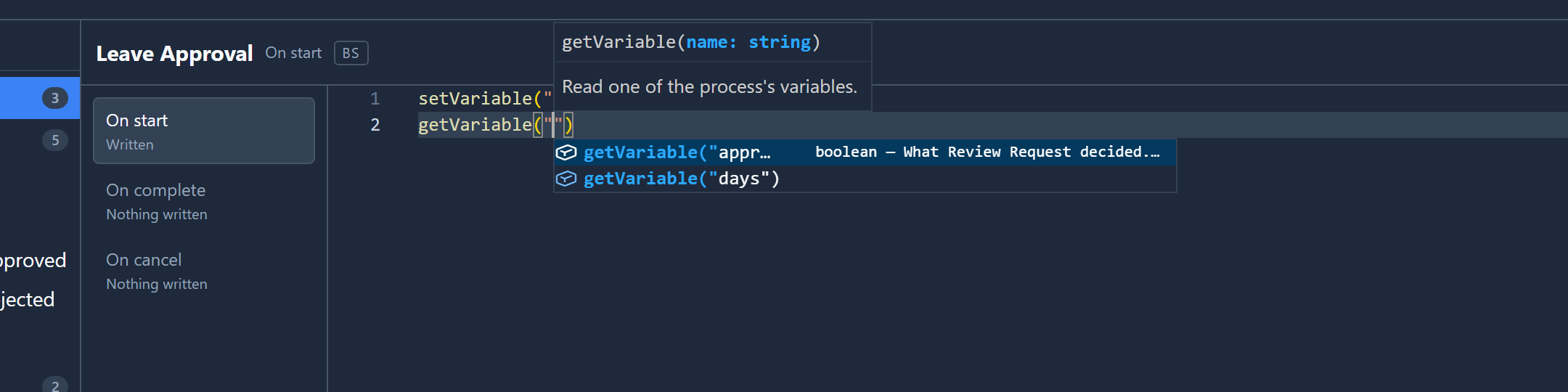
approved also shows its type and a description, which the sample's process file gives it: What Review Request decided. Seeded false on
start, so the branch is never asked before there is an answer.
A misspelt name
We changed On start to set "aproved", with one p, and closed the code page. The bar in the corner
of the canvas now says 1 problem:
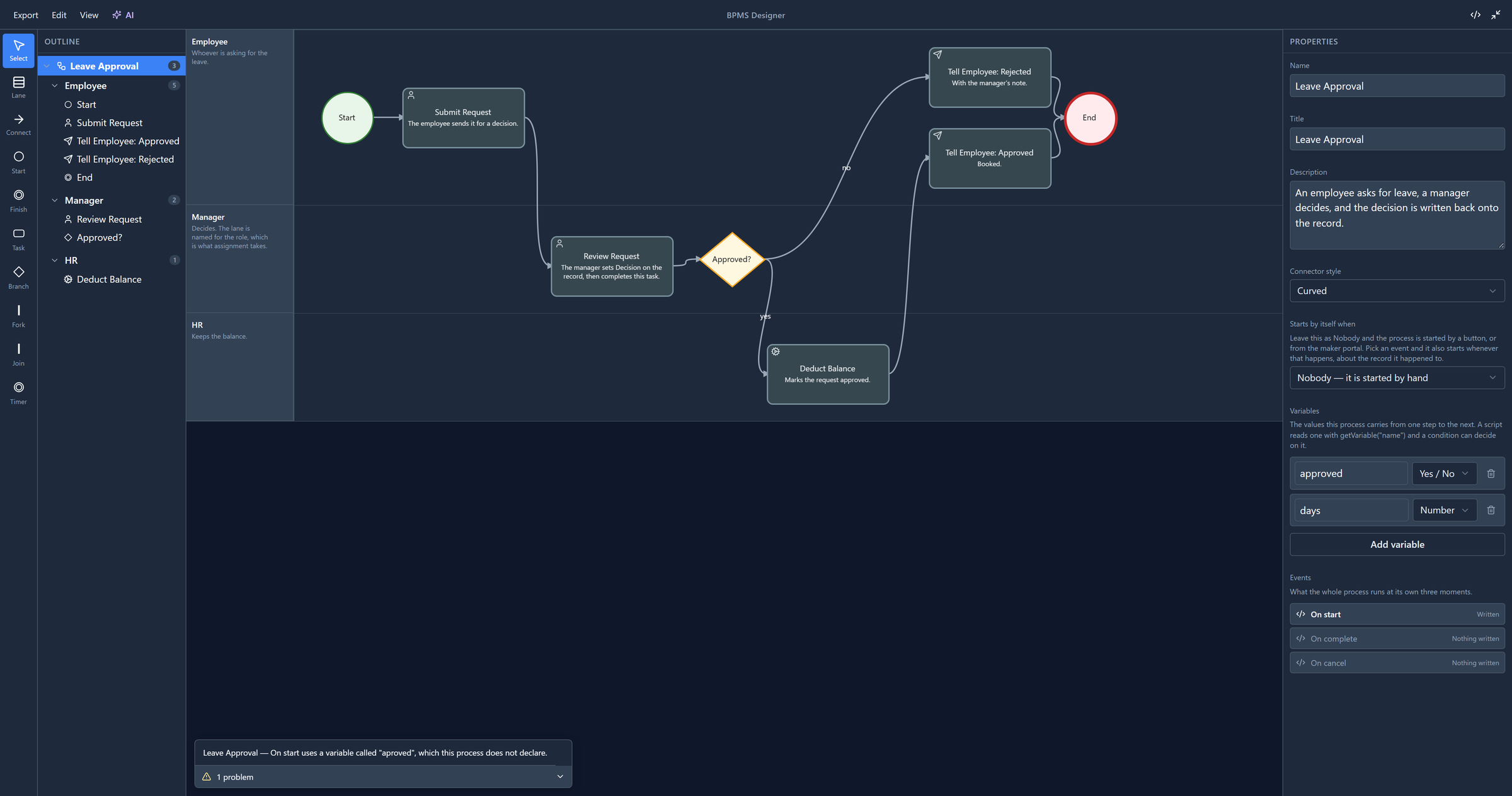
Without the panel, the run would have set a variable nobody reads, and the branch would have read
approved as false forever. Select the line and the designer takes you to the process, where On
start is.
That line used to read onStart reads a variable called "aproved": the slot's internal name, always in English, and "reads" about a line that writes. It now names the process and the slot the way the code list does, in your language.
Try it
Declare days as a Number and add this line to Submit Request's On complete, which already has code of its own:
setVariable("days", getRecord("par_leaverequest", getRecordRef("record")).par_days);
par_days is the request's Days field. A later step can then read how many days were asked for
without opening the record again.
Next: the problems panel: everything it checks, and how it takes you to the fix.