Parsware Platform
Fork and join: work in parallel
A purchase order needs Finance and Legal to sign off, and neither should wait for the other. A Fork sends it to both at once, and a Join waits until they have both answered. We opened the parallel sign-off sample, and fixed three things on the way: unreadable labels, stray resize handles, and a Join whose most useful setting had no control.
هذا المقال متاح بالإنجليزية فقط.
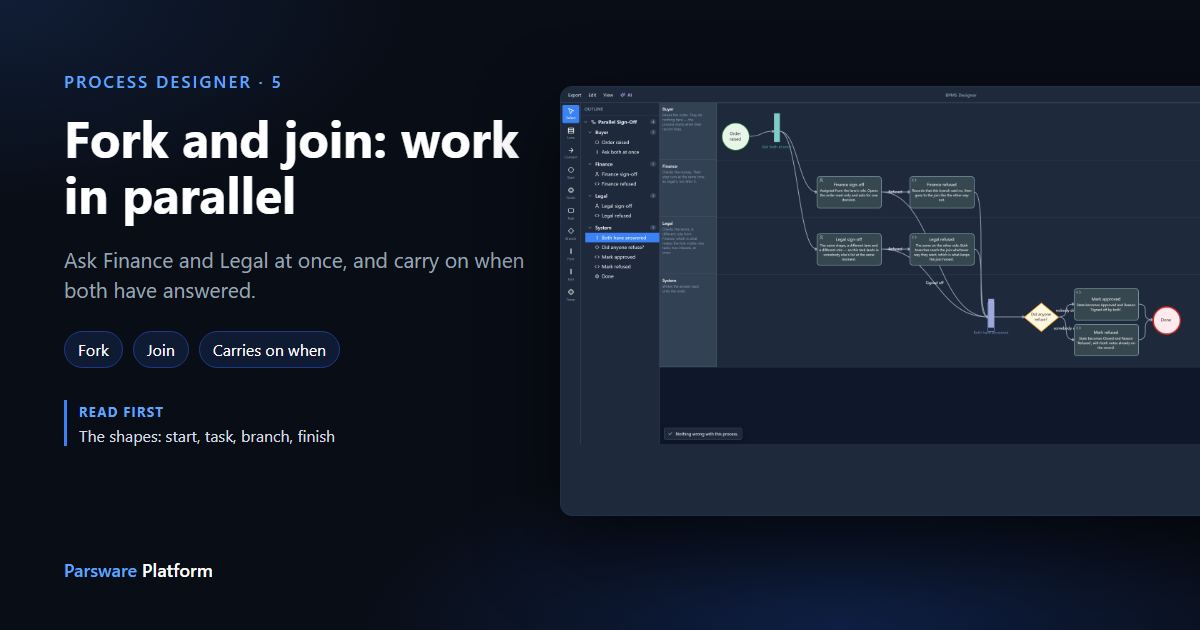
Most processes are a line: one step, then the next. Some aren't. A purchase order needs Finance and Legal to sign off, and there's no reason for either to wait for the other. Doing them one after the other only makes the order take twice as long.
A Fork splits a run so that both happen at once. A Join brings the run back together.
We used the Parallel Sign-Off sample. Import it from samples/solutions/bpms-parallel-sign-off
to follow along, and open its process, Parallel Sign-Off.
The process
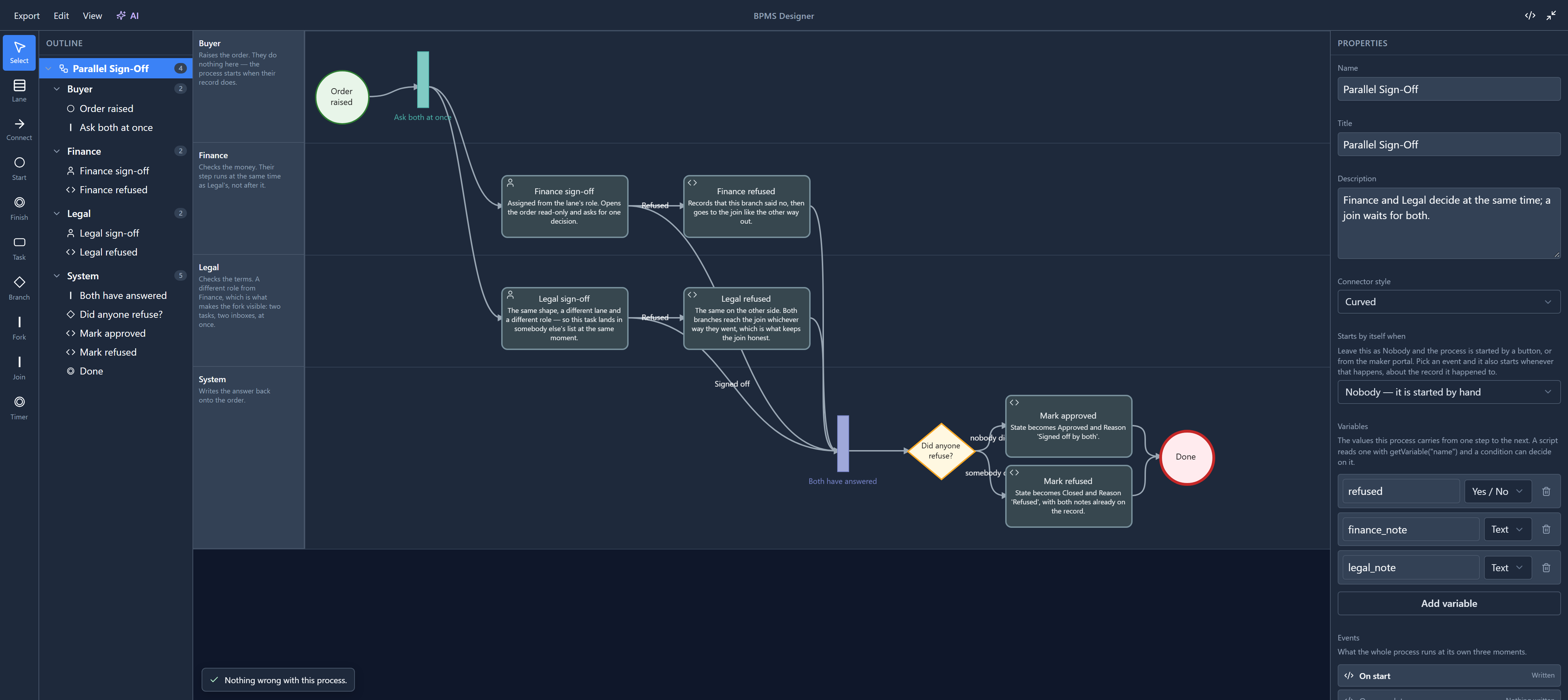
Read it left to right. The order is raised. Ask both at once is the fork: two connections leave it, one to Finance and one to Legal. Each of them either signs off or refuses. Every one of those ways ends at Both have answered, the join. After the join a branch asks whether anybody refused, and the order is marked approved or refused.
A fork and a join are drawn as bars rather than boxes, the way process diagrams usually show them.
Their names used to be unreadable. The title was written across the bar itself, which is only a few pixels wide, so Ask both at once came out as a column of cut-off letters. We moved it under the bar while writing this. The branch Did anyone refuse? had the opposite problem: its description was squeezed into the diamond in tiny type. A diamond now shows only its title, and the description stays in the properties panel.
The fork
Click Ask both at once:
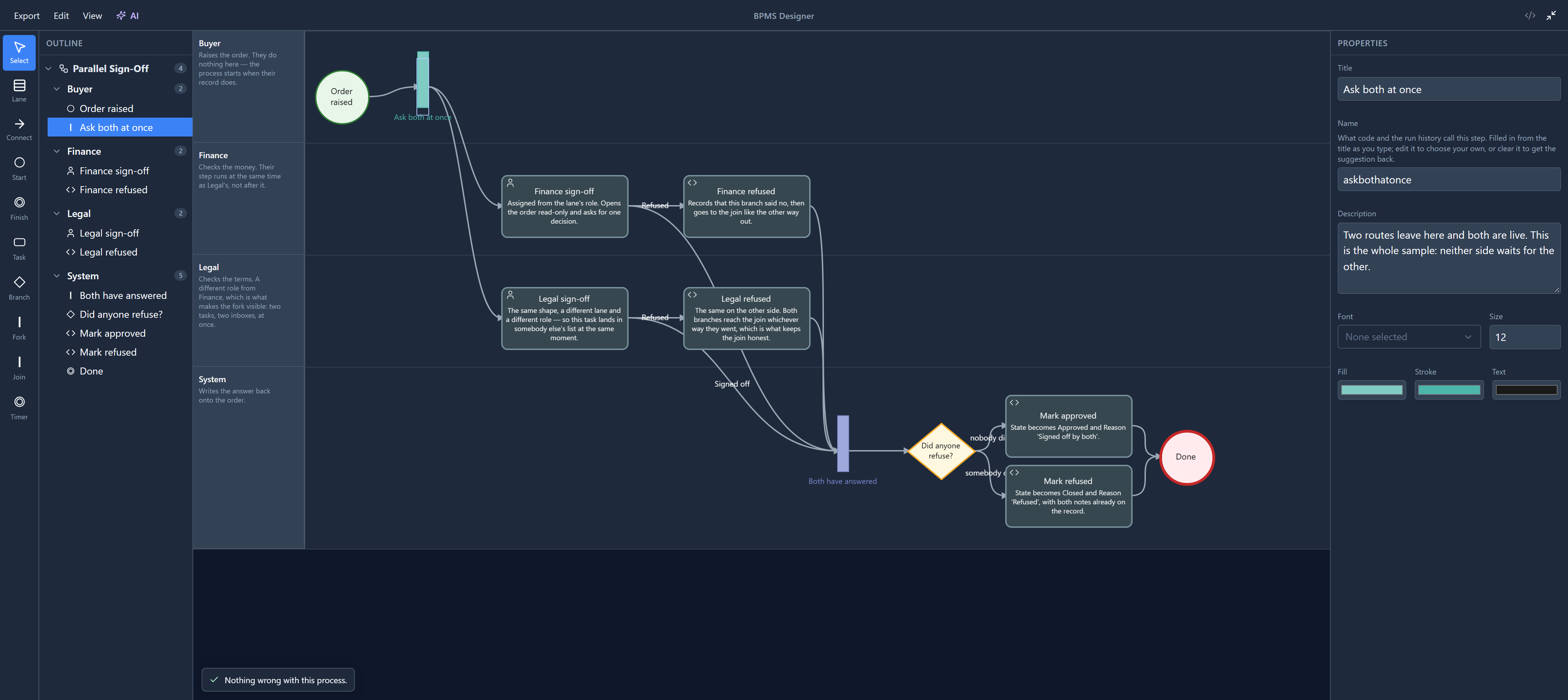
A fork has nothing to set, and that's the point: it does one thing. Every connection leaving it starts its own route, and all of them run at once. Here that means a task in Finance's list and a task in Legal's list, at the same moment.
You'll notice there are no resize handles around the bar. There used to be eight, on every fork, join, start, finish and timer, although none of those shapes can be resized. Only tasks and branches have them now.
The join
Click Both have answered:
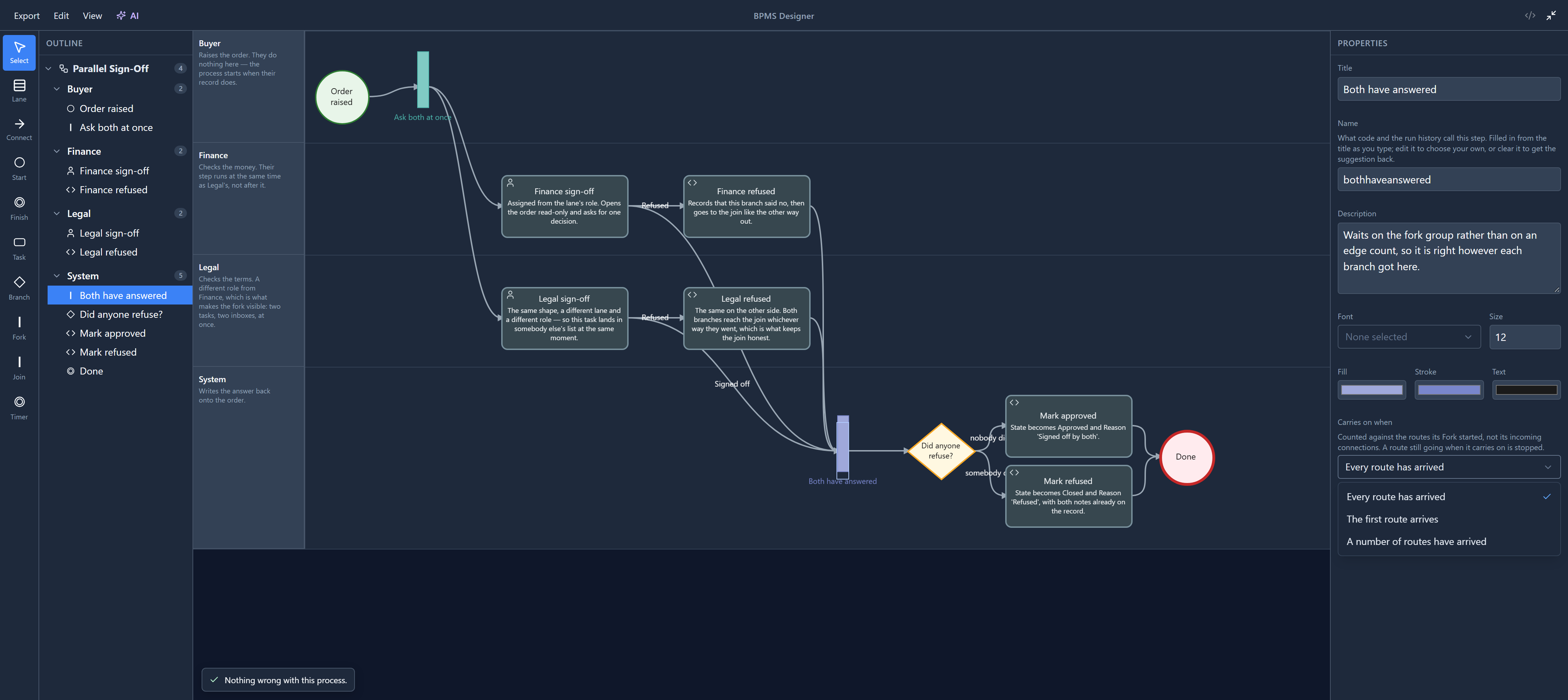
Carries on when decides when the run gets past the join:
- Every route has arrived (the default). Both Finance and Legal have answered.
- The first route arrives. For "either of two managers may approve".
- A number of routes have arrived, with How many routes under it. Two of three, say.
When the join carries on before every route has arrived, the routes still going are stopped, and their open tasks are taken out of people's lists. That last part is also new: the routes were stopped, but their tasks stayed in people's lists, where one could still be opened for a route that had ended. We fixed it while writing this.
This choice is new too. The engine has had all three for a while, but the designer showed none of them, so every join waited for everybody unless you edited the process file by hand.
Why four connections arrive and it waits for two
Look at the join again: four connections arrive at it, from Finance sign-off, Finance refused, Legal sign-off and Legal refused. It still waits for two.
That's because a join doesn't count its connections. It counts the routes its fork started. The Finance route reaches it once, whichever way Finance answered, and so does the Legal route. A join that counted connections would wait forever for the two refusals that didn't happen.
That's also why the refusal steps lead to the join and not to a finish of their own. Each is one line of code:
setVariable("refused", true);
A variable is shared by every route in a run, so it's how one route tells the rest of the process
something. The branch after the join reads refused to decide which way to go.
What the problems panel checks
To see what the designer says about a fork on its own, we dropped a second one into the System lane:
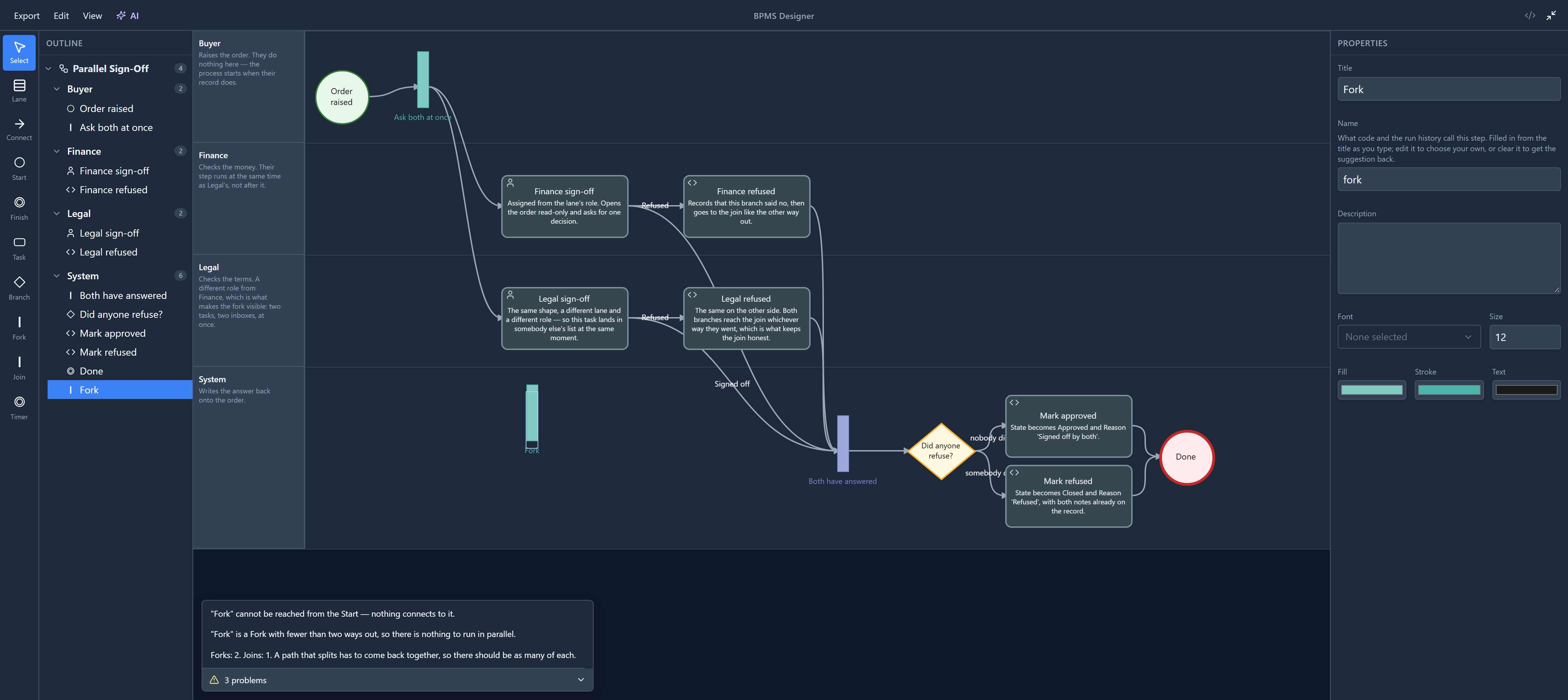
- A fork needs at least two ways out, and a join at least two ways in. Anything less has nothing to run in parallel.
- As many forks as joins. A process that splits more often than it merges has a route still going when it should be over.
That last message used to read "There are 2 Forks and 1 Joins". It reads Forks: 2. Joins: 1. now, in every language.
We didn't save any of this. Closing the designer without saving leaves the sample as it was.
A note on finishing early
The shapes article showed a Finish's When a route reaches it. This is where it matters. By default, a route reaching a Finish ends only that route, and the run ends when no other route is still going. Choose End the whole run and reaching it stops every other route as well: the way to say "refused, don't bother asking Legal".
This article stays in the designer. Running this process, and watching both tasks arrive at once, comes in the next series.
Try it
Set Both have answered to The first route arrives. Now whoever answers first decides whether the order is approved, and the other person's task is taken out of their list. Then set it back to Every route has arrived, or close without saving.
Next: connecting and arranging: drag to connect, and connections that route around shapes.