Parsware Platform
Rules with limits
A loop that never ends is a typo away, and on the server it would hold a save open forever. So every script runs on a budget. We wrote two broken plugin steps, a loop counting the wrong way and a function with no way out, and read what the platform says when it stops them.
هذا المقال متاح بالإنجليزية فقط.
Everyone writes a loop that doesn't end eventually. i-- where you meant i++, a condition
that's never quite met, a function that calls itself and forgets to stop.
In a form rule, that would freeze the browser tab, with somebody's unsaved record in it. In a plugin step it's worse: the step runs inside the save, so the save would never finish, and the record being written would stay locked for everybody else.
So no script in Parsware can run forever. Each one runs on a budget, and when it runs out the script is stopped with a sentence that says where. This article breaks a plugin step twice to see those sentences. We used the order lines from the Order Stock sample, but any table will do.
A loop that counts the wrong way
In Main we added a step, Count the pallets, on Order line, Create, Before the write. It was meant to work out how many pallets of 12 a line fills. It has a typo:
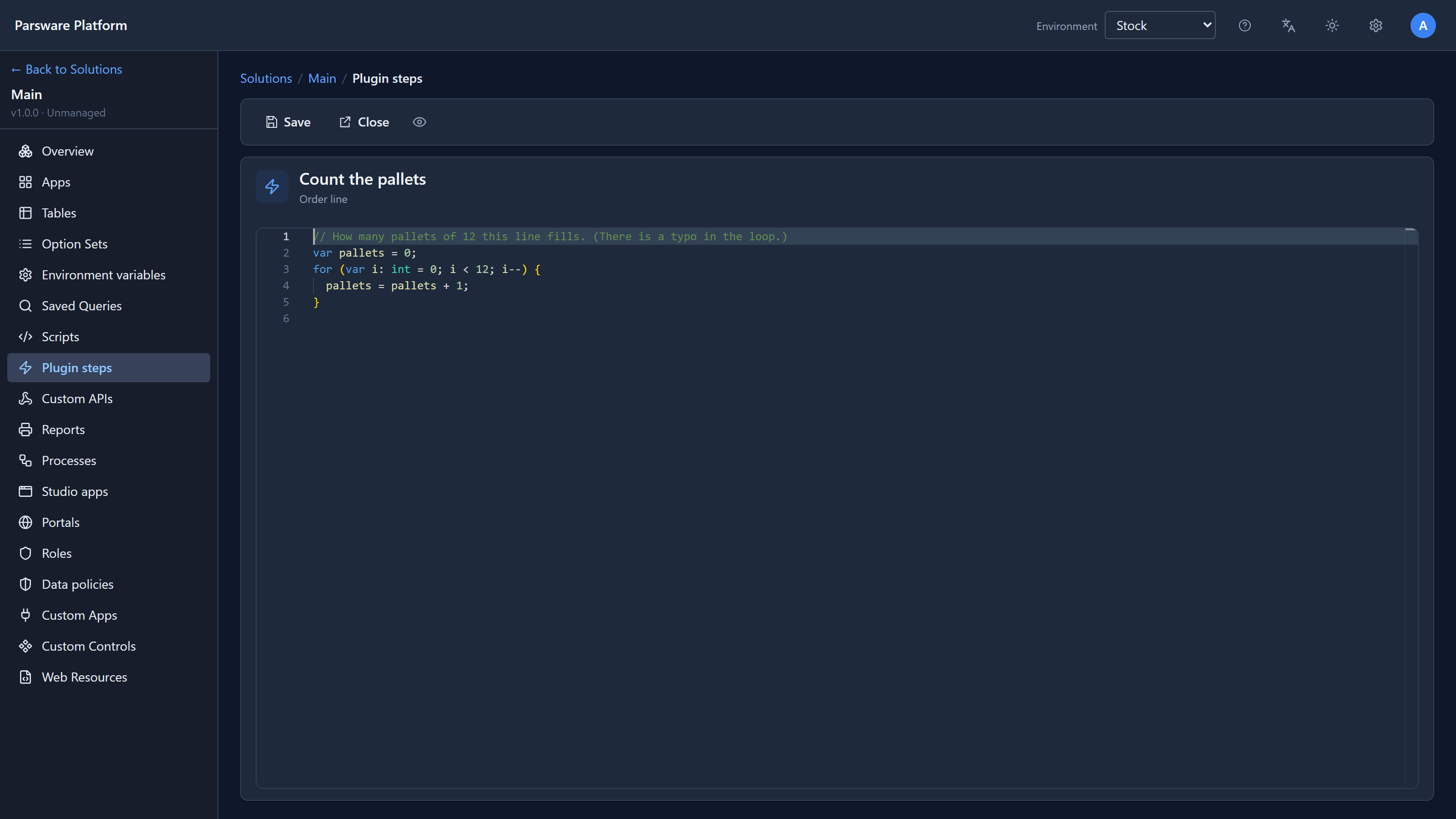
// How many pallets of 12 this line fills. (There is a typo in the loop.)
var pallets = 0;
for (var i: int = 0; i < 12; i--) {
  pallets = pallets + 1;
}
i-- counts down from 0, so i < 12 is always true. The editor accepts it: it's a perfectly
good loop, just not the one we meant. We saved an order line in the Shell:
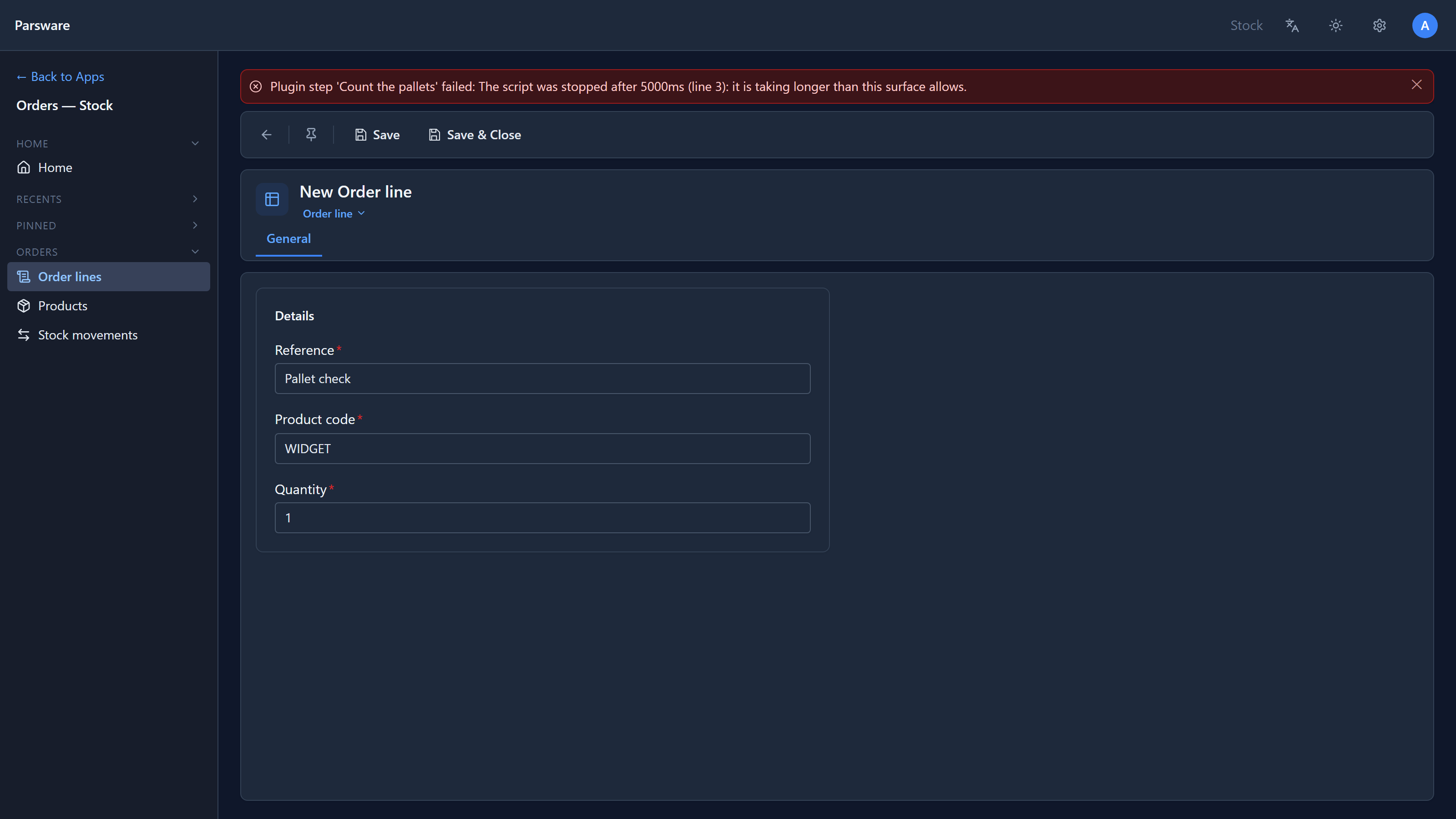
About five seconds later the save was refused: The script was stopped after 5000ms (line 3). The message names the step and the line the script was on when it was stopped, which is the loop. Nothing was stored, because the step runs before the write.
A function with no way out
We tried again with recursion: a function that takes 12 off and calls itself, but has no check for when to stop:
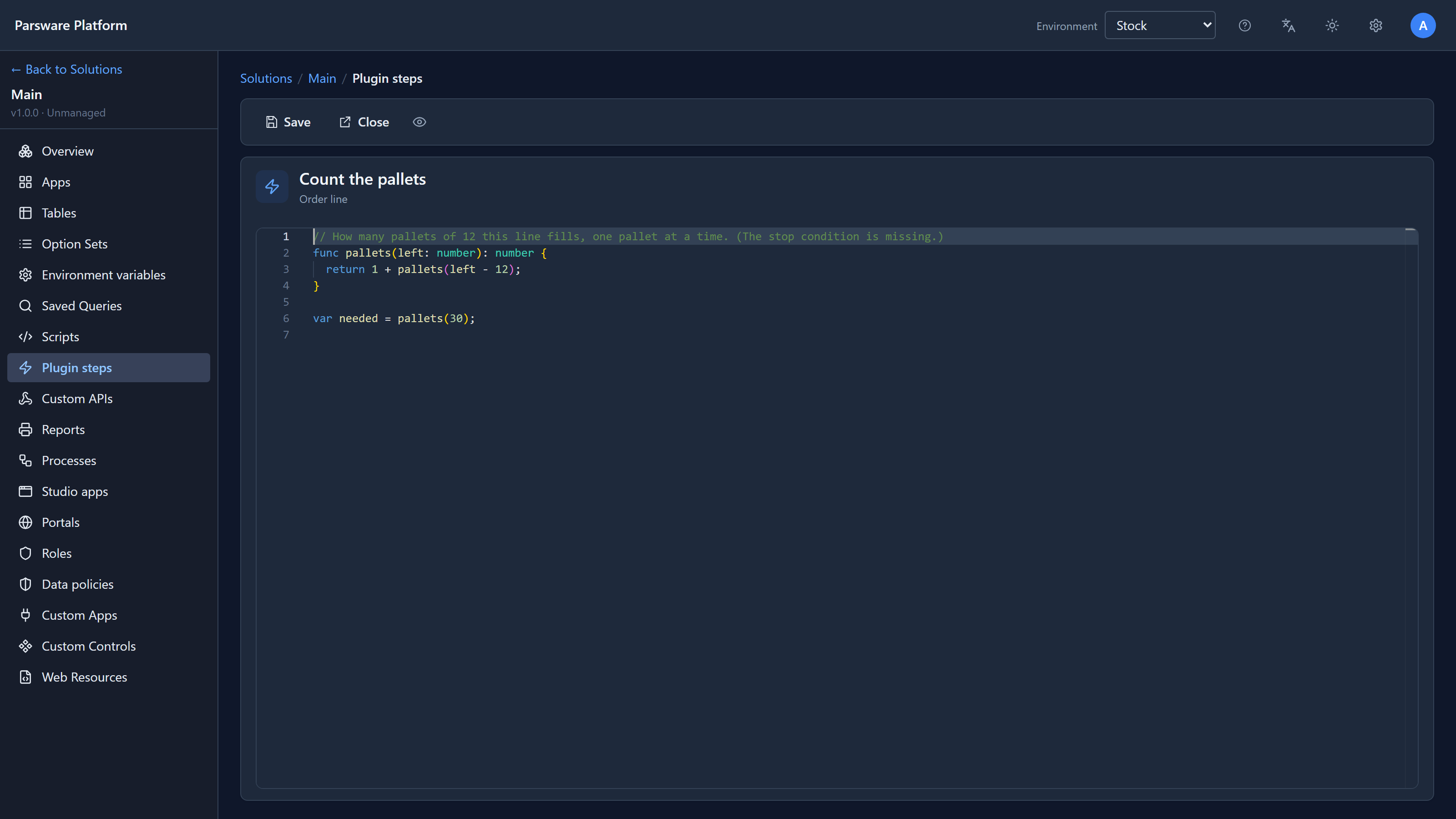
// How many pallets of 12 this line fills, one pallet at a time. (The stop condition is missing.)
func pallets(left: number): number {
  return 1 + pallets(left - 12);
}

var needed = pallets(30);
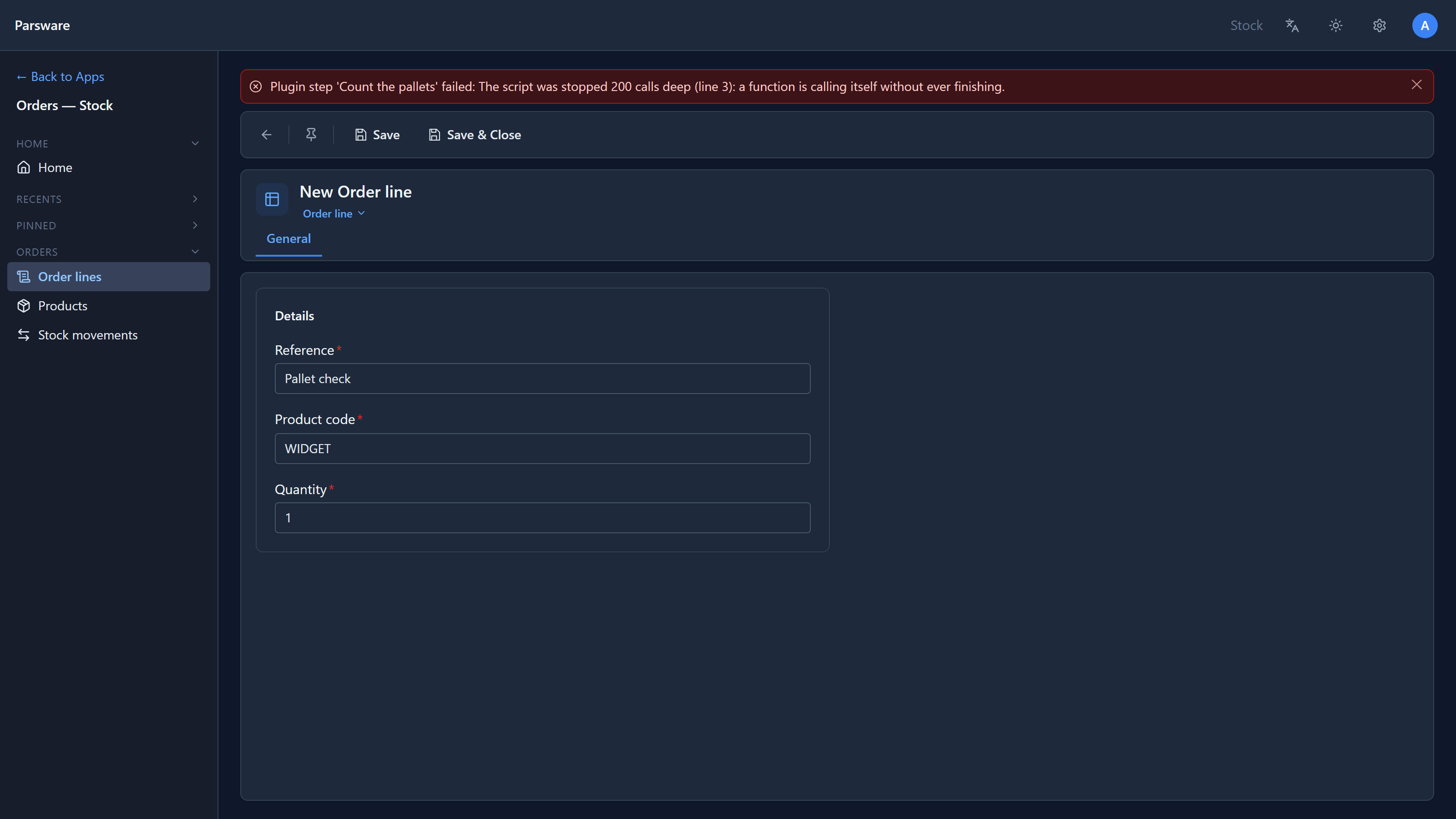
This one was stopped much faster, and says why: 200 calls deep … a function is calling itself without ever finishing. Adding the missing check fixes it:
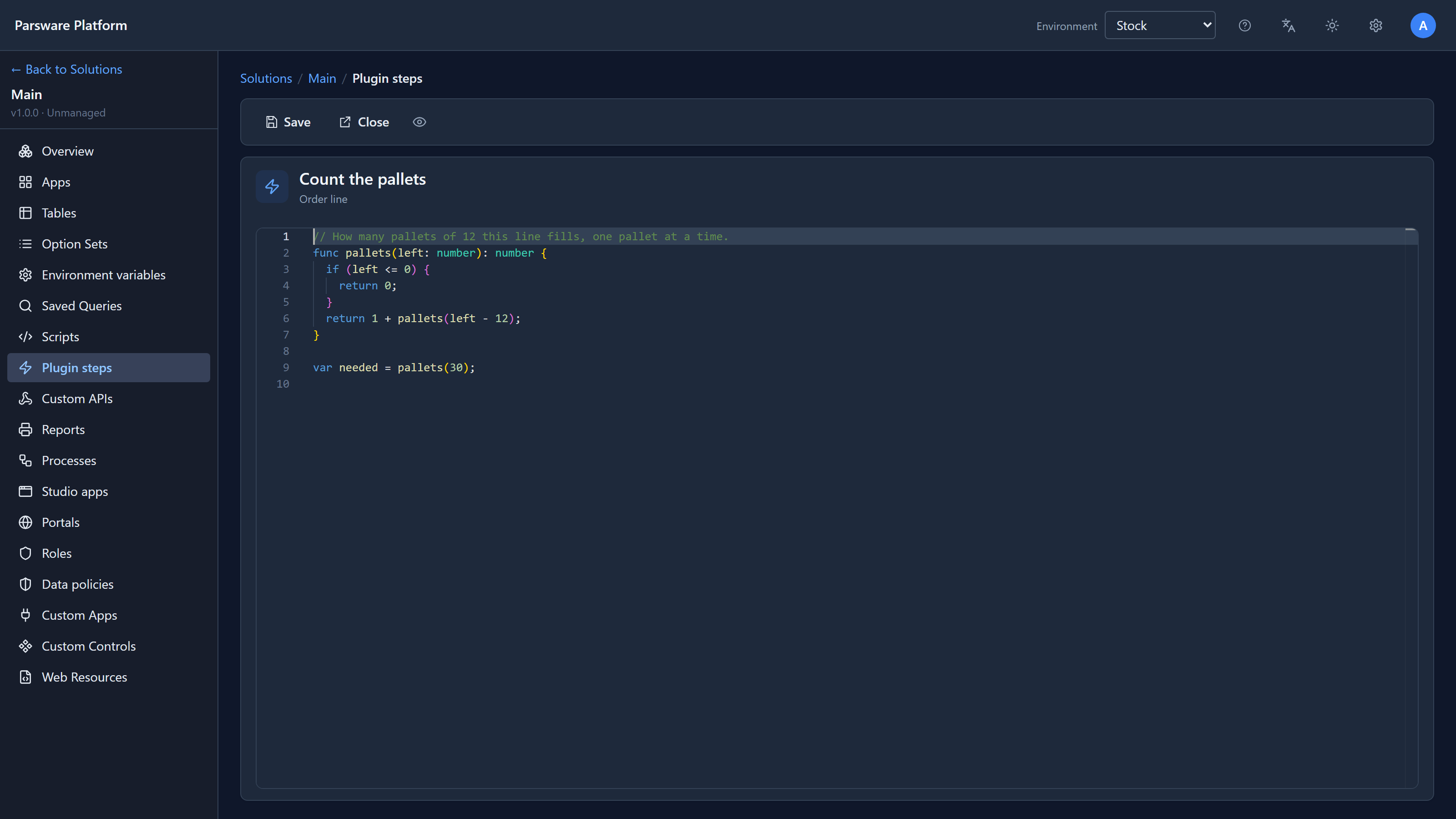
func pallets(left: number): number {
  if (left <= 0) {
    return 0;
  }
  return 1 + pallets(left - 12);
}
With that, the order line saved straight away.
Three limits
A script is stopped when it passes any one of three limits:
| Limit | What it catches | What the message says |
|---|---|---|
| Steps | A loop that never ends. Every statement, loop turn and call counts as a step | stopped after N steps |
| Time | A script that isn't looping but is too slow | stopped after N ms |
| Depth | A function calling itself without end | stopped N calls deep |
The loop above could have hit either the step or the time limit; on our machine the clock ran out first. Either way the message gives the line.
A try/catch in the script can't catch these. A limit a script could switch off by wrapping
the loop in try wouldn't be a limit.
Different places, different budgets
The limits depend on where the script runs, because the cost of a slow script depends on who's waiting for it:
| Where the script runs | Steps | Time | Depth |
|---|---|---|---|
| A form rule, in the browser | 100,000 | 0.5 s | 100 |
| A command button, in the browser | 500,000 | 2 s | 100 |
| A data policy's check | 200,000 | 1 s | 100 |
| A plugin step or a Custom API | 2,000,000 | 5 s | 200 |
| A scheduled job | 50,000,000 | 2 min | 200 |
A form rule has the tightest budget because it runs between one keystroke and the next, and the page can't do anything else meanwhile. A scheduled job has the longest because nobody is waiting and it may walk thousands of rows. None is unlimited: a nightly job that never finished would never start again the next night.
These are generous for real work. The largest rule in any sample uses about a thousand steps. If a script you meant to write hits one, the loop or the recursion is almost always the reason, not the limit.
Fixes from writing this
The first time we saw the loop's message, it read …than this surface allows.., with two full
stops, and named the step new_line_count_pallets, its logical name. It now names the step as
you called it, with one full stop. The step limit's message also used to say "than a form script
should", even for a plugin step on the server. It now says "than this surface allows", in both
the browser and the server.
The recursion example found a real difference between the two. The editor and the browser
accept pallets(30) into a parameter declared number, because a whole number is a number. The
server refused it with Function overload for pallets not found, so the script that looked fine
in the editor failed on the first save. The server now accepts it too, and the test suite both
interpreters must pass holds them to it. A decimal into a parameter declared int is still
refused, on both sides.
Try it
Write the classic, while (true) { }, in a plugin step, save a record and read the message. Then
make the loop do something slow but finite, such as counting to a million, and see whether it
finishes inside the budget or not.
Next: environment variables: values that change per environment, read by your server scripts.