Parsware Platform
A server rule: an expense limit
A claim over 1,000 needs an approval note. The form can show that as you type, but only a plugin step makes it true, because it runs on the server whatever saved the claim. We imported a spreadsheet of claims past the form and watched two rows refused with the step's message, then looked at how one script holds the limit for both sides.
هذا المقال متاح بالإنجليزية فقط.
The last article ended on a gap. A form rule makes the form helpful, but an import, the API or another app never opens the form, so the rule never runs for them.
This one closes that gap for one rule: a claim over 1,000 needs an approval note, and a claim over 5,000 needs a second approver as well. The form shows it as you type. The server makes it true.
We used the Expense Limit sample; import it from
samples/solutions/business-rules-expense-limit-solution-script to follow along. It adds a
Claims — Shared Script app.
On the form
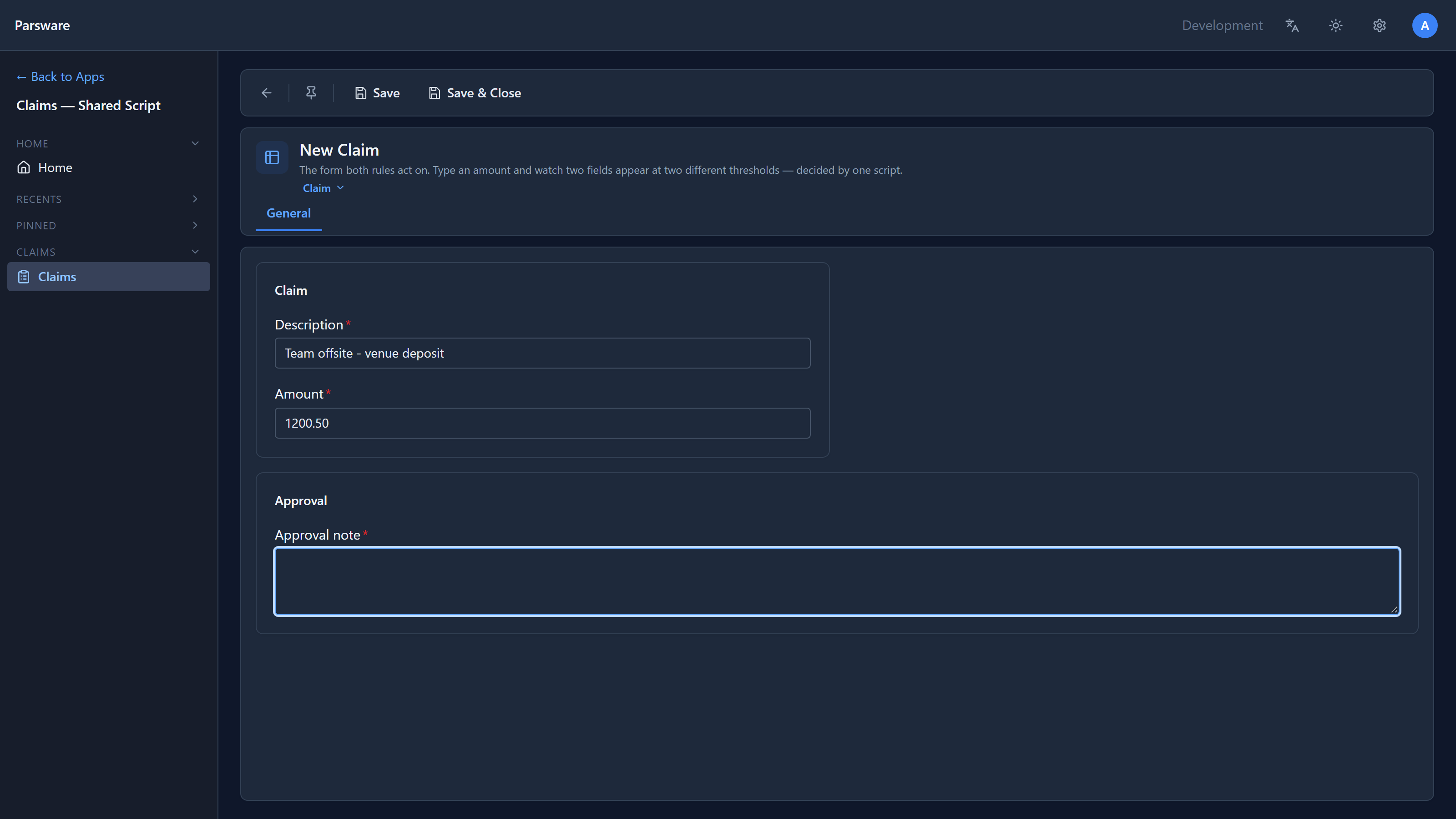
We started a new claim and typed an amount of 1200.50. Approval note appeared, required:
At 7500, Second approver appeared too:
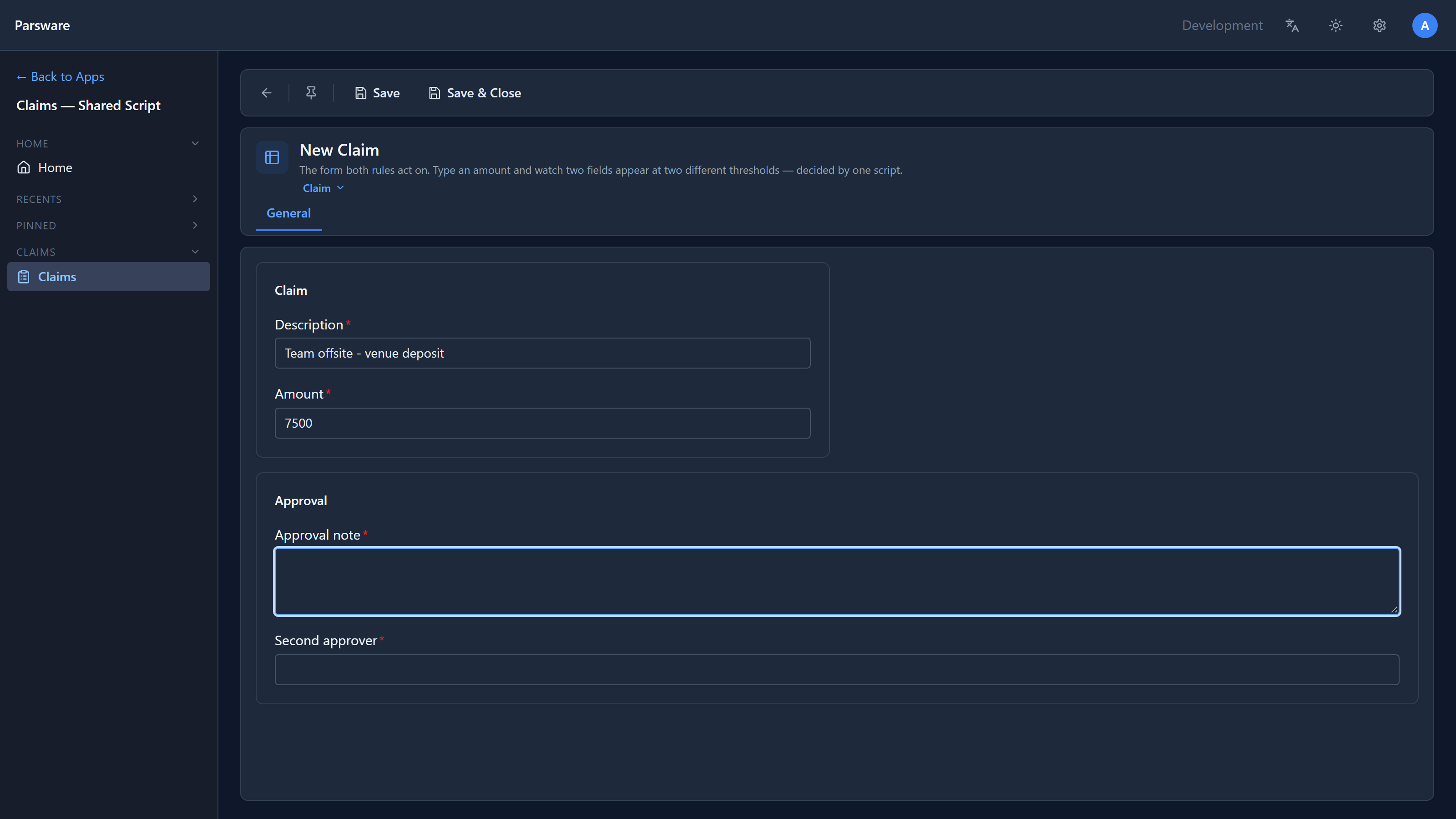
That's two form rules, one running when the form opens and one when the amount changes, just like the expense approval. Useful, and skippable.
Past the form
To save claims without the form, we used the Claims list's Import data with a small CSV:
| Description | Amount | Approval note |
|---|---|---|
| Taxi to the airport | 64.20 | |
| Conference booth | 1500 | |
| New laptops for the team | 7200 | Budgeted in Q3 |
| Printer paper | 38.90 |
The booth is over 1,000 with no note. The laptops have a note but are over 5,000 with no second approver. Neither would get past the form. The import doesn't use the form.
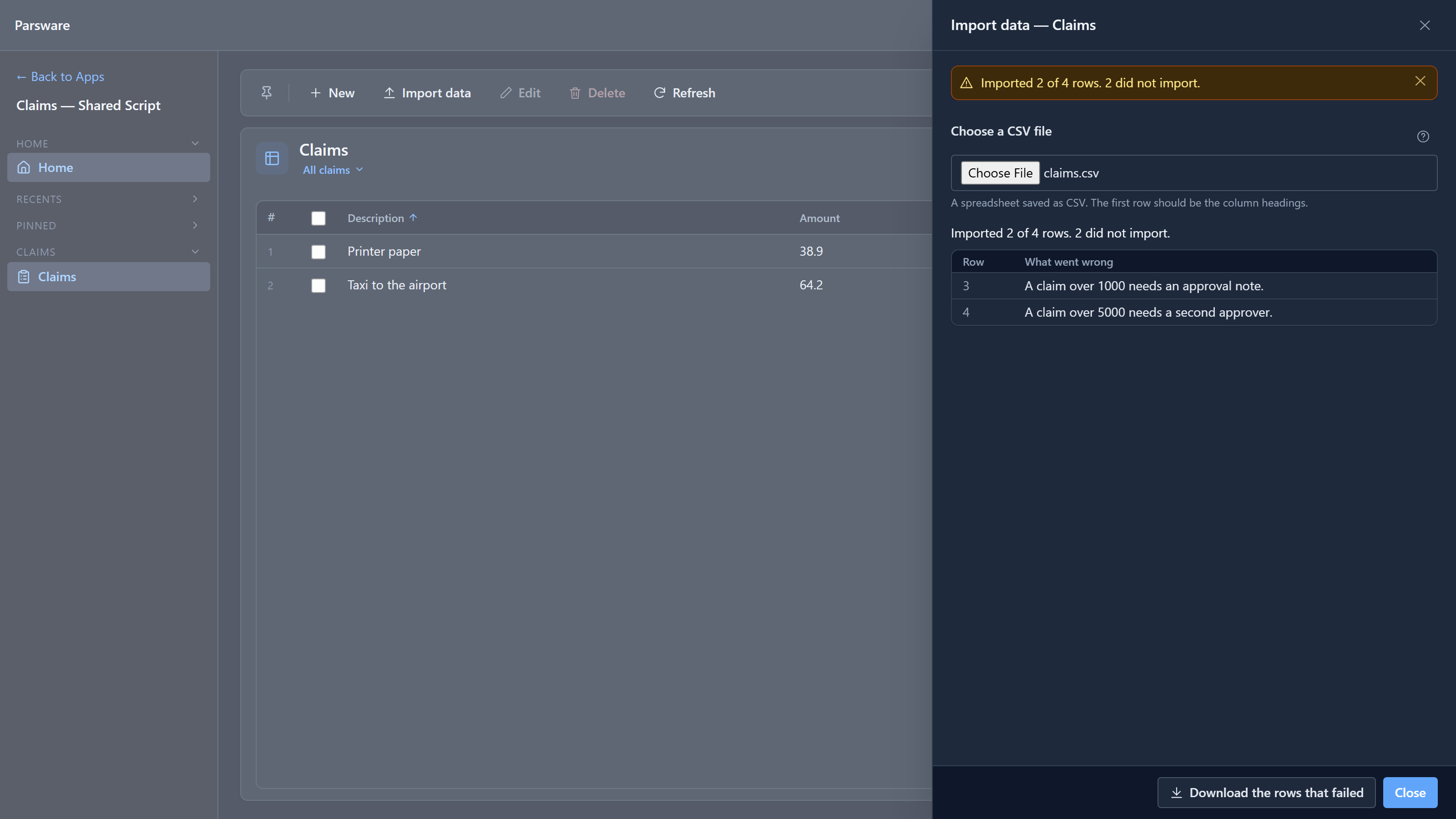
Two rows imported, two refused, each with a sentence saying why. The row numbers are the file's lines, with the headings as line 1. Download the rows that failed gives you just those rows to fix and import again.
The plugin steps
What refused them is two plugin steps. In the maker portal we opened the solution and chose Plugin steps:
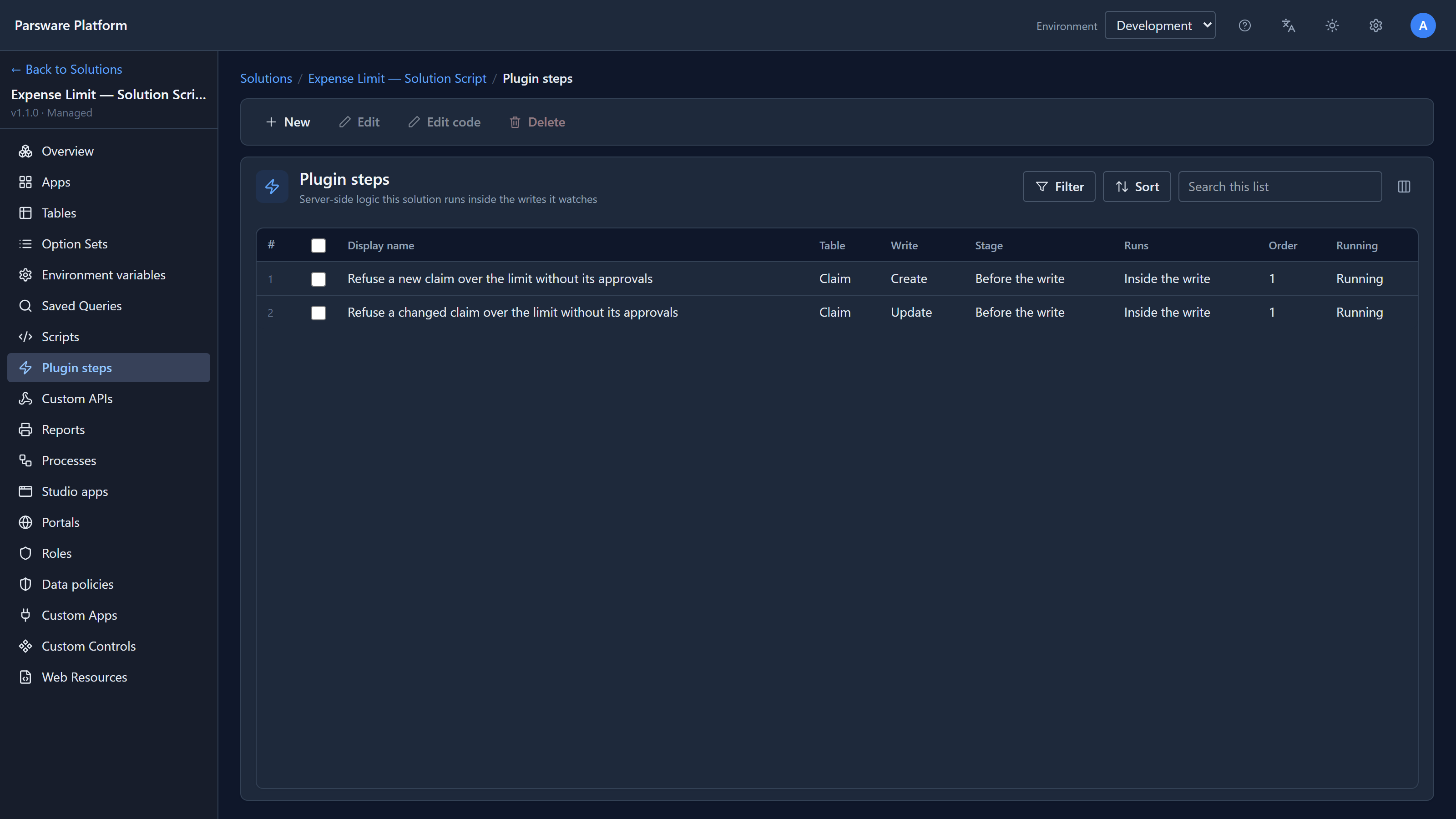
A step names a table, a write and a stage. These two run before the write, so a refusal means nothing is stored. There's one for Create and one for Update, because a step watches one kind of write, and a claim edited later must obey the limit too. On an update, the step sees the stored record with the changes on top, so it knows the whole claim, not just the fields that changed.
We selected the first and chose Edit code:
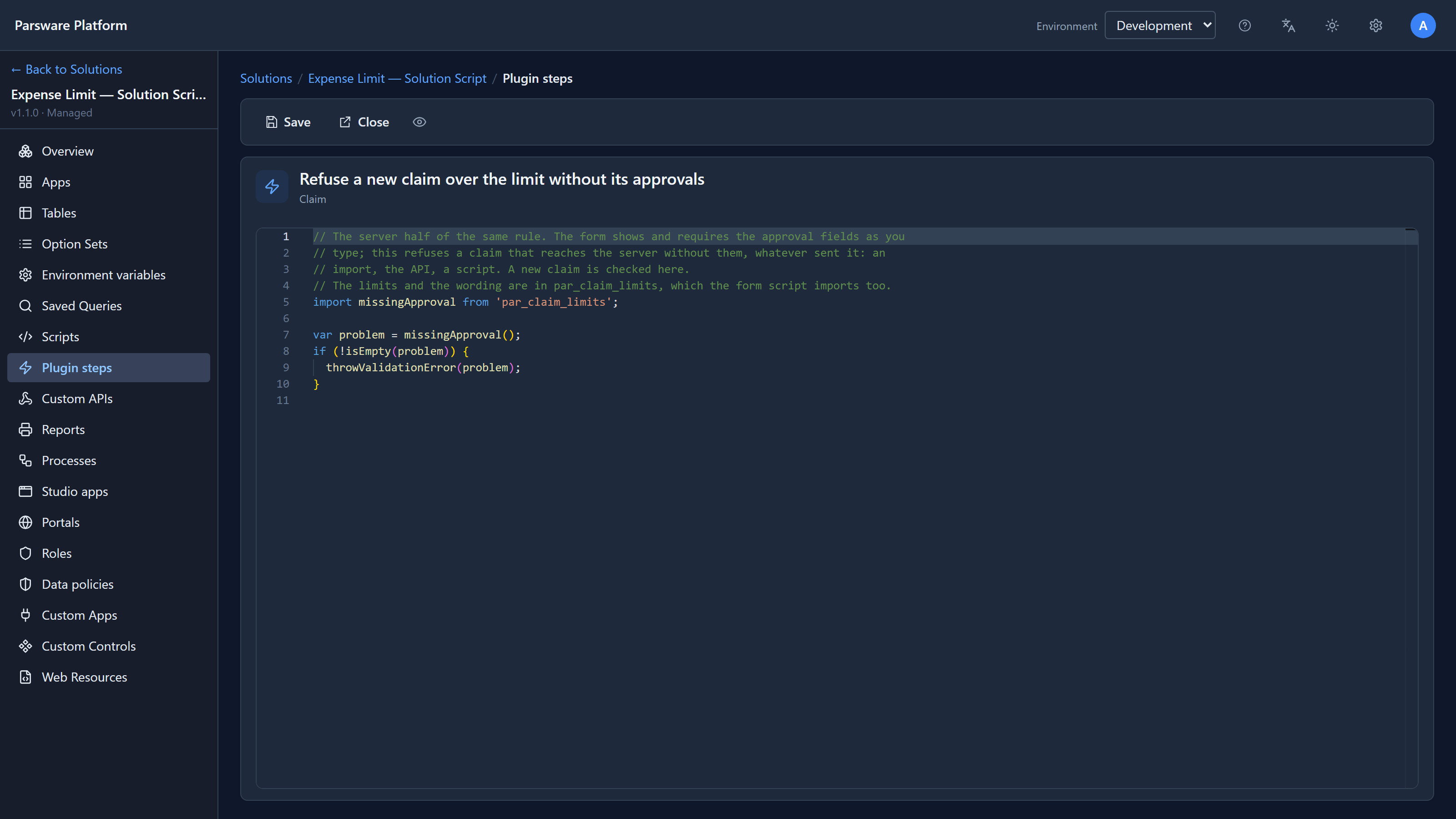
import missingApproval from 'par_claim_limits';

var problem = missingApproval();
if (!isEmpty(problem)) {
  throwValidationError(problem);
}
throwValidationError refuses the save and sends its sentence back to whoever saved: the import
panel, the form's message bar or the API's response. The step doesn't decide anything itself. It
asks the same script the form uses.
One limit, two scripts
The limits live in one solution script, Claim limits:
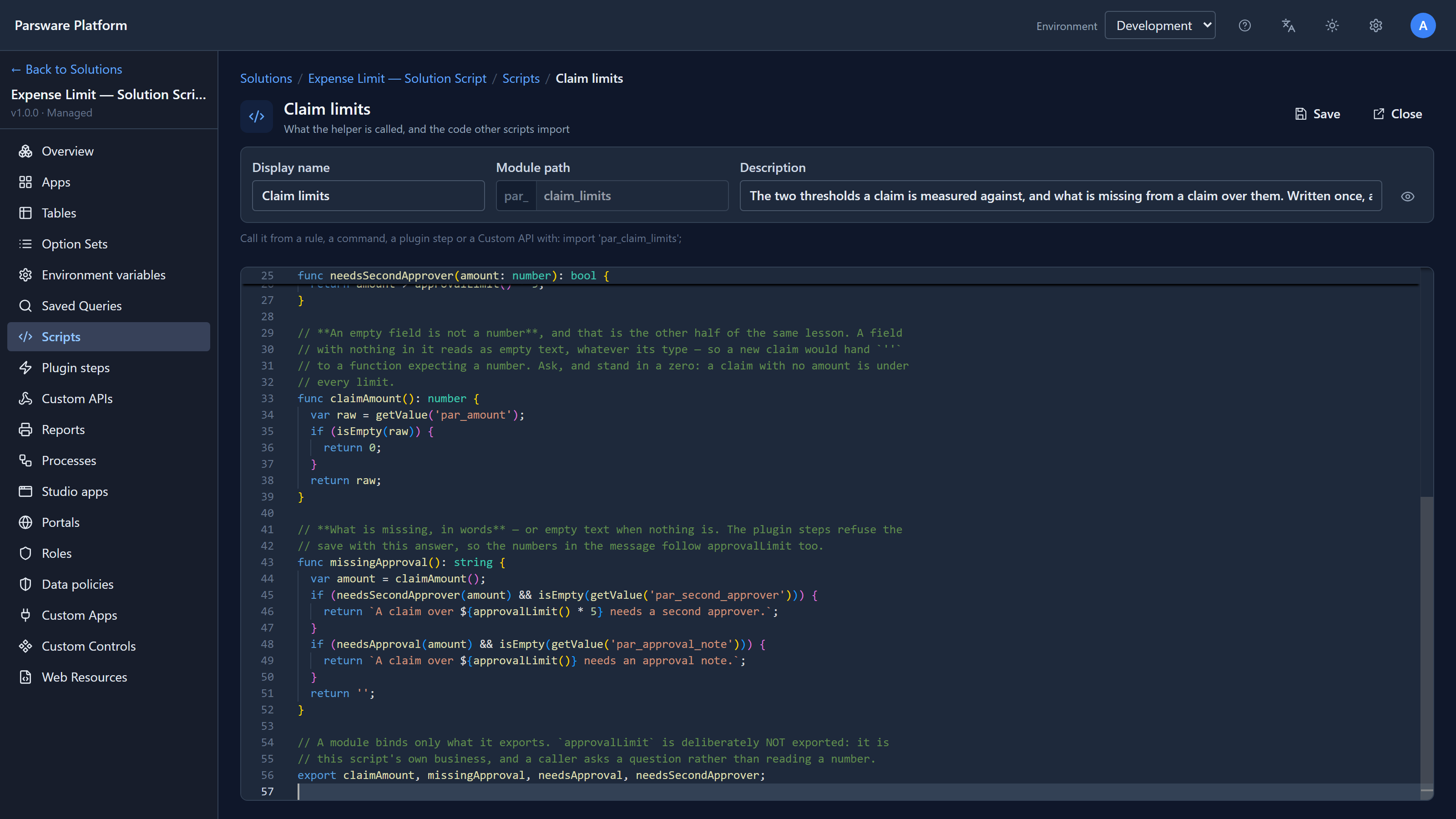
func approvalLimit(): number {
  return 1000;
}

func needsApproval(amount: number): bool {
  return amount > approvalLimit();
}

func needsSecondApprover(amount: number): bool {
  return amount > approvalLimit() * 5;
}

func missingApproval(): string {
  var amount = claimAmount();
  if (needsSecondApprover(amount) && isEmpty(getValue('par_second_approver'))) {
    return `A claim over ${approvalLimit() * 5} needs a second approver.`;
  }
  if (needsApproval(amount) && isEmpty(getValue('par_approval_note'))) {
    return `A claim over ${approvalLimit()} needs an approval note.`;
  }
  return '';
}

export claimAmount, missingApproval, needsApproval, needsSecondApprover;
(claimAmount reads the amount and treats an empty field as 0.)
The form doesn't import this script directly. It imports a second one, Claim form, which imports Claim limits and does the showing:
import 'par_claim_limits';

func applyLimits() {
  var amount = claimAmount();
  var over = needsApproval(amount);
  setVisible('par_approval_note', over);
  setRequired('par_approval_note', over);
  var large = needsSecondApprover(amount);
  setVisible('par_second_approver', large);
  setRequired('par_second_approver', large);
}

export applyLimits;
Why two? Because the steps run on the server, and the server has no form. setVisible and
setRequired don't exist there. A script a step imports may call only what a step can call, so
the split is along that line:
- Claim limits uses
getValueandisEmpty, which both sides have. The form script and the steps import it. - Claim form uses
setVisibleandsetRequired. Only the form rules import it.
The editor holds you to this. When the sample kept everything in one script, the step's editor underlined its import with Errors found in module 'par_claim_limits': the step was importing a script that called form-only functions. We split it while writing this article.
Change it once
Open Claim limits and change return 1000; to return 250;, then save. The form now asks
for a note over 250, the steps refuse over 250, and their message says "over 250", because the
message is built from the same function. One line, four places.
Try it
Import the sample and the four-row CSV above. Then fix the two failed rows, by adding a note and a
second approver, and import just those. Then try the API: post a claim for 2000 with no note to
/data/par_claim and read the refusal.
Next: adding a server validation rule of your own, from the New button to a refused save.