Parsware Platform
Call an outside service
callService lets a server-side script post to another system, like a payment provider. The script never holds the address, only a service name. Each environment sets where that name points, so Test can use a sandbox and Production the real thing, and an environment that sets nothing reaches nothing. We took payments in a sample order app, and saw an answer, a refusal and a missing setting.
هذا المقال متاح بالإنجليزية فقط.
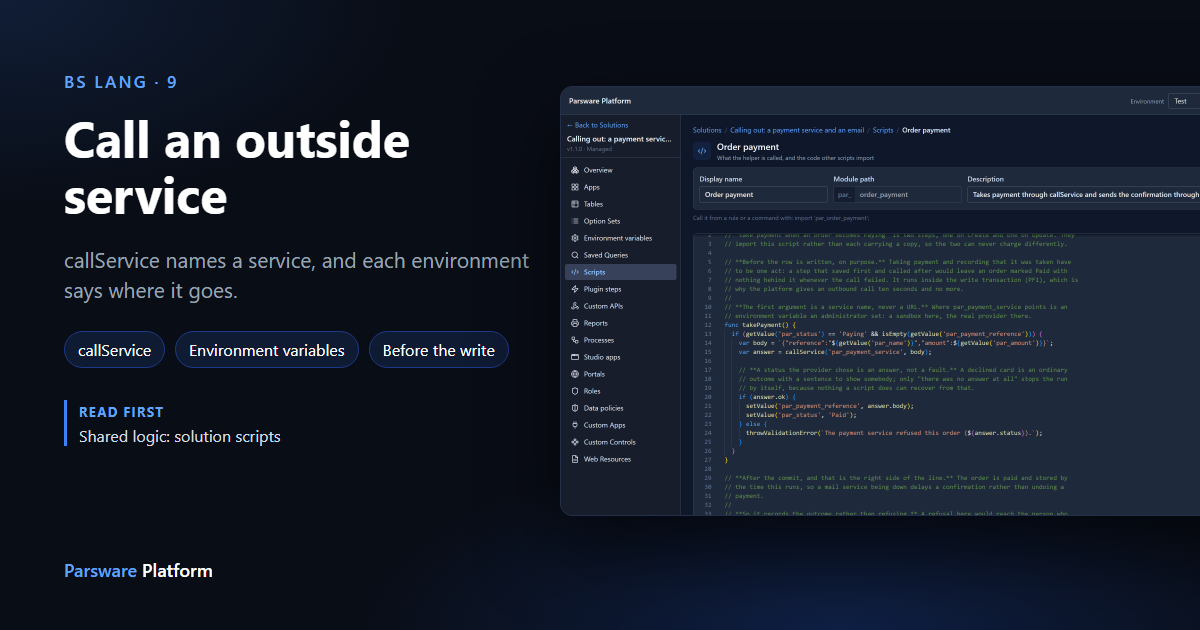
A plugin step, a Custom API or a scheduled job can call another system with callService. It
posts a body to a service and gives you back the answer. We used it to take a payment before an
order is saved.
We used the Calling out: a payment service and an email sample. Import it from
samples/solutions/business-rules-outbound-calls. We imported it into our Test environment,
because it has its own Order table.
A service name, not an address
Here is the call in the sample:
var answer = callService('par_payment_service', body);
The first argument isn't a URL. It's the name of an environment variable, and the variable holds the address. The solution declares the variable; each environment sets its own value:
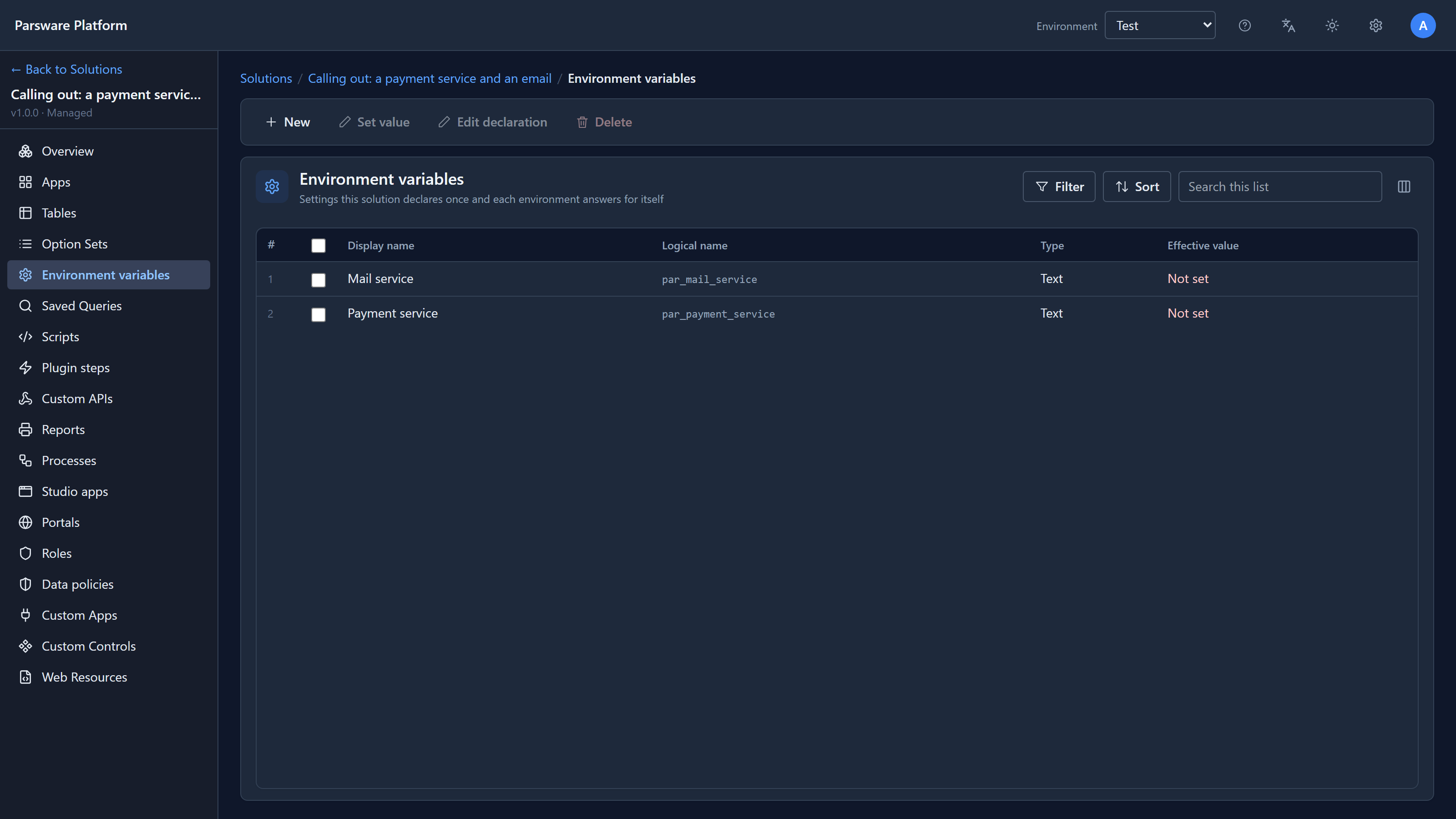
Just after import, both say Not set. A solution carries the declaration, never the value, because the value is different in every environment: a payment sandbox in Test, the real provider in Production.
This is also what keeps outbound calls safe. A script can only reach an address that an administrator put into a variable in this environment. There's no function that takes a URL, so a script can't be pointed at an internal server by whoever writes it.
With nothing set, nothing is called
We added an order, ORD-1001 for 250, set Status to Paying and saved:
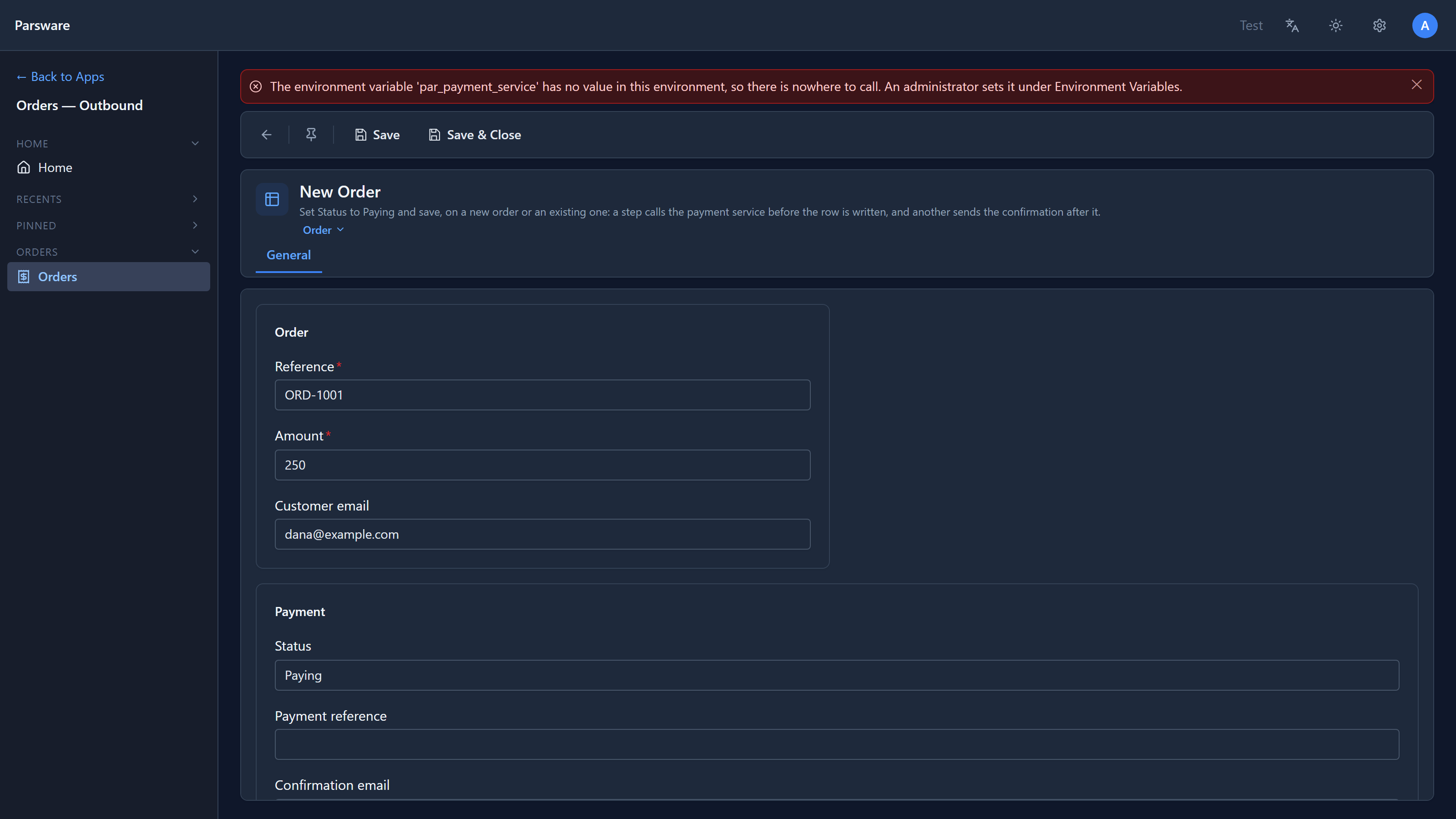
The save is refused, and the message names the variable and says who can fix it.
Set the address
Select the variable and choose Set value:
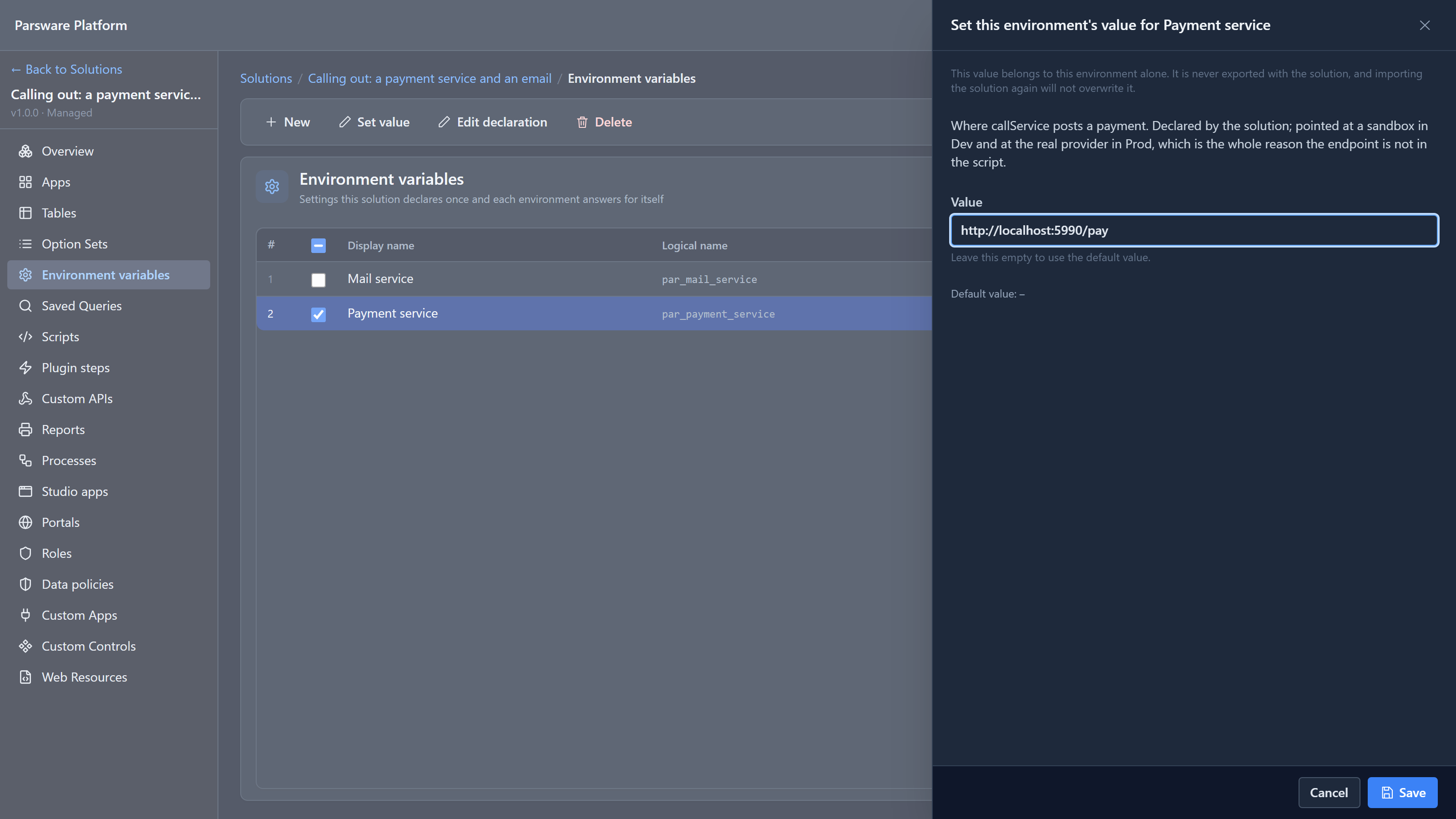
The value belongs to this environment only. It isn't exported with the solution, and importing the solution again won't overwrite it.
For this article we pointed it at a small stand-in provider running on our machine. It answers
200 with a payment reference, or 402 for a declined card, depending on the address.
Taking the payment
We saved ORD-1001 as Paying again:
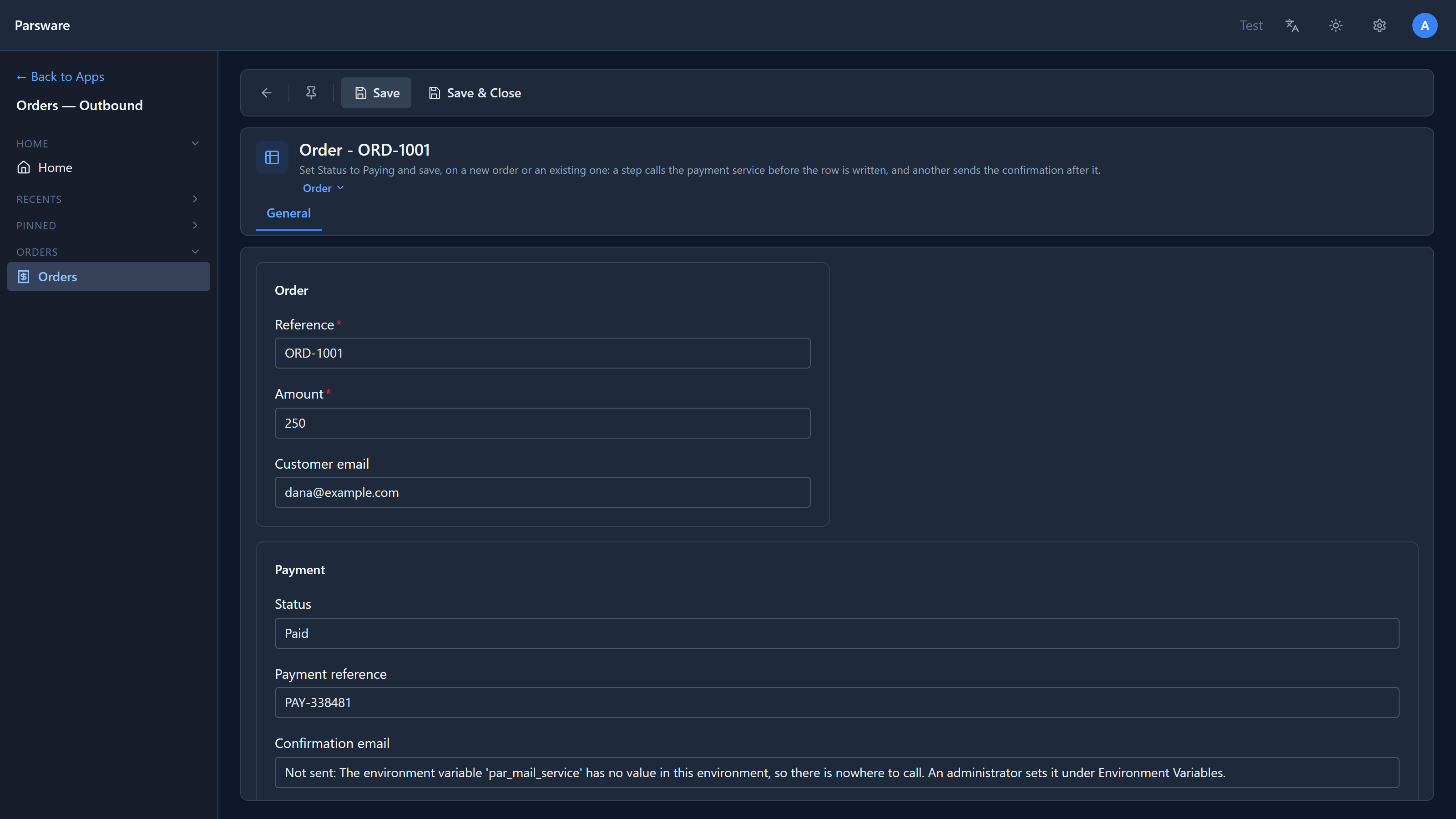
The step called the service, and the order came back Paid, with the reference the provider sent. The provider received:
{"reference":"ORD-1001","amount":250}
(Confirmation email says Not sent, because we haven't set the mail service yet. That's the next article.)
The script
The code is in a solution script, Order payment:
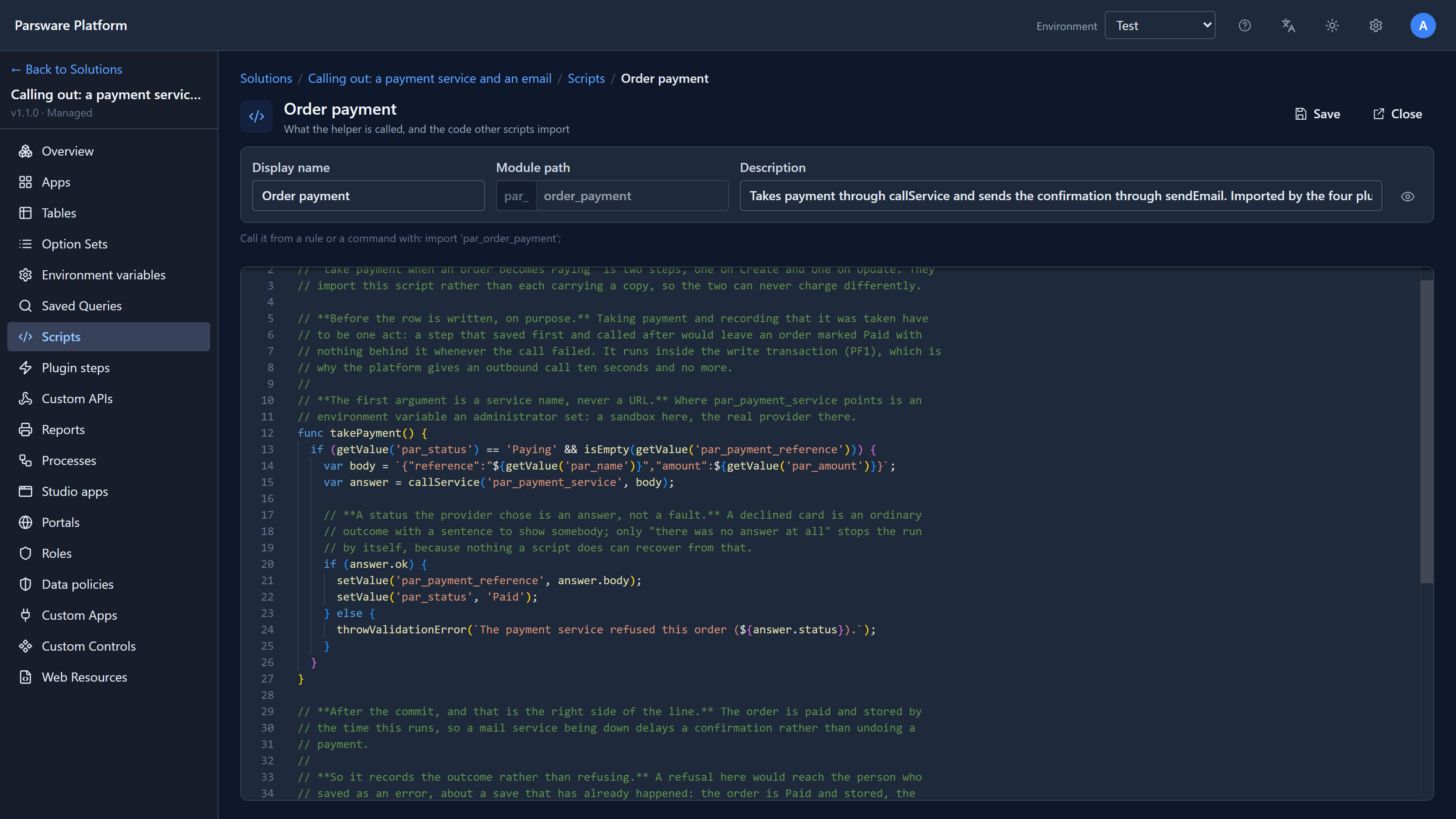
callService gives back an object:
| Property | What it holds |
|---|---|
ok |
true for a 2xx answer |
status |
the HTTP status, like 200 or 402 |
body |
what the service sent back, as text |
truncated |
true if the answer was too long and was cut |
The body you send is text. Here it's JSON, built with a template so the amount goes in as a number.
Before the write, on purpose
The payment is taken in a PreOperation step: before the order is written, inside the same save. That matters. Taking the money and recording that it was taken are one act. If the call fails, the save is refused and nothing is stored. A step that saved first and paid after could leave an order marked Paid with no payment behind it.
The cost is that the save waits for the provider. A call gets ten seconds, and no more.
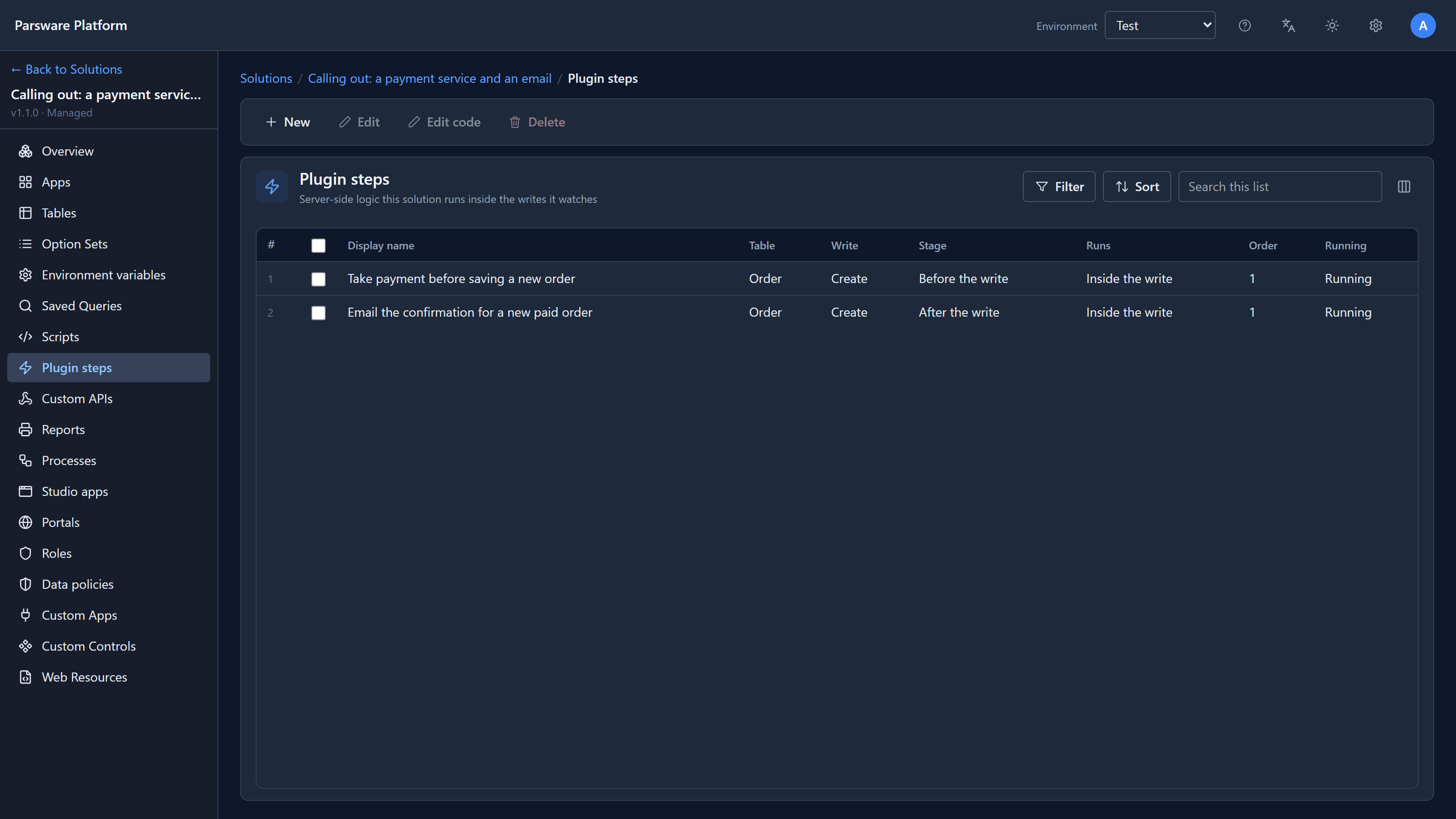
The sample has two such steps, one when an order is created and one when it's changed,
because a plugin step watches one kind of save. Both import takePayment from the script:
An answer isn't a failure
We pointed the variable at the address that declines, and saved a new order, ORD-1002:
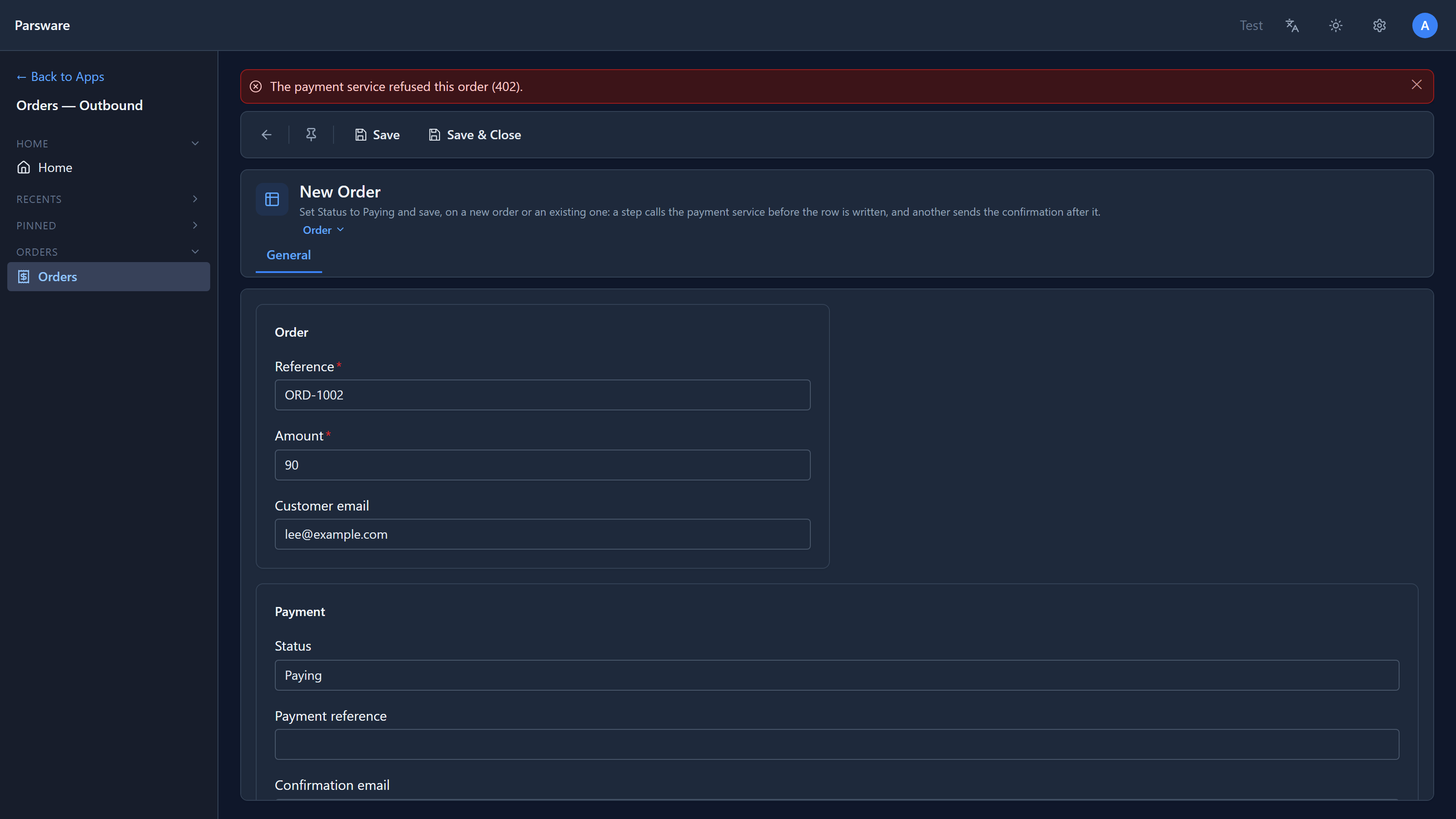
A 402 is an answer: the provider said no. callService doesn't stop the script; it hands the
answer back, and the script decides. This one refuses the save with the status in the message, and
ORD-1002 isn't stored.
Only when there's no answer at all does callService stop the script by itself: no variable,
nobody listening, or no answer in ten seconds. A script can't do anything useful with those.
Then we set the variable to not-a-url:
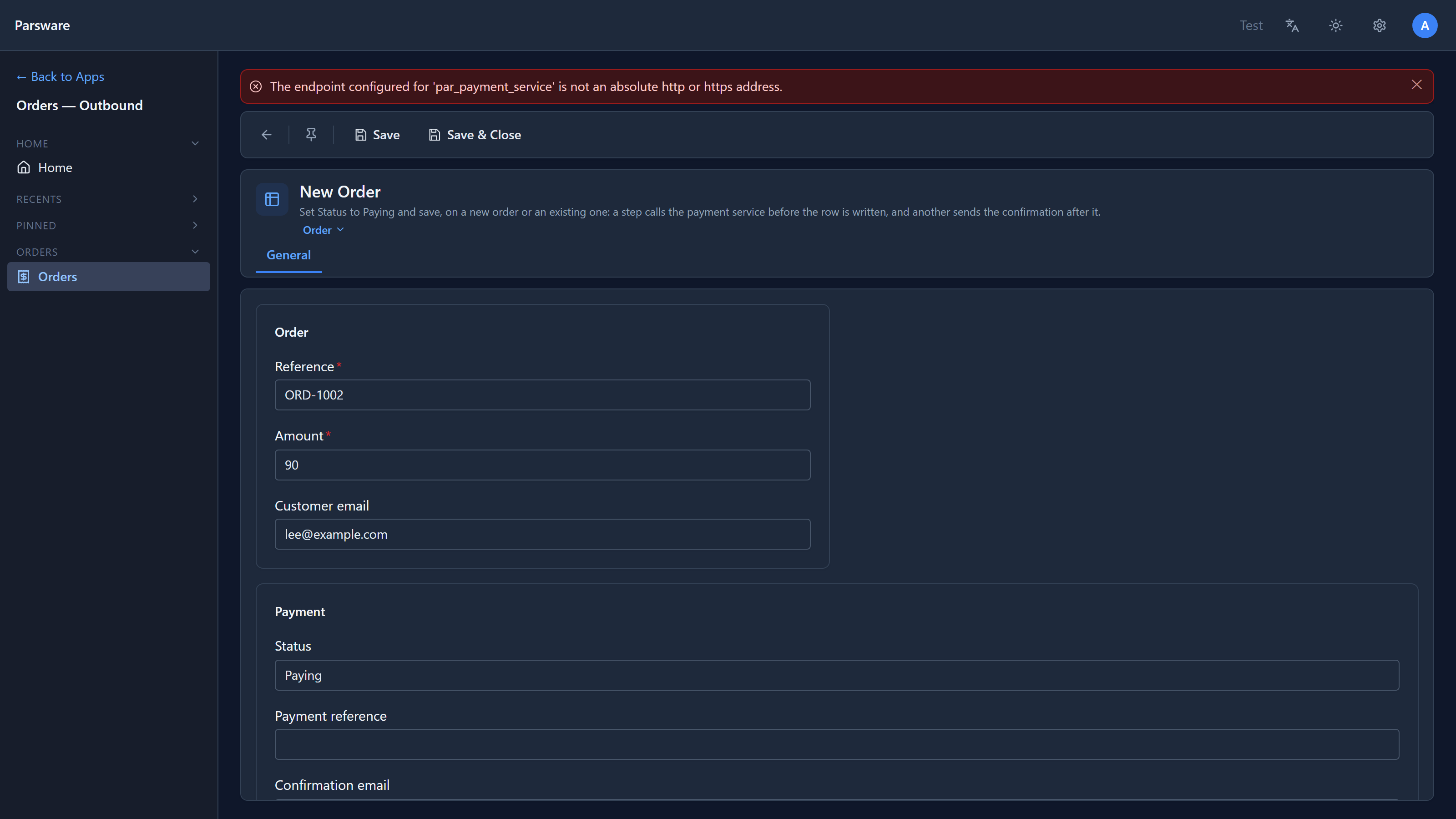
A different message, because it's a different problem. A declined card is the customer's; a missing or broken address is for whoever runs the environment.
Two bugs we found and fixed
Writing this article, we found two problems in the sample itself:
- A new order saved as Paying was never charged. The sample only had the step for changed orders, but the form's own hint said to set Paying and save. So the first thing you'd try stored an unpaid order and said nothing. The sample now has a step for new orders too, and both import the same script, which is why the code above is a solution script.
- A failed email made a saved order look unsaved. That one's in the next article.
Both are fixed in version 1.1.0 of the sample, with tests.
Where it works
callService is available in plugin steps, Custom APIs and scheduled jobs, which run
on the server. It isn't in form rules or command buttons, which run in the browser, or in process
steps yet.
Try it
Import the sample, set the payment service to any address that answers 200, and save an order as Paying. Then point it somewhere that answers 402 and try again.
Next: send an email from a script, with sendEmail.