Parsware Platform
Who changed what: auditing
Turn auditing on for a table and every create, update and delete of its records is recorded, with who made the change and what each field was before and after. Leave out the fields that don't matter, and read a record's history in the Audit Log.
هذا المقال متاح بالإنجليزية فقط.
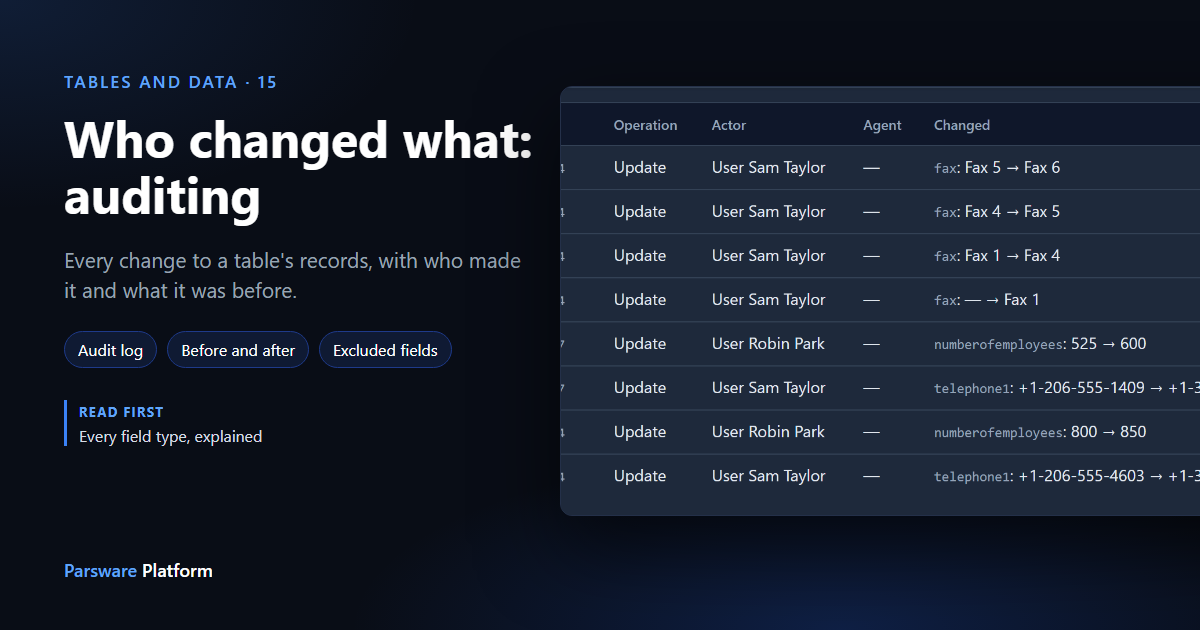
A customer's phone number is wrong, and it was right last week. Who changed it, and to what? If the table is audited, the platform can tell you.
In this article we turn auditing on for Account, the table every environment is created with, then let two people from a field sales team edit an account and read back what they did. Every picture is the real product.
Turn it on for a table
Open your solution's Tables, select the table, and choose Toggle audit from the ⋯ menu. The Audit column changes to On:
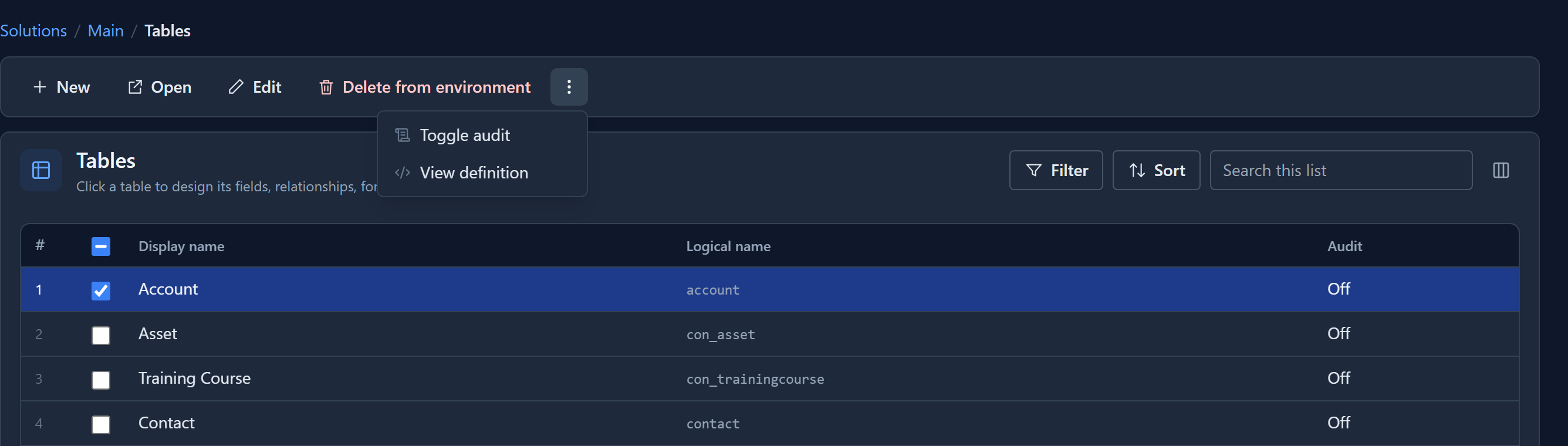
From that moment every create, update and delete of the table's records is recorded. Changes made before it was turned on are not filled in afterwards.
Auditing is part of the table's definition, so it travels with the table when its solution is deployed to Test or Production. You don't have to remember to switch it on again there.
Leave out what you don't need
Not every field is worth recording. A long description that people rewrite all the time fills the log without telling you much. Open the table's Fields, select the field and choose Exclude from audit. Its Audit column changes to Excluded:
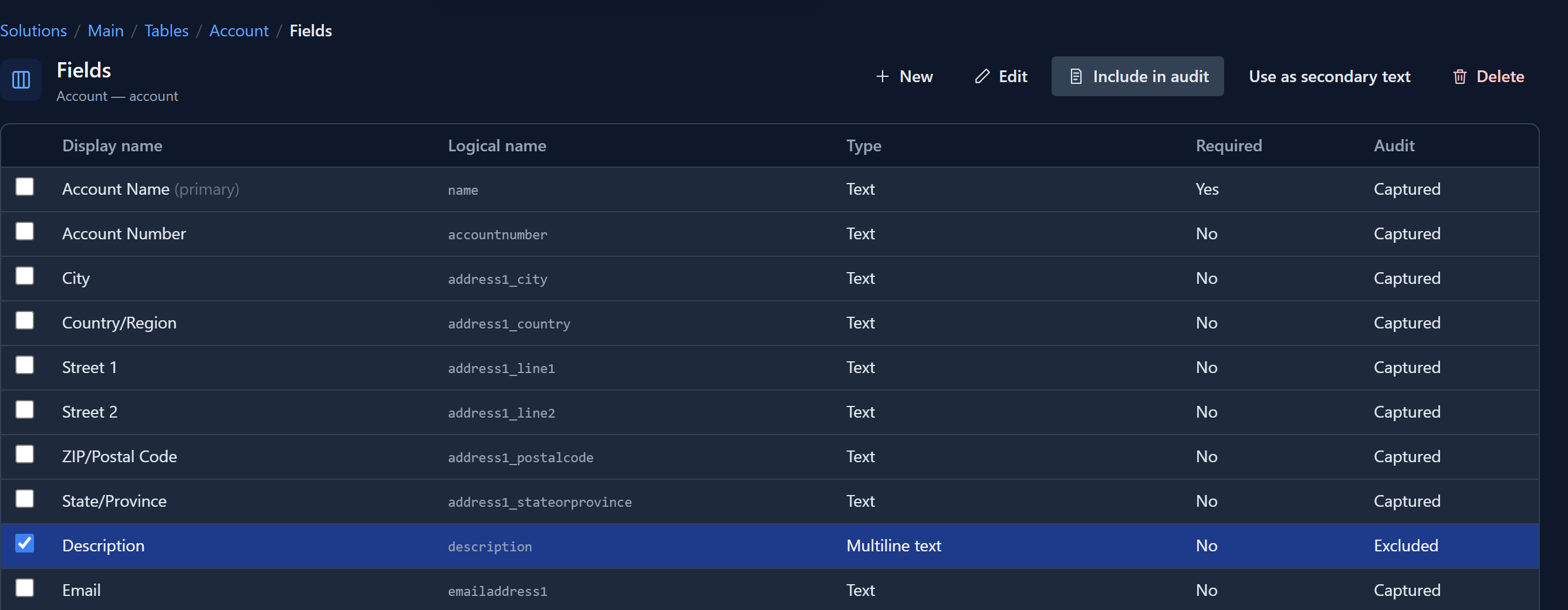
Include in audit puts it back. As with the table switch, it only affects changes made from then on.
Read the history
Now two people from the sales team open Proseware Group. Sam Taylor changes its main phone number, and a little later Robin Park changes the number of employees and rewrites the description.
To see what happened, open Audit Logs in the Admin Control Center, choose the environment,
type the table's logical name (account) and, to follow one record, its id. The id is the last
part of the record's address when it is open in an app. Select Query:
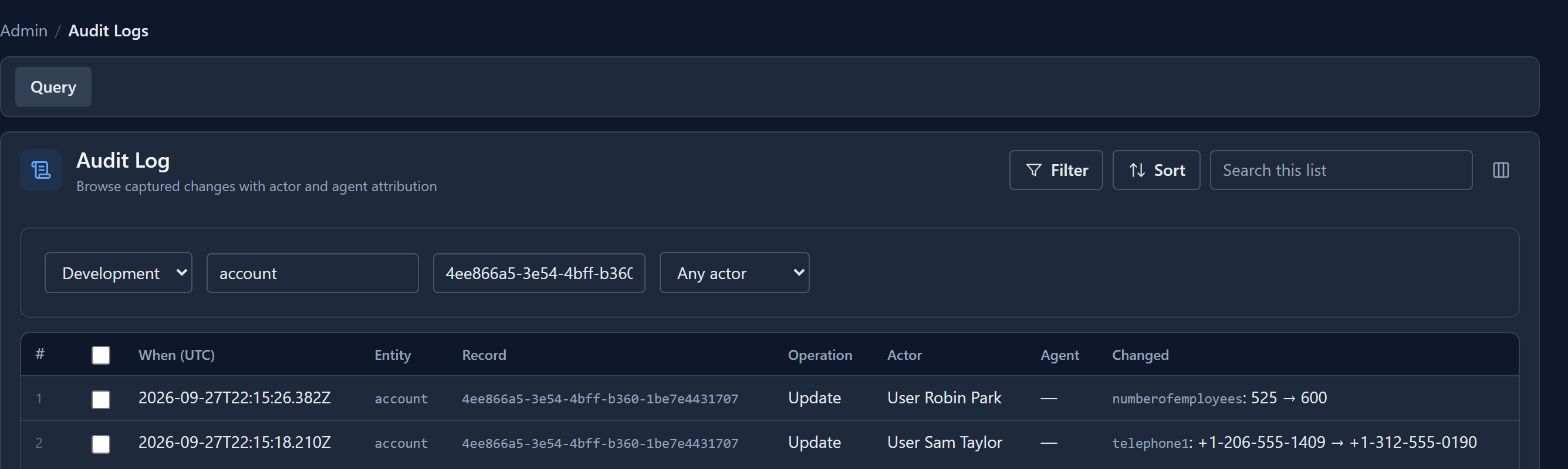
The newest change is at the top, and each one says:
- when it happened, in UTC;
- what was done: a create, an update or a delete;
- who did it: the person by name, or the process, integration or rule that made the change. When a rule or a process acted for somebody, the Agent column names it;
- what changed, field by field, as the value before and the value after.
Robin's new description isn't there, because Description is excluded. The employee count they changed in the same save is.
Recorded wherever the change comes from
The log is written by the database, not by the screen. A change made on a form, by an import, by a business rule, by a process or by an integration calling the API is recorded the same way. A change that bypassed the platform and went straight into the database shows no actor, and that is worth looking into.
Each environment keeps its own log, so Development's history never mixes with Production's, and old entries are removed after the environment's retention period.
Next: what happens when two people save the same record at once, and why nobody's change quietly disappears.