Parsware Platform
A process travels in a solution
A process moves between environments the way everything else does: in its solution, with its table, its form, its app and its roles. Import publishes it, and uninstall takes it out again. Trying that with a run still waiting, we fixed what happens to the run: it's now stopped, and its history says why.
Dit artikel is alleen in het Engels beschikbaar.
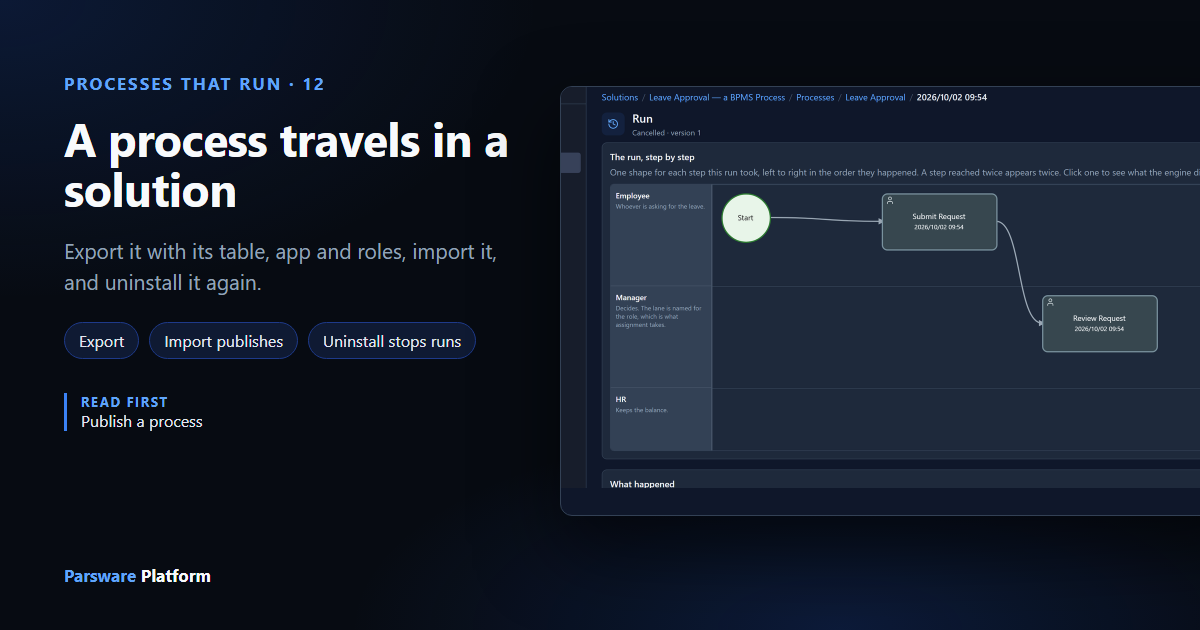
A process is built in one environment and used in another. Nobody redraws it in Production; it moves there in its solution, with everything it needs to run: the table its requests are kept in, the form a step opens, the app people work in, and the roles its steps go to.
We moved the Leave Approval sample from samples/solutions/bpms-leave-approval-process, the
process from Leave approval from start to finish,
out of the Claims environment and into a new one called HR Pilot. Then we ran it there, and took
it out again with a request still waiting.
What's in the solution
In the maker portal, open Solutions and the solution. The tabs list what it holds:
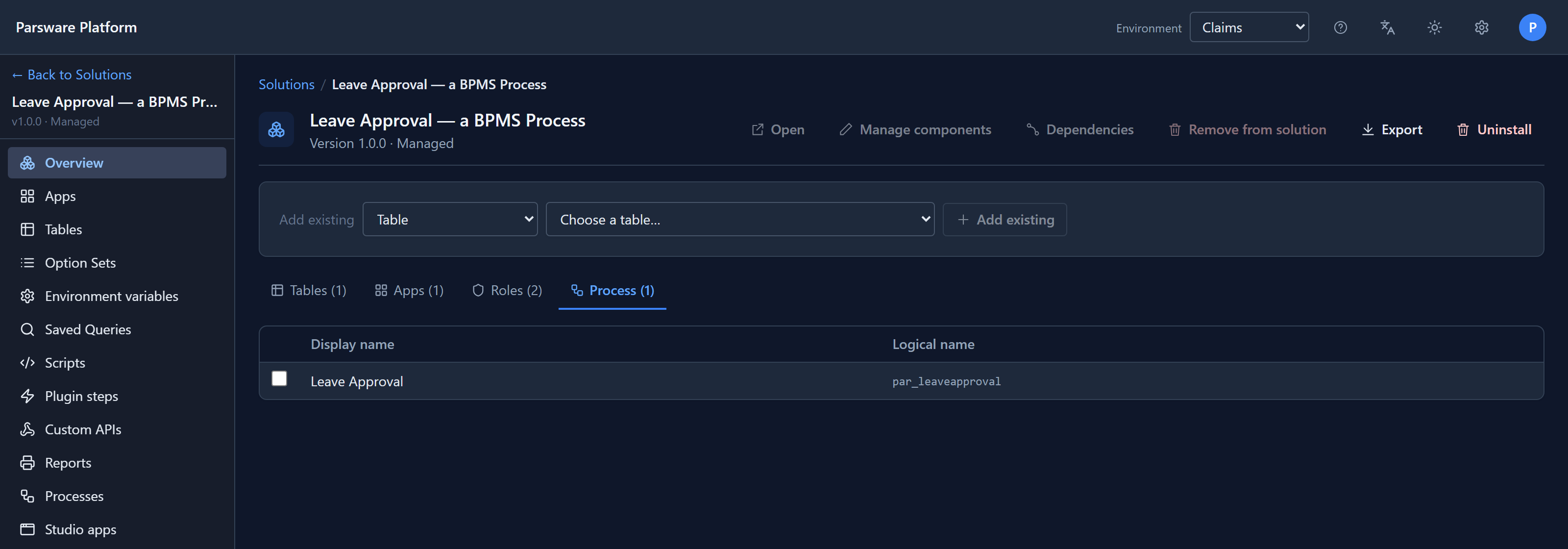
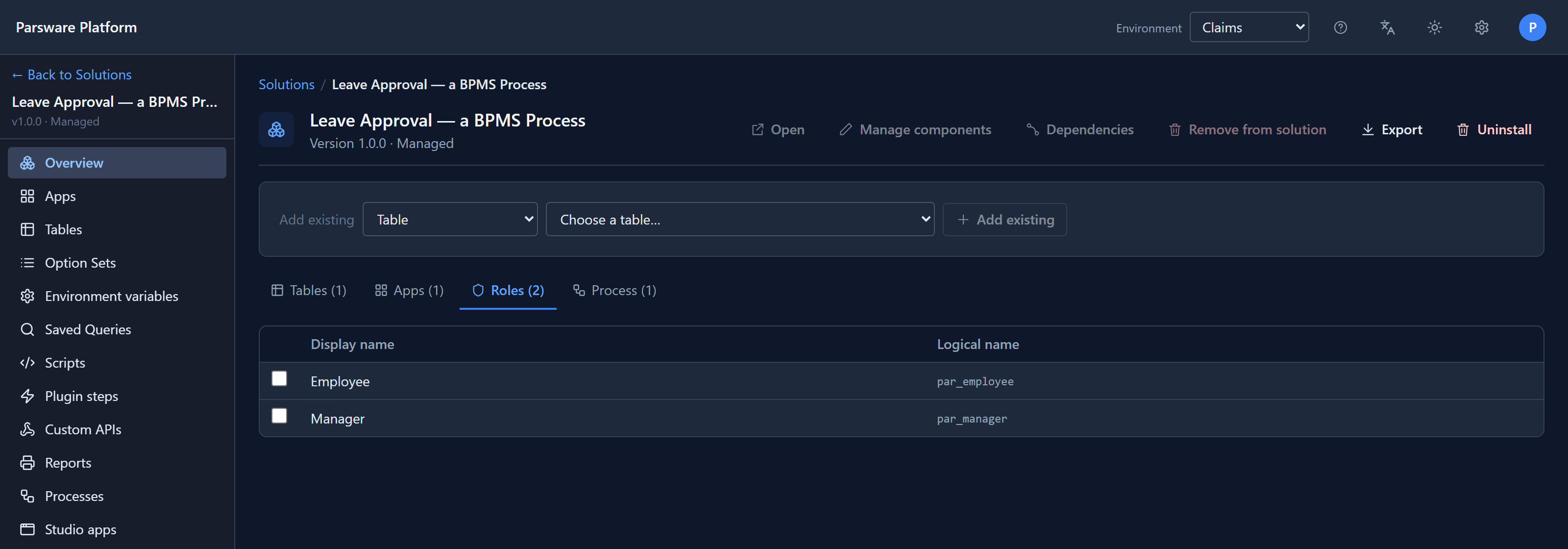
The process is one component, beside the Leave request table, the app, and two roles:
Its coforms, the short forms each step shows, aren't listed separately: they're part of the process, and travel inside it.
Export
Select Export. The browser saves one file, Leave Approval — a BPMS Process-1.0.0.json. It
holds every component in full, not a reference to them, so the environment it goes to doesn't need
to reach this one. The process is in it as its drawing, the same plain text you see with Export
JSON in the designer (Export and import a process).
Import
Switch to the other environment at the top of the maker portal, open Solutions, select Import and choose the file:
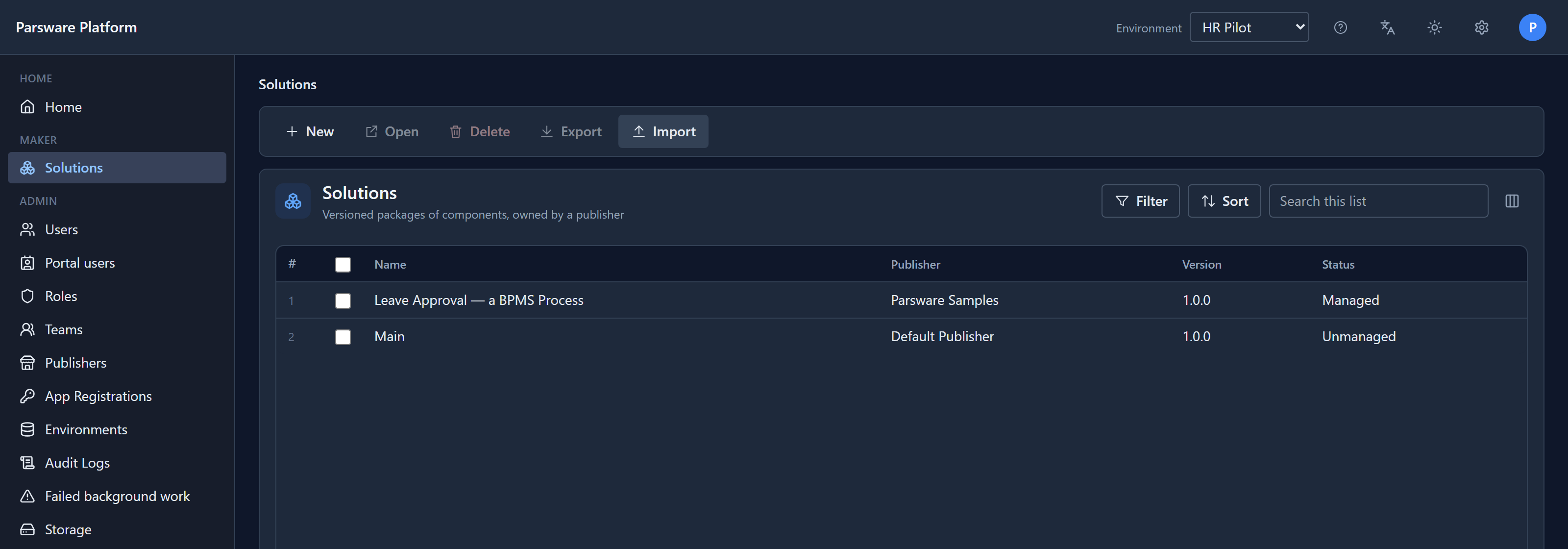
It arrives managed: installed, not for editing here. The table is created, the app and roles are in place, and the process is published:
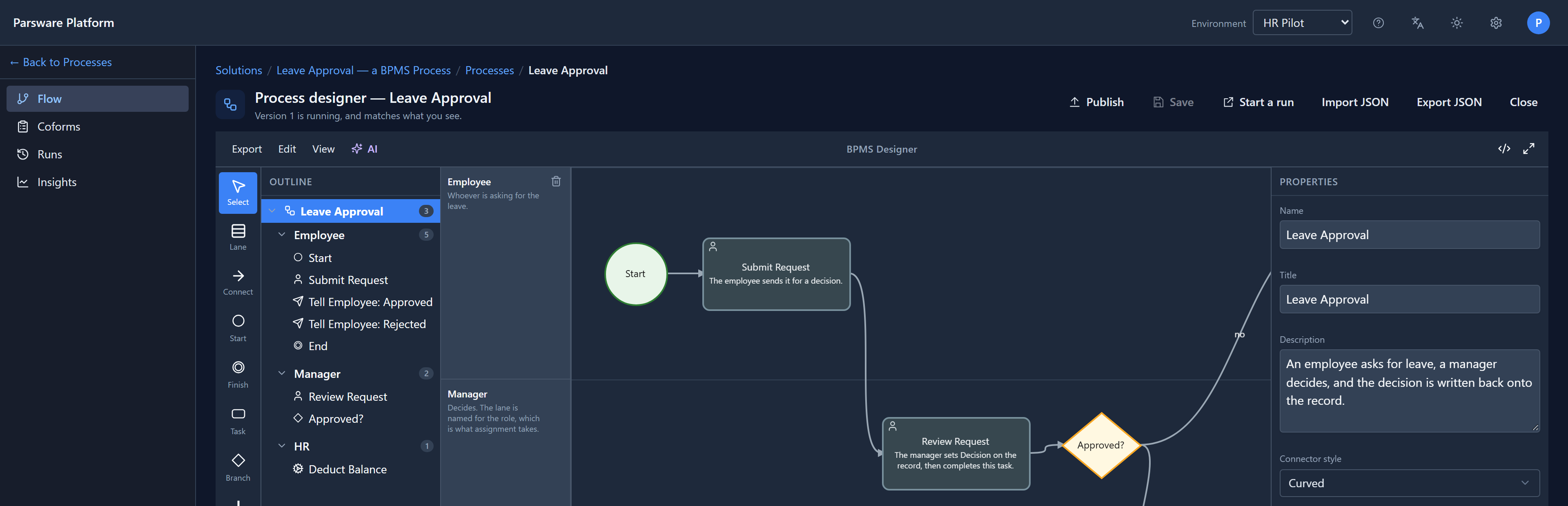
There's nothing to publish by hand. An import is a deployment: whoever imports a solution is putting a finished process into the environment, not opening a draft. Each environment keeps its own versions, because each has its own runs, so this is version 1 here whatever it is in Claims.
Run it
Nothing about running it is new. In HR Pilot, Robin Park asked for a week off and sent it. The request went to the Manager role, and Sam Taylor found it in their tasks:
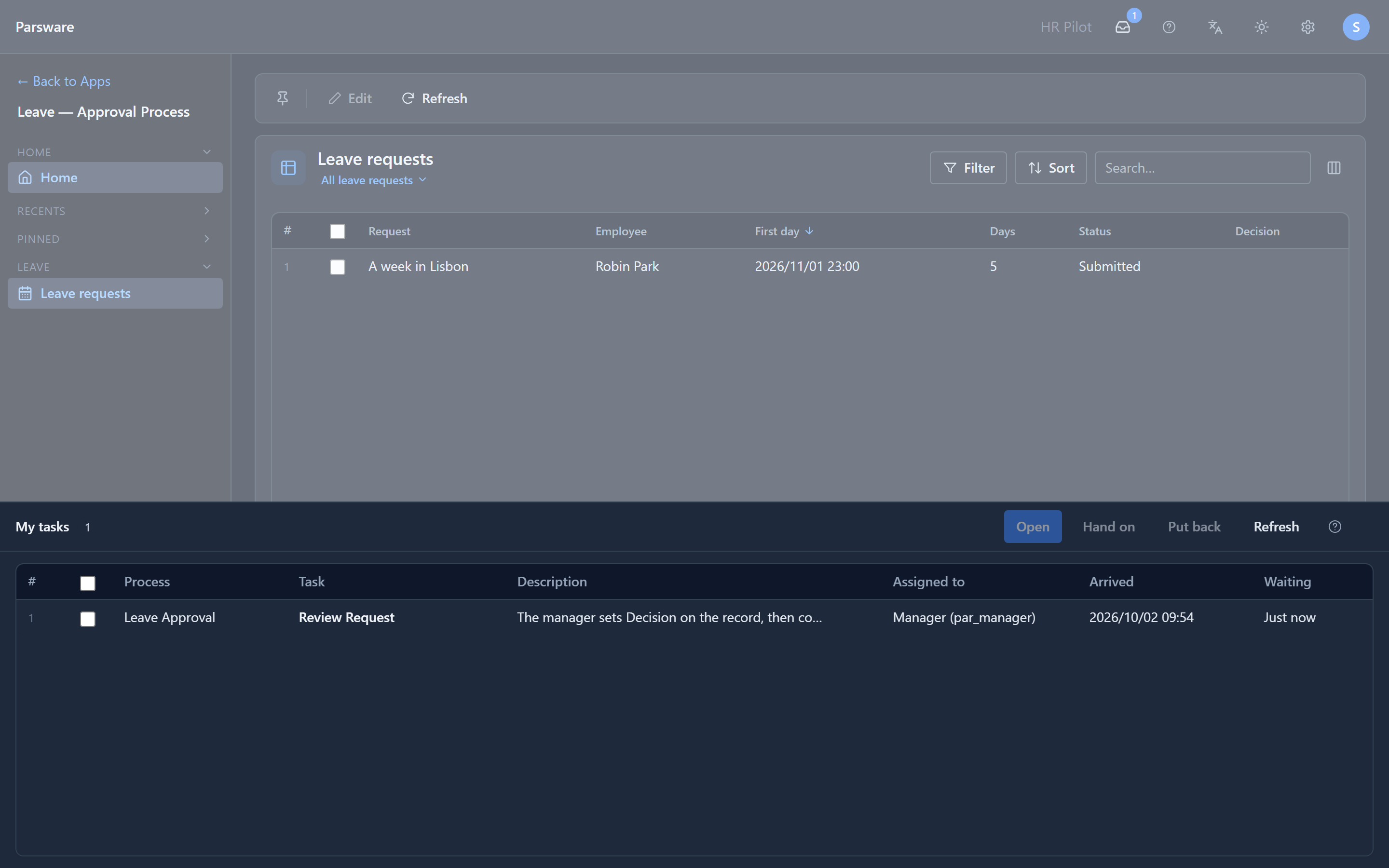
Robin and Sam already held Employee and Manager. Security roles belong to the tenant, not to one environment, so a person who holds one holds it everywhere the role exists.
Uninstall
Uninstalling a managed solution takes its components back out: the process, the app, and the table with its records. We did it while Sam's task was still waiting. Select the solution and Uninstall:
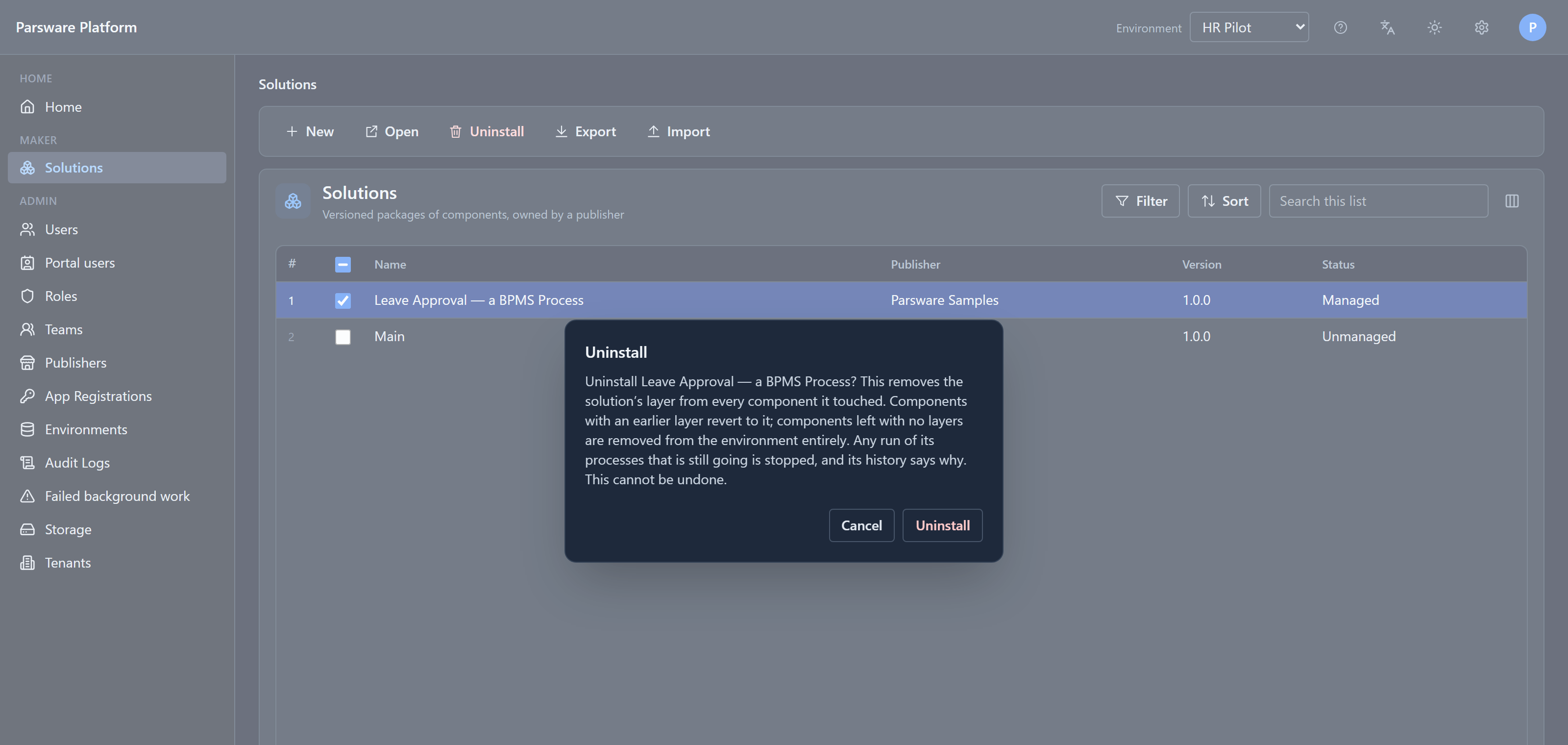
Any run of its processes that's still going is stopped. Its open tasks leave everybody's list, and its history says why. A run whose process has gone can never move again, so it isn't left waiting for one.
If people still held a role the solution created, the uninstall would stop first and name it. It didn't here: Employee and Manager came into the tenant with an earlier import, so this one didn't create them, and they stay.
That's new. Before, the uninstall removed the process and left its runs running. Sam's task vanished with the app. Then, when we imported the solution again, it was back in Sam's list, about a leave request the uninstall had already deleted with its table.
The history stays
A run's history isn't thrown away with the process. Import the solution again, open the process's Runs, and the stopped run is there:
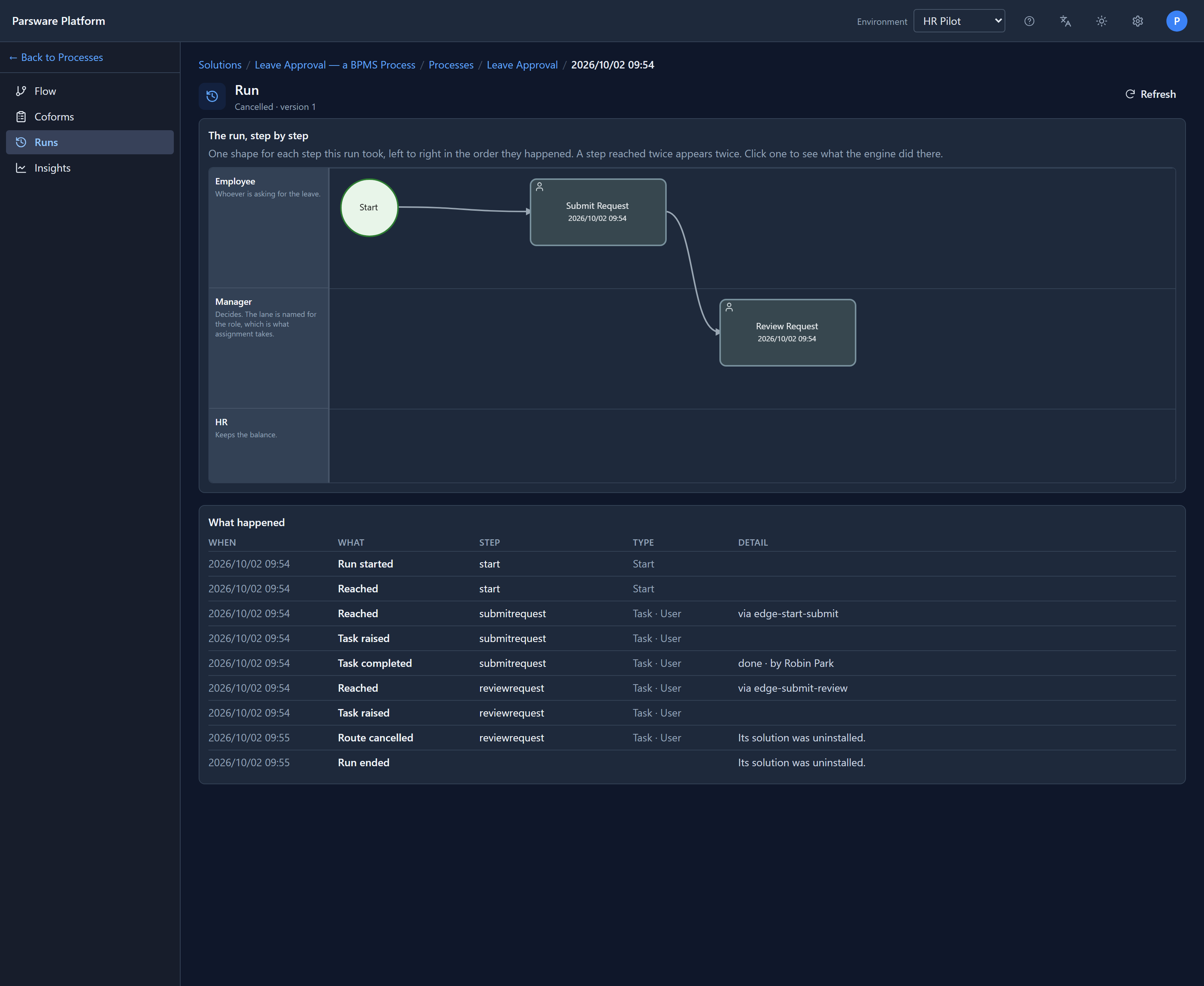
It's Cancelled, it stopped at Review Request, and the last two lines say why. It doesn't start again: the leave request it was about went with the table, and a cancelled run stays cancelled.
Before you uninstall
- Finish the runs that matter. If a request is half-way through and its outcome matters, let the people finish it, or stop it yourself from its run's page and record why.
- Export the records you want to keep. A table only this solution brought leaves with its records.
- Uninstall where it was imported, not where it was built. In the environment you built it in, the solution is unmanaged, and you delete it instead: that removes the solution and keeps everything that was in it.
Try it
Import the Leave Approval sample into one environment and export it. Create a second environment, import the file there, and start a leave request. Uninstall the solution while it waits, import it again, and open the run.
Next: the Graphic Designer, the canvas screens and reports are drawn on.