Parsware Platform
What a script can see
Every Parsware script is BS Lang, but a form rule, a plugin step, a Custom API and a step in a process can't call the same functions. What each one gets depends on where it runs and what it has in front of it, a form, a record being saved, a caller or a running process. Here is each list, why it differs, and what happens when you call a function from the wrong one.
Dit artikel is alleen in het Engels beschikbaar.
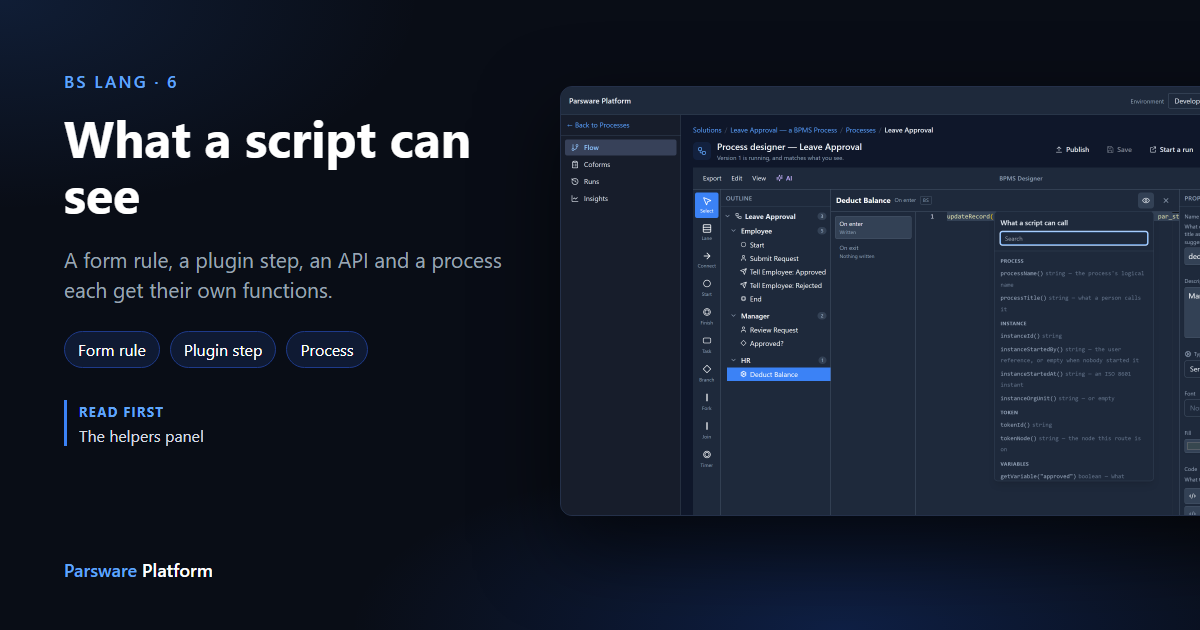
Every script in Parsware is written in BS Lang, with the same variables, loops and functions. What changes from one kind of script to the next is what the script can call: the functions the platform gives it to read and change things.
We call that list the script's scope. It depends on where the script runs, and on what it has in front of it when it does. This article compares four kinds of script using the eye button from the helpers panel, which shows each script's scope.
A form rule: the form in front of you
A form rule runs in the browser while somebody has a record open on a form. We opened one from the Expense Limit — Solution Script sample and pressed the eye:
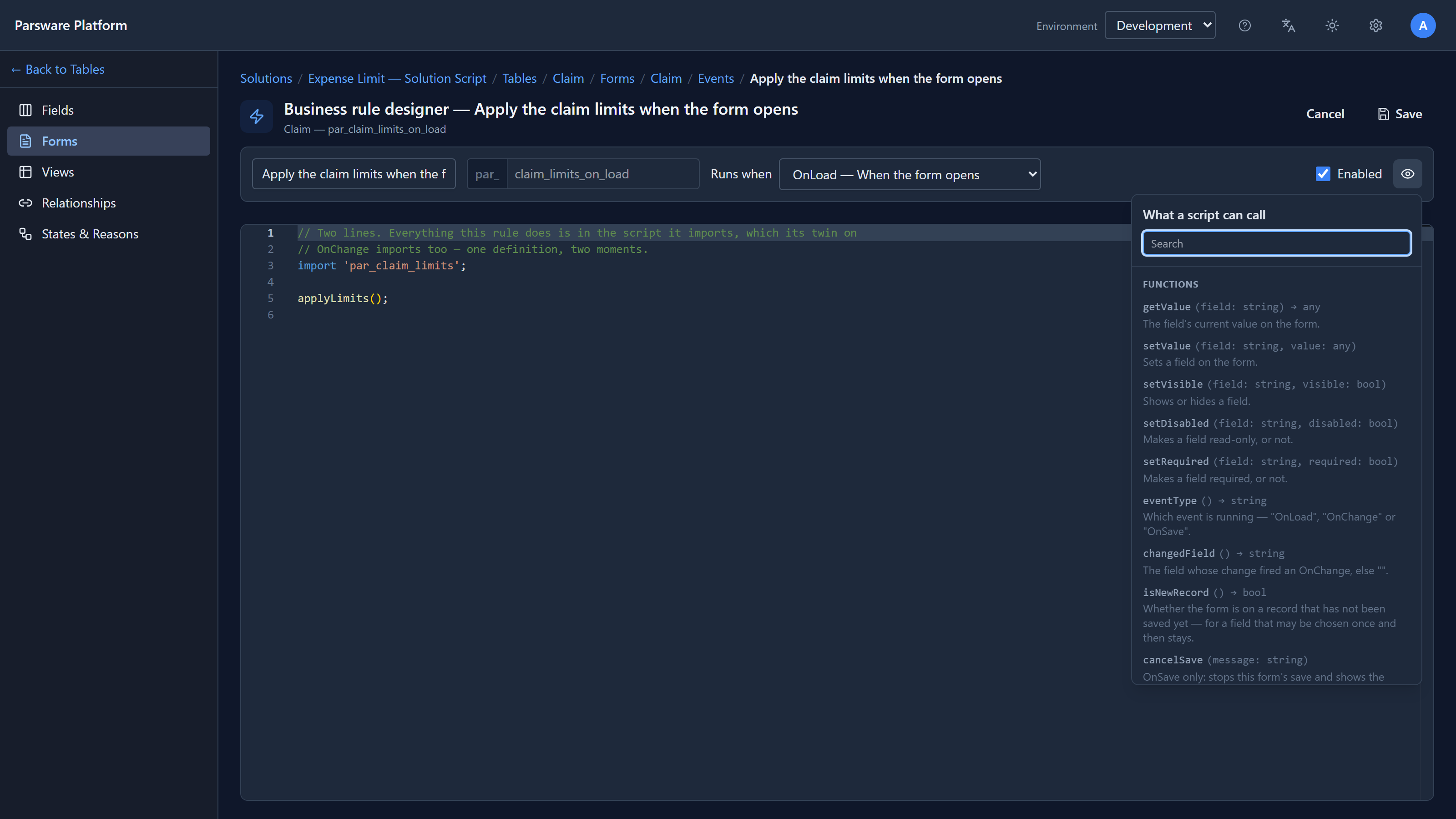
Ten functions, and every one is about the form:
getValueandsetValueread and change a field on the form;setVisible,setDisabledandsetRequiredchange how a field behaves;eventTypeandchangedFieldsay why the rule is running: the form opened, a field changed, or somebody pressed Save;cancelSavestops the save and shows a message.
What's missing matters as much. A form rule can't read other records, and it can't refuse a
save for good. cancelSave stops this form, but the record can still be saved some other way,
through the API or an import, and the rule never runs there. Its own description says so: Not
enforcement.
A plugin step: the record being saved
A plugin step runs on the server, inside the save itself, however the record was saved. This is the one from the Invoices — Credit Check sample:
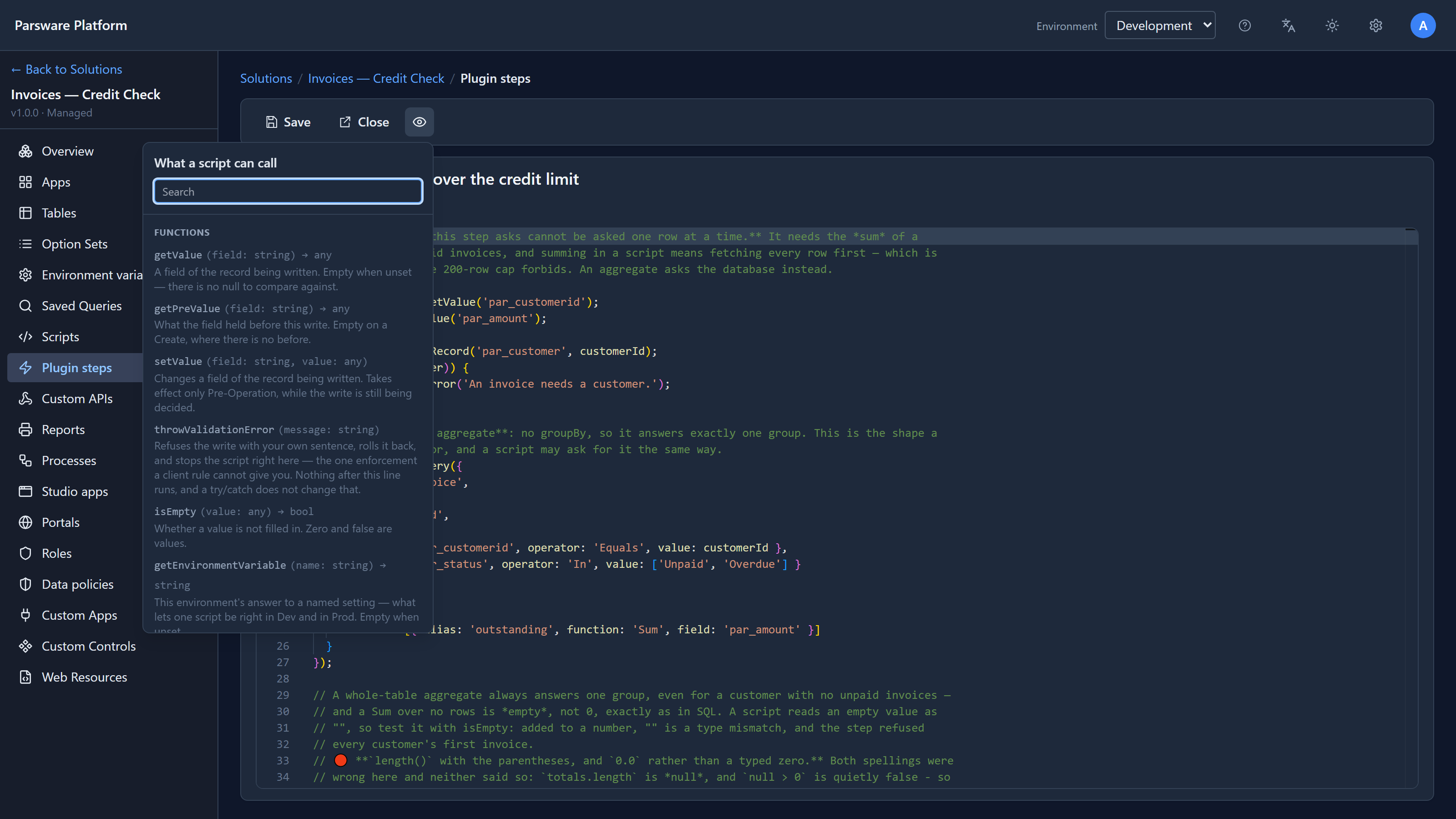
getValue and setValue are here too, spelled the same, but now they mean the record being
saved, not a form. There's no setVisible, because there's no form to hide anything on. Instead
a step gets:
getPreValue: what a field held before this save;throwValidationError: refuses the save, whoever made it, and rolls it back;message,stage,entityNameanddepth: which save is happening and where the step is in it;getRecord,queryRecords,runQueryand the rest: reading and writing other records;nowandtoday,callServiceandsendEmail.
A Custom API: the caller
A Custom API answers an HTTP call from another system. It has no record in front of it, just a request:
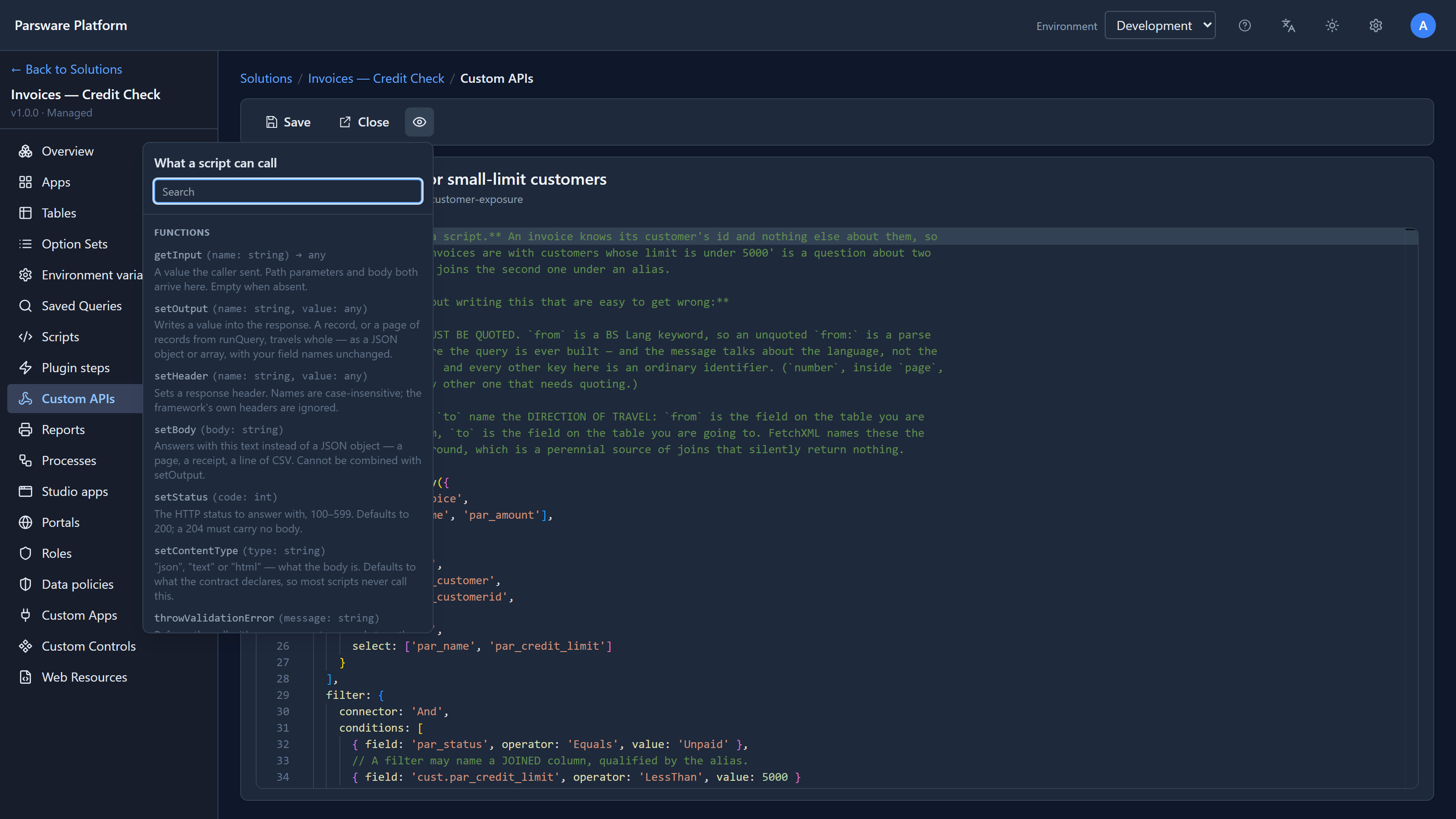
So there's no getValue at all. The request comes in through getInput, and the answer goes back
through setOutput, setBody and setStatus. The record functions are the same as a plugin
step's, spelled the same. It also has portalCustomerId and the other portal… functions,
which say who is signed in when a portal makes the call. They refuse the call when nobody is.
A step in a process: the run
A script on a process step runs when a business process reaches that step. We opened Deduct Balance in the Leave Approval sample:
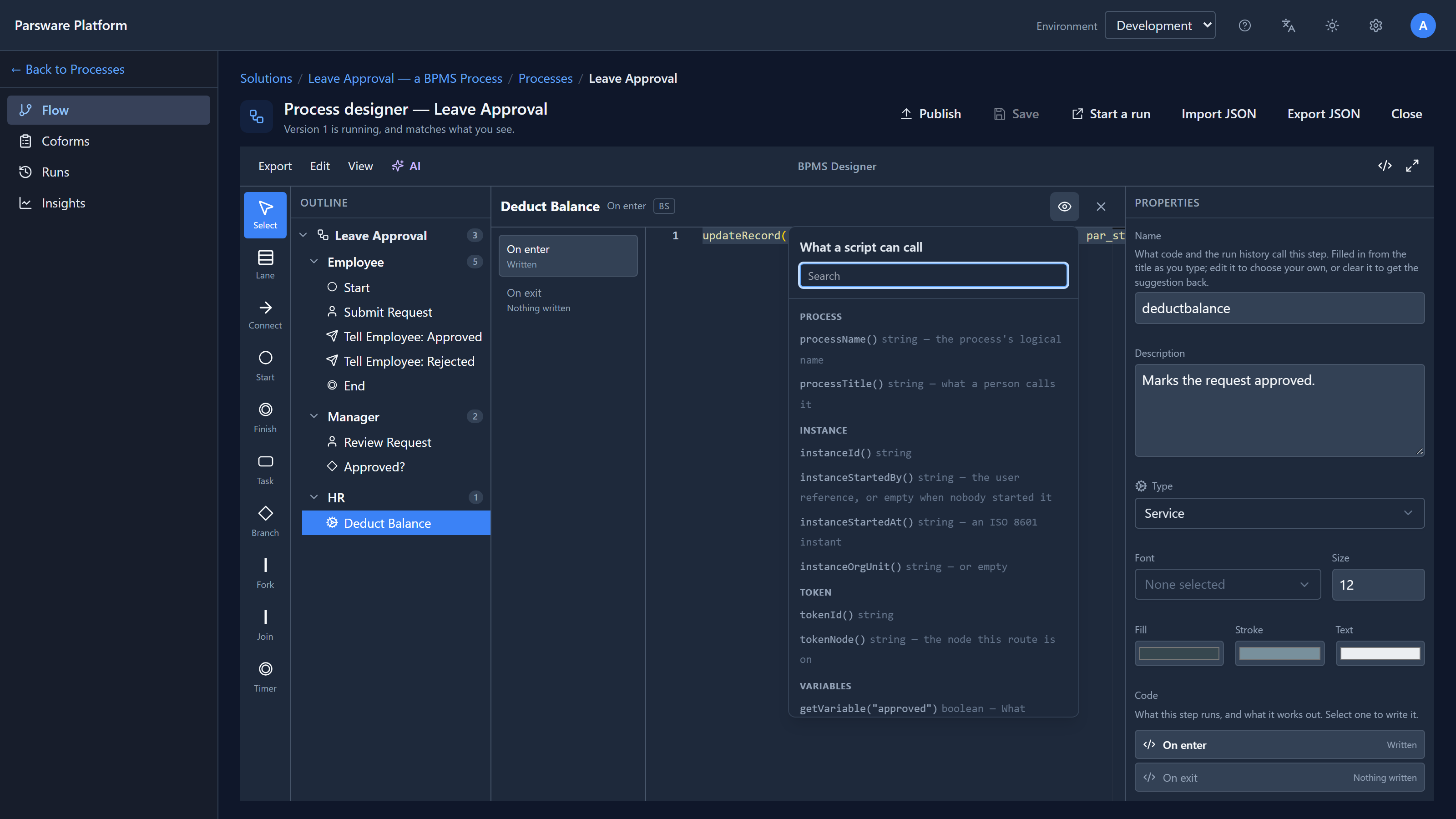
A process script gets groups the others don't have:
- Process and instance: which process this is, which run, who started it and when;
- Token: which path through the process this script is on;
- Variables: the values the process carries from step to step. The panel lists this
process's own variables by name, so
getVariable("approved")is right there.
It also gets the record functions, getRecordRef for the record the run is about, fail to stop
the run with a message, and date helpers like addDays and minutesBetween.
The same name means the same thing
Put the four lists side by side and the rule is clear. A function is only offered where it can work, and where two scripts share a job, they share the spelling:
| Function | Form rule | Plugin step | Custom API | Process step |
|---|---|---|---|---|
getValue, setValue |
the form | the record being saved | — | — |
setVisible, cancelSave |
✔ | — | — | — |
throwValidationError |
— | ✔ | ✔ | — |
getInput, setOutput |
— | — | ✔ | — |
getVariable, setVariable |
— | — | — | ✔ |
getRecord, queryRecords, runQuery |
— | ✔ | ✔ | ✔ |
now, today, isEmpty |
isEmpty only |
✔ | ✔ | ✔ |
A command button, from the helpers panel,
is a fifth list: it runs in the browser like a form rule, and adds openView, openRecord,
notify and the other things a button does.
Calling a function from the wrong list
The editor checks each script against its own list. Here we added a getRecord call to the form
rule:
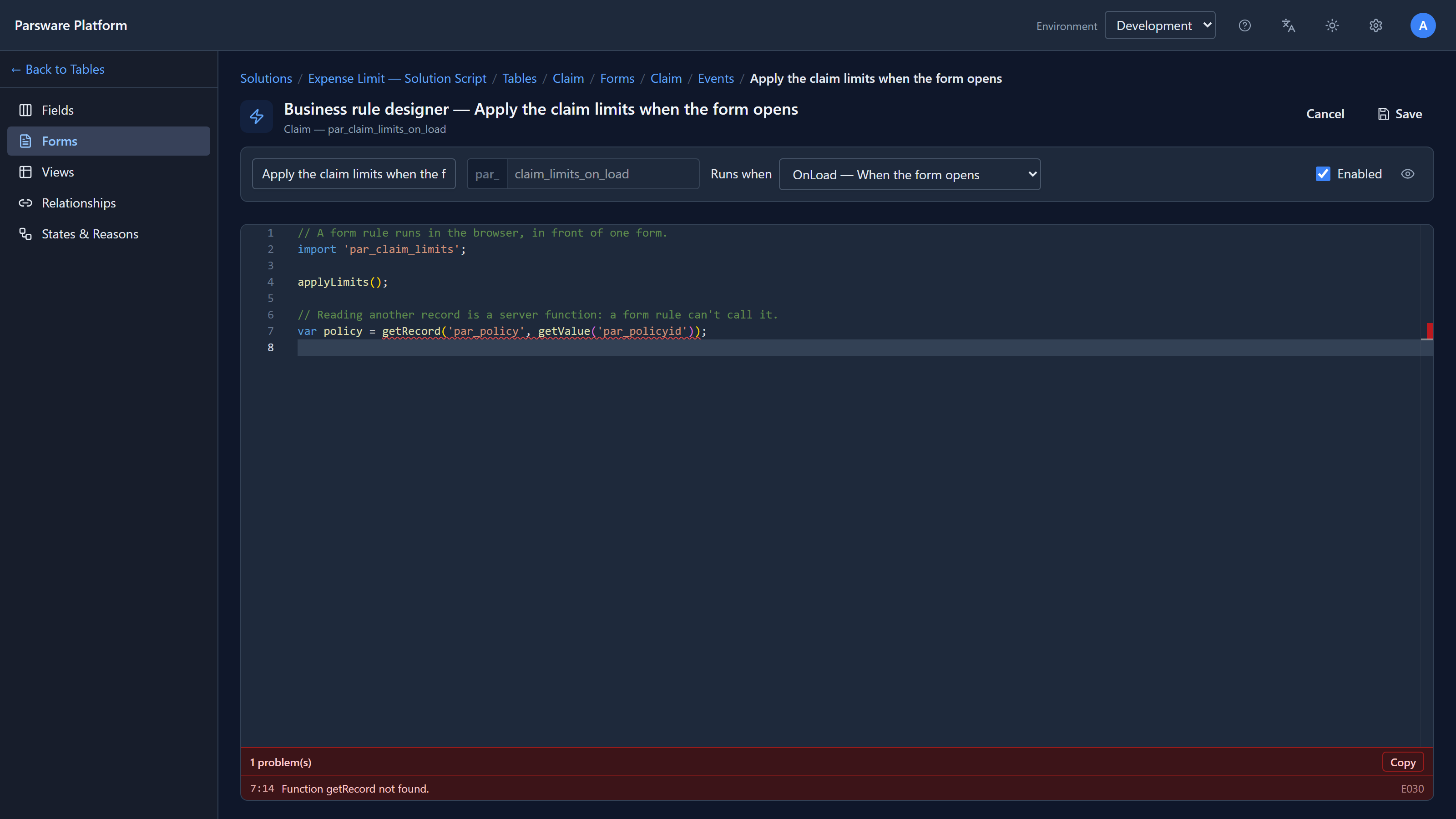
Function getRecord not found, on the line, before saving. The function exists; it just isn't in this script's scope. If a form needs to know something about another record, that's either a lookup field on the form, or a check in a plugin step on the server.
Solution scripts: shared by several
A solution script is one that other scripts import, like par_claim_limits on line 2 above.
It doesn't run on its own; it runs inside whatever imported it. So its editor accepts the functions
of form rules, command buttons, plugin steps and Custom APIs all together, because it can't
know yet which script will import it.
That means the check is looser in a solution script. If a shared script calls getRecord and a
form rule imports it, the editor won't catch it, and the call fails when the rule runs. When you
write a solution script, decide which kind of script it's for and keep to that list. A later
article in this series, on shared logic, comes back to this.
Try it
Open a form rule, a plugin step and a Custom API in a development environment, press the eye in each, and compare. Then copy a line from one into another and see what the editor says.
Next: query records from a script: getRecord, queryRecords and runQuery, in a step that
refuses an invoice.