For Power Apps
Saved queries that travel
A query pasted into a report lives in that one report. A saved query lives once, has a name, and can be published into a solution beside the reports that use it, so it arrives in Test and Production with them. Here's the expense totals query from earlier, published and named by a report.
Cet article n’est disponible qu’en anglais.
In Totals with FetchXML we wrote an aggregate query on the Queries page, saved it, then pasted a copy into the Expense totals report. That works, but the query now exists twice. Change the saved one and the report doesn't notice; a second report that wants the same totals needs a third copy.
A report can name a saved query instead. The query lives once, and every report that names it reads it. For that to work outside the environment you built it in, the query has to go where the reports go, so it gets published into a solution too, exactly like a design.
We'll publish the expense totals query into the Case reports solution and switch Expense totals over to it.
1. Publish the query
Open Queries in Parsware Studio and choose Expense totals by currency and status. Next to Preview and Save there's Publish. Press it, choose your solution (ours is Case reports) and confirm:
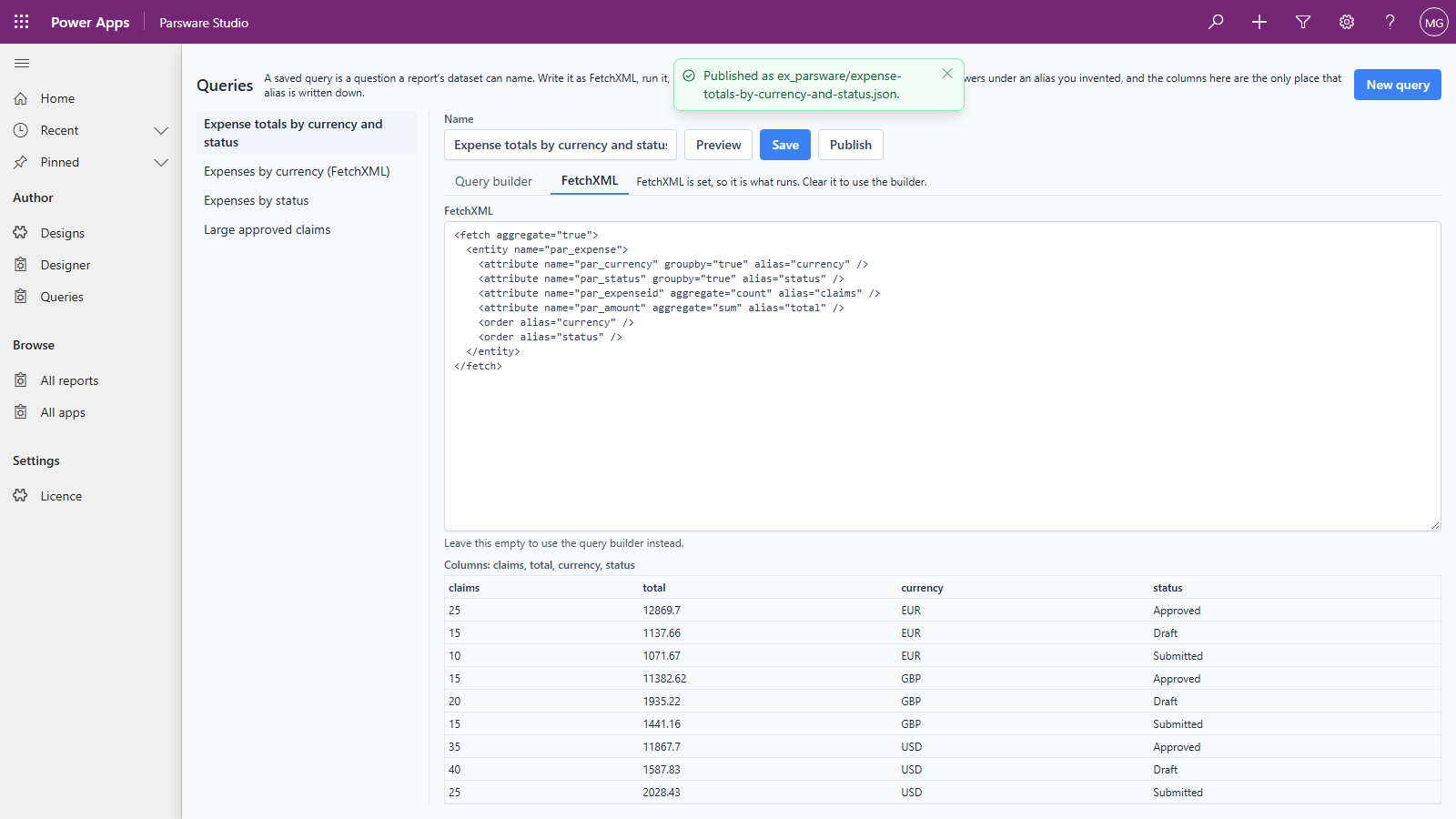
What's published is the query's FetchXML, whichever tab you wrote it on. A query built with the query builder is turned into FetchXML at this point, so the published copy is what runs, not instructions for rebuilding it.
2. Point the report at it
The report still carries its pasted copy, and the designer leaves a pasted query alone, so remove it
first. In Designs, open Expense totals and replace the whole Datasets field with [].
Save the form.
Then open the report in the designer, press Datasets and Add. Give the dataset the same name
as before, totals, set Source to Saved query, and pick the query from the list:
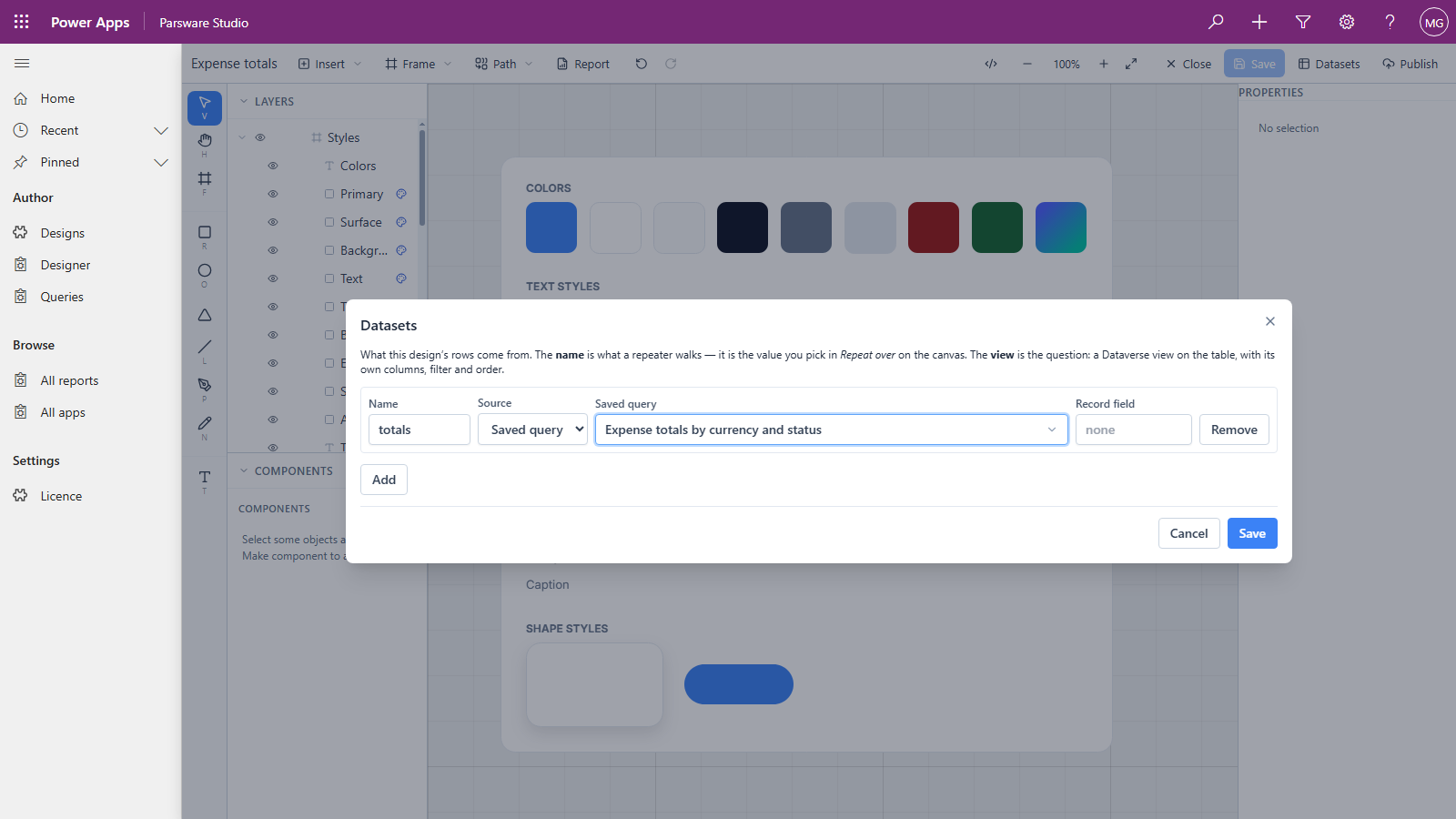
Keeping the name totals matters. The repeater's Repeat over and every Binding refer to the
dataset by that name, and to the columns by the query's aliases, so nothing on the page needs
touching. Press Save, then Report to preview:
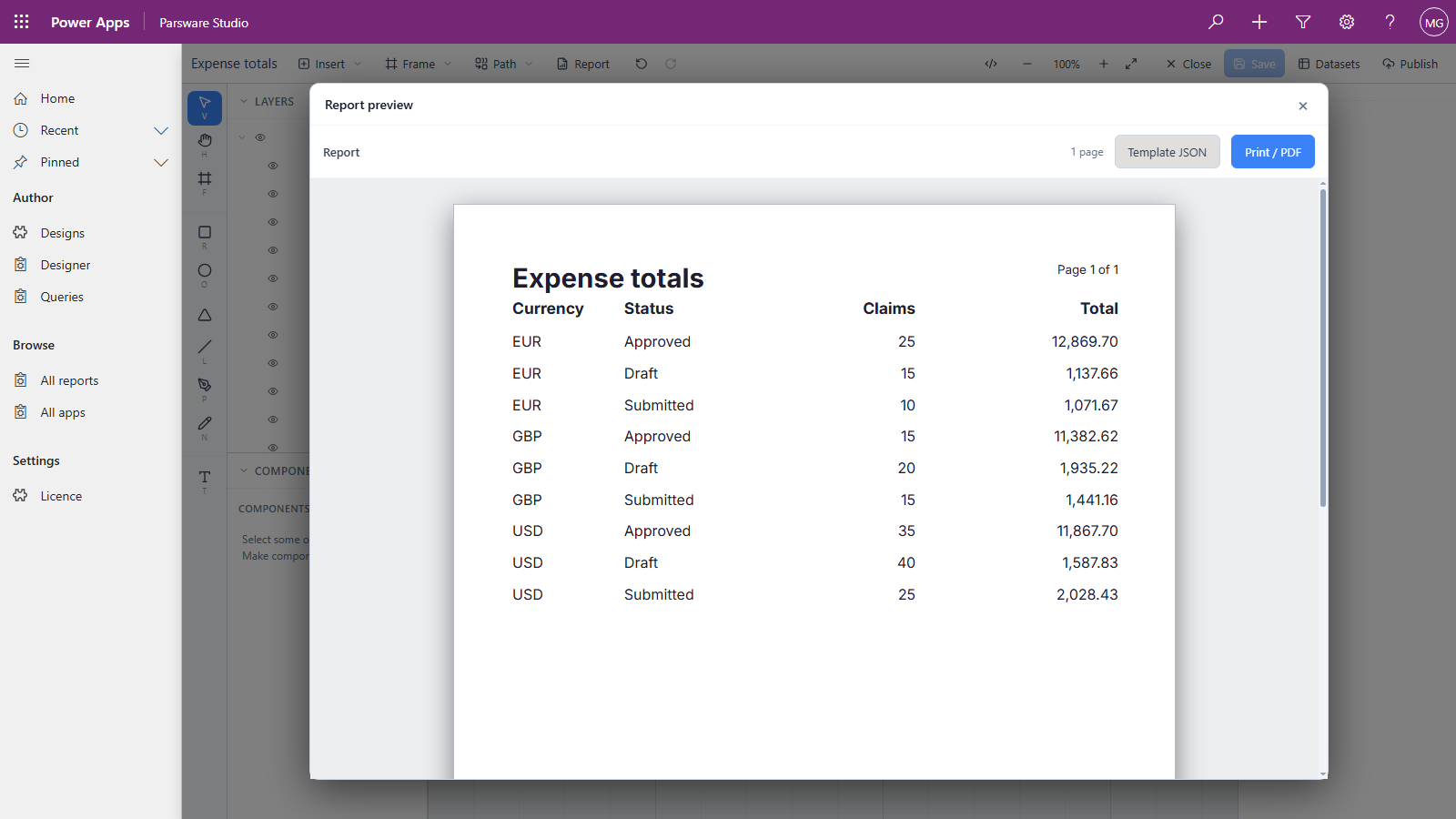
The same nine rows as before, now read from the saved query.
3. Publish the report
Press Publish in the designer and choose the same solution. The published report records the query's name, not its text, so it picks up whatever that name means in the environment it runs in.
What's in the solution now
Open Case reports in Solutions in Power Apps:
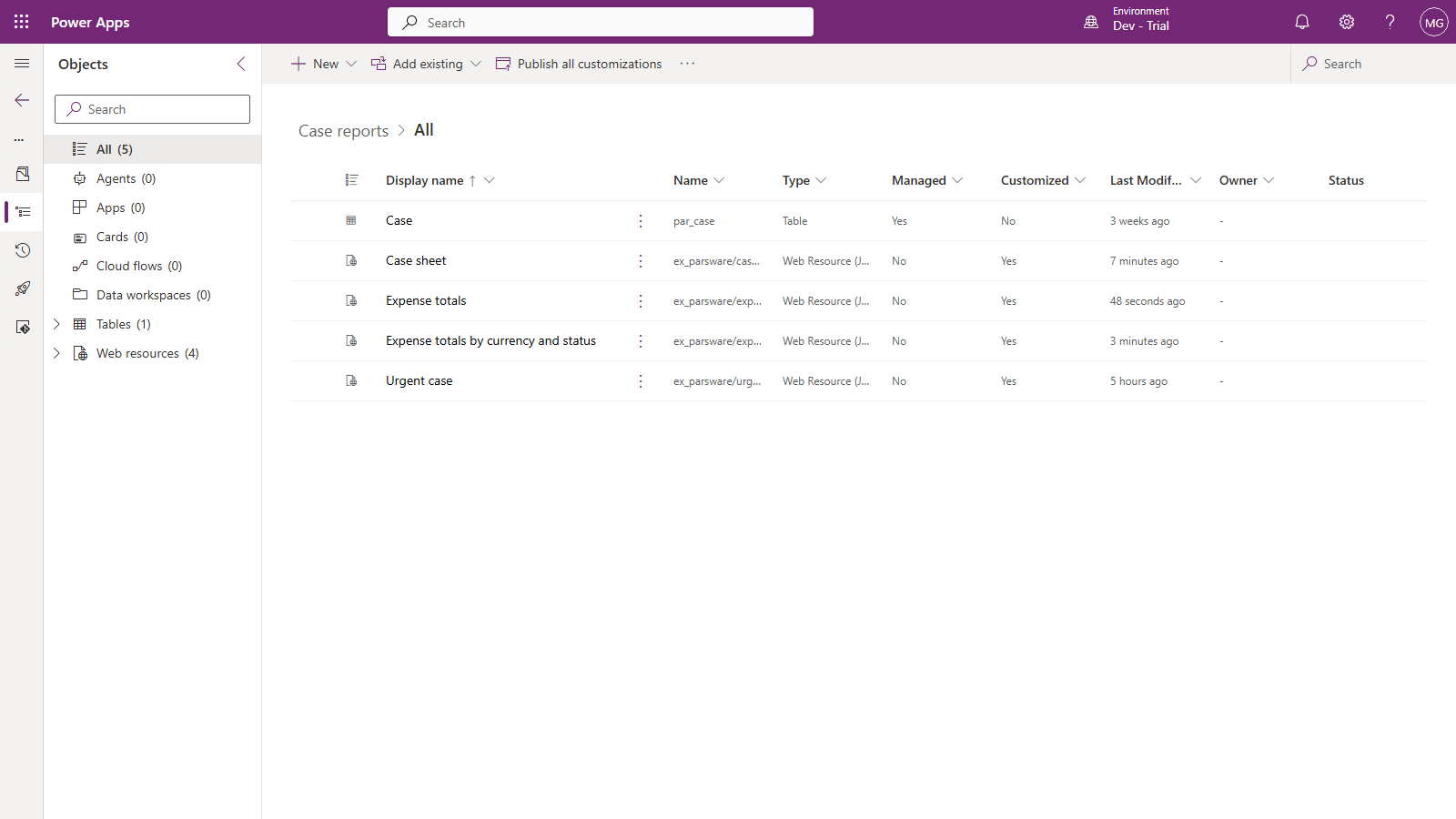
Both halves are there as web resources: Expense totals and Expense totals by currency and status. Export the solution and import it into Test, and the report finds its query there, because the query arrived in the same package.
If you publish the report and forget the query, the report arrives in Test naming a query that isn't there. It doesn't print an empty page: it stops with The saved query "…" was not found, naming the query. Publish both into the same solution.
Which copy of the query a report reads
A report looks up a saved query by name, in two steps:
- The query's own row, in Parsware Studio's list, if this environment has one.
- Otherwise, the published copy that came with a solution.
So in the environment you write queries in, a report reads your saved query as soon as you save it, published or not. That's handy while you're working, and it's the one place where a query behaves differently from a design. In Test and Production there's no row, so reports read exactly what you published. To release a change to a query, save it, check the reports that use it, then publish it.
Good to know
- One name, one query. Renaming a saved query breaks every report that names it. Pick the name as carefully as a column's.
- A query's aliases are its contract. Reports bind to the aliases (
currency,claims,total), so changing an alias in the query blanks the boxes bound to the old one. Adding columns is safe. - Not yet: binding boxes to a saved query in the designer. When a dataset uses a saved query, the Binding lists don't yet offer the query's columns. That's why this article binds first, with the query pasted, then switches the dataset to the saved query: bindings you've already made are kept. It's a known issue we're fixing.
Next
Start from a shipped design: taking one of the sample reports and making it your own. The whole series is in the reading list.