Parsware Platform
The problems panel
The process designer checks the drawing as you draw it, and the corner of the canvas says what is still missing: a step nothing reaches, a step that leads nowhere, a timer that never fires, a misspelt variable. Selecting a line takes you to the thing it is about. Nothing stops you saving, but Publish now waits for the list to be empty.
Cet article n’est disponible qu’en anglais.
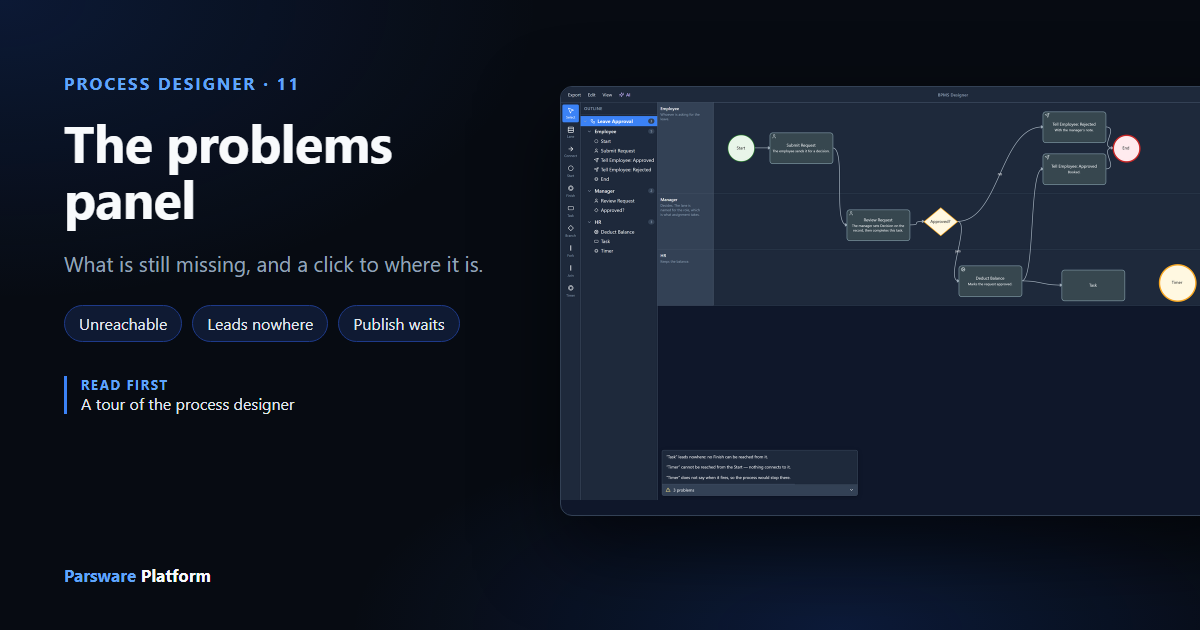
A process is drawn a piece at a time, so for most of its life it's unfinished. The designer doesn't refuse an unfinished drawing. It tells you what's left, in a bar in the bottom corner of the canvas.
We used the Leave Approval sample from samples/solutions/bpms-leave-approval-process, and
broke it on purpose without saving.
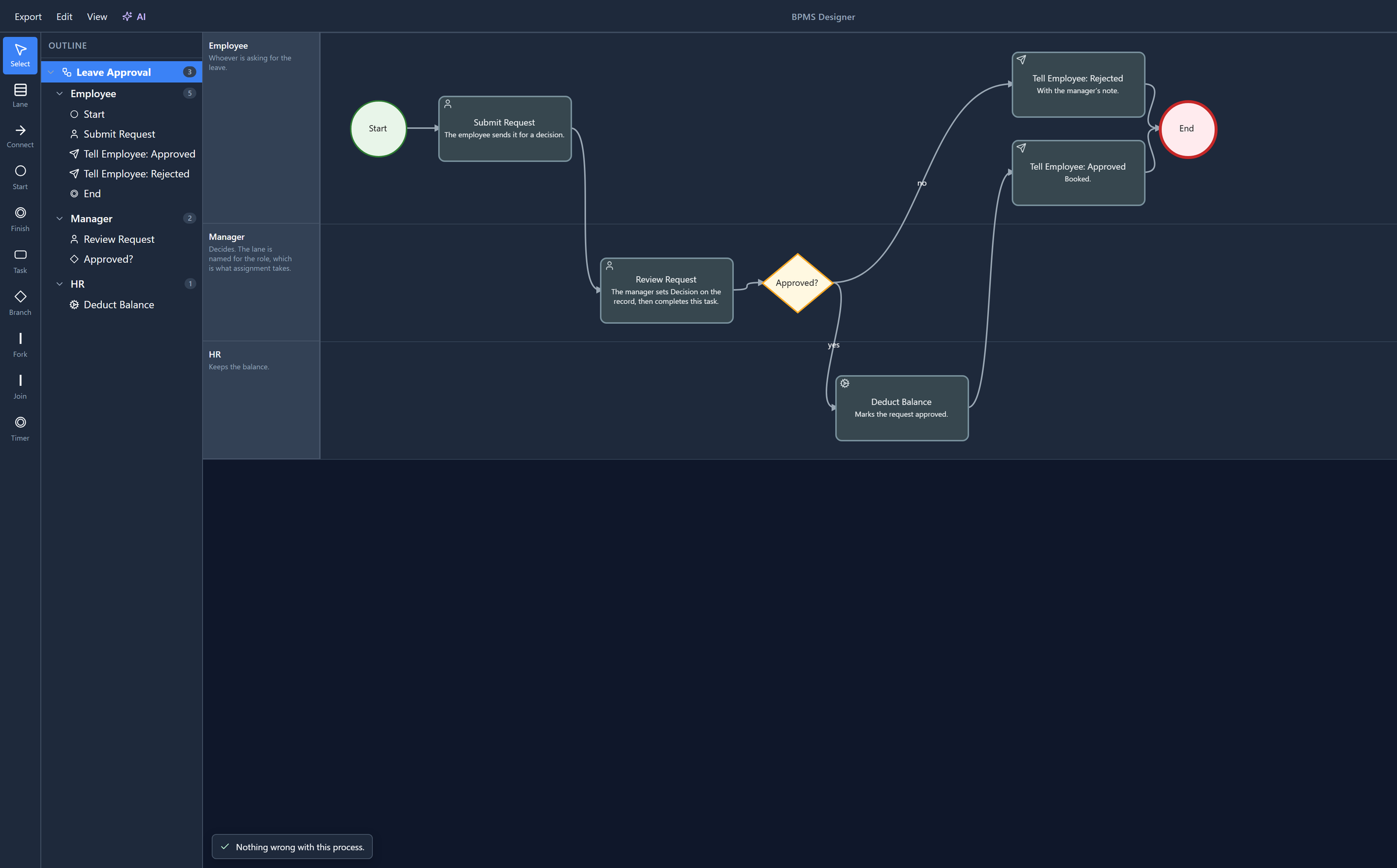
Nothing wrong
Open the sample's process and the bar says so:
Three problems
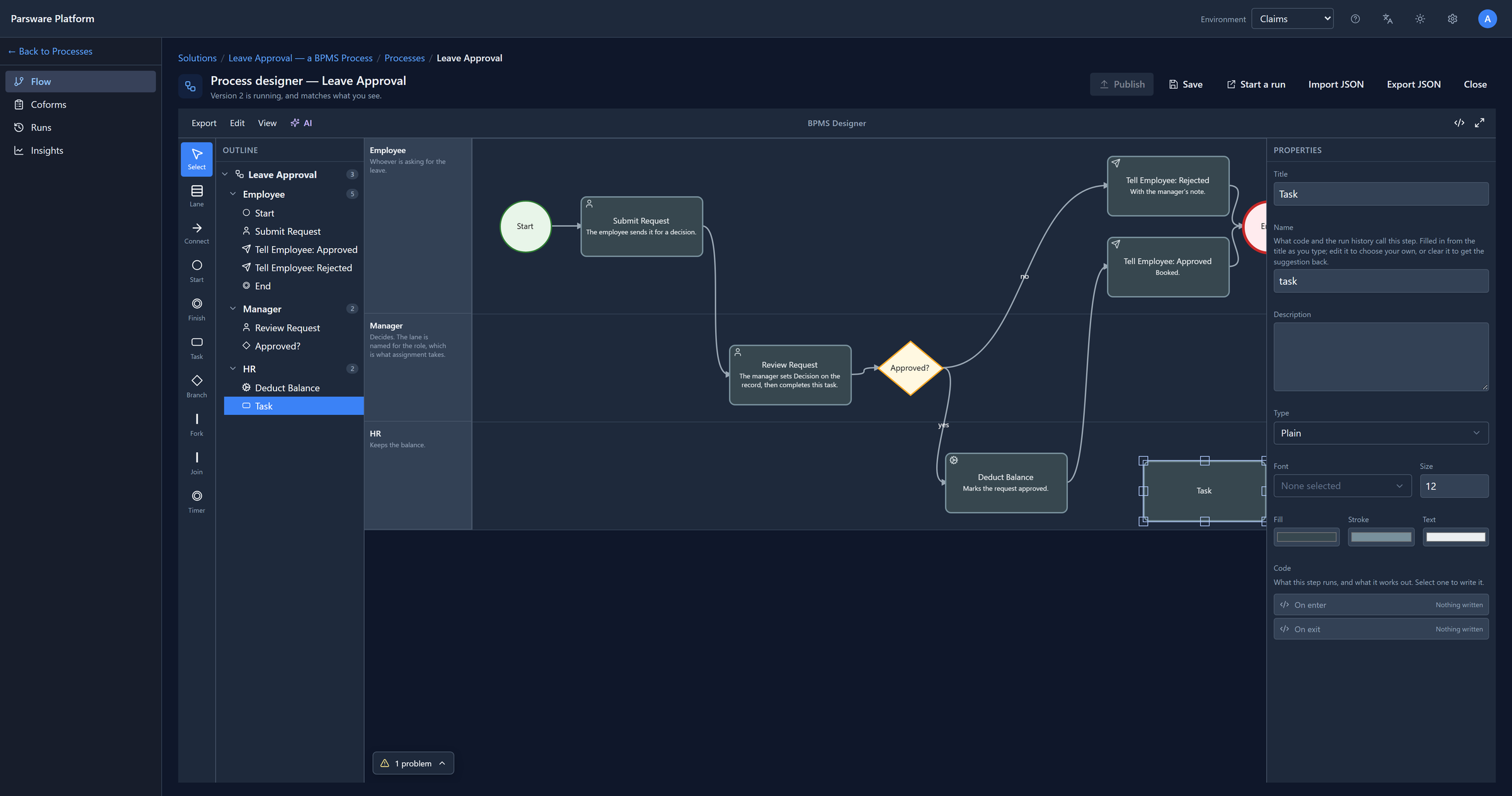
We dragged a Task into the HR lane and connected Deduct Balance to it, then dropped a Timer beside it and connected nothing. The bar now counts 3 problems. Select it to open the list:
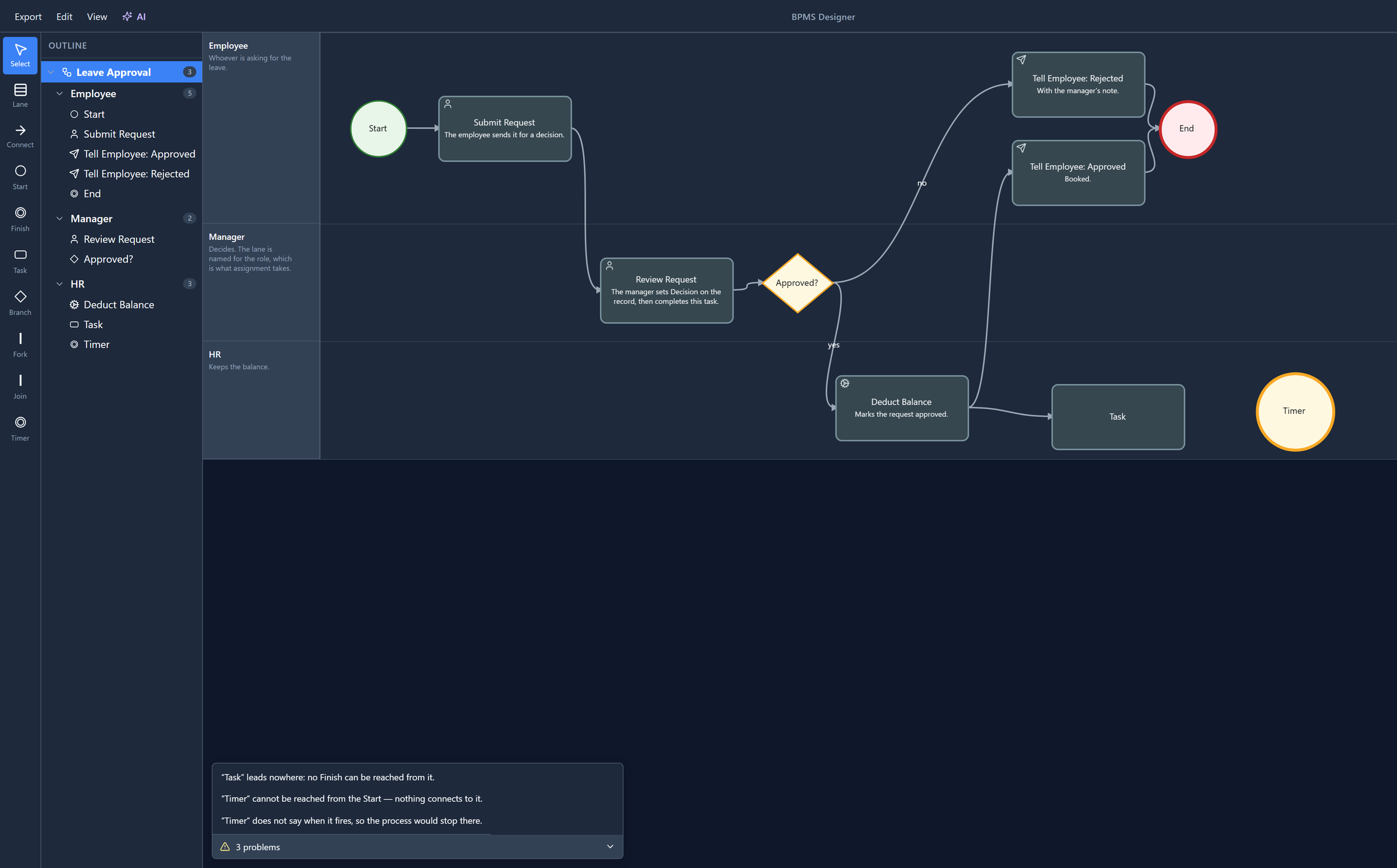
- Task leads nowhere. The run can get to it, but from there no Finish can be reached.
- Timer cannot be reached. Nothing connects to it, so no run will ever arrive.
- Timer does not say when it fires. A timer with no length doesn't wait, it stops the run.
The Timer isn't also reported as leading nowhere. A step nothing reaches is a step nothing leaves either, and saying both would be the list repeating itself.
A line takes you there
Select a line and the designer selects the thing it's about, scrolling the canvas to it if it has to. We selected the first:
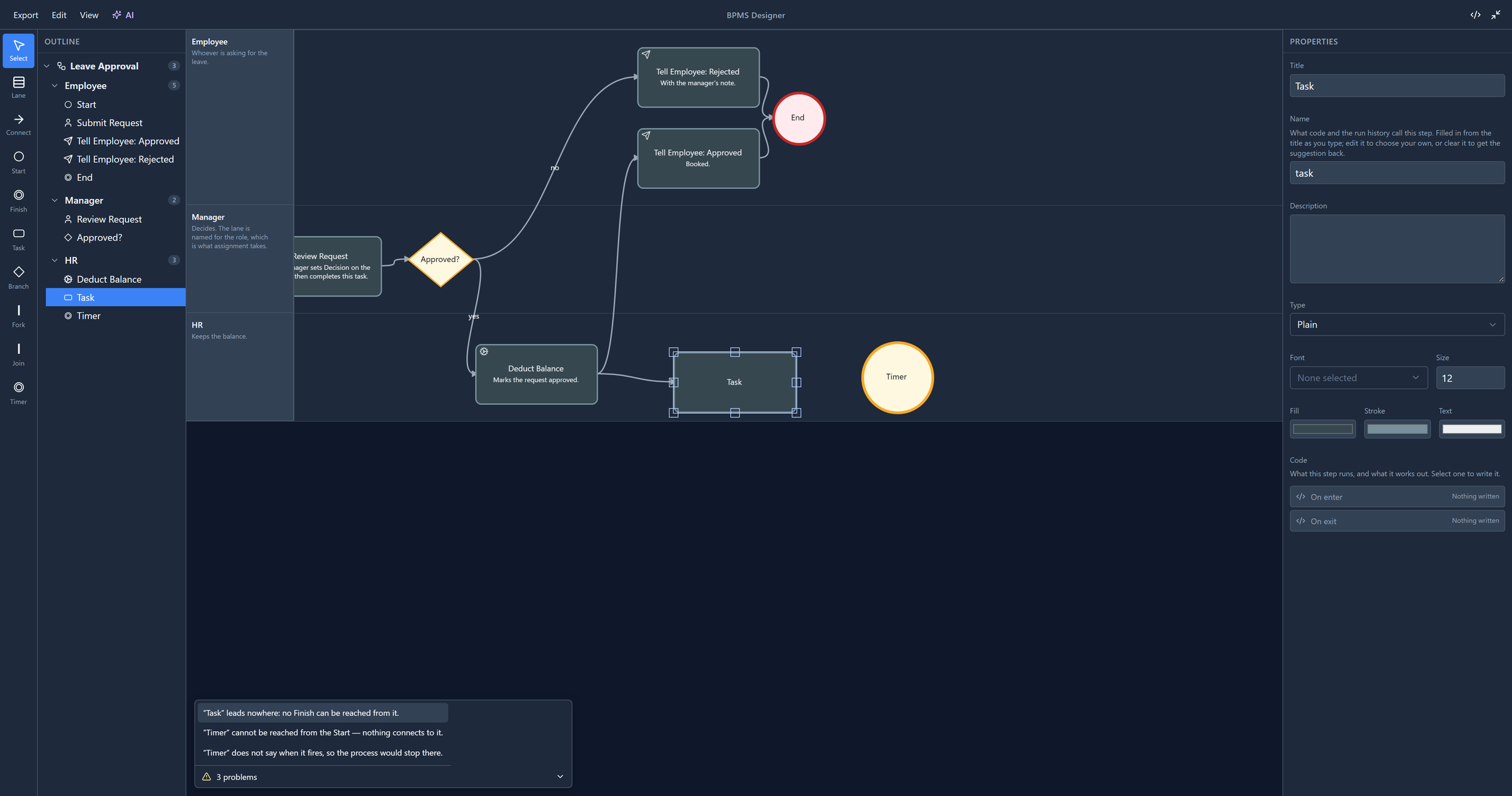
A line about a connection selects the connection. A line about the process, such as a misspelt variable in its On start, selects the process. (Process variables shows that one.)
What it checks
- Exactly one Start, and at least one Finish.
- Nothing connects into a Start or out of a Finish.
- No step the flow can never reach, and none it can never leave.
- A condition on every connection leaving a branch, and at least two ways out of a branch.
- At least two ways out of a fork and two into a join, and as many joins as forks.
- A timer that says when it fires, and a deadline that says what to do when it passes.
- Every variable a script uses is declared, and every variable has a name.
- Every script parses.
- On a user task with a coform: each outcome is taken by exactly one connection.
Whether a script may call something is the code editor's business: it underlines that as you type, against what that particular slot can see. The panel only says whether each script parses, because that's the same answer everywhere.
Saving and publishing
Nothing here stops you saving. A half-drawn process reports a page of problems and saves perfectly well, which is the point of a designer.
Publishing is different. A published version is what runs, and a process with problems wouldn't. So Publish is unavailable while the list has anything in it, and holding the pointer over it says why:
That's new. Publish used to be offered whatever the list said, and it saves before it publishes. So pressing it on a broken drawing saved the broken drawing, and then the server refused to publish it. It was the one press that could never work, and it changed something on the way.
We fixed two smaller things while we were here. Lines quoted names two ways, "Task" and
“Timer”, in the same list; they all use the same quotes now. And a line about code named the slot
by its internal name, onStart, in English whatever language you work in. It now uses the slot's
name from the code list, in your language.
Try it
Delete the condition on the yes connection after Approved?. The list says the connection leaves a branch with no condition. Select the line, and the designer selects the connection, ready for you to put it back.
Next: coforms, the form a person fills in when a task reaches them.