Parsware Platform
Data policies
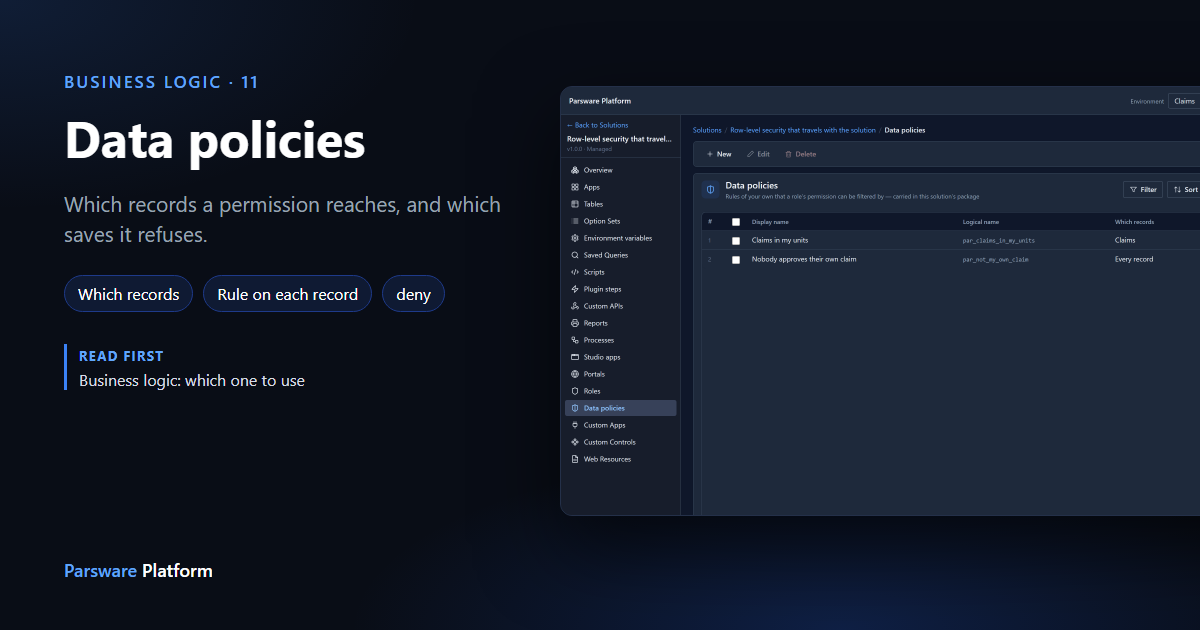
A security role says what somebody may do with a table. A data policy says which records that reaches, and when a save is refused. We imported a sample with one of each kind, gave its role to two regional managers, and watched the same grant show each of them a different list and refuse one of them an approval.
Cet article n’est disponible qu’en anglais.
A security role answers one question: may this person read claims? That's rarely the whole answer. A regional manager may read claims, but only the ones raised in their region. They may approve a claim, but not one they raised themselves.
The platform's built-in answers cover a lot of it: records I own, my unit, my unit and below, every record. When they don't fit, you write a data policy: a rule of your own that a role's permission can be held under.
We used the Row-level security that travels with the solution sample. Import it from
samples/solutions/mda-row-level-security to follow along. It brings a Claims table and app, a
Claim Reviewer role, and one policy of each kind. It runs against the organisation chart the
Organisation app seeds into every environment, so it needs nothing
else installed.
Two kinds, and they fail differently
In the solution, Data policies:
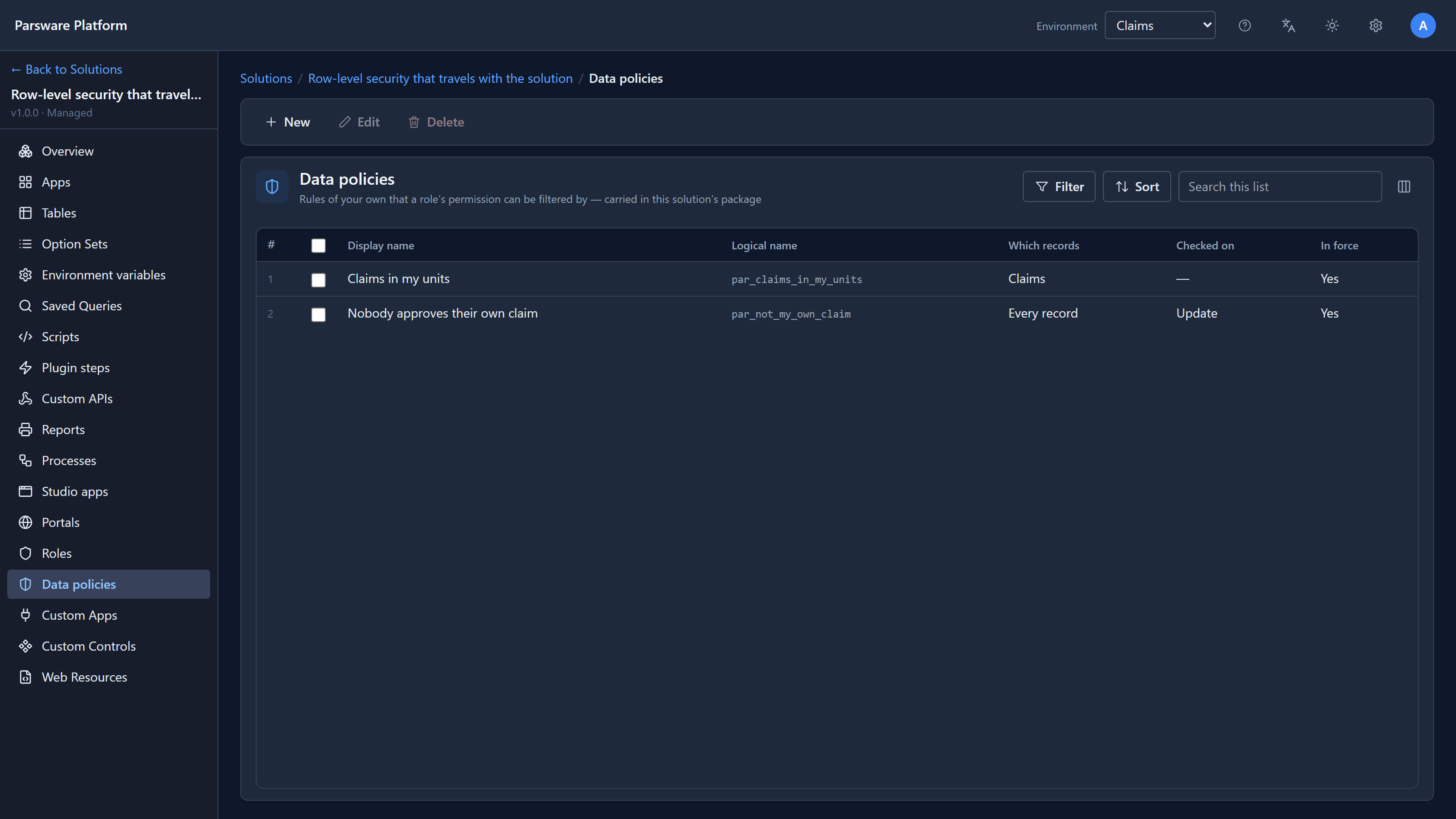
- Claims in my units is a Which records policy. It decides which records exist for the person asking. A record it leaves out isn't there: it isn't in the list, and opening it by its address answers not found.
- Nobody approves their own claim is a Rule on each record. It judges a record the person can plainly see, as it's saved, and when it refuses it says why.
The rule of thumb: if the answer depends on who is asking, it's Which records. If it depends on what the record says, it's a rule.
Which records: one condition
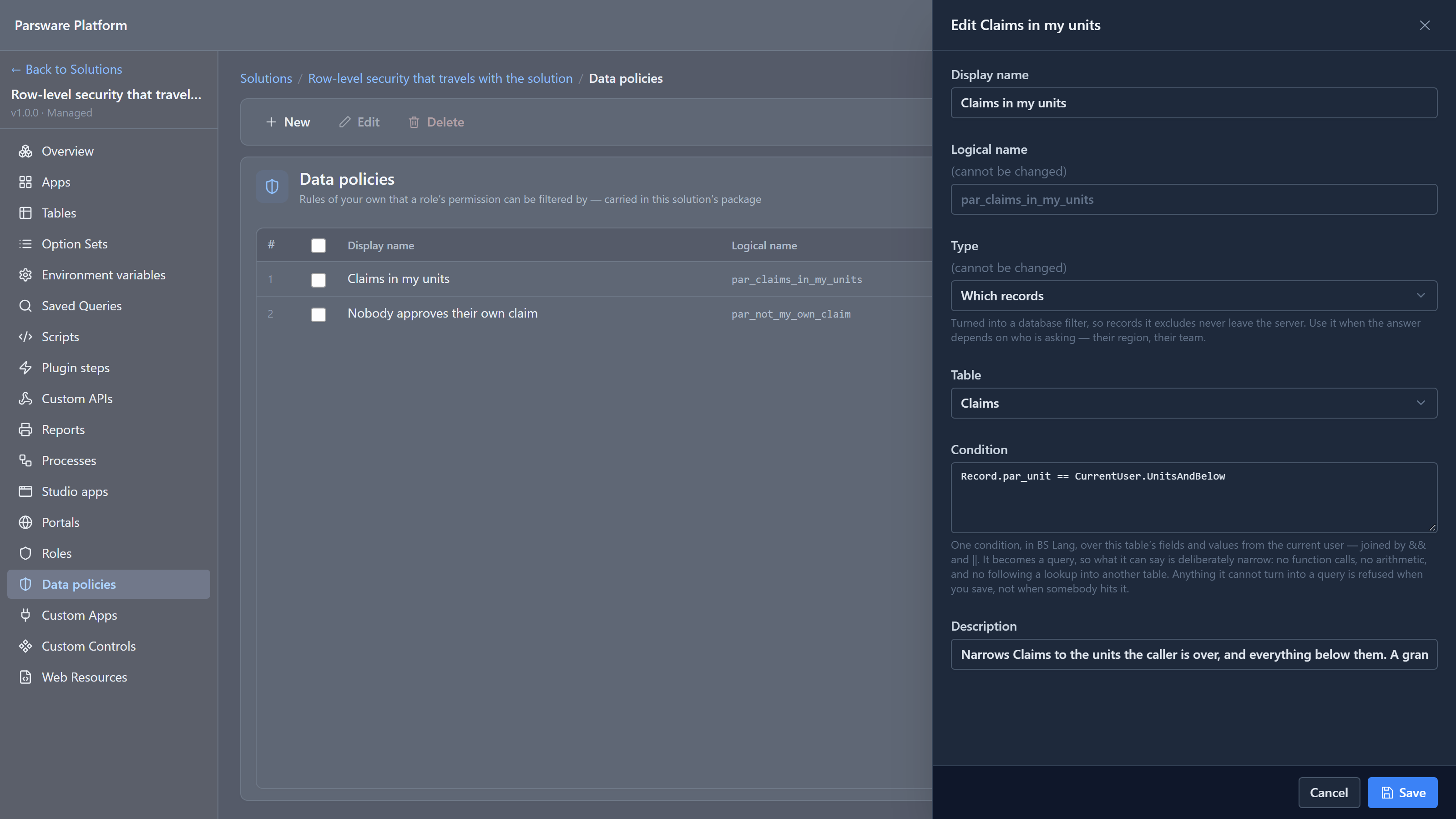
Record.par_unit == CurrentUser.UnitsAndBelow
Record.par_unit is the claim's Raised by unit field. CurrentUser.UnitsAndBelow is the
signed-in person's unit and every unit under it. Comparing a field with a set means is one of.
This isn't a script that runs on each row. The platform turns it into part of the database
query, so records it excludes never leave the server. That's why the language is deliberately
small: comparisons joined with && and ||, and no function calls, arithmetic or following a
lookup. Anything it can't turn into a query is refused when you save, not when somebody opens a
list.
Fixed while writing this: a set comparison like this one used to fail on every list read with a database error. The Claims list showed the error instead of claims. It's fixed, and there's a test for it now.
A rule on each record: BS Lang, and deny
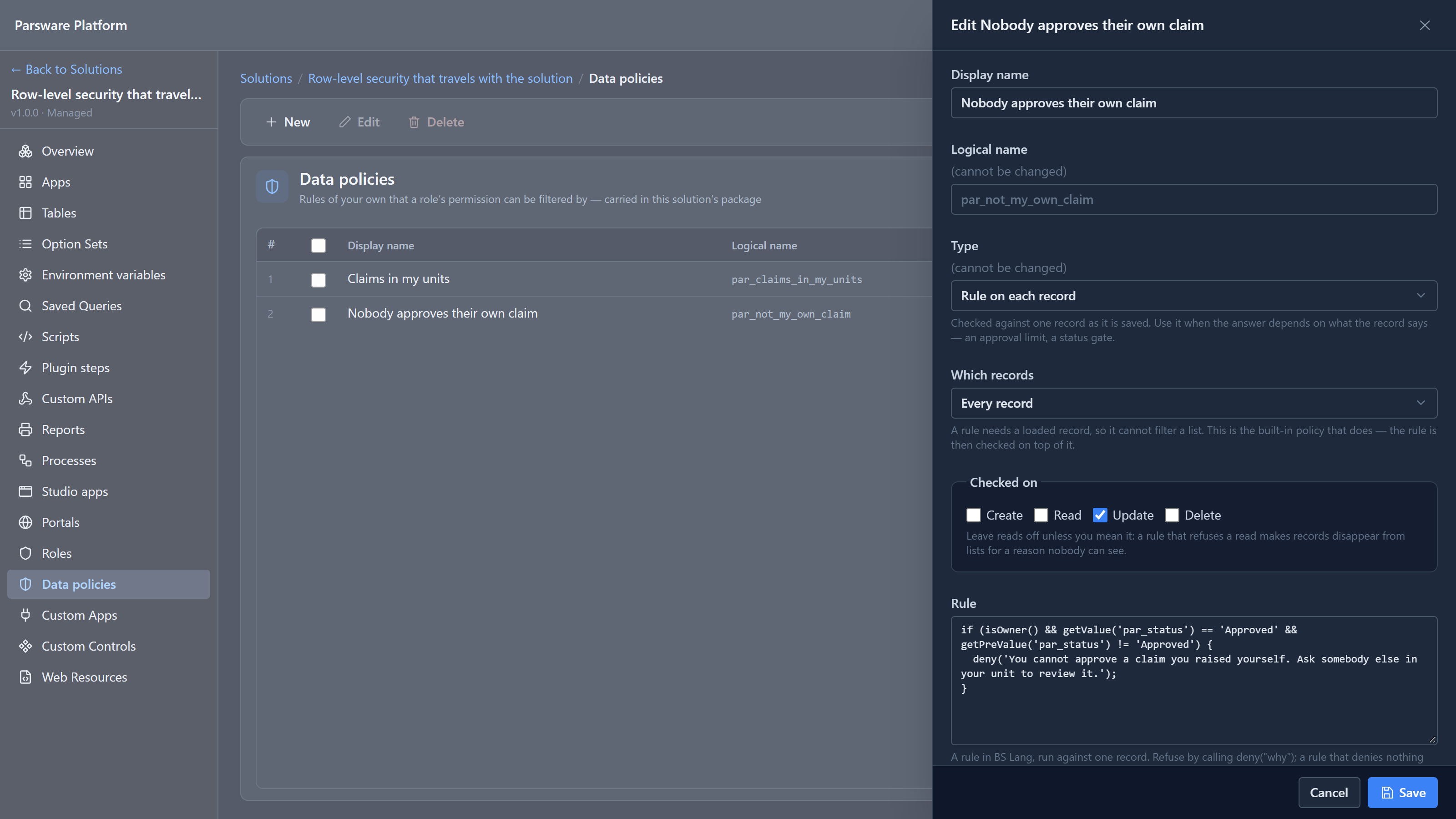
if (isOwner() && getValue('par_status') == 'Approved' && getPreValue('par_status') != 'Approved') {
  deny('You cannot approve a claim you raised yourself. Ask somebody else in your unit to review it.');
}
getValue is the record as it will be saved, getPreValue as it's stored now, and isOwner()
asks whether the person saving it owns it. Calling deny refuses the save, and its message is
what the person reads. A rule that denies nothing allows it.
Two more settings:
- Checked on: which operations run the rule. This one is Update only. Leave Read off unless you mean it: a rule that refuses reads makes records vanish for reasons nobody can see.
- Which records: a rule can't filter a list, because it needs a record that's already been loaded. So a rule policy also names a built-in that does the filtering. Every record means "everything, subject to my rule".
Fixed while writing this: the list and this panel used to show no operations at all for any rule policy, so opening one and saving it unchanged quietly turned an Update-only rule into one checked on every write. Both now read the operations correctly.
Holding a permission under a policy
A policy does nothing until a role uses it. Open the solution's Roles, then Claim Reviewer:
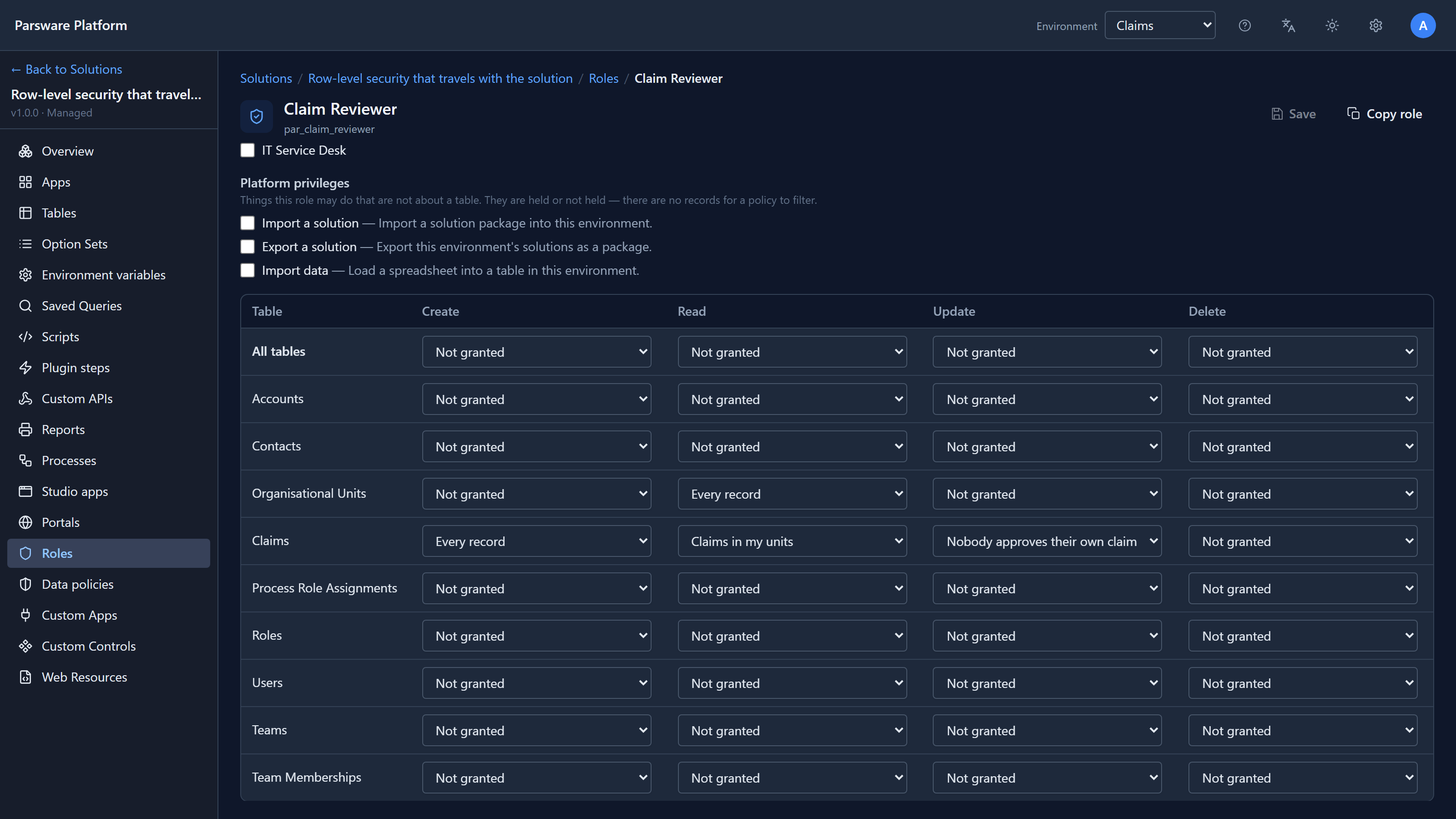
Each cell is a permission, and the choice in it is the policy it's held under. For Claims: create any claim, read under Claims in my units, update under Nobody approves their own claim, and no delete. Your own policies appear in the same list as the built-in ones. A Which records policy is only offered on the row of the table it was written for.
Fixed while writing this: apps used to appear in this grid as rows with four empty cells, which read like headings: the Claims table looked like part of "Organisation". Apps are shared from the app's own Access panel, so they're no longer in the grid.
One role, two lists
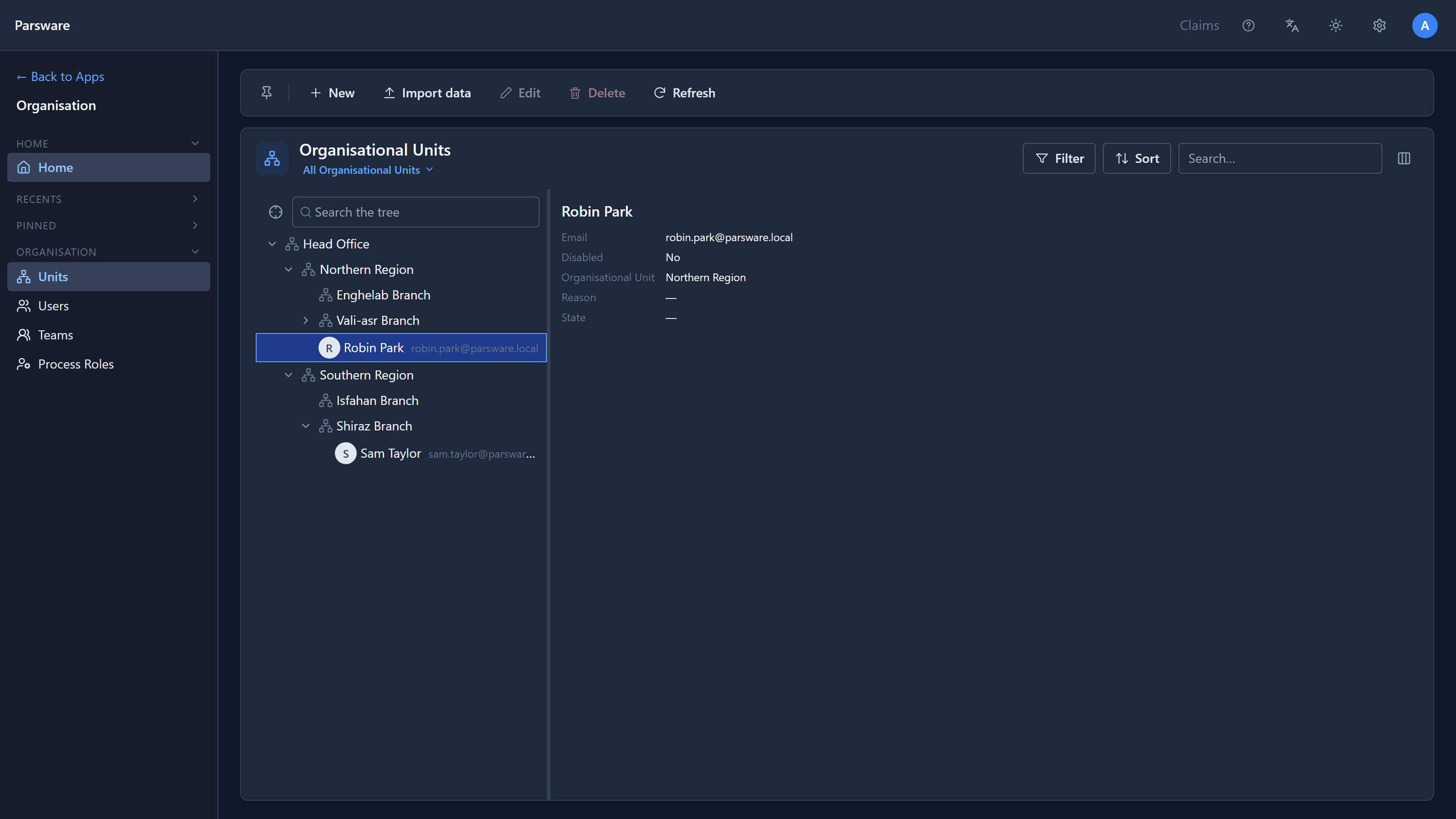
We gave Claim Reviewer to two people in the development environment's sample organisation: Robin Park, whom we placed in Northern Region, and Sam Taylor, in Shiraz Branch, which is in the south.
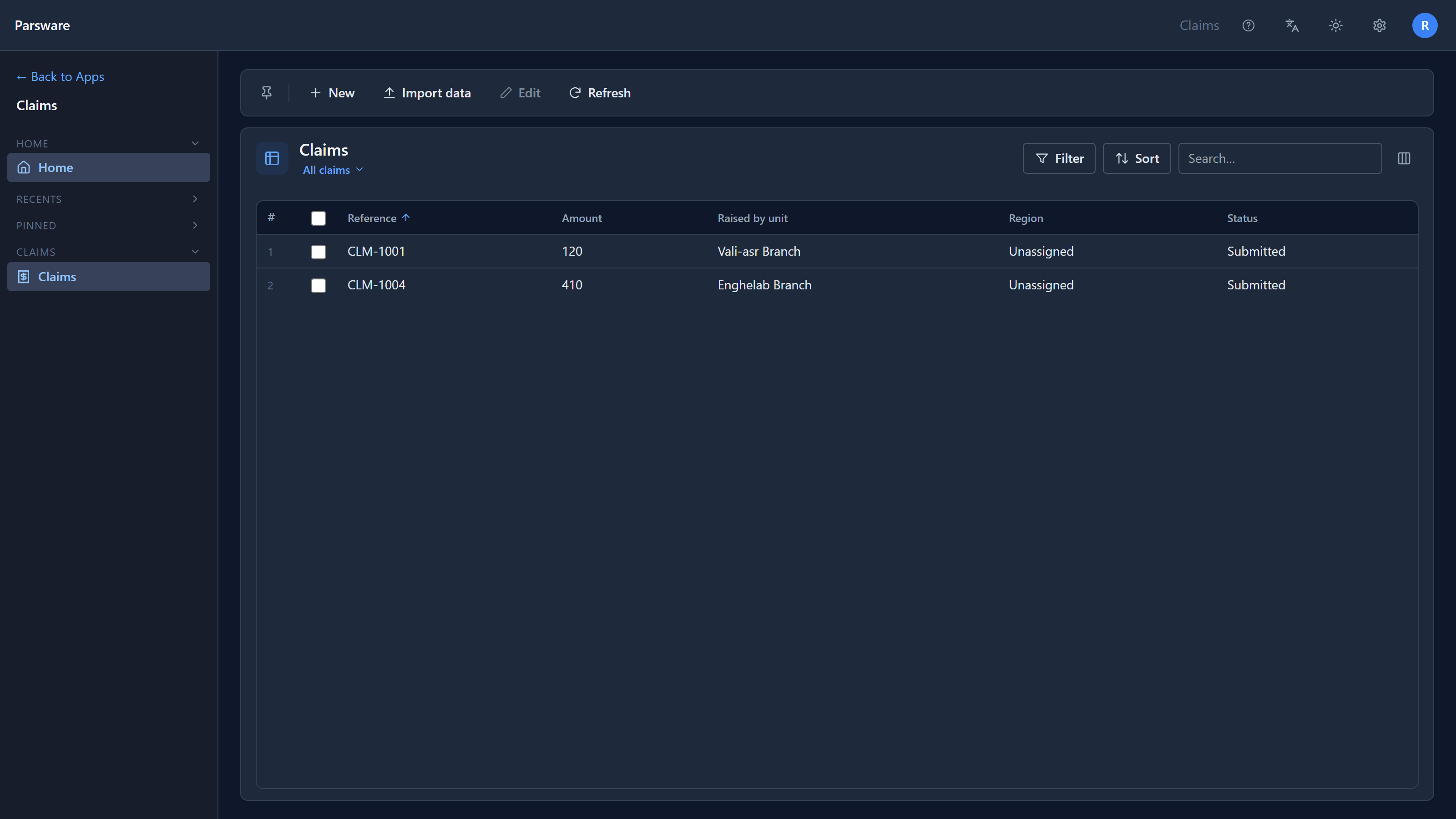
We then raised four claims as the administrator, one in each branch. Robin's Claims list:
Sam's:
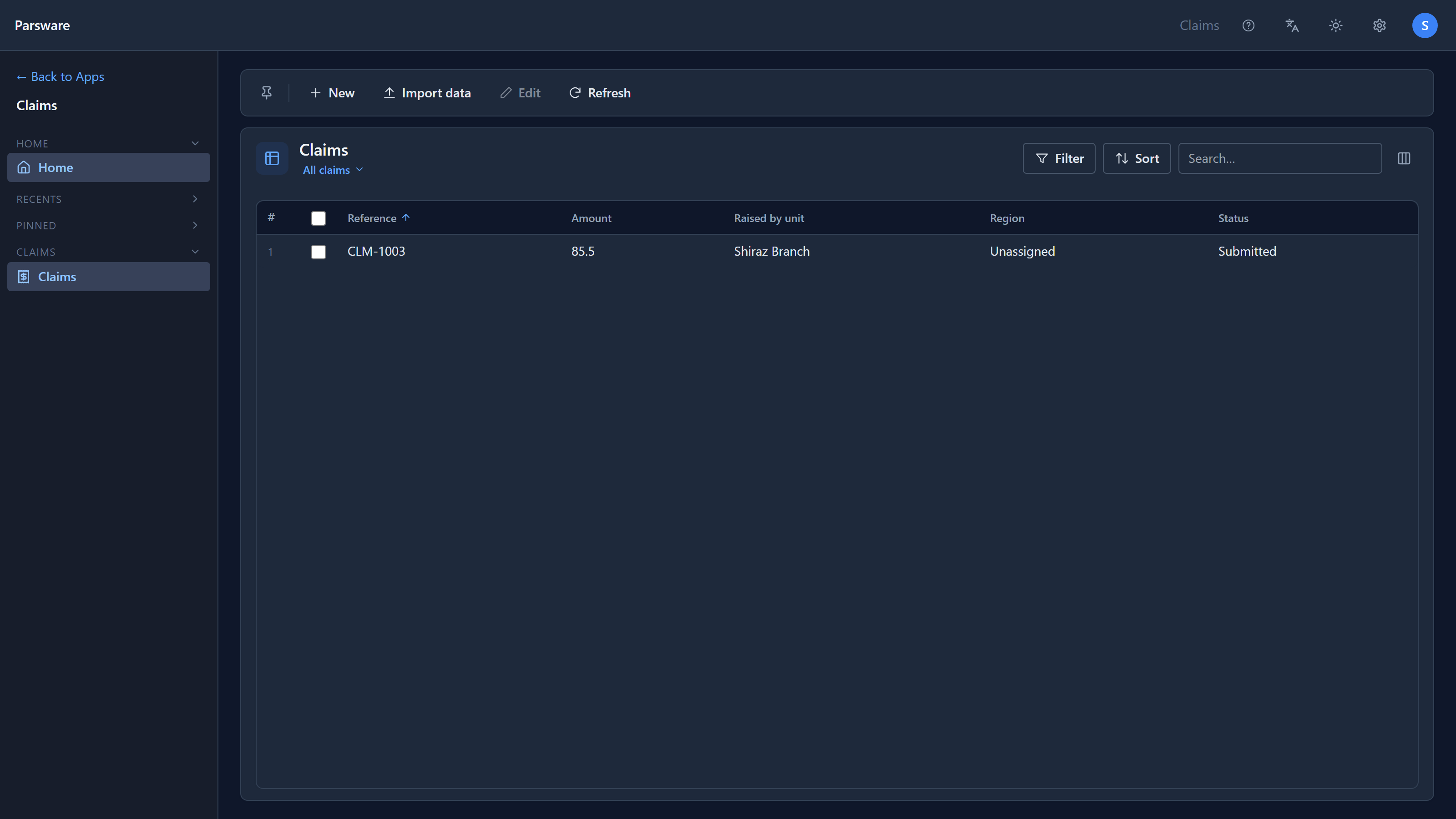
Same role, same grant, different lists, because the policy is worked out for each person. Robin sees both northern branches because his unit is the region above them. Sam sees his own branch. Neither sees Isfahan's claim. When Sam opened Robin's CLM-1001 by its address, the answer was not found, not forbidden: saying forbidden would tell him the claim exists.
The rule, refused and allowed
Sam raised a claim of his own, CLM-1005, then set its Status to Approved and saved:
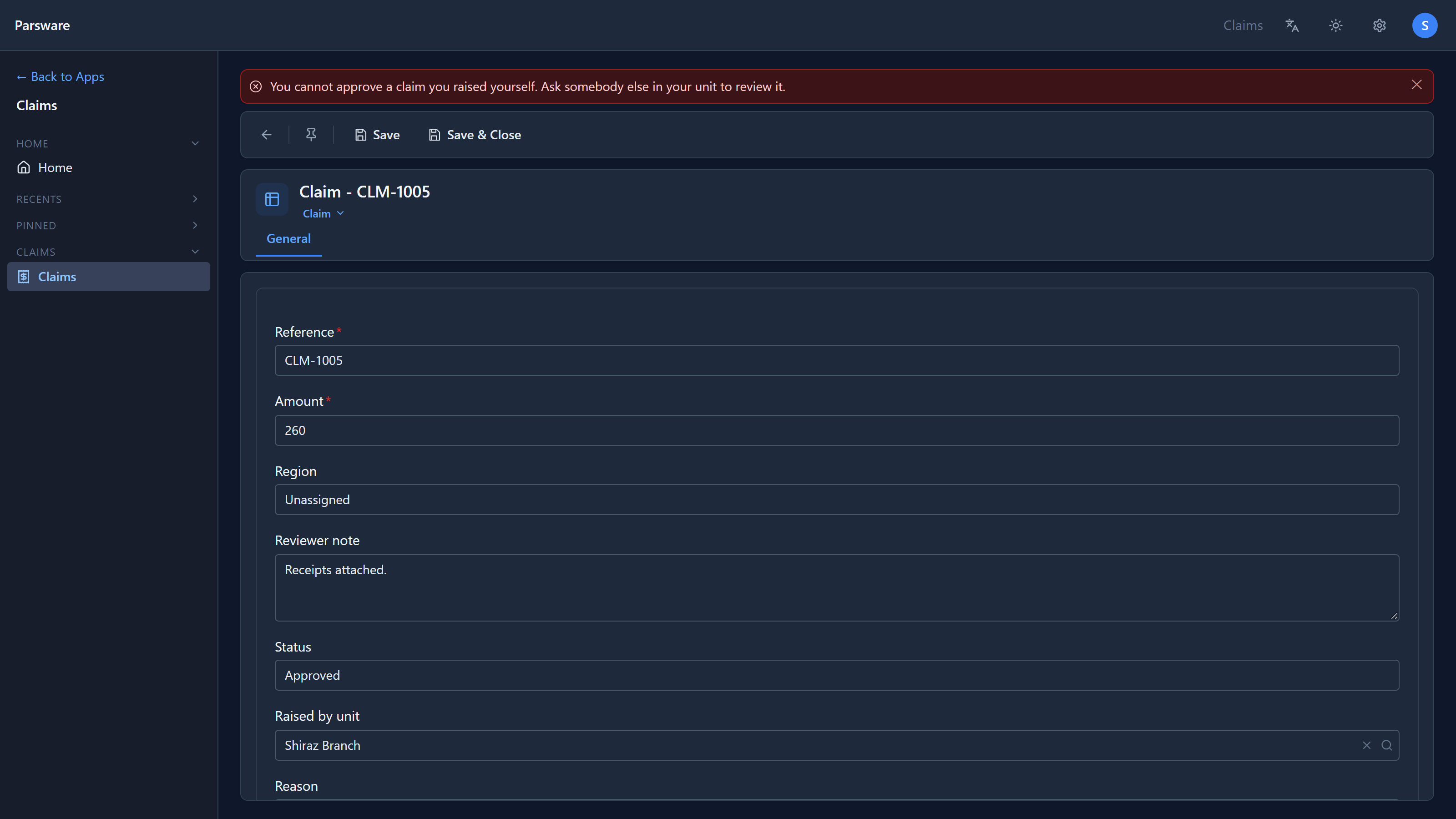
Refused, in the words the policy's author wrote. Robin approving CLM-1001, which the administrator raised, is a different story:
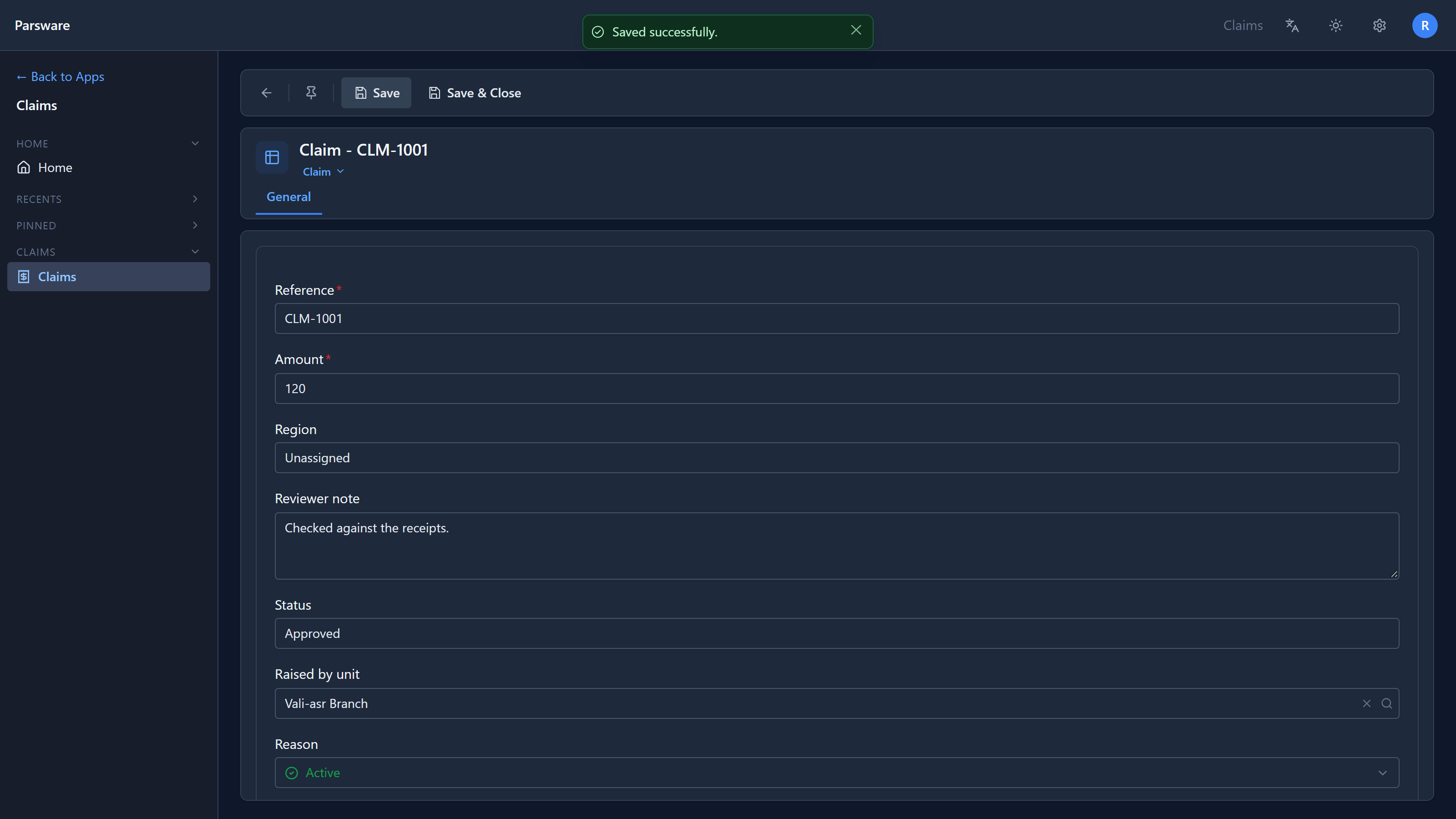
Policies travel with the solution
A policy is a solution component like a table or a form. It's exported with the solution, checked again when it's imported, and removed when the solution is uninstalled, along with the grants held under it. That's the point: "nobody approves their own claim" is part of how the application works, and an application shipped to Production without it would allow what Development refused.
What doesn't travel is who holds the role. That's your organisation's decision and stays in each environment.
Try it
In your own solution, write a Which records policy on Claims with the condition
Record.par_amount >= 100 and save. It's refused before it exists: "This condition cannot be
turned into a query: (line 1) '>=' and '<=' cannot be used in a filter policy. Use '>' or '<'."
Change it to Record.par_amount > 99 and it saves.
Next: a tour of the process designer, the first of a series on drawing business processes.