Parsware Platform
Environment variables
The same solution in two environments should call two different payment services, a sandbox in one and the real thing in the other, without anybody editing a script. That's what an environment variable is for. We installed one solution in two environments, gave each its own value, and saved the same order in both.
Cet article n’est disponible qu’en anglais.
A solution moves from environment to environment: built in Development, tried in Test, used in Production. It's meant to be the same solution everywhere. But some things it does must differ. In Test it should take payments through a sandbox; in Production, through the real provider.
If the address is in the script, you have two bad choices: edit the script after every import, or remember to. An environment variable takes the address out of the script. The solution says there is a payment service. Each environment says where.
We used the Calling out sample from calling an outside service.
Import it from samples/solutions/business-rules-outbound-calls to follow along. It declares two
variables, Payment service and Mail service, and takes a payment whenever an order is set
to Paying.
Two halves
A variable is split in two, and the split is the whole idea:
- The declaration: its name, type, description and optional default. It belongs to the solution, and travels with it.
- The value: this environment's answer. It belongs to the environment, and never leaves it. Exporting the solution doesn't carry it; importing the solution doesn't overwrite it.
We had the sample installed in our Test environment already, with both values set. We imported the same package into a second environment, Stock. In Stock, the solution's Environment variables looked like this:
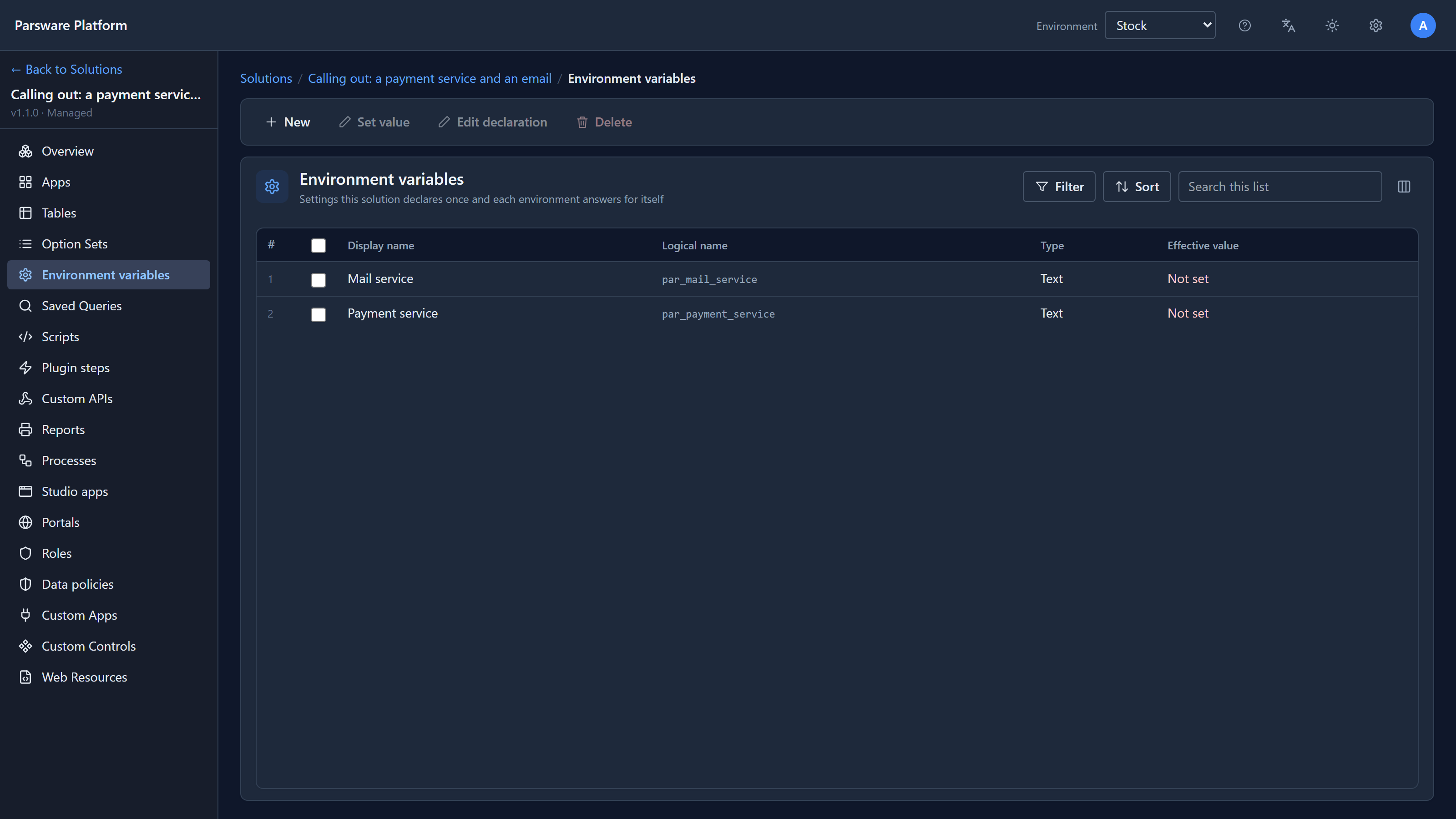
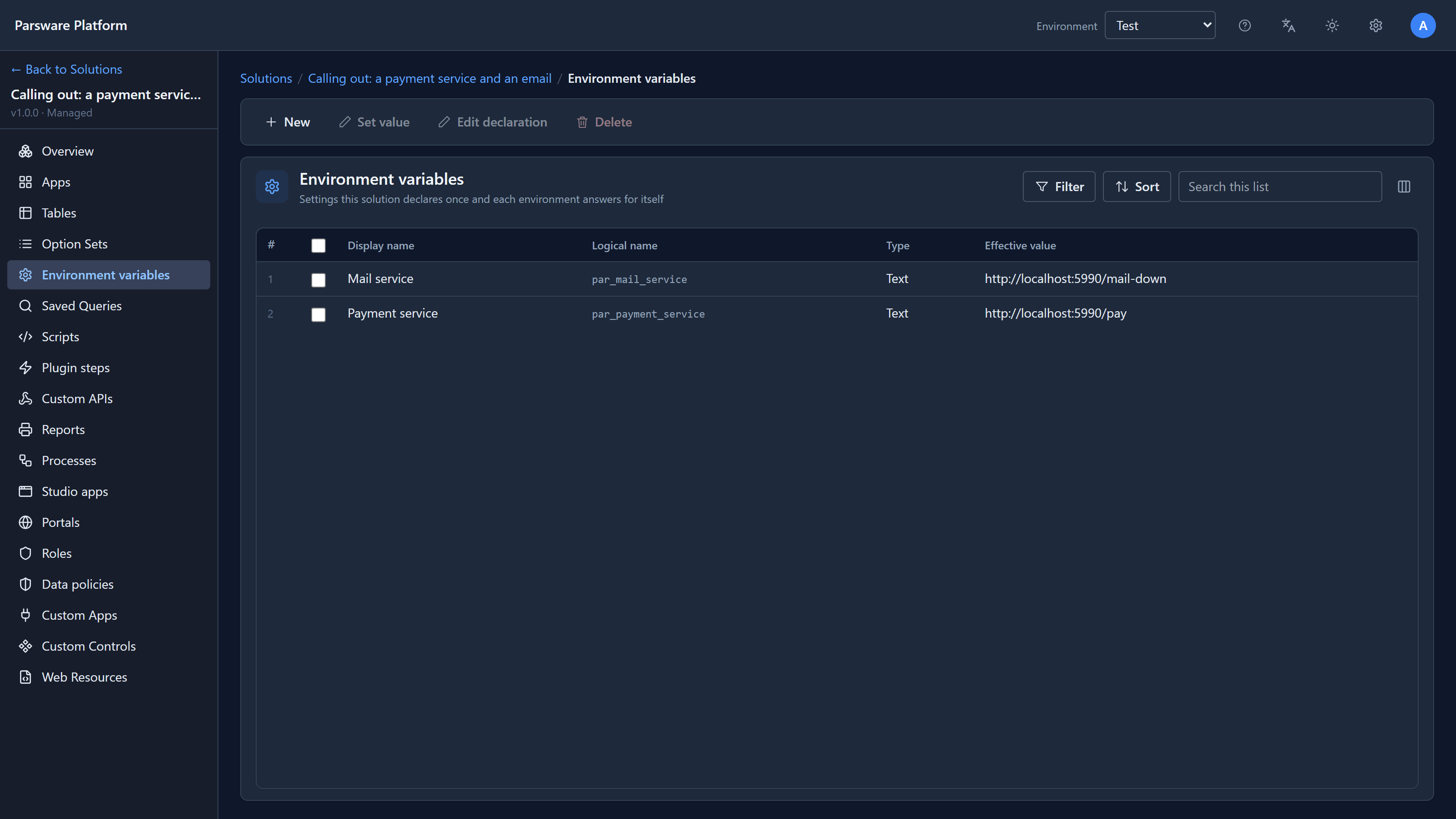
Not set, both of them. The package brought the declarations and nothing else. Meanwhile, in Test, the same solution kept its own values:
Not set is loud
In Stock, before setting anything, we saved an order for 49.90 with its status set to Paying:
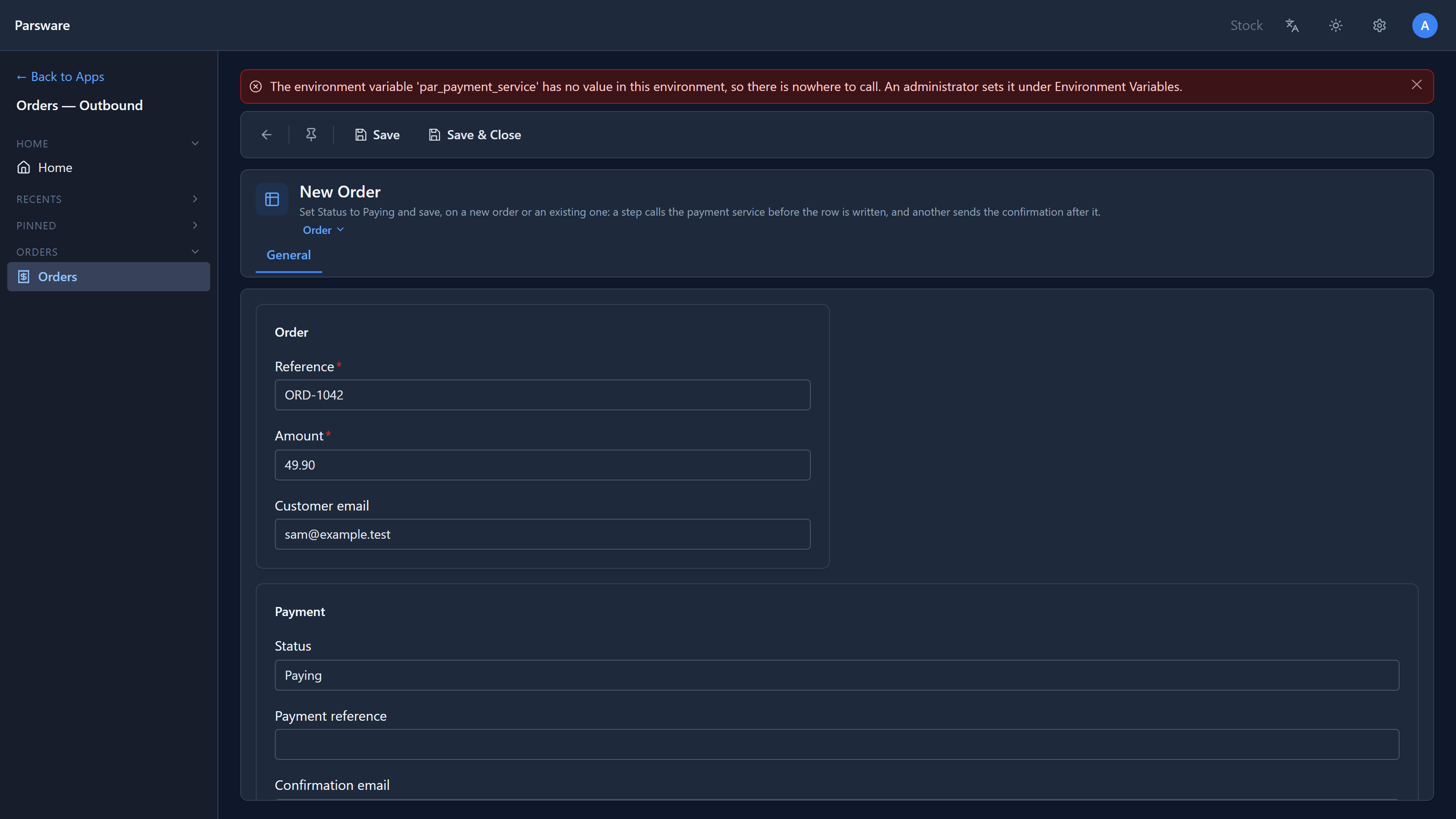
Refused, with a sentence that names the variable and says who fixes it. That's deliberate. A missing setting is a mistake to fix before go-live, not something to paper over, and the Not set in the list is the checklist.
Each environment its own value
We selected Payment service in Stock and chose Set value:
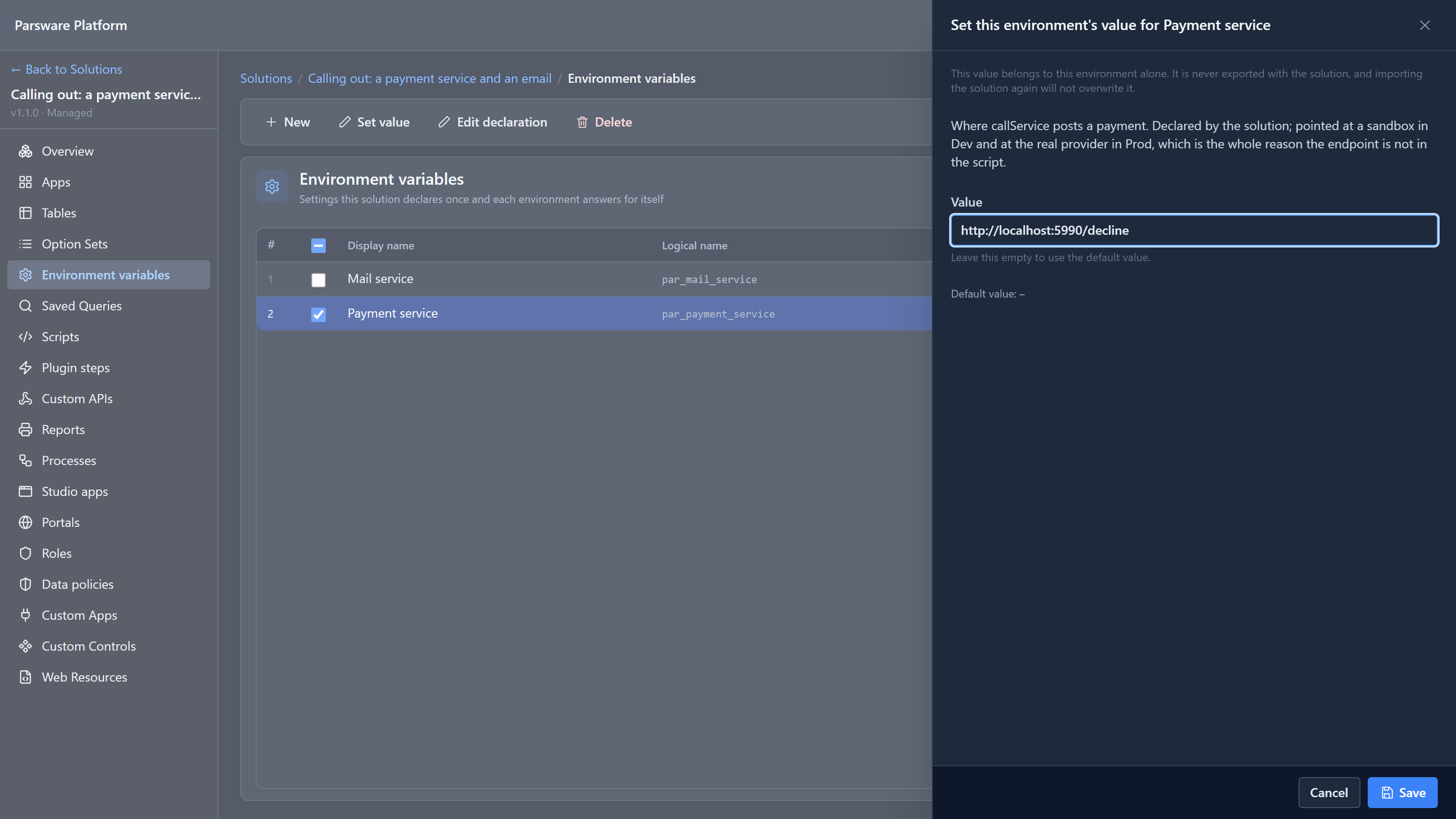
For this article we pointed Stock at a provider address that declines every card, so the difference is easy to see. Then we saved the same order again in each environment.
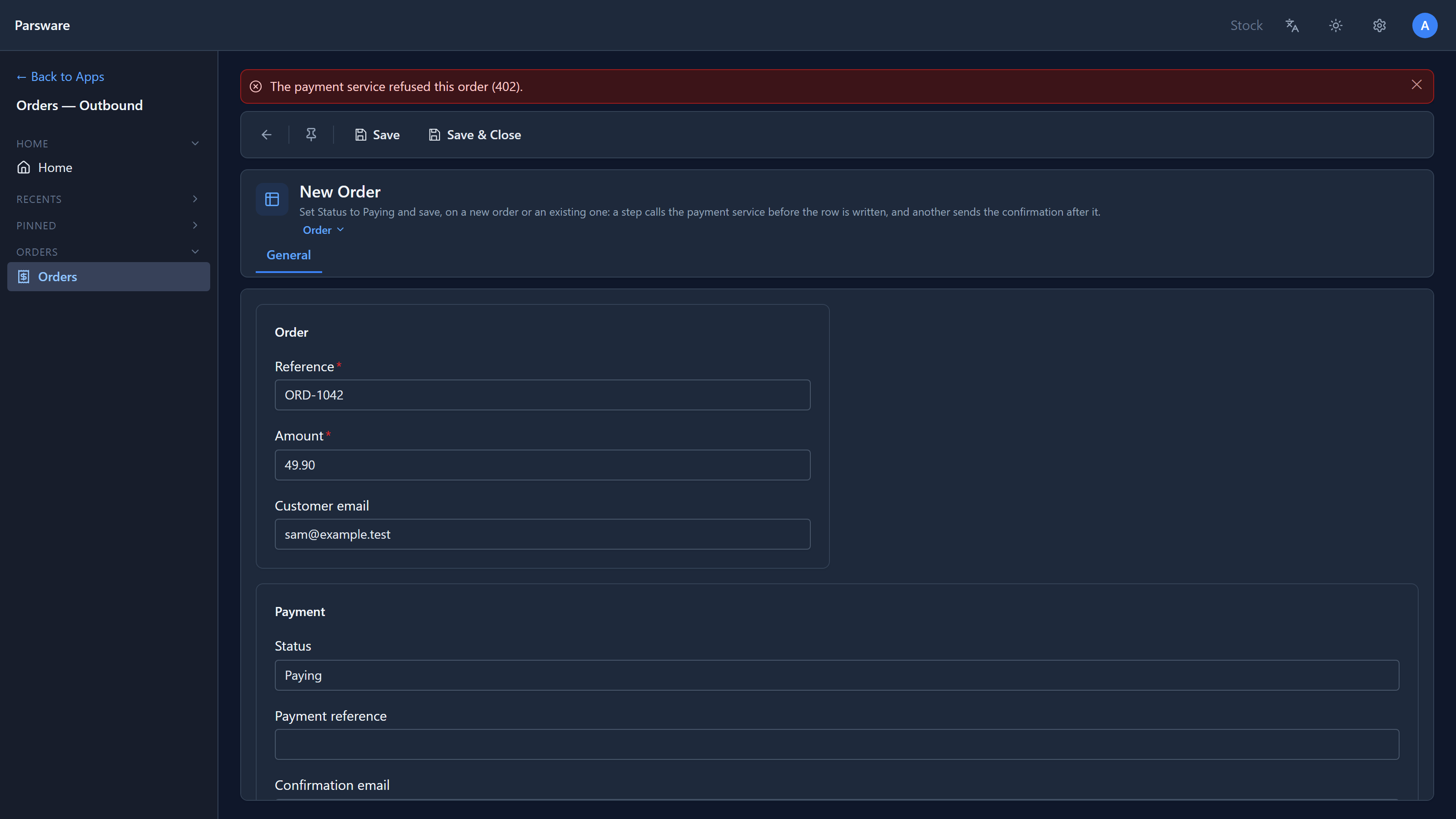
In Stock:
In Test:
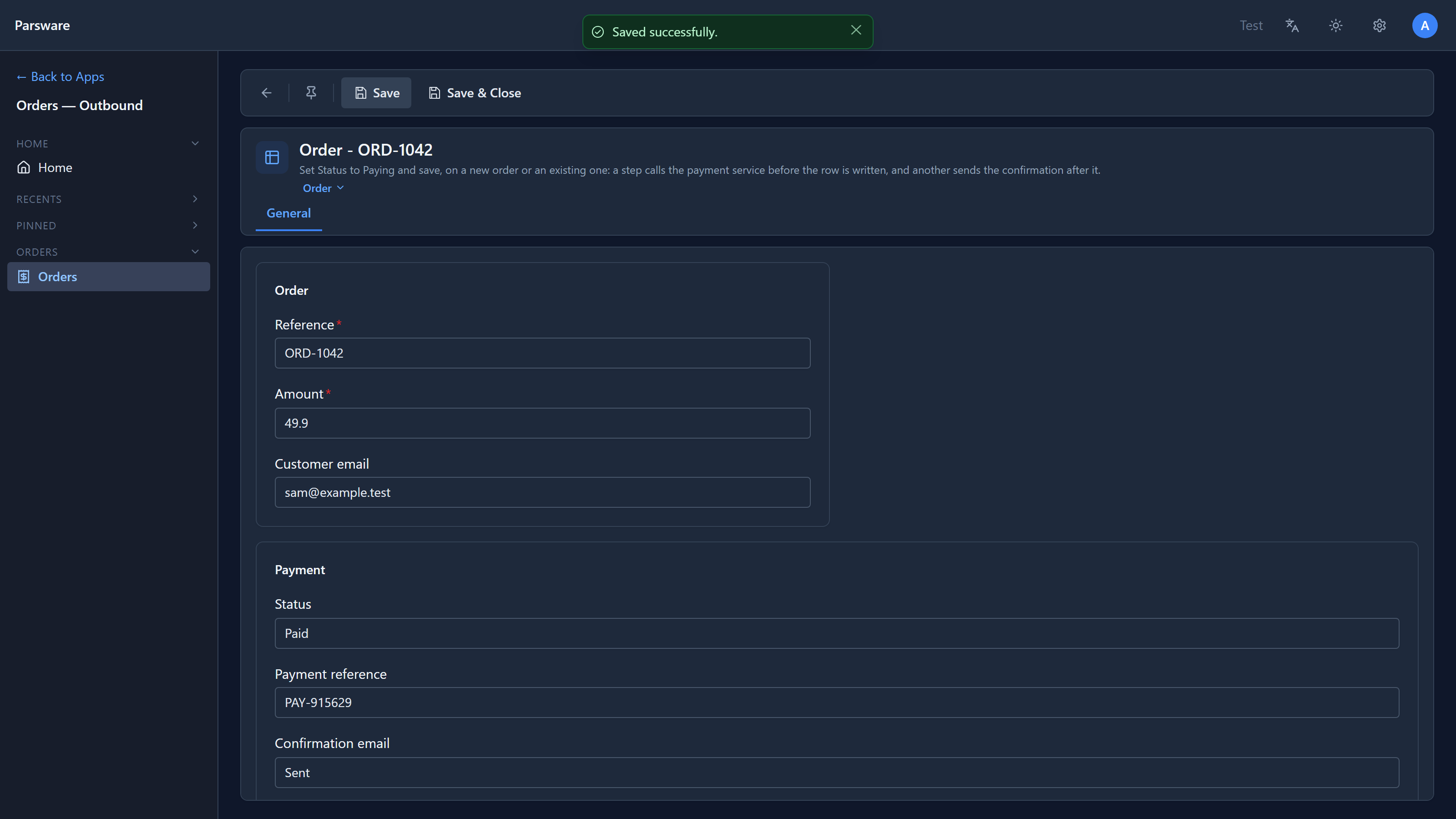
Same solution, same script, same order. Stock asked its provider and was declined. Test asked its provider, was paid, stamped the reference and sent the confirmation. Nobody edited a script, and neither environment knows the other's addresses.
Reading one in a script
The sample's script never contains an address. It names the service:
var answer = callService('par_payment_service', body);
callService and sendEmail look the name up in the environment they run in. For any other
setting, a script reads the value directly:
var limit = getEnvironmentVariable('par_approval_limit');
if (limit == '') {
  throwValidationError('The approval limit is not set in this environment.');
}
An unset variable reads as an empty string, so check for it and say so.
Where you can read one today: plugin steps, Custom APIs and scheduled jobs, which all run on the server. Form rules and processes can't read environment variables yet. For a form rule, that means a value the rule needs still has to be written into it.
Declaring your own
In your solution, Environment variables, New:
- Display name and Logical name, prefixed with your publisher's prefix.
- Type: Text, Number, Boolean or JSON. A value is checked against it where it's typed, so a wrong one is refused in the panel, not found later by a script.
- Description: worth writing well. The person setting the value in Production often isn't you.
- Default value, optional. It travels with the declaration. Leave it empty for anything with no sensible default, such as an address or a secret, so an unset one shows as Not set rather than quietly using the wrong thing.
Try it
Set Stock's Payment service to the same address as Test's and save the order again: it's paid. Then export the solution from Test, import it over Stock's copy, and check the value you set in Stock is still there.
Next: data policies: rules about which records a permission reaches, and which saves it refuses.