Parsware Platform
A client rule: an expense approval
A form rule runs in the browser and changes the form as you type. In the Expense Approval sample, typing "rejected" into Status shows a Rejection reason and makes it required, and approving the claim hides it again and locks the amount. Here is the form, the three rules behind it, and the one script they share.
Cet article n’est disponible qu’en anglais.
A form rule is the first kind of business logic most makers write. It runs in the browser, on one form, and it makes the form respond to what someone types: a field appears, becomes required, fills itself in or stops being editable.
We used the Expense Approval sample; import it from
samples/solutions/business-rules-expense-approval to follow along. It adds an Expenses —
Business Rules app.
The form
We opened the app and chose New. The form has a Claim section with a description, an
amount, a currency and a status. Currency already says GBP: a rule filled it in when the form
opened, because it was empty.
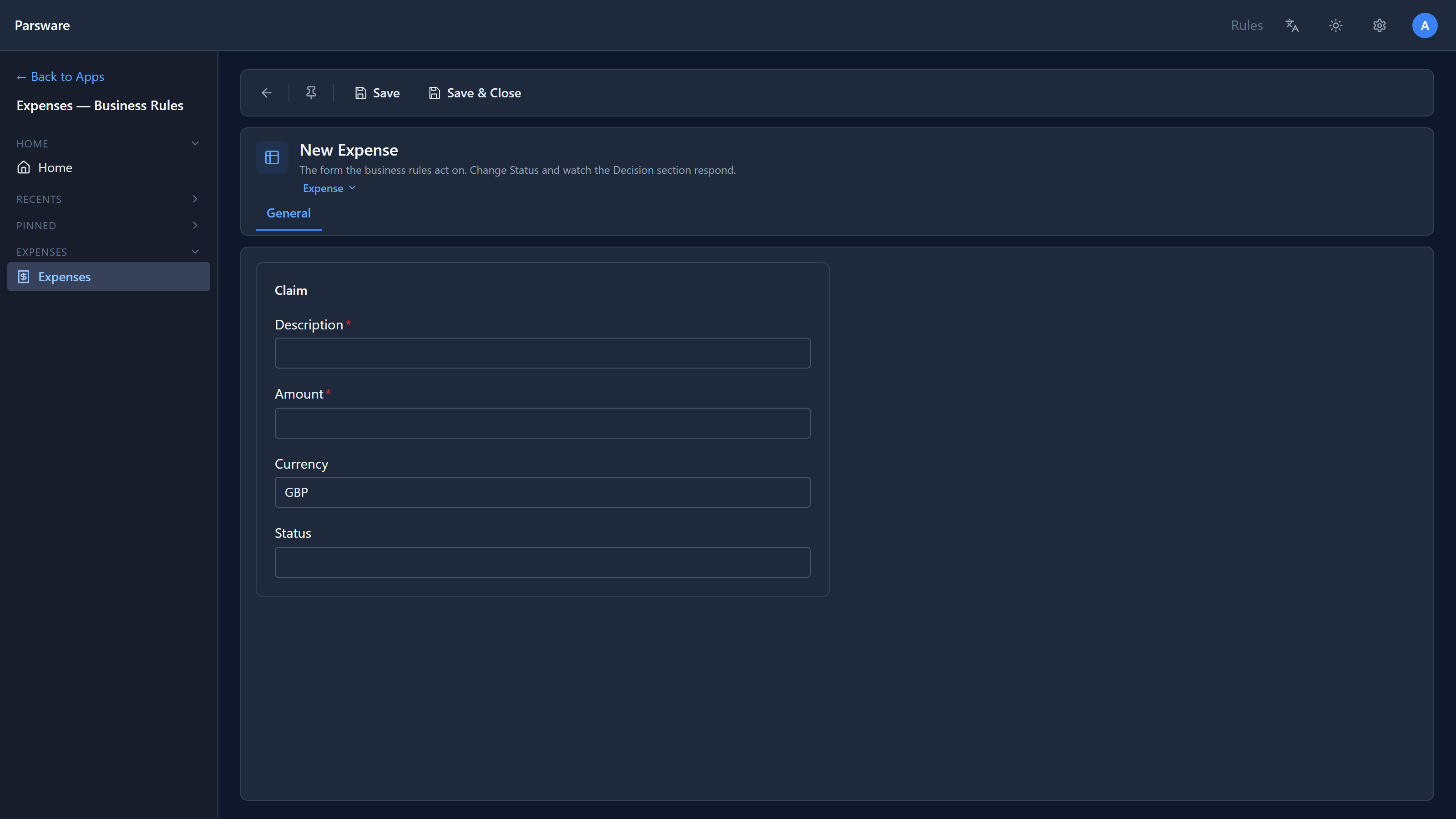
There's also a Decision section on this form, but you can't see it. Both of its fields are hidden while the claim is a draft, so the section has nothing to show.
Reject it
We typed a description and an amount, then rejected into Status. As soon as we left the field,
the Decision section appeared with Rejection reason, marked required, and Approver note.
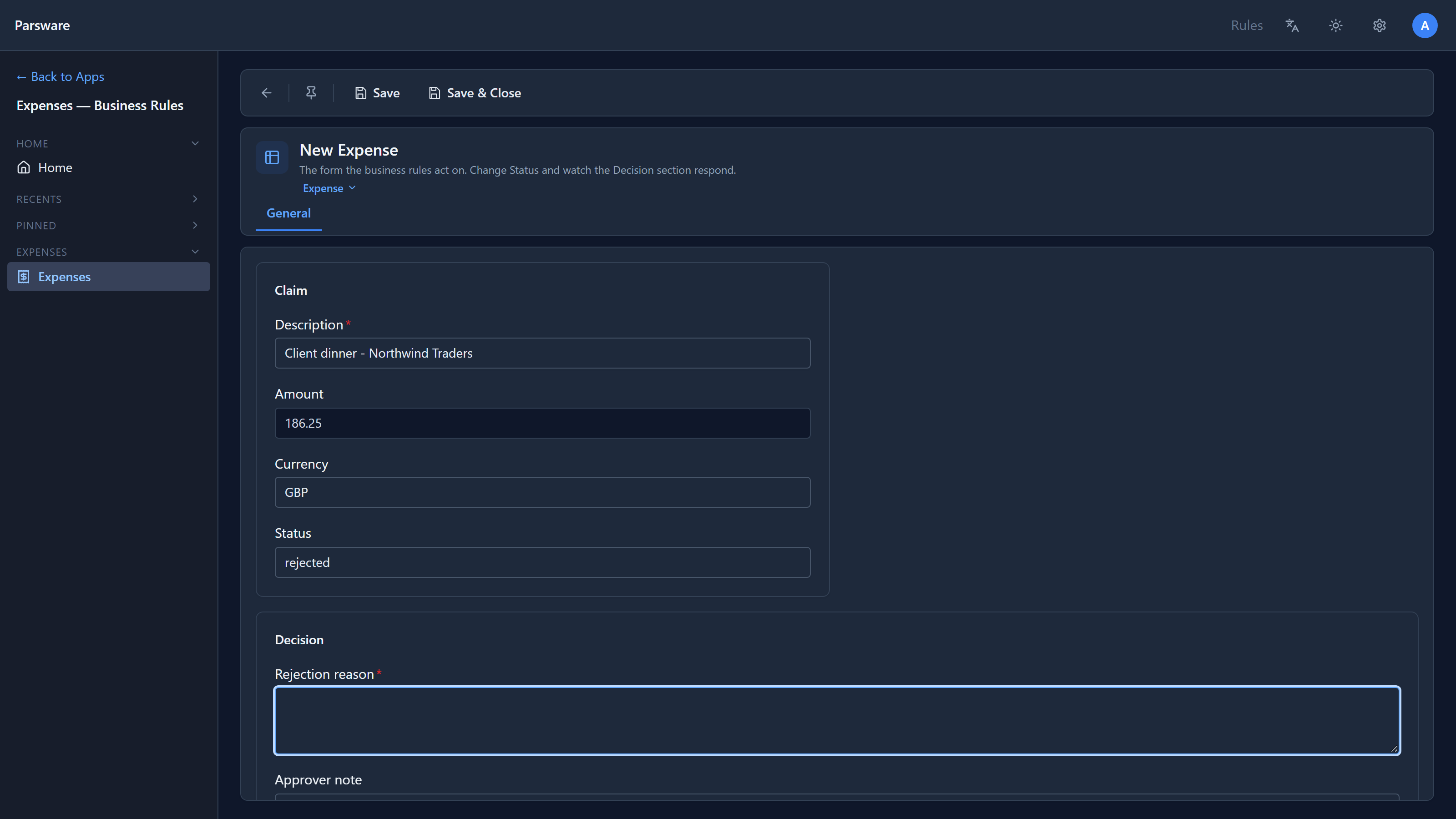
Two more things changed. Amount lost its star and turned read-only: a decided claim shouldn't have its amount drift. And the rule read the value we had just typed, not the one the form opened with.
We pressed Save without a reason. The form refused, and marked the field:
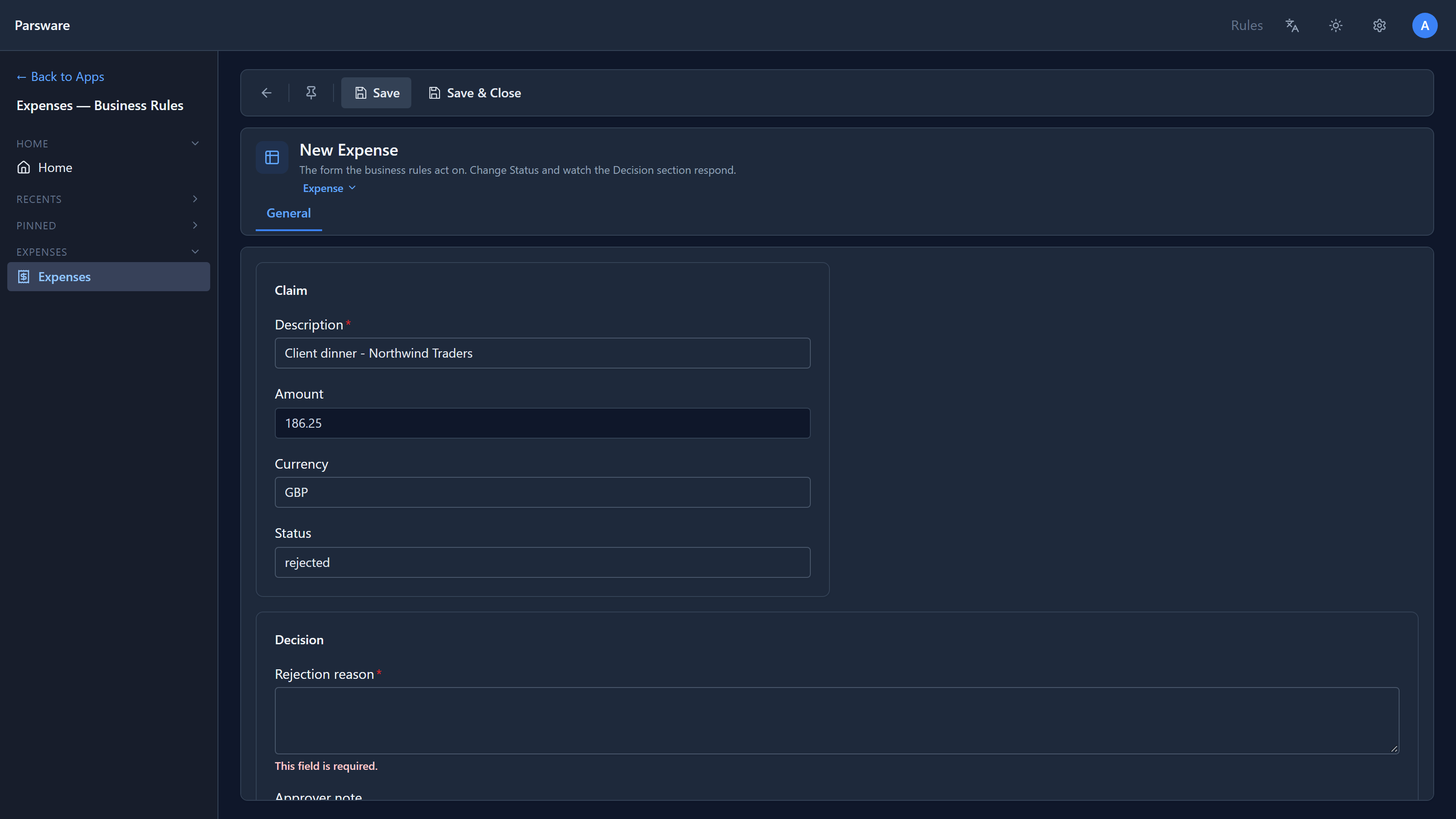
The required-ness a rule sets isn't just a star. The save checks it too.
Approve it
We changed Status to approved. Rejection reason disappeared, and stopped being required, so the
claim could be saved. Approver note stayed.
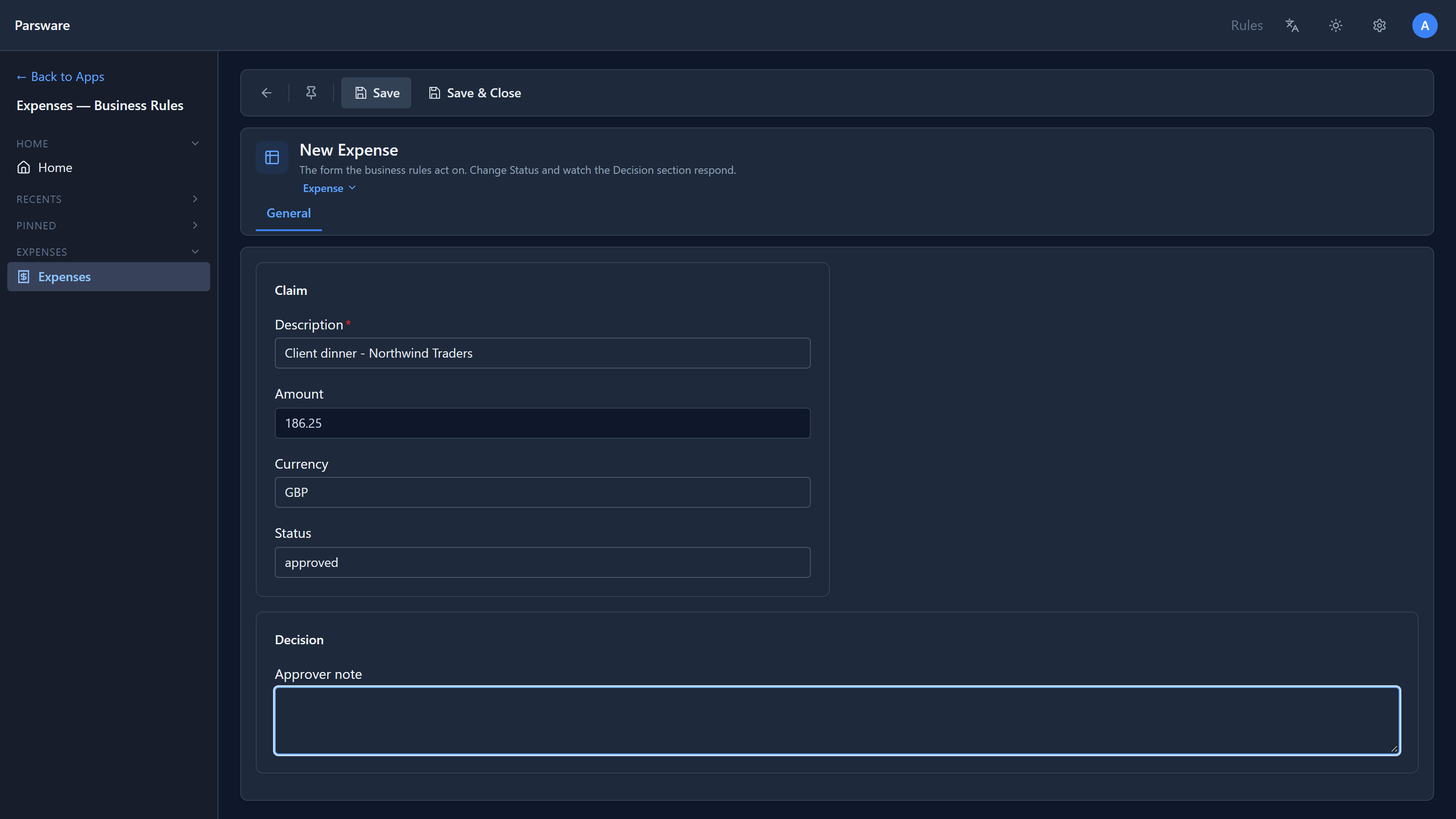
The rule also emptied the reason we had typed. A reason for rejecting an approved claim would be wrong on the record.
Reopen it
That clearing has to happen only when somebody changes the status, not whenever the form opens. We saved a second claim as rejected, with a reason, and reloaded it:
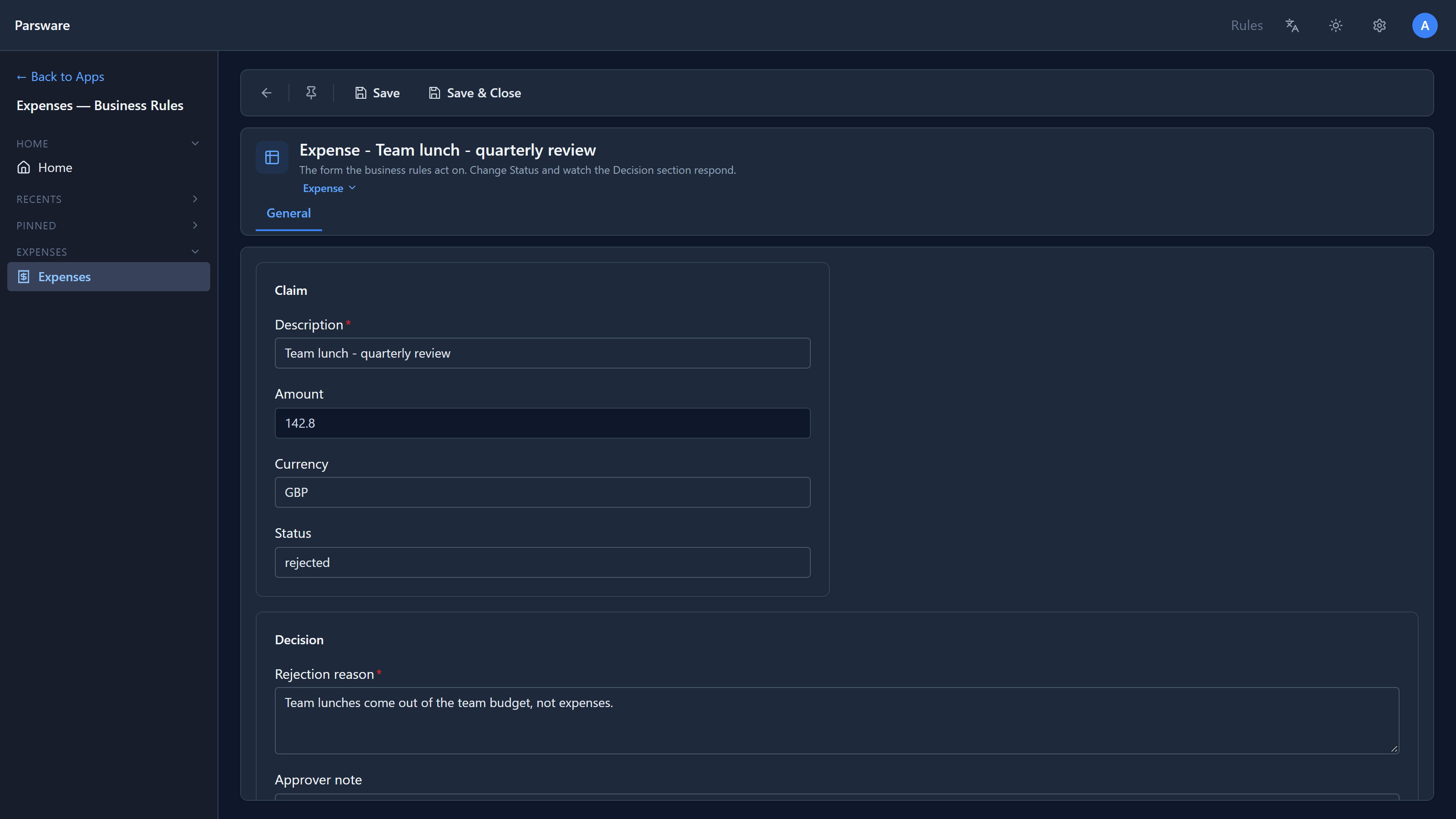
The reason is still there. The next section shows how the rule tells the two moments apart.
The rules behind it
In the maker portal we opened the solution, then Tables → Expense → Forms → Expense, and chose Events:
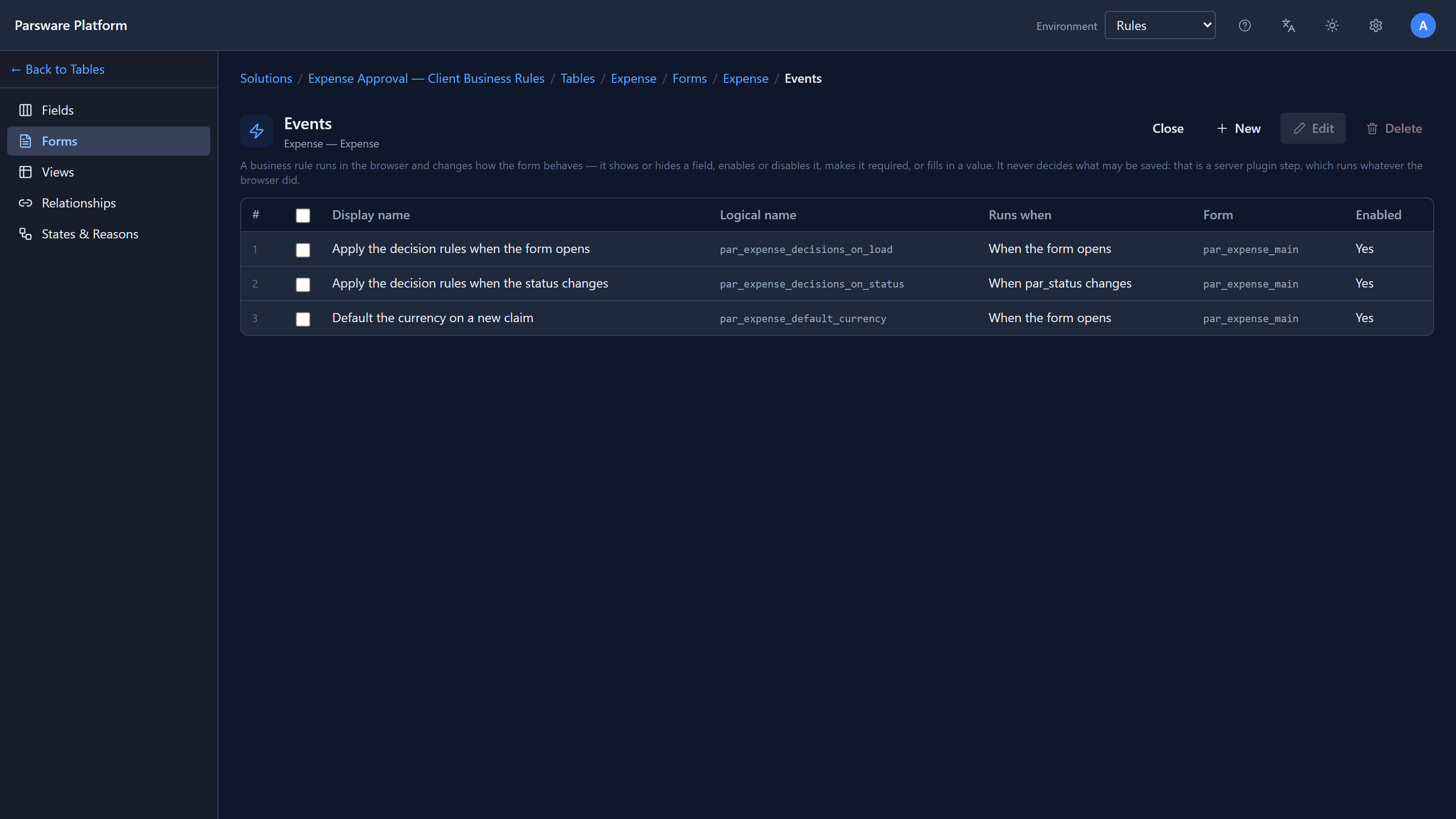
Three rules. Each one answers one moment: when the form opens, or when a field changes. (A rule can also run when the form is saved.)
The decision logic has to be right in two moments, when the form opens and whenever the status changes, so there are two rules for it. Each is two lines:
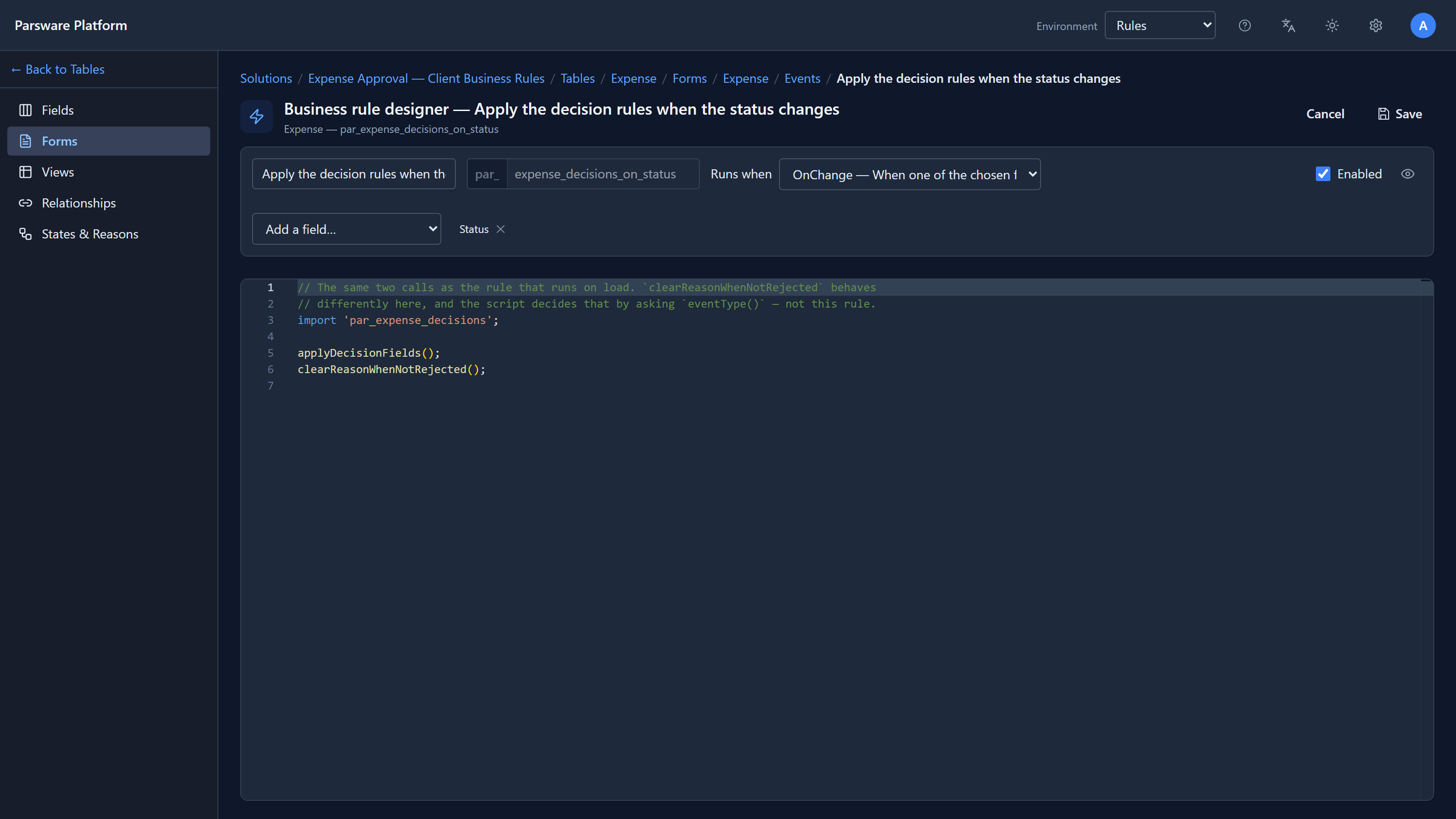
The logic itself is in a solution script, Expense decision rules, which both rules import:
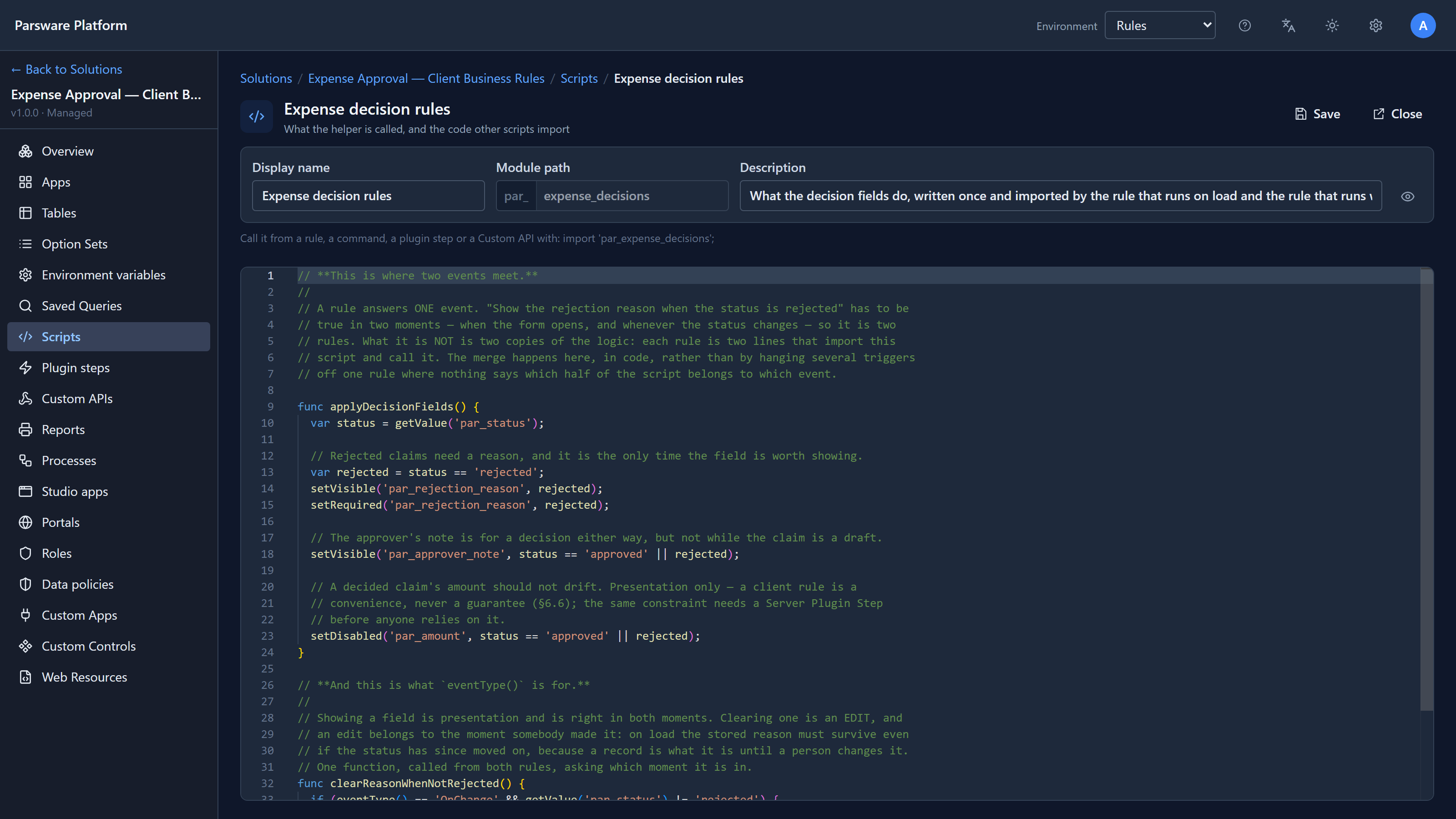
func applyDecisionFields() {
  var status = getValue('par_status');
  var rejected = status == 'rejected';
  setVisible('par_rejection_reason', rejected);
  setRequired('par_rejection_reason', rejected);
  setVisible('par_approver_note', status == 'approved' || rejected);
  setDisabled('par_amount', status == 'approved' || rejected);
}

func clearReasonWhenNotRejected() {
  if (eventType() == 'OnChange' && getValue('par_status') != 'rejected') {
    setValue('par_rejection_reason', '');
  }
}
eventType() is how the script tells the moments apart. Showing and hiding fields is right in
both. Clearing a value is an edit, and an edit belongs to the moment somebody changed something,
so it happens only on OnChange.
What a form rule can do
| Function | What it does |
|---|---|
getValue, setValue |
Read a field, or fill it in |
setVisible |
Show or hide a field. A hidden field isn't on the form at all |
setRequired |
Make a field required. The star shows, and the save checks it |
setDisabled |
Make a field read-only |
eventType |
Which moment this is: OnLoad, OnChange or OnSave |
cancelSave |
Stop a save, from a rule that runs OnSave |
The full list is in the editor's eye button, and in what a script can see.
What a form rule can't do
A form rule changes the form. It doesn't guard the table. An import, the API, a Custom API or another app never opens this form, so none of these rules run for them. They could save a rejected claim with no reason.
That's fine for making a form pleasant, and it's the reason the next article exists: the same kind of rule, enforced on the server, where nothing can skip it.
A fix from writing this
The first time we rejected a claim, Rejection reason appeared without its red star, and the save was refused anyway. The form's save check knew the rule had made the field required; the field's label didn't. Both now ask the same question, so a field a rule makes required says so.
Try it
Import the sample and reject a claim, then approve it. Then open Expense decision rules and
make Approver note required for approved claims too: one more setRequired line, and both rules
pick it up.
Next: a server rule: the same kind of limit, enforced whatever saves the record.