Parsware Platform
Add a server validation rule
A server validation rule is a plugin step that refuses a save and says why. We added one from scratch, "a claim over 10,000 needs a purchase order", then watched the editor catch a misspelt function and the form show the step's message when we saved a claim that broke it.
Este artículo solo está disponible en inglés.
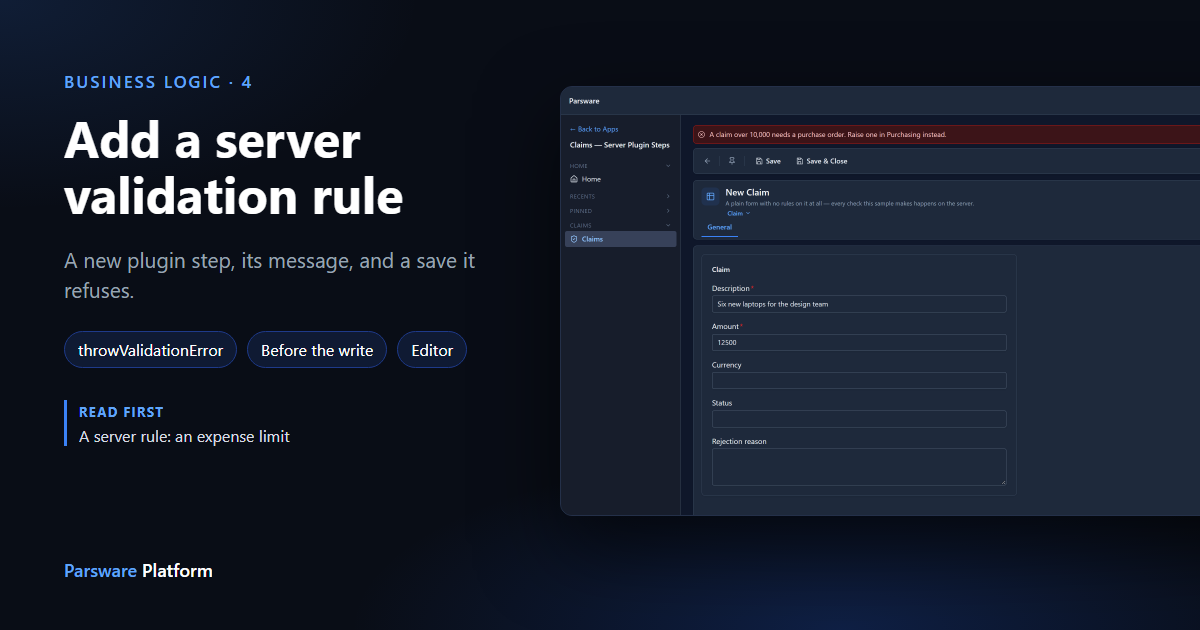
The last article read a server rule someone else wrote. This one writes one: a claim over 10,000 needs a purchase order, refused on the server whatever saves the claim.
We started from the Claim Approval sample, which already has four rules of this kind. Import
it from samples/solutions/business-rules-server-claim-approval to follow along. It adds a
Claims — Server Plugin Steps app with a deliberately plain form: no form rules at all.
What's there already
In the maker portal, the sample's Plugin steps:
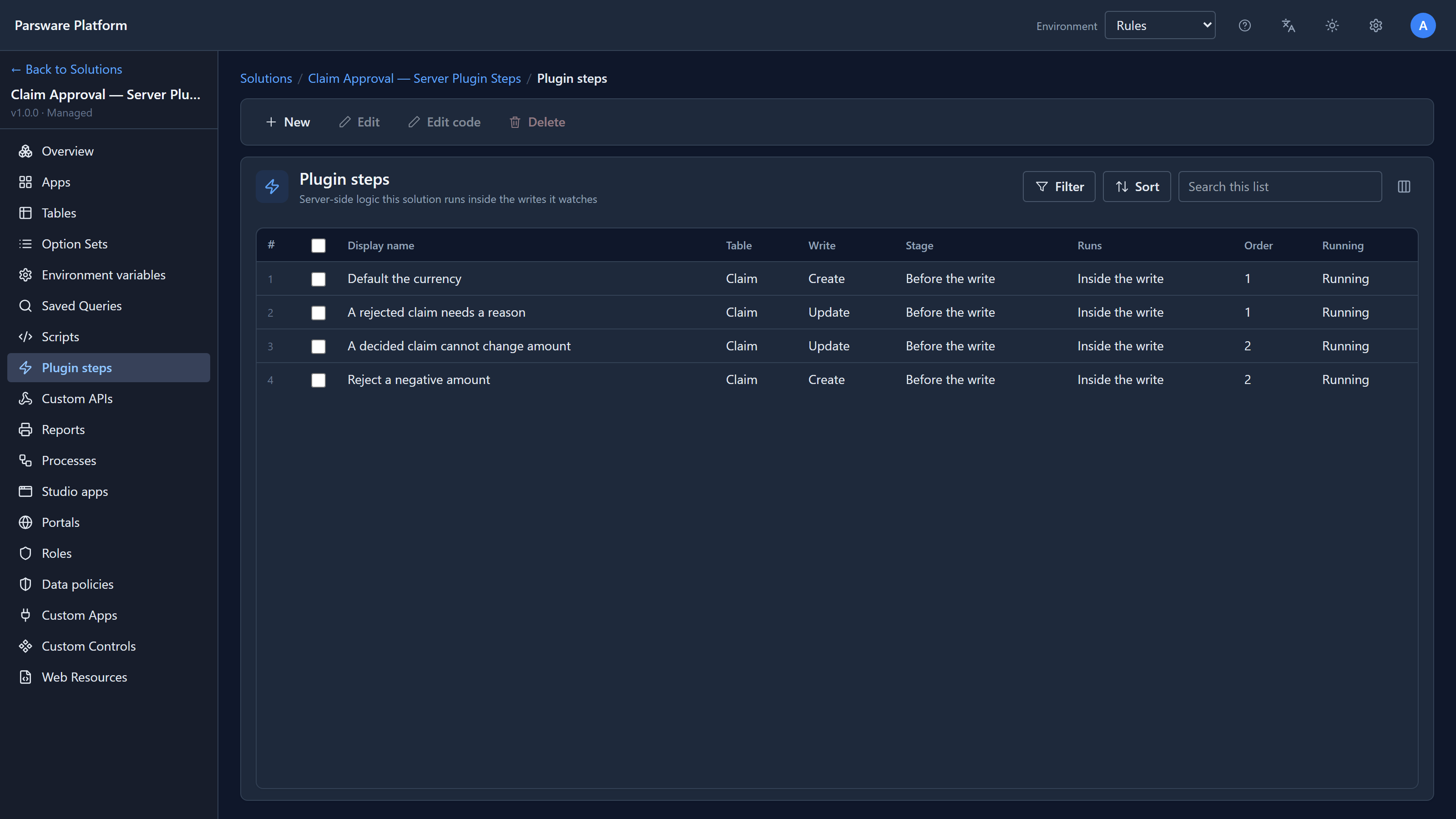
The sample is a managed solution, installed rather than built here, so you don't add to it. Your rule goes in your own solution. We used Main, the environment's unmanaged solution. A step in one solution can watch a table from another.
The step
In Main, we chose Plugin steps and then New:
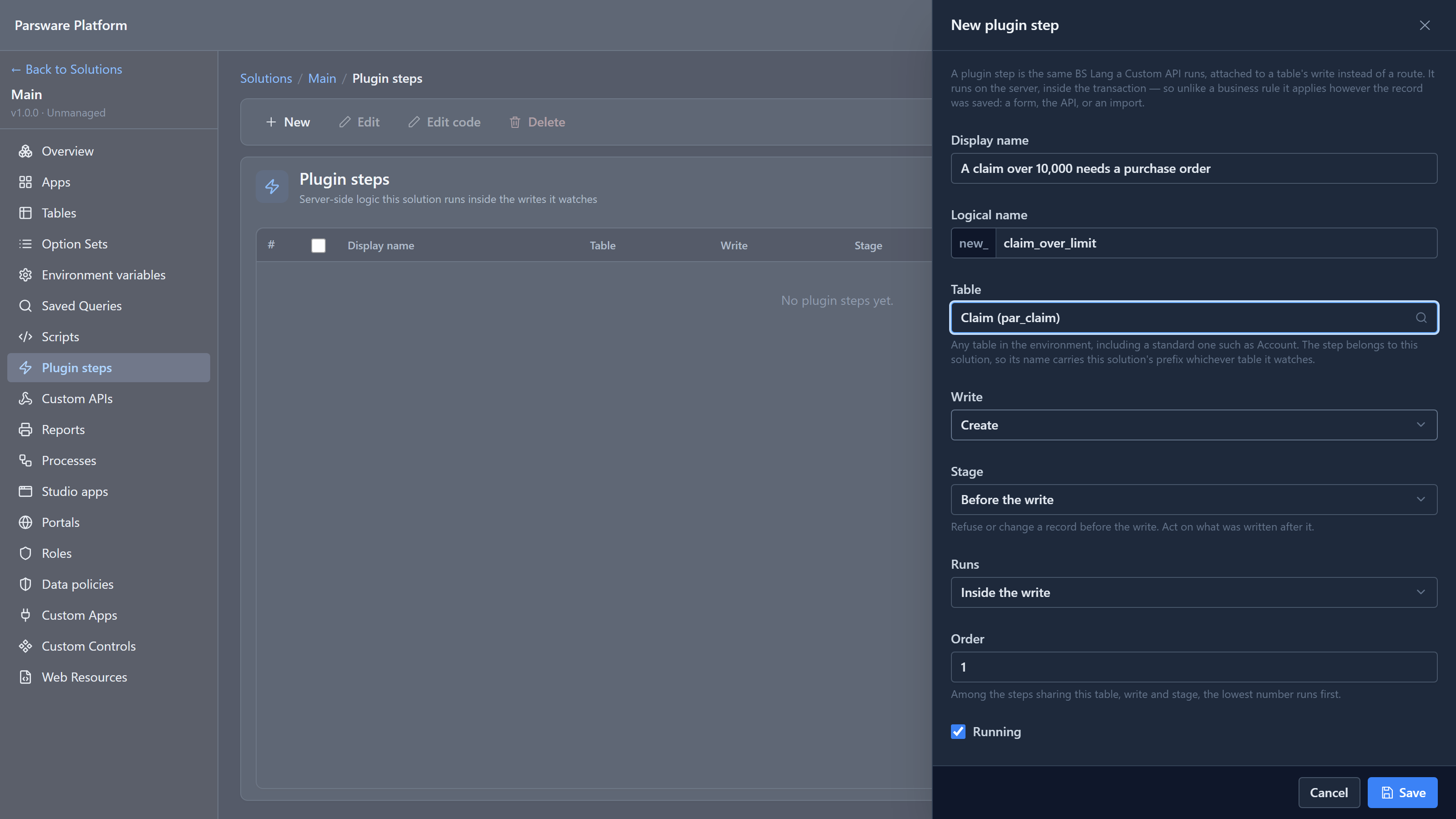
| Box | What we chose | Why |
|---|---|---|
| Display name | A claim over 10,000 needs a purchase order | Say what the rule is, so the list reads as a list of rules |
| Table | Claim | The picker searches every table in the environment |
| Write | Create | When the rule applies. A rule that must hold for edits too needs an Update step as well |
| Stage | Before the write | Only a step before the write can refuse. After it, the record is already stored |
| Runs | Inside the write | The person saving waits for the answer, which is what a refusal needs |
| Order | 1 | Among steps on the same table, write and stage, the lowest runs first |
We saved it. The panel only describes when the step runs. What it does is its script.
The script
We selected the new step and chose Edit code. Our first attempt had a typo in it:
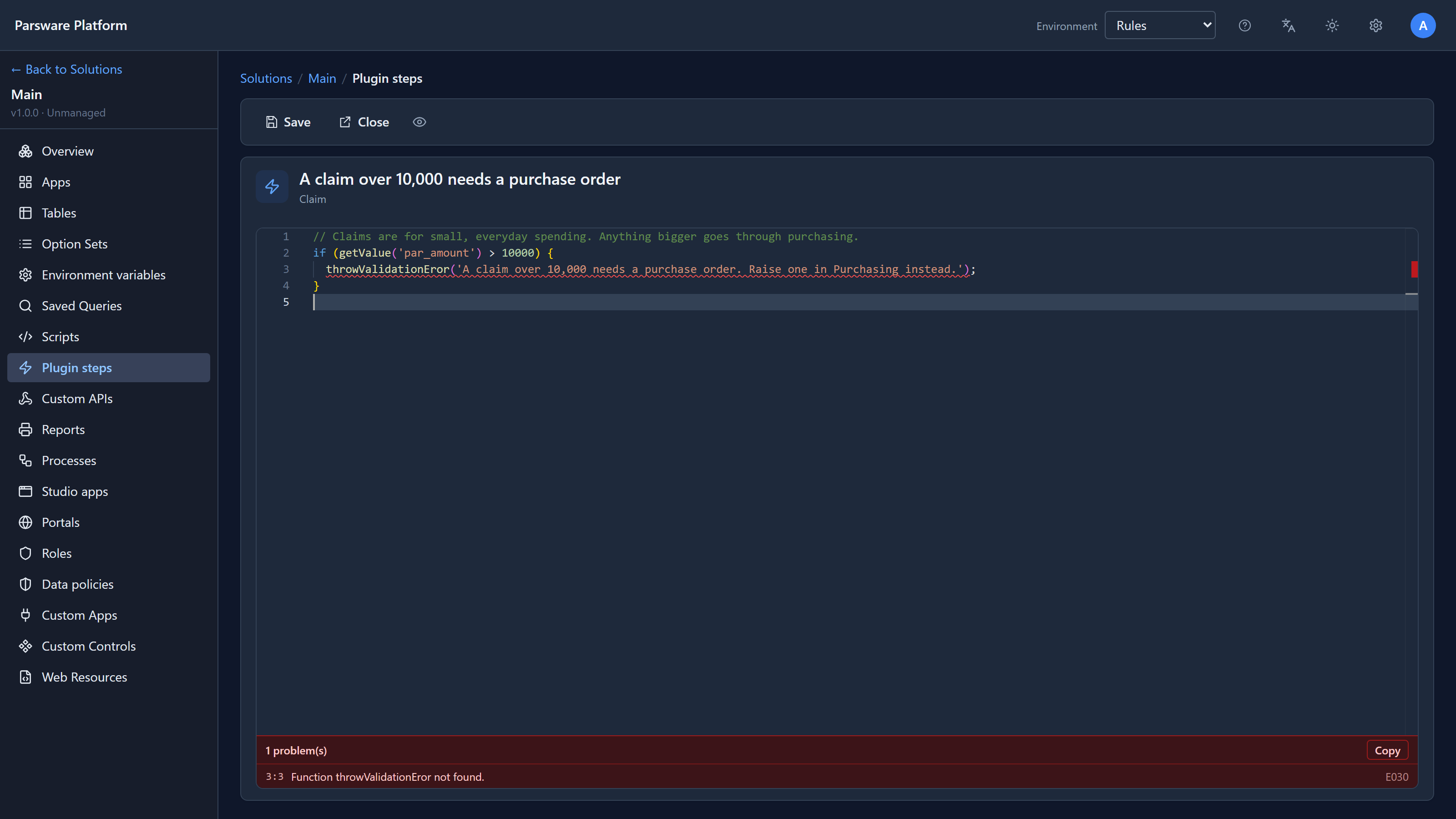
Function throwValidationEror not found. The editor checks every name against what a plugin step can call, and says so as you type, before anything is saved.
With the spelling fixed:
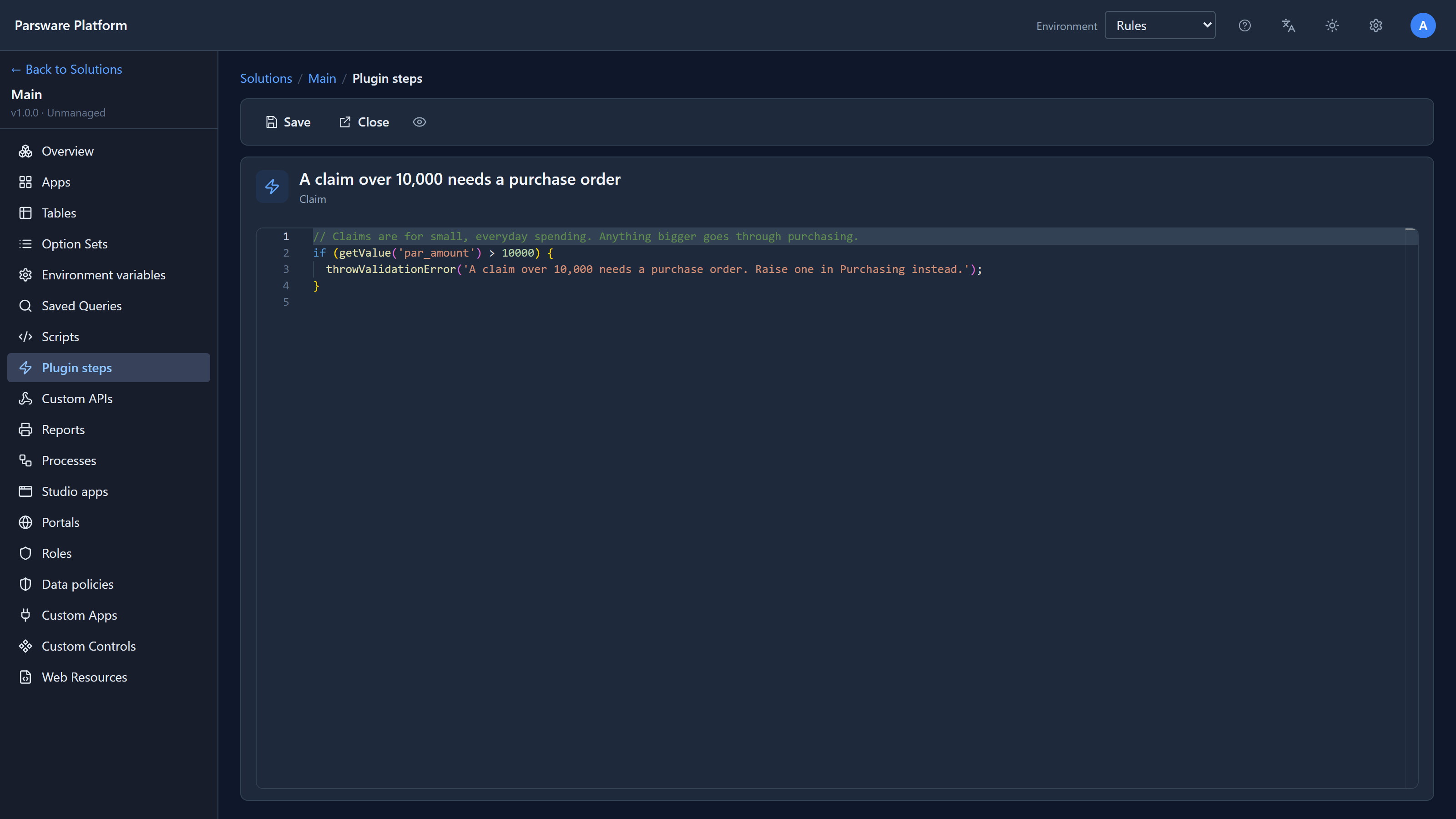
// Claims are for small, everyday spending. Anything bigger goes through purchasing.
if (getValue('par_amount') > 10000) {
  throwValidationError('A claim over 10,000 needs a purchase order. Raise one in Purchasing instead.');
}
Two functions do all the work:
getValuereads a field of the record being saved.throwValidationErrorrefuses the save. Its sentence is the whole of what the person saving is told, so write it for them: what's wrong, and what to do instead.
We saved the script. The step runs from the next save on; there's nothing to publish.
A save it refuses
In the Shell, we opened Claims — Server Plugin Steps, started a claim for 12500 and pressed
Save:
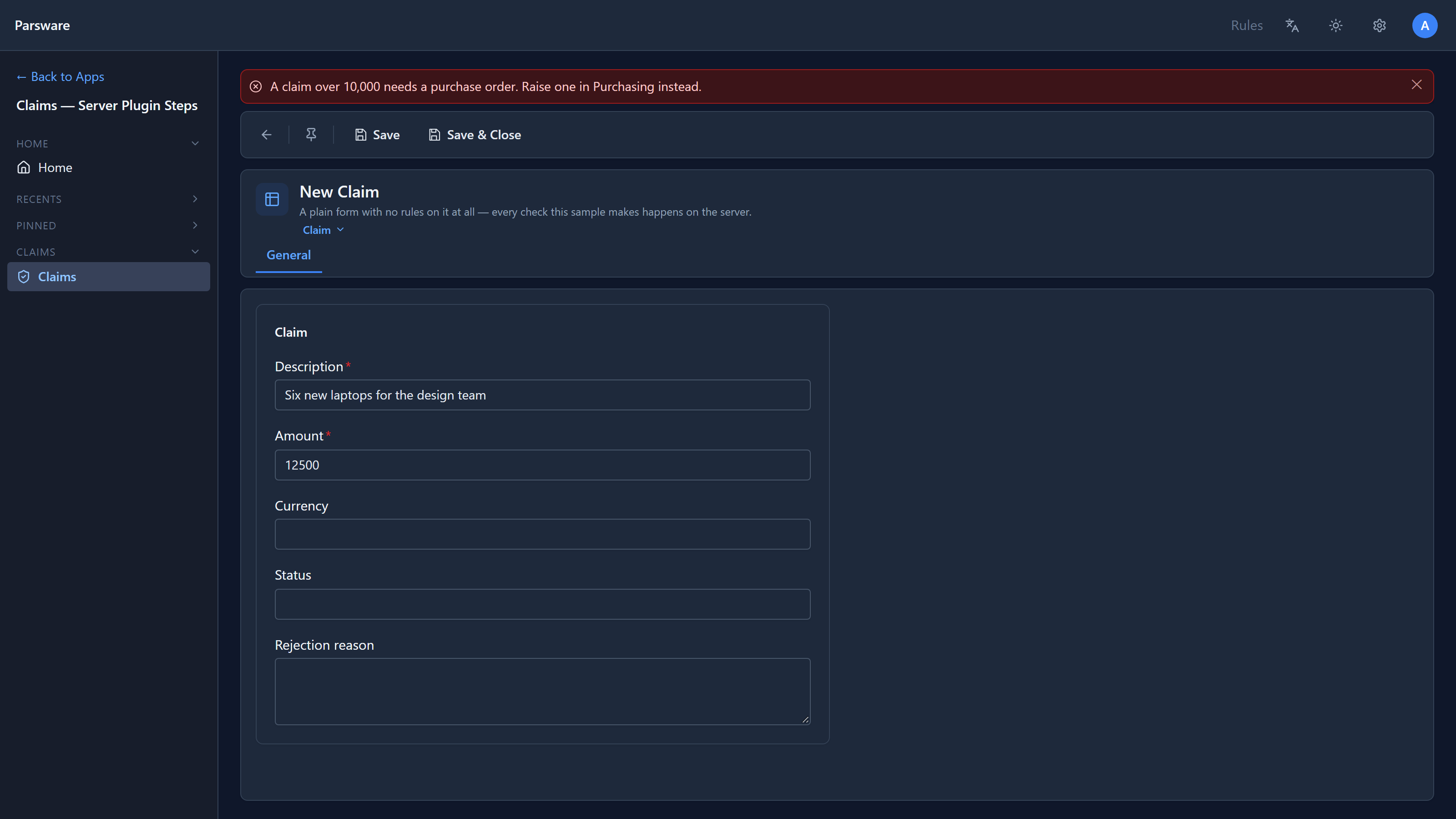
The form has no rule of its own, so it sent the claim. The server refused it, and the form showed
the step's sentence. Nothing was stored. We changed the amount to 850 and saved, and the claim
went through, with its currency filled in as GBP by one of the sample's own steps.
The same step refuses the same claim from an import, the API or a script. That's the difference from a form rule: it isn't on the form, so nothing gets around it.
Good messages
- Say what to do. "Raise one in Purchasing instead" is more use than "Invalid amount".
- Use the person's words. They see "claim" and "purchase order", not
par_amount. - One rule, one step. Four small steps with four clear messages are easier to read, reorder
and switch off than one step with four
ifs.
A fix from writing this
The typo above wasn't caught at first. The editor's checker came from the interpreter, and like the
interpreter it looked only at the branch of an if that would run. It couldn't know whether
getValue('par_amount') > 10000 was true, so it skipped the if's body, which is where every
validation step puts its throwValidationError. It now checks both branches of every if,
whatever the condition. We checked every sample's scripts against the change: none had a hidden
mistake, and none gained a false one.
Try it
Add the same rule for Update, so a claim can't be edited up past 10,000 either. It's the same script with a different Write. Then give it an Order of 3, after the sample's two Update steps, and try an approved claim: which message wins?
Next: plugin steps in more depth: before and after a save, and the order steps run in.