Parsware Platform
BS Lang in ten minutes
BS Lang is the one scripting language in Parsware, used by form rules, buttons, plugin steps, Custom APIs, processes and Studio screens. If you know a little JavaScript you can read it already. Here are variables, lists, objects, functions, conditions and loops in one short script, and the few places it differs.
Este artículo solo está disponible en inglés.
Parsware has one scripting language, BS Lang. A rule on a form, a button on a command bar, a plugin step on the server, a Custom API, a step in a business process and a Studio screen are all written in it, in the same editor. Learn it once and it works everywhere, with only the functions each place offers changing.
If you have read any JavaScript, most of BS Lang will look familiar. This article covers the core in one short script, then the handful of places where it's stricter than JavaScript, because those are what trip people up.
Somewhere to run it
A script needs somewhere to run. We used a command button (Buttons that do something): it runs in the browser when somebody presses it, and it can show a message, which is all we need. In the Sales solution we opened the view of the Training Course table, chose Add command, named it Course plan and set When pressed to Run a script:
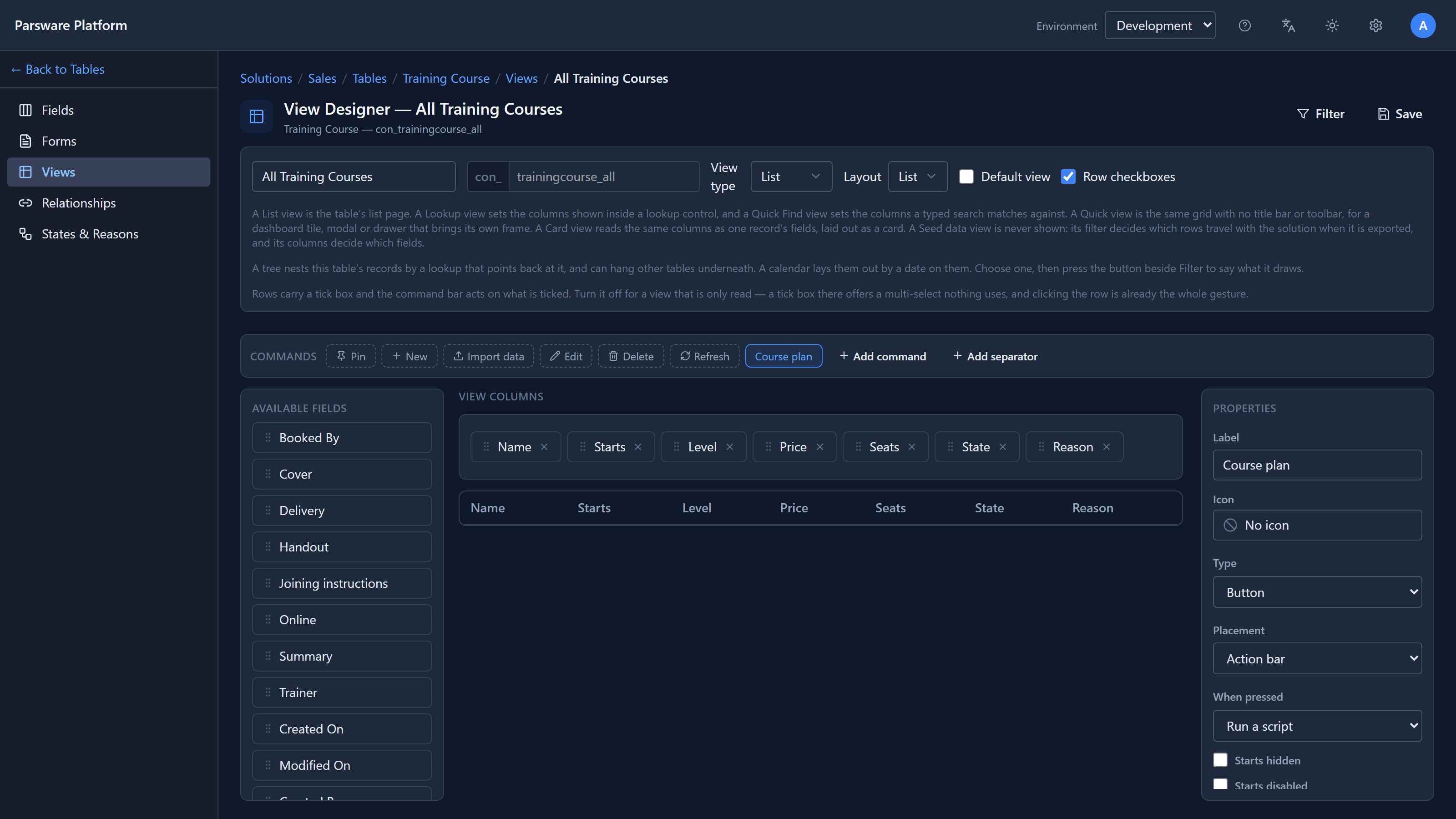
Edit code opens the BS editor. This is the whole script:
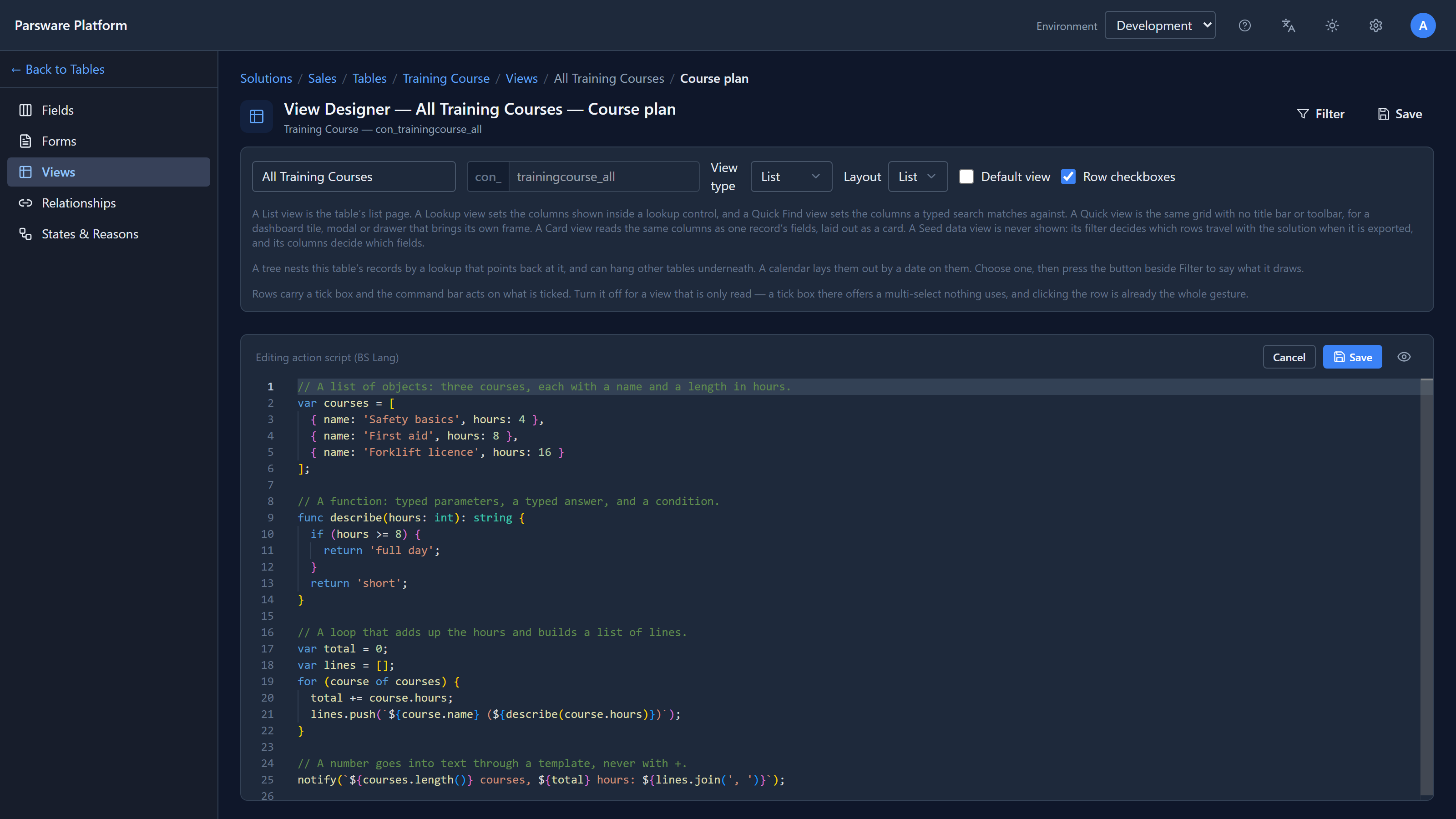
Variables, lists and objects
var courses = [
  { name: 'Safety basics', hours: 4 },
  { name: 'First aid', hours: 8 },
  { name: 'Forklift licence', hours: 16 }
];
vardeclares a variable. You can add a type, as invar total: int = 0;, but you rarely need to.- Square brackets make a list. Curly brackets make an object, with named members you read
with a dot:
courses[0].nameis'Safety basics'. - Strings can use single or double quotes.
A list has the methods you'd expect: push, pop, length(), join, map, filter, find,
some and every. Reading past the end of a list is an error, not a quiet "nothing", so a
mistake shows up where it happens.
Functions and conditions
func describe(hours: int): string {
  if (hours >= 8) {
    return 'full day';
  }
  return 'short';
}
A function is declared with func. Its parameters have types, and so does its answer. if and
else work as in JavaScript, and so do &&, ||, !, the ternary a ? b : c and ??, which
gives a fallback when the left side is null.
There are short functions too, written with an arrow: var double = (n: int) => n * 2;. They see
the variables around where they were written, so they can be passed to map or filter.
Loops
var total = 0;
var lines = [];
for (course of courses) {
  total += course.hours;
  lines.push(`${course.name} (${describe(course.hours)})`);
}
for (x of list) walks a list; note there's no var before course. The counting form
for (var i = 0; i < 3; i++) works too, and so do while, do … while, break and continue.
Show the answer
notify(`${courses.length()} courses, ${total} hours: ${lines.join(', ')}`);
Save the script, save the view, and press Course plan in the app:
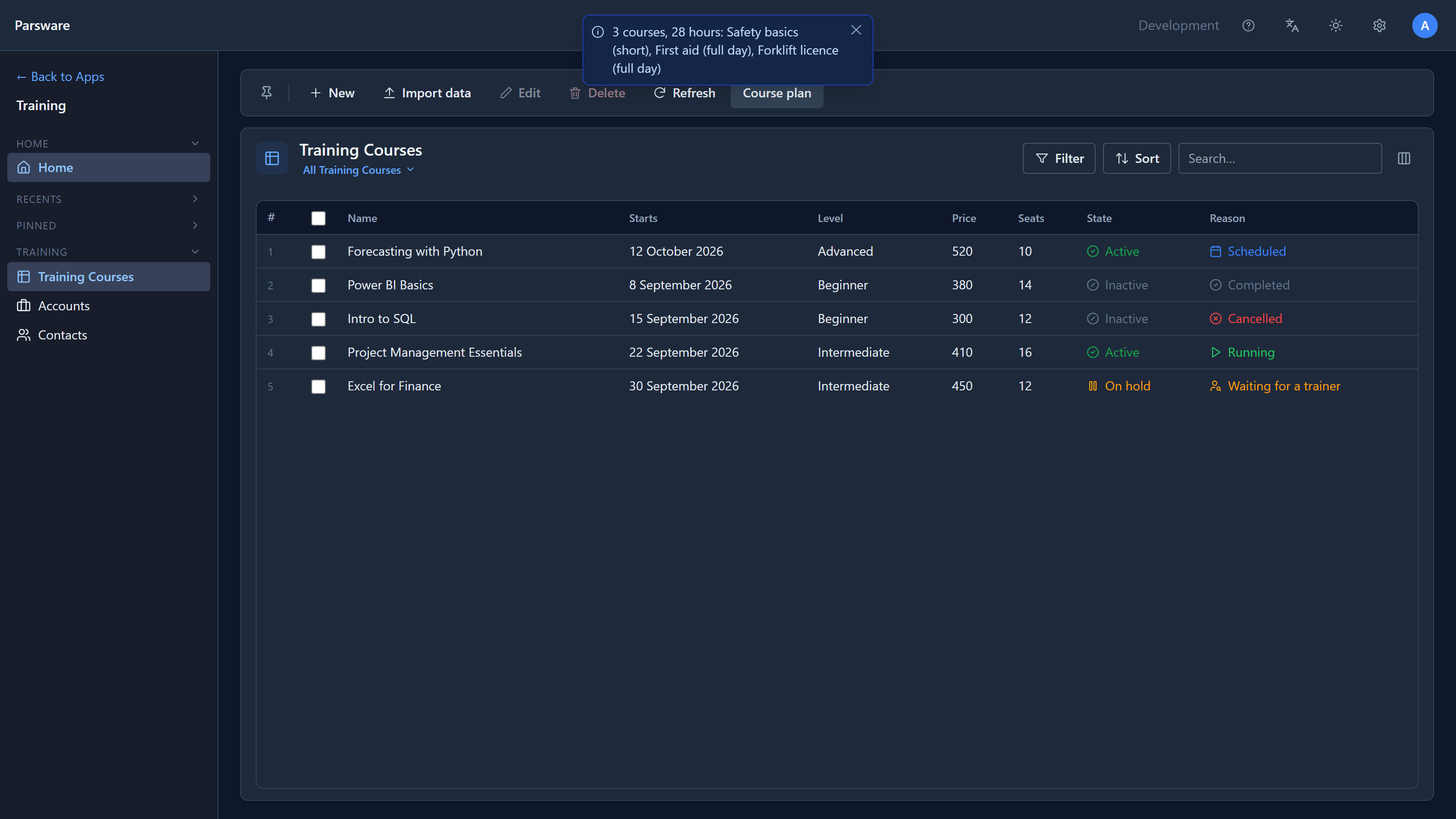
Three courses, 28 hours, each described by the function.
Where it's stricter than JavaScript
These are the rules that catch people. Each one is deliberate.
Text and numbers don't mix with +. 'Total hours: ' + total is refused. The editor
underlines it before you save:
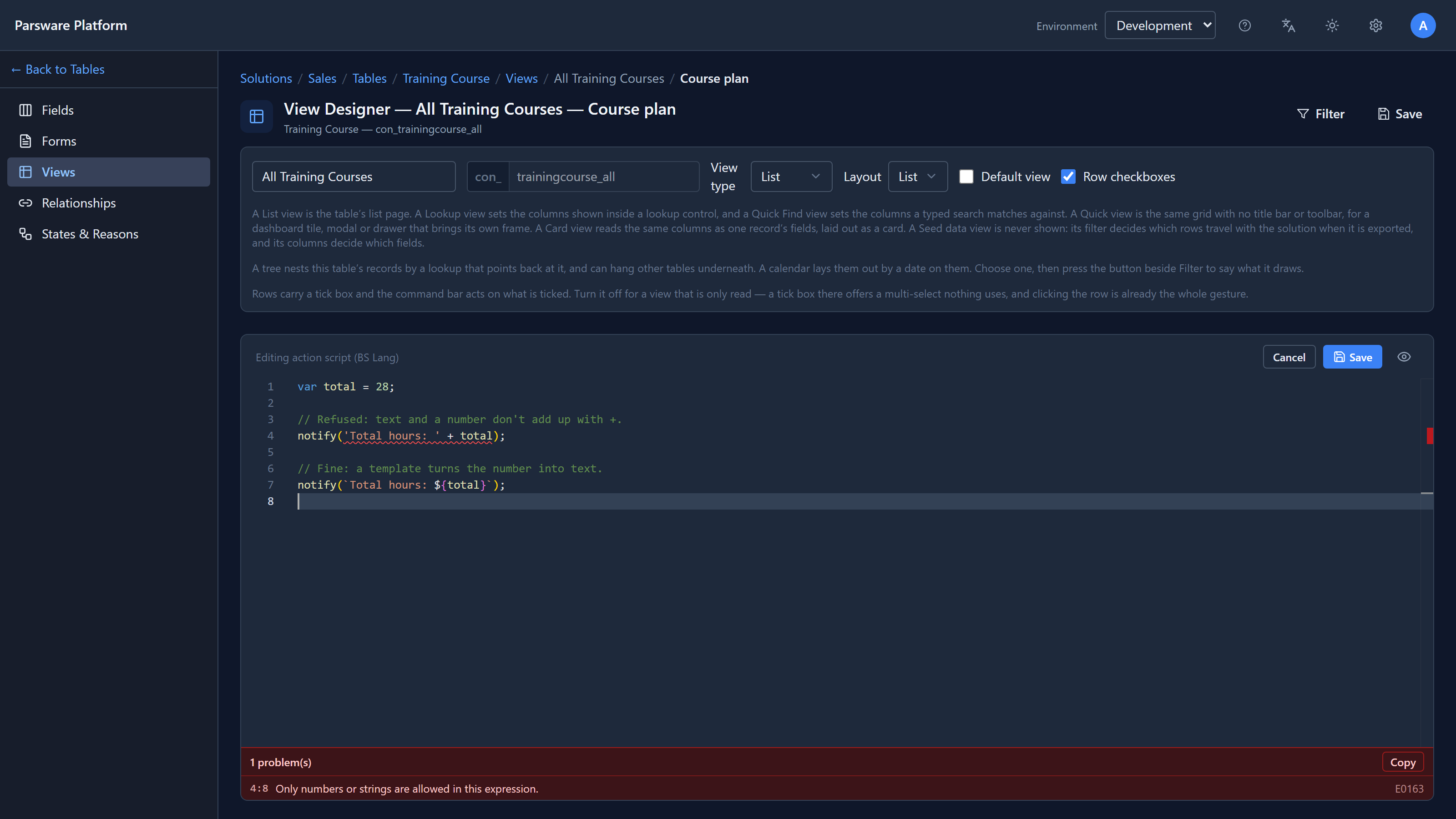
Put a number into text with a template, in backticks: `Total hours: ${total}`. JavaScript
would quietly turn '5' + 1 into '51'. BS Lang won't guess.
Methods need their brackets. It's lines.length(), not lines.length. Without the brackets
you've named the method without calling it, and that is an error.
Whole numbers and decimals are different types. 1 + 2 is the whole number 3. 1 + 2.0 is
the decimal 3. Mixing them in a sum is fine: a whole number turns into a decimal when it meets
one. But a variable keeps the type it started with, and var total = 0; starts as a whole number.
When you'll be adding up decimal amounts, such as prices, start with var total = 0.0;.
No minus sign in front of a number. -7 doesn't parse. Write 0 - 7.
== never crashes. It compares numbers as numbers (1 == 1.0 is true) and text exactly, and
two values of different kinds are simply not equal.
Empty is not always "nothing". A field with no value reaches most scripts as an empty string,
"", not as a missing value. Check it with isEmpty(...), which is what the platform's own
functions do.
The same script, on either side
A form rule and a button run in the browser. A plugin step, a Custom API and a process run on the server. BS Lang has one interpreter for each, and both must pass the same set of test scripts, so a script means the same on either side. Everything above is in that set.
Try it
Add a button to any list in a development environment, paste the script, and press it. Then change
it: add a fourth course, or have describe return 'half day' for four hours. The editor checks
every line as you type.
Next: the BS editor, and the errors it shows as you type.