Parsware Platform
Change who owns a record
Every Parsware record has an owner, a person or a team, and the owner decides who can see it once access rules are set up. Hand a record on from its Owner field on the form, pick User or Team, and save.
Este artículo solo está disponible en inglés.
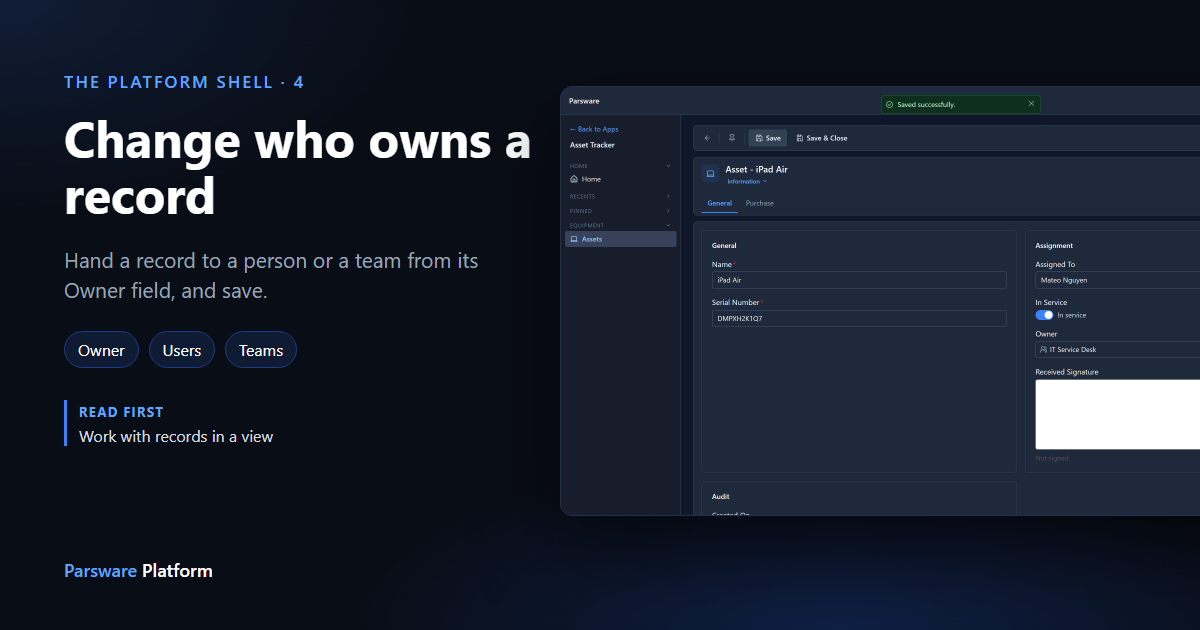
Every record in Parsware belongs to somebody. It starts with the person who created it, and it can be handed to another person or to a team: a service desk, a shift, a region. Ownership isn't a detail like a phone number. Once your administrator sets up access rules, it decides who can see the record at all.
This article shows how to hand a record on. We used the Asset Tracker app and gave an iPad to the IT Service Desk team. Every picture is the real product.
The Owner field goes on the form
You change the owner on the record's Owner field, so the form has to have one. Every table has the field; whoever built the form decides whether to show it, the same way as any other field (forms that fit the job).
The Asset form showed Owner in its header, which is for reading. We moved it into the Assignment section in the form designer and saved the form:
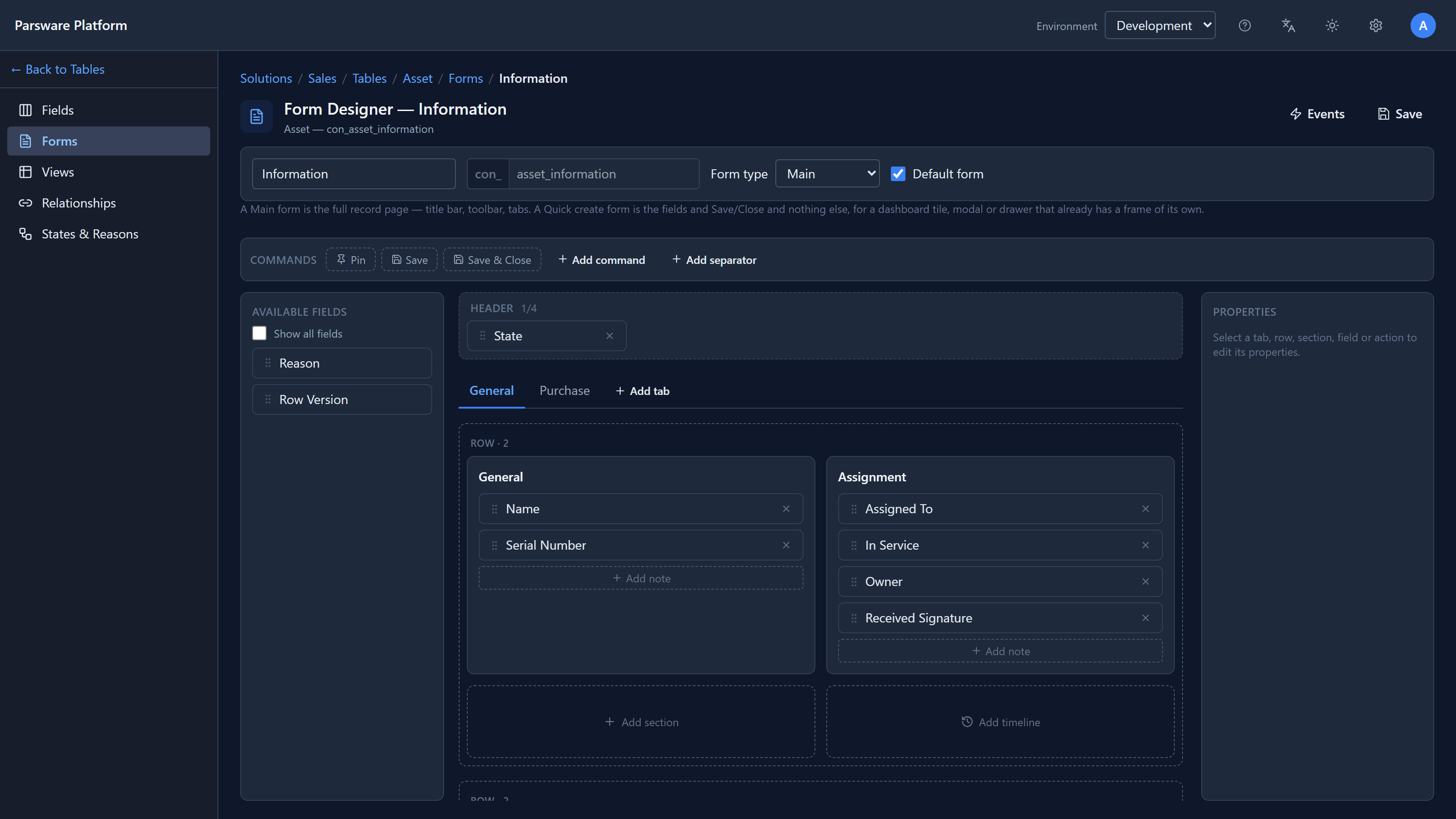
That is the only thing a maker has to do. If your form has no Owner field, ask whoever built it.
Pick User or Team
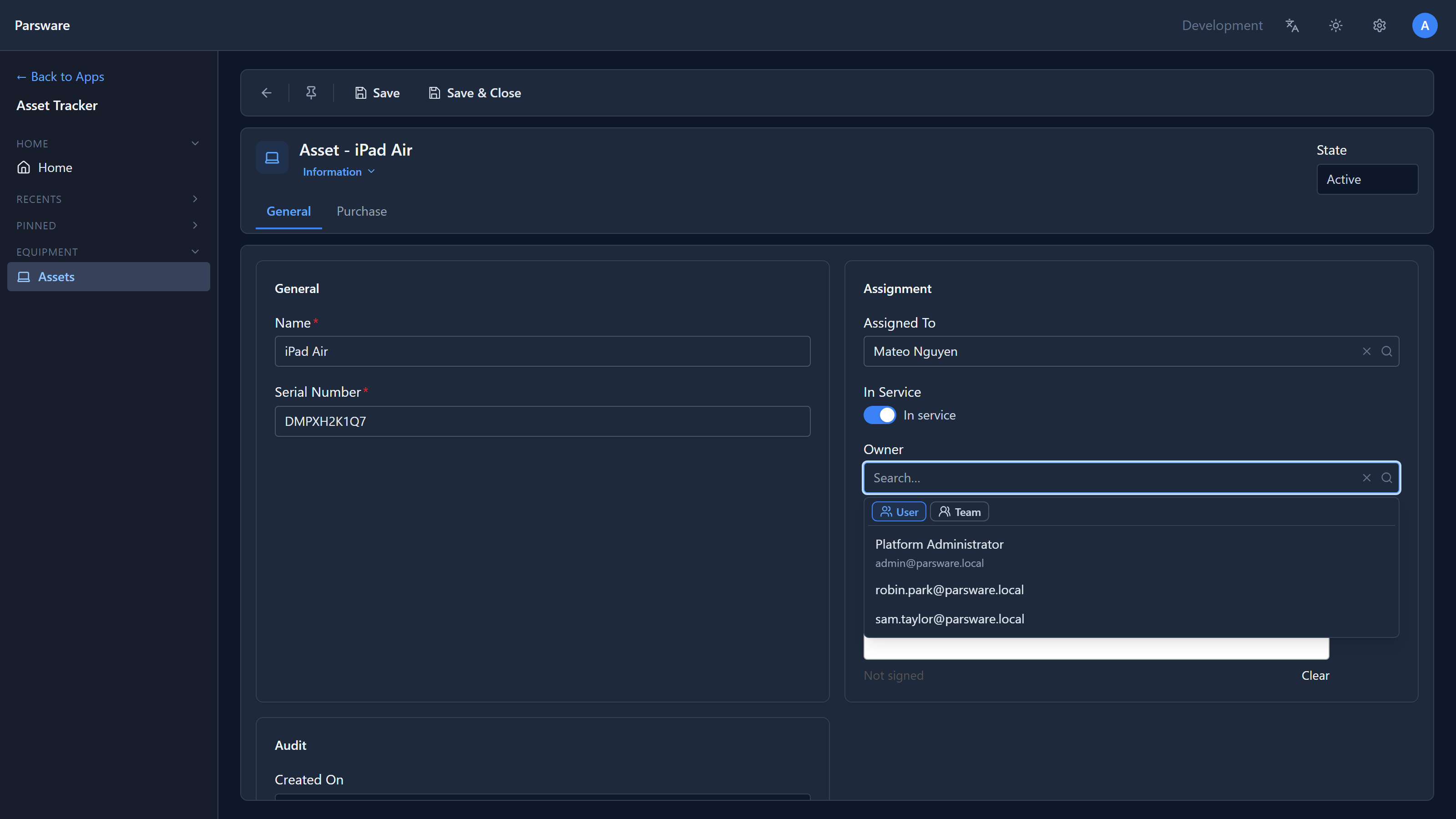
Open the record and select the Owner box. A panel opens with two buttons at the top, User and Team, and the list beneath shows whichever is selected. It starts on User:
Select Team and the list switches to the environment's teams:
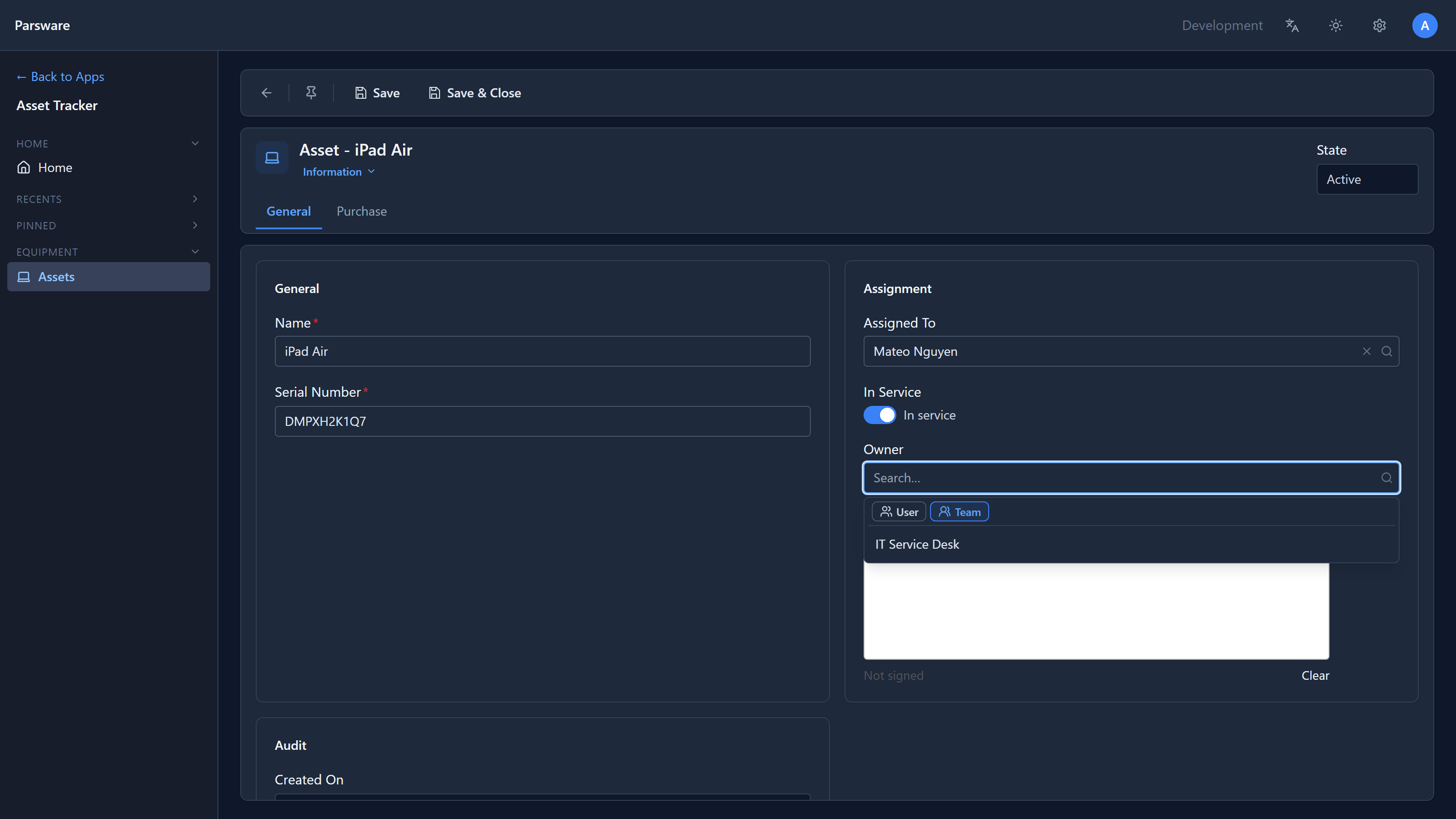
Type to search either list, and pick the new owner. Switching between User and Team clears what you picked, on purpose: a person is not a team.
Nothing happens until you save
Picking a name only fills in the box. Select Save (or Save & Close) and the record is handed over:
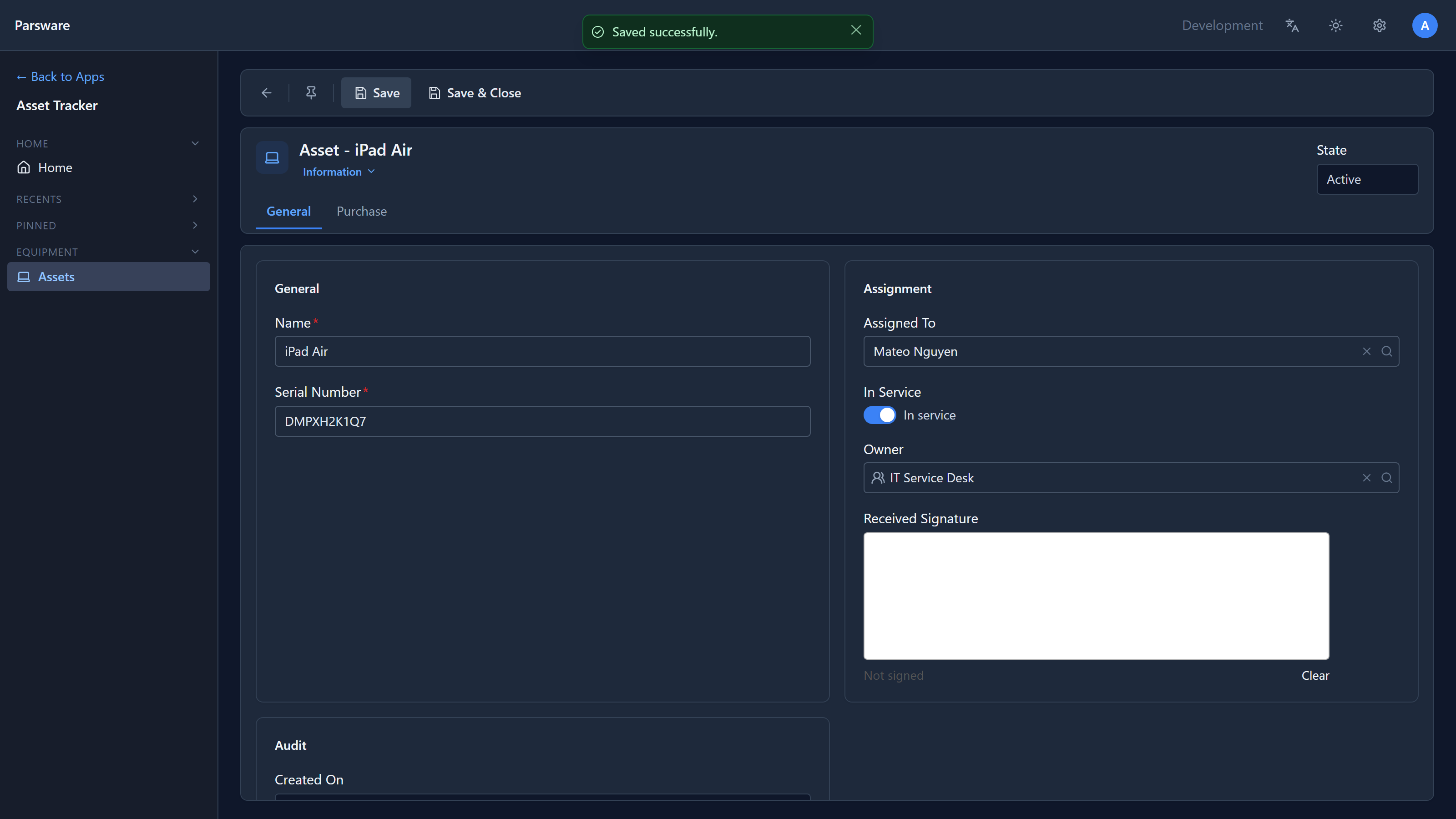
The small icon in front of the name says whether the owner is a person or a team. It is worth a glance, because a person and a team can have the same name.
If you close the form without saving, the record still belongs to whoever had it.
What the platform checks
Because ownership decides who can see a record, the platform checks three things on every change, whichever form it comes from: that the new owner exists, that it is a person or a team, and that you are allowed to change this record in the first place. You can't give away a record you can't edit.
Where teams come from
Teams are set up by an administrator in the Admin Control Center, under Teams, and appear in every environment. We made IT Service Desk there for this article. A team can own records without having any members yet; who is in it matters once access rules say "records my team owns".
Next: the work a business process sends you.