Parsware Platform
Import records from a spreadsheet
Load a CSV file into a table. See what is in each column before you import, map columns to fields, and get the rows that failed back as a file to fix, with a reason on each one.
Este artículo solo está disponible en inglés.
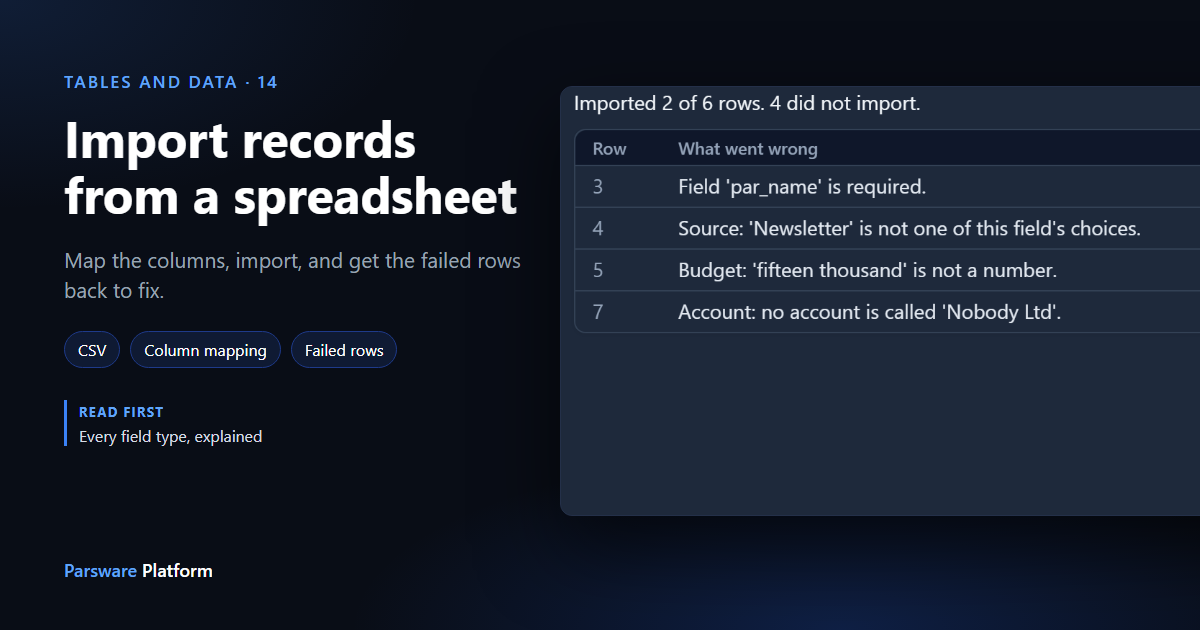
Somebody hands you a spreadsheet of leads. Typing them in one at a time isn't the answer.
To follow along, import the Data import — from a spreadsheet sample, from the platform's sample solutions. It has a Lead table with one column of every kind an import has to convert, a Leads — Import app, and two CSV files: one that imports cleanly and one with mistakes in it. Every picture is the real product.
Choose the file
Save the spreadsheet as CSV. In Excel that's File → Save a Copy → CSV UTF-8. Then open the list and press Import data on the command bar. It sits beside New, because importing is creating: if you can't create records in a table, you can't import into it either.
Choose the file, and before anything is imported the panel shows what it found:
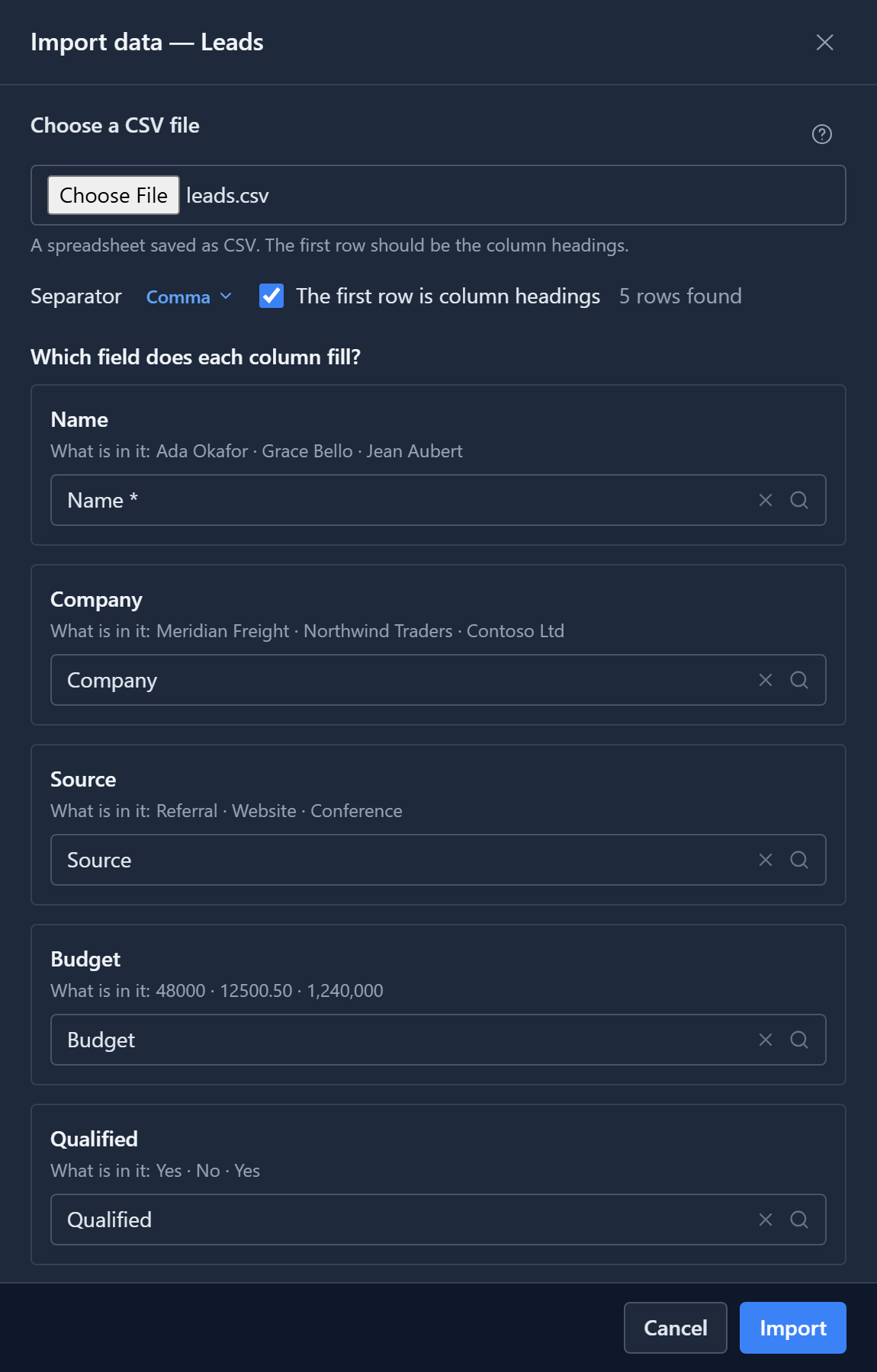
- The separator it worked out: a comma, a semicolon, a tab or a pipe. A file saved where a comma is the decimal point usually uses semicolons. If a whole file comes through as one column, the separator is why, and you can change it here.
- Every column, with the first values actually in it, and the field it's going into. Read the values, not just the headings. A heading only tells you what somebody called the column.
Columns whose headings match a field's name are mapped for you, even without the field's prefix. Change any that are wrong. To leave a column out, clear its field. A required field has an asterisk.
Import
Press Import. All five rows became leads:
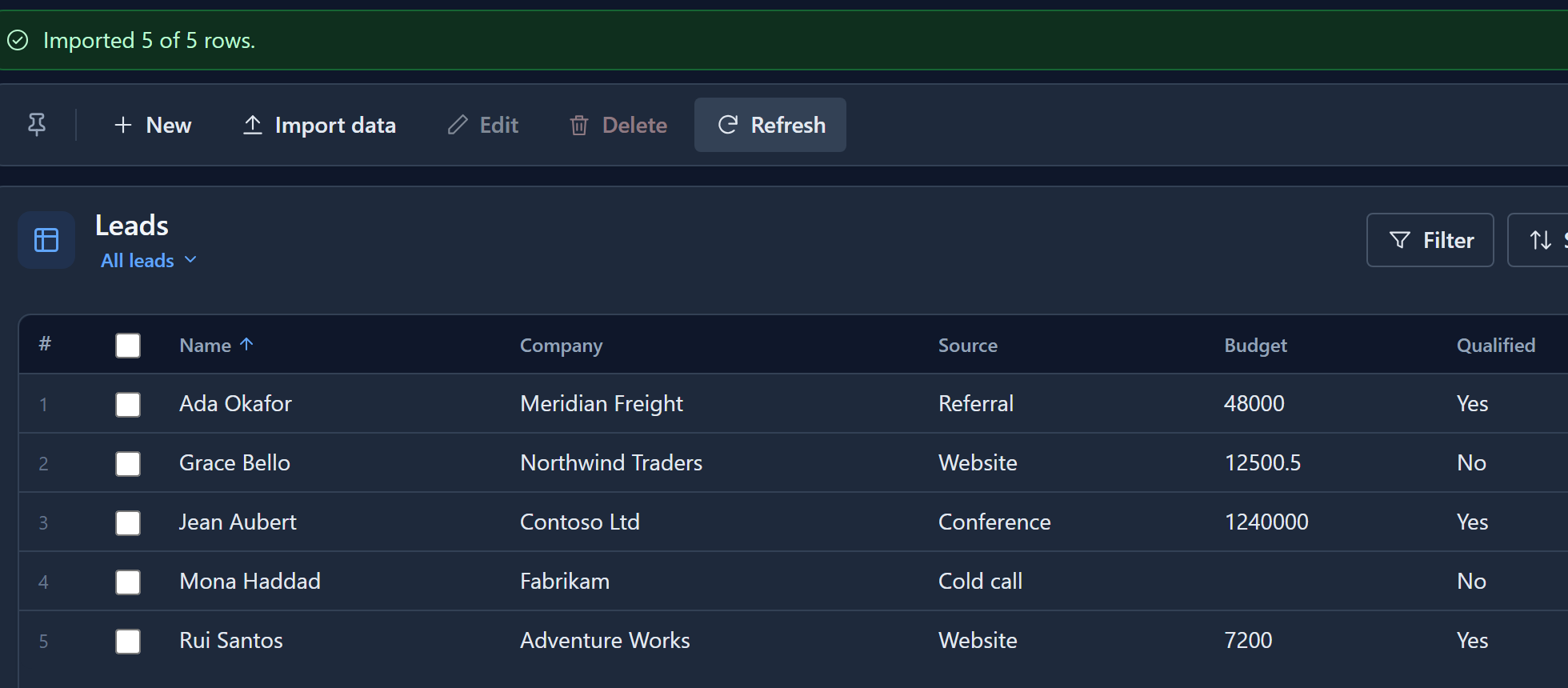
Look at what happened to the cells on the way in:
- Jean Aubert's budget was
"1,240,000"in the file. It's now the number 1240000. - Rui Santos was qualified
yes, in lower case.Yes,no,true,1,Yandonall work. - Source held words, like
Conference. That's what a spreadsheet has, and the record stores the option behind the words. - Account held an account's name, and the record now points at that account.
- Mona Haddad's budget cell was empty, so her record says nothing about budget. An empty cell doesn't clear a field; it leaves it alone.
| The field holds | Write |
|---|---|
| Text | Anything. Spaces at the ends are trimmed. |
| A number | 1234, -7, 12.50, 1,234.5. A decimal point, not a comma. |
| Yes/No | Yes, No, true, false, 1, 0, Y, N, on, off |
| A date | 2024-03-01, or with a time, 2024-03-01 14:30 |
| A choice | The option's words, as they appear in the list |
| A lookup | The name of the record it points at |
| A file or a picture | Nothing: these can't come from a spreadsheet |
When rows fail
Now the other file. It has six rows, and four of them have the mistakes real spreadsheets have:
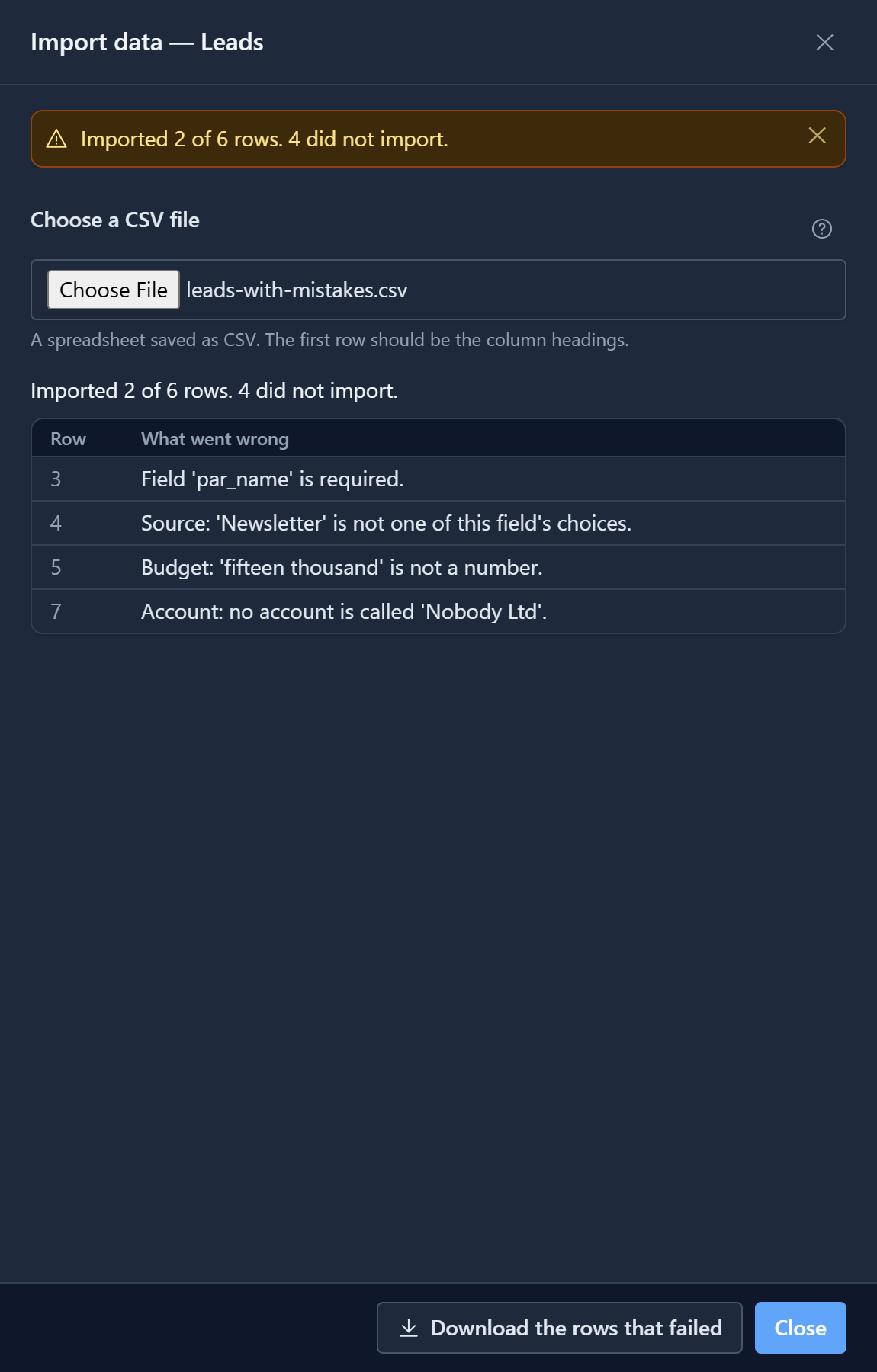
A row that fails, fails alone. The other two rows were imported. A file of four thousand rows with twelve bad ones imports the other three thousand nine hundred and eighty-eight.
Each failure gives the line number your spreadsheet shows and what was wrong: a missing name, a source that isn't one of the choices, a budget written in words, an account that doesn't exist. A lookup is matched by name, ignoring capitals. If two records share a name, the row fails rather than picking one.
Press Download the rows that failed. You get only those rows, with the same headings and an
_error column on the end:
Name,Company,Source,Budget,Qualified,First contact,Account,_error
,Blue Yonder,Website,9000,No,2024-05-03,,Field 'par_name' is required.
Omar Farouk,Tailspin Toys,Newsletter,15000,Yes,2024-05-06,,Source: 'Newsletter' is not one of this field's choices.
Lena Vogel,Trey Research,Website,fifteen thousand,No,2024-05-09,,Budget: 'fifteen thousand' is not a number.
Tara Nowak,Proseware,Cold call,4000,No,2024-05-12,Nobody Ltd,Account: no account is called 'Nobody Ltd'.
Fix them in that file, delete the _error column, and import it. The rows that already worked
aren't in it, so nothing is imported twice.
The same checks as typing
Every imported row goes through exactly what a record typed on a form goes through: the same permissions, the same field checks, the same business rules, the same Created by. There's no back door into the table. That's why a missing required field fails with the message it always fails with.
It's also why an import takes up to 10,000 rows at a time: each row costs what a typed record costs. Split a bigger file. The panel lists the first 200 failures, and the download has all of them.
Next: who changed what, with auditing on a table.