Parsware Platform
The shapes: start, task, branch, finish
Four shapes carry most processes: a start, tasks, a branch where the process decides, and a finish. We opened the two-step approval sample and clicked each one to see what it asks for and where it can connect, and found the designer letting a connection leave a Finish without a word. It says so now.
Dieser Artikel ist nur auf Englisch verfügbar.
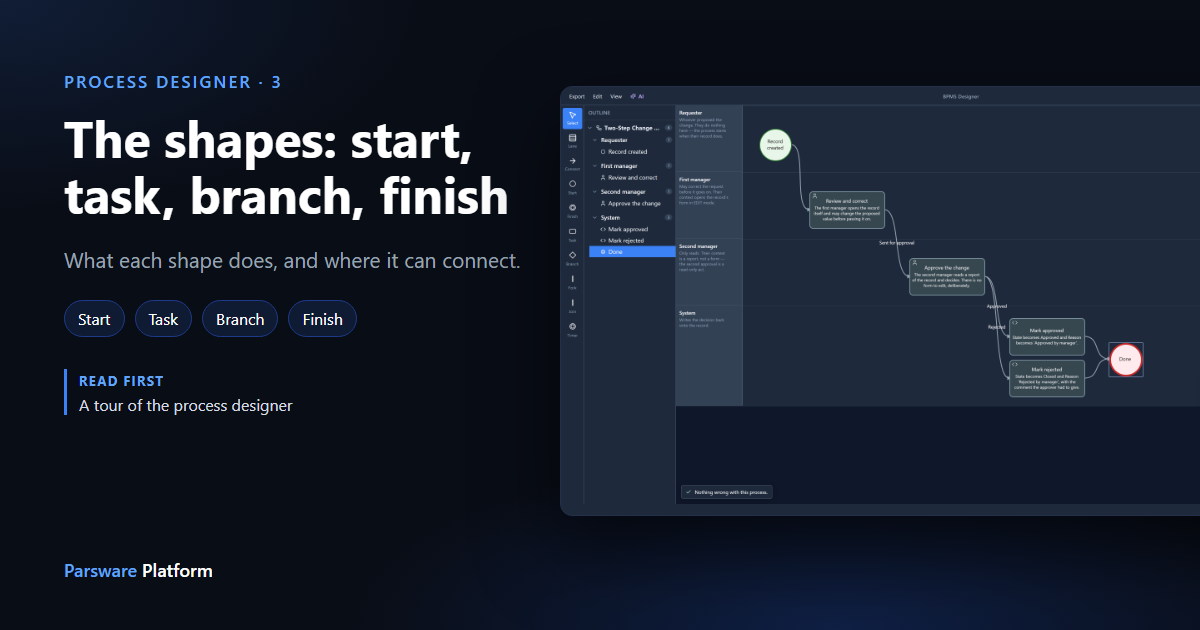
The palette offers seven shapes. Four of them carry most processes: a Start, Tasks, a Branch where the process decides, and a Finish. This article clicks each one and looks at what it asks for and where it can connect. Fork, Join and Timer get their own articles.
We used the Two-Step Record Approval sample. Import it from
samples/solutions/bpms-two-step-record-approval to follow along, then open its process,
Two-Step Change Approval.
The process
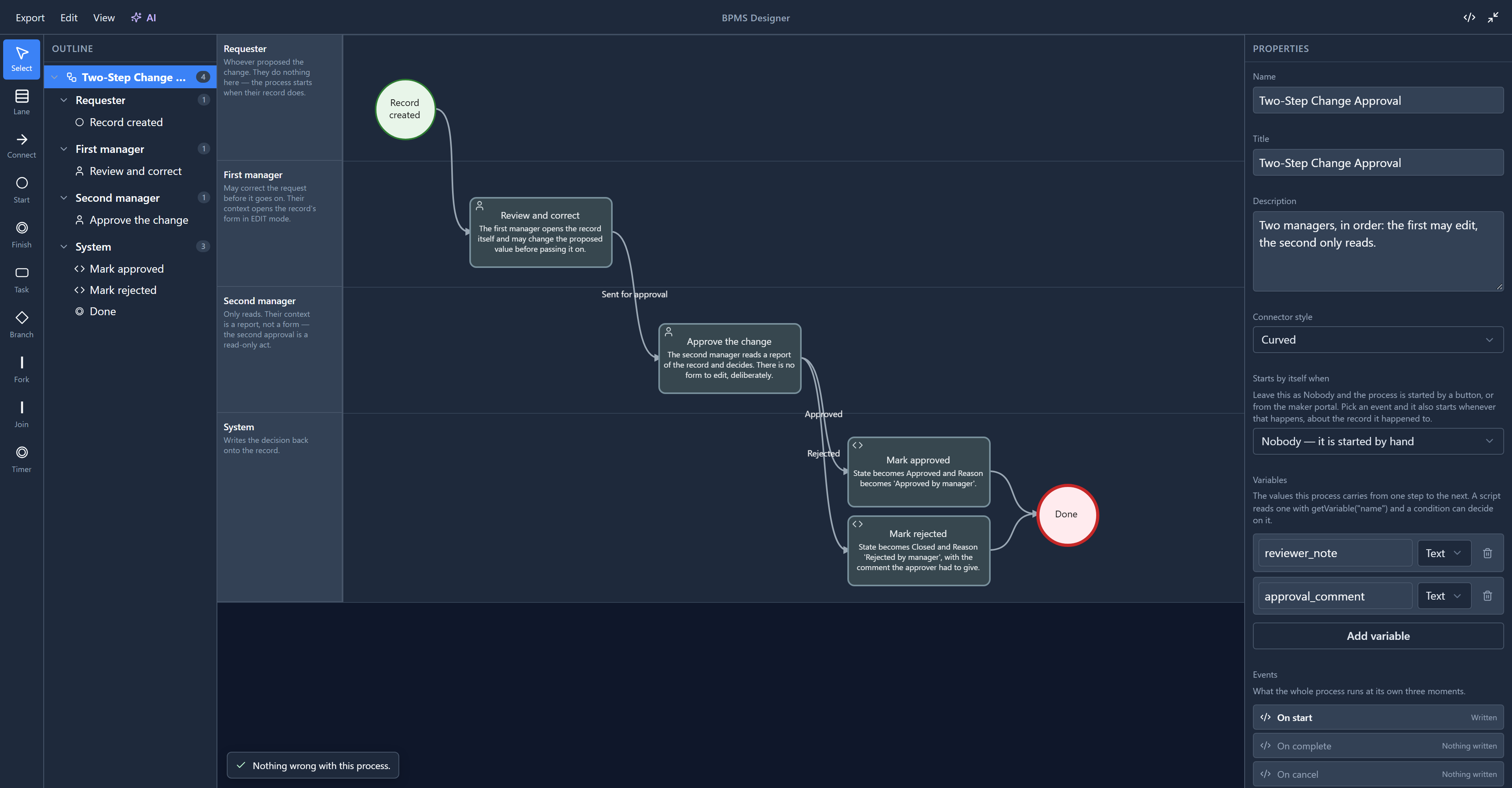
A change request is raised. The first manager may correct it. The second manager approves or rejects it. A script step writes the answer back onto the record, and the run ends.
Start: where a run begins
Click Record created:
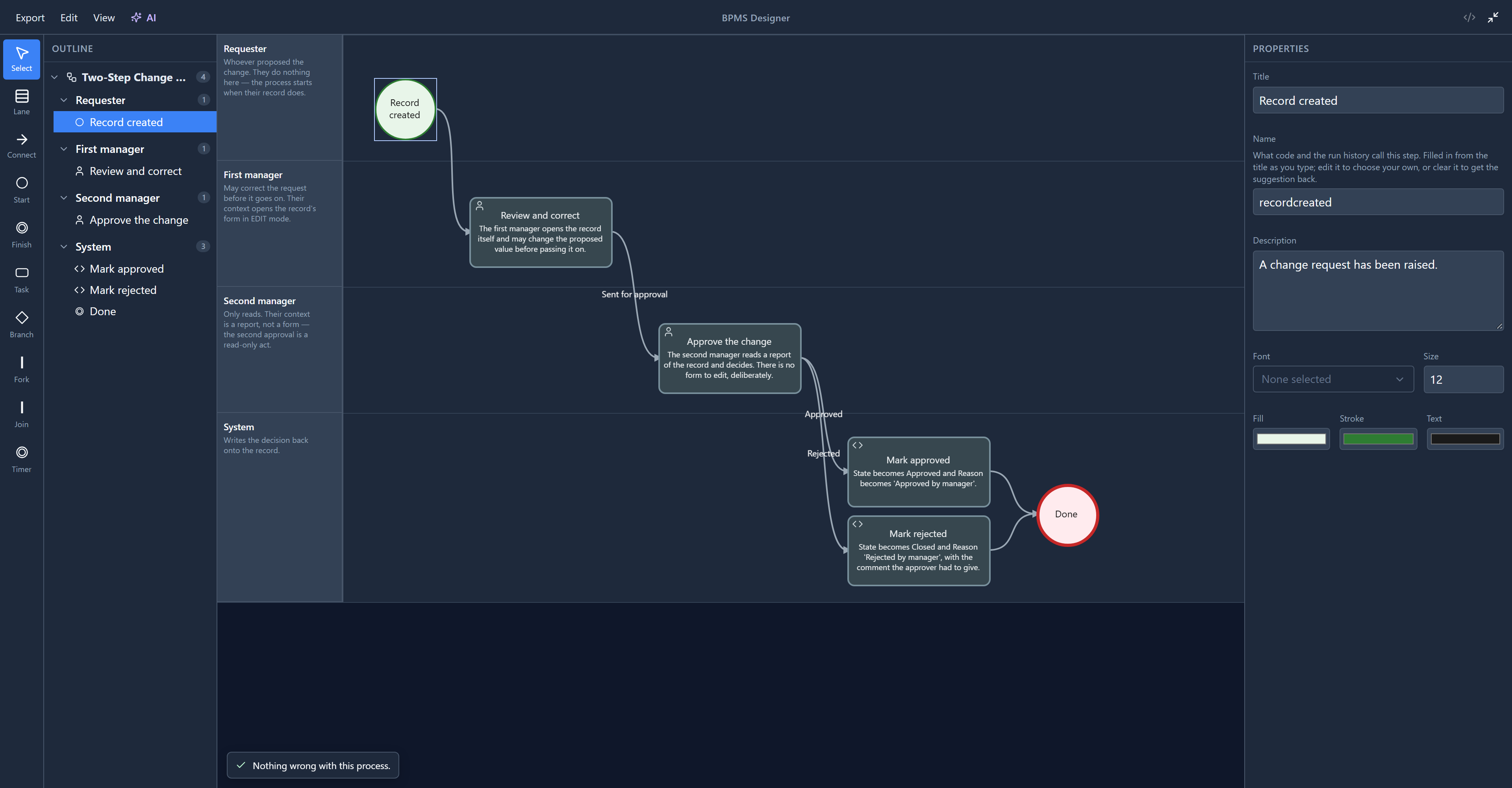
A start has a title, a name and its looks. There is no code on it, because nothing happens at a start: a run is created there and moves straight on. Code that should run when the process begins goes on the process itself, under On start. Select the root in the outline to find it.
- One per process. A second start is a problem the designer reports on the extra one.
- Only ways out. Nothing leads into a start.
Task: a step
Click Review and correct:
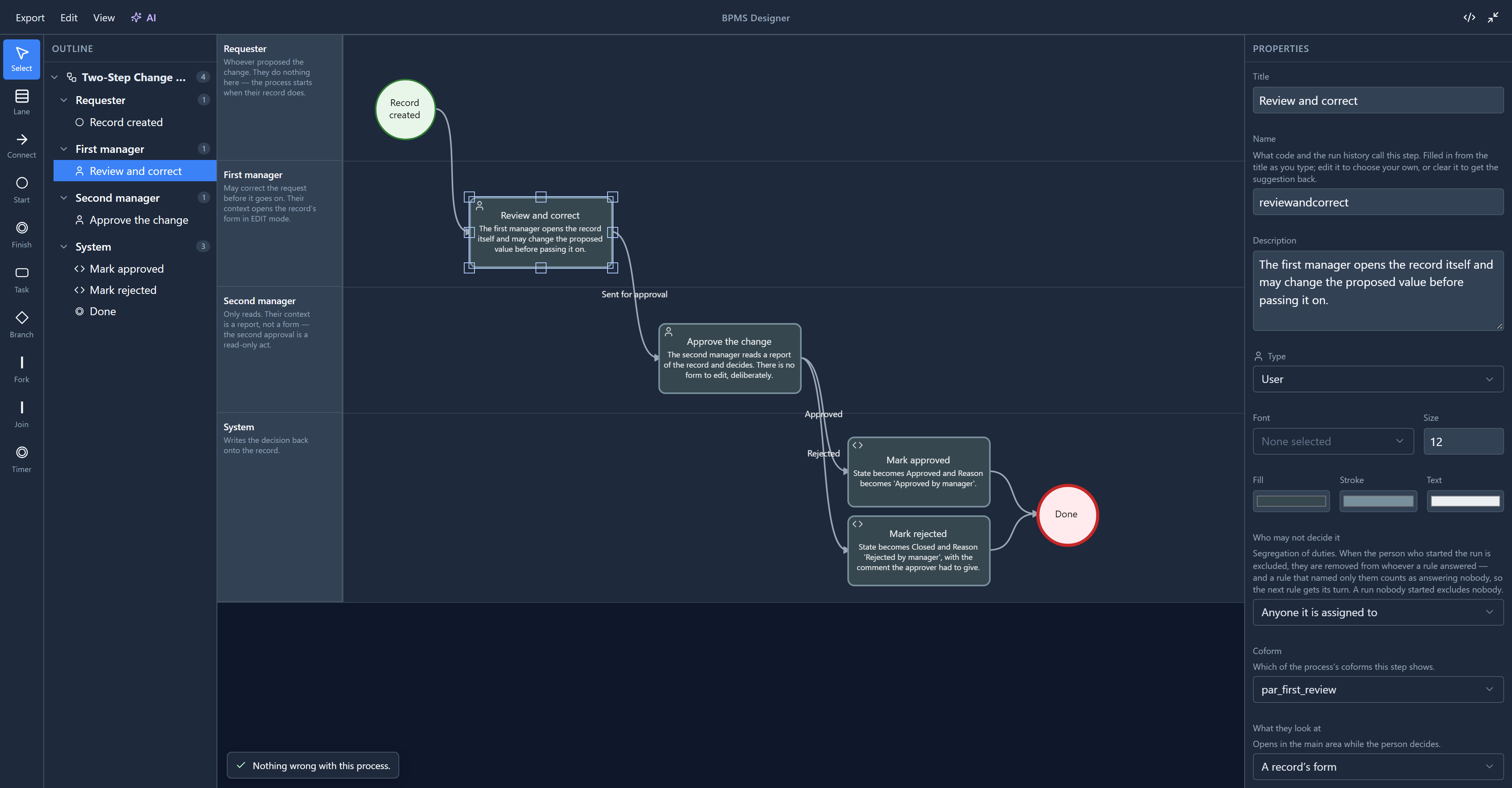
A task is a step, and its Type says what kind. This one is a User task: a person does it. So it asks who (Assigned to, in its code), which short form they fill in (the Coform), what they look at while they decide, and when it's due.
Now click Mark approved:
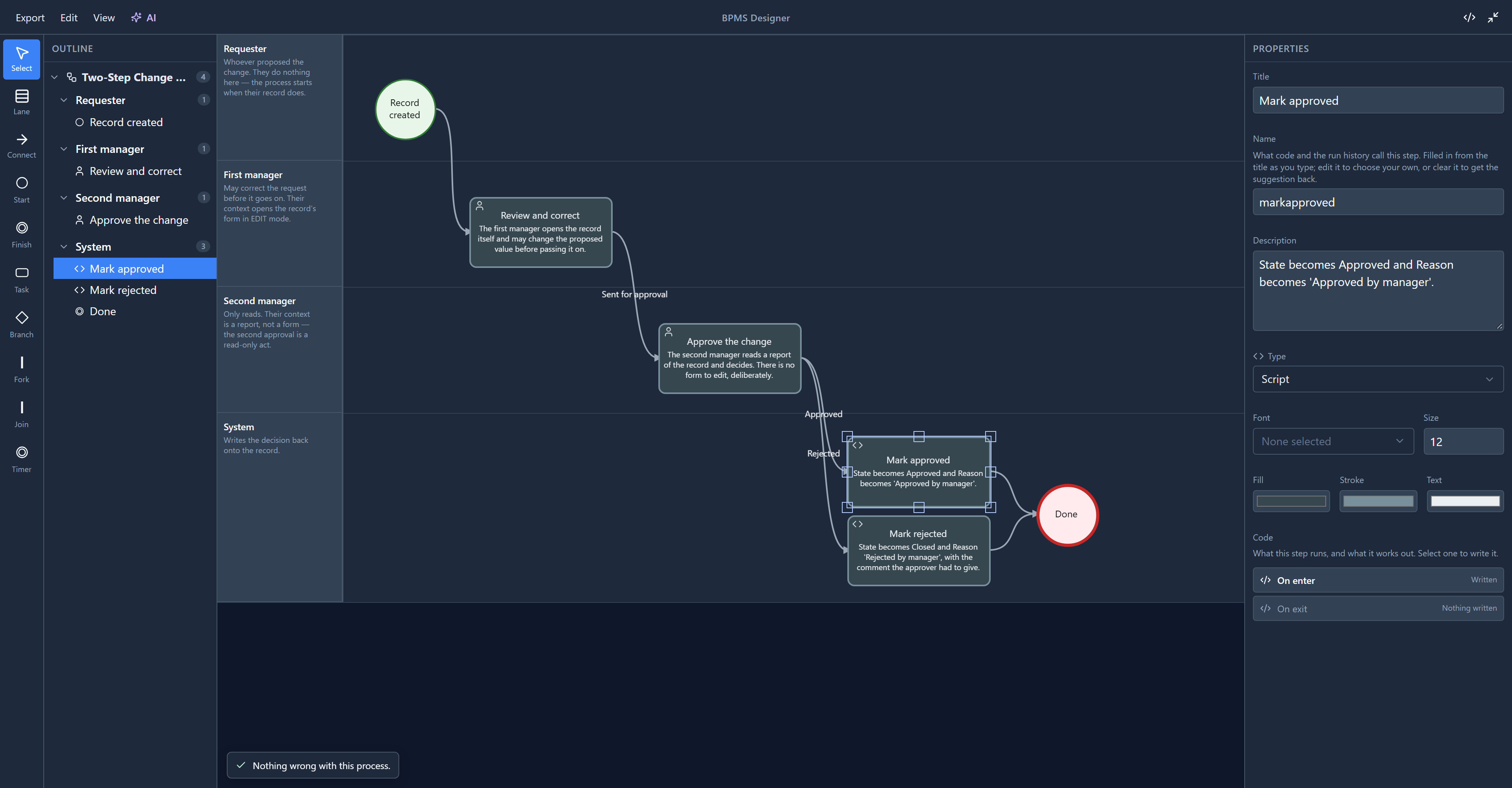
A Script task is work the platform does by itself. Nobody is given it, so there's no coform and no assignment, and its code has only On enter and On exit. The next article goes through every type.
A task has one way out. The exception is a user task whose coform offers several buttons: Approve the change has Approve and Reject, and each has its own connection. That's how this sample decides without a branch.
Branch: where the process decides
This sample has no branch, so we dropped one onto the canvas to look at it:
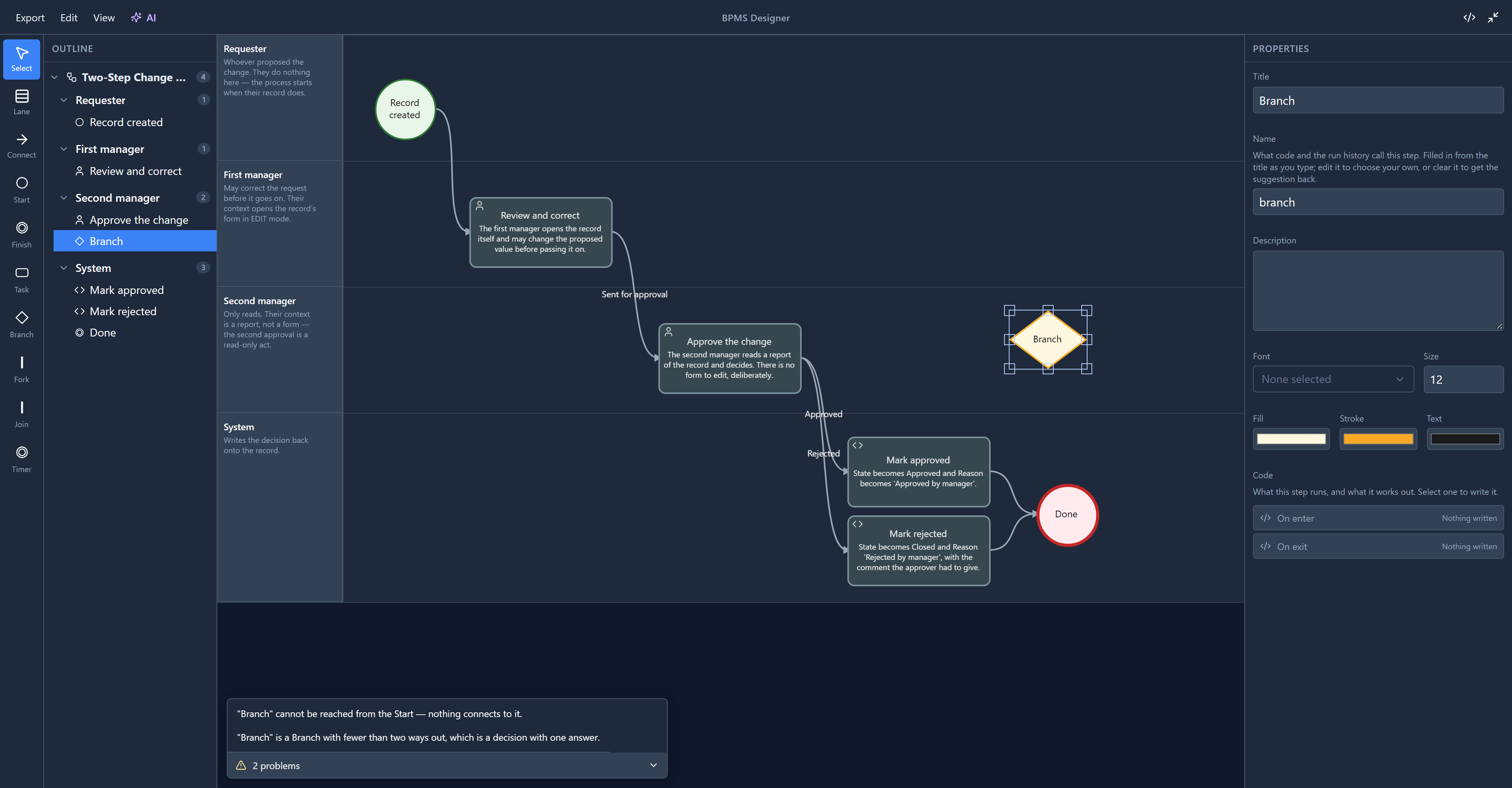
A branch is a decision: one way in, two or more ways out, and a condition on each way out. The run takes the first connection whose condition is true. The problems panel already had two things to say about ours: nothing leads to it, and a decision with one answer is not a decision.
Use a branch when the process decides from its data, such as an amount over a limit. Use a coform's buttons when a person decides. Conditions are the subject of a later article.
Finish: where a route ends
Click Done:
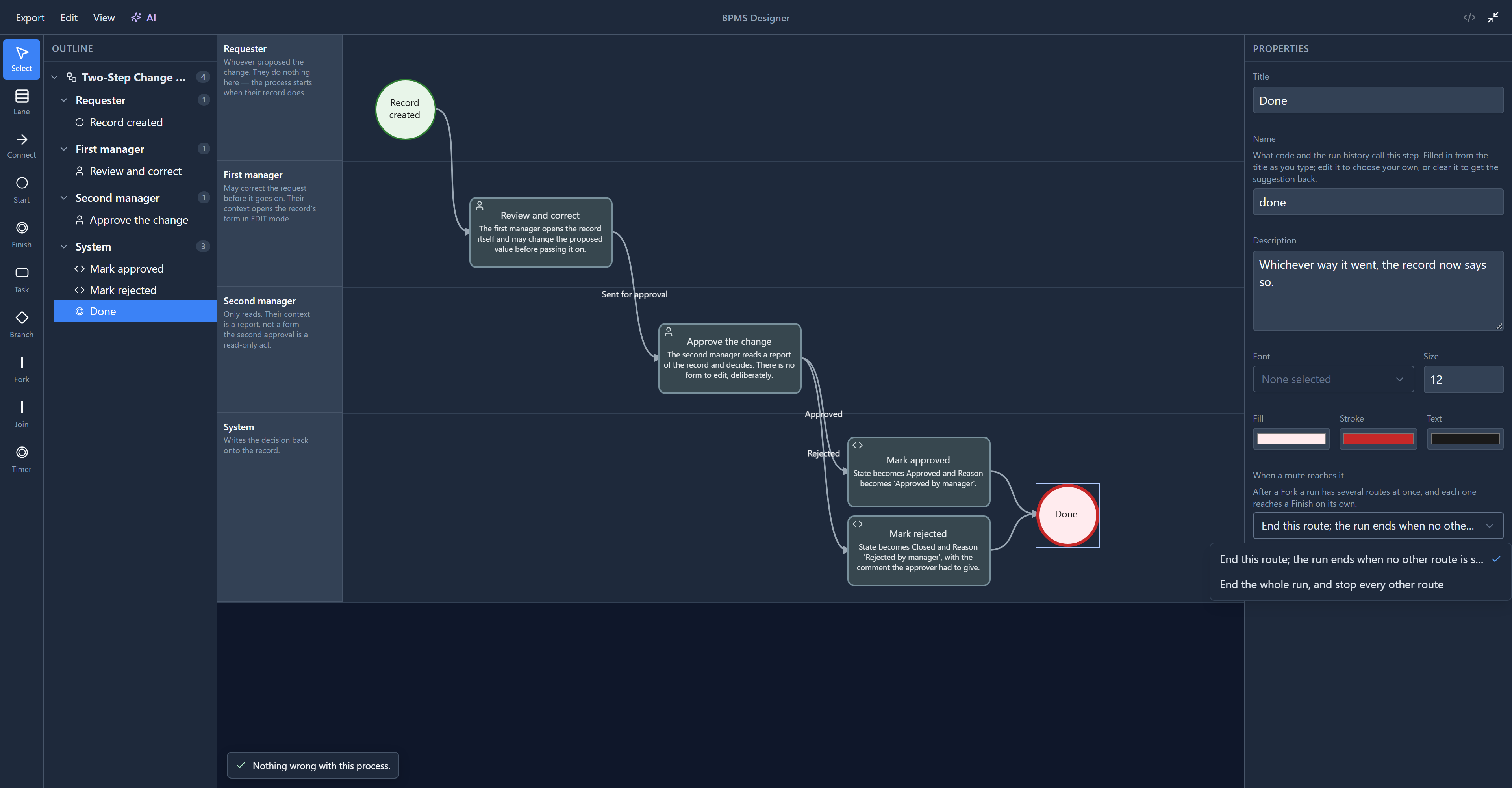
A process can have several finishes: approved and rejected are both endings. A finish has one choice, When a route reaches it:
- End this route (the default). The run ends when no other route is still going.
- End the whole run, and stop every other route. For "rejected, stop everything".
The difference only matters once a process runs on two routes at once, after a Fork. We come back to it in the fork and join article.
This choice is new. The engine has supported it for a while, but the designer never showed it, so every finish ended only its own route. We added it while writing this.
Where a shape can connect
Choose Connect and drag from one shape to another. To see what happens with a connection that makes no sense, we dragged one from Done back to Mark approved:
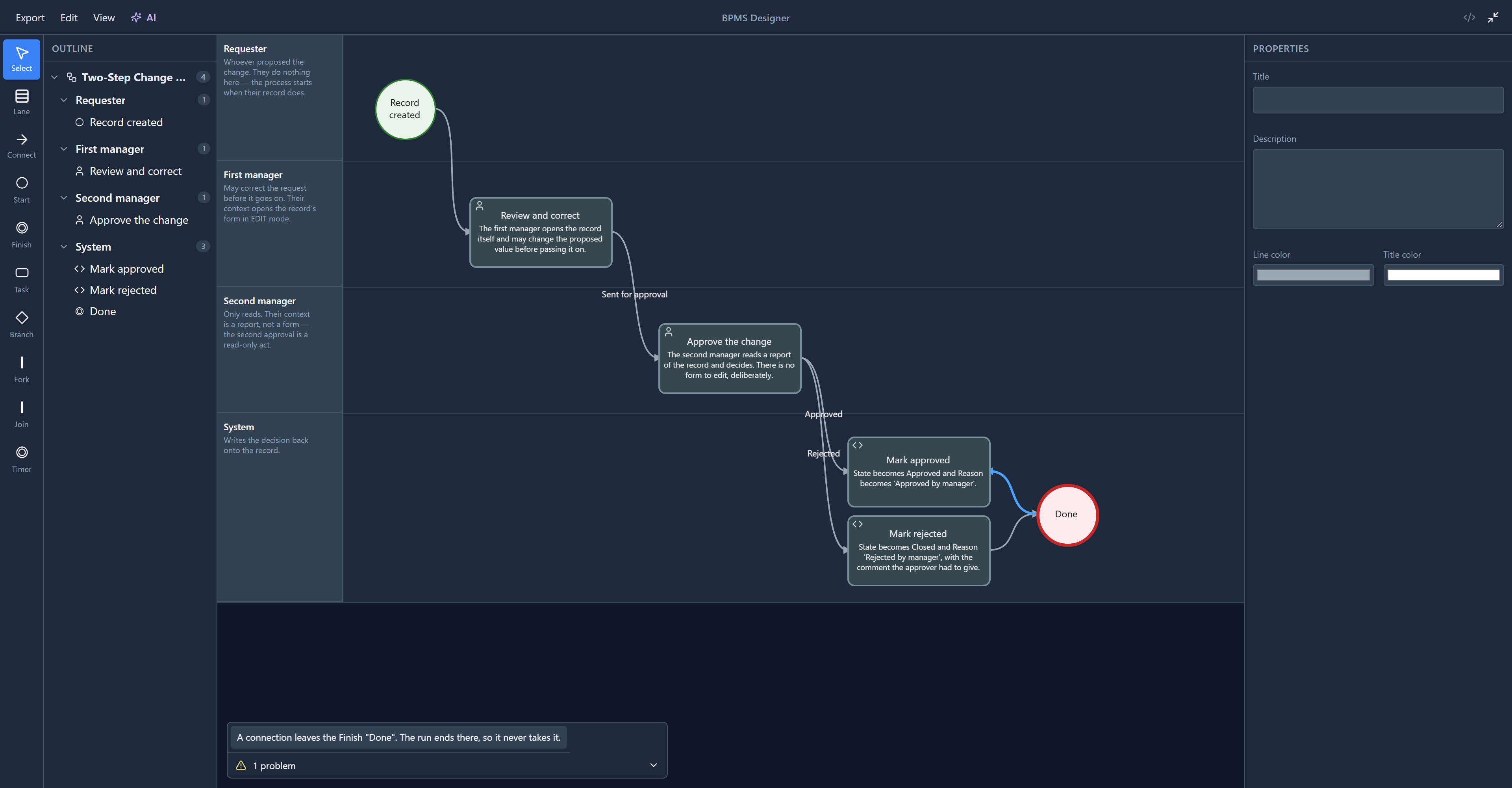
This used to say "Nothing wrong with this process." The connect tool joins any two shapes, and a connection into a start or out of a finish was accepted without a word, while a run would never take it. We found that trying it for this article and fixed it: both are now problems, reported on the connection so a click selects it for you to delete. The same check runs when a process is published, so one can't slip through.
In short:
| Shape | Ways in | Ways out |
|---|---|---|
| Start | none | one |
| Task | any | one, or one per coform button |
| Branch | any | two or more, each with a condition |
| Finish | any | none |
We didn't save any of this. The sample is a managed solution, and closing the designer without saving leaves it as it was.
Try it
Drop a Branch into the System lane and watch the problems panel as you connect it:
- Connect Approve the change to it. The branch is now reachable, but it leads nowhere and has fewer than two ways out.
- Connect it to Mark approved and to Mark rejected. Both of those go away, and each new connection is reported instead: it leaves a Branch with no condition.
That last message named the connection by its internal id, a long string of letters and digits, until we changed it while writing this. It now names the two steps it joins, Branch → Mark approved, or the connection's label if it has one. Close without saving when you're done.
Next: task types: user, service, script, manual, send, receive and business rule.