Parsware Platform
Plugin steps: before and after a save
A plugin step is registered against a table, a write, a stage and an order, and the stage decides the most. We put a second step behind the order-stock sample's own, watched a refusal before the write undo the stock the first step had taken, then moved the same refusal after the write and watched the order line stay.
Dieser Artikel ist nur auf Englisch verfügbar.
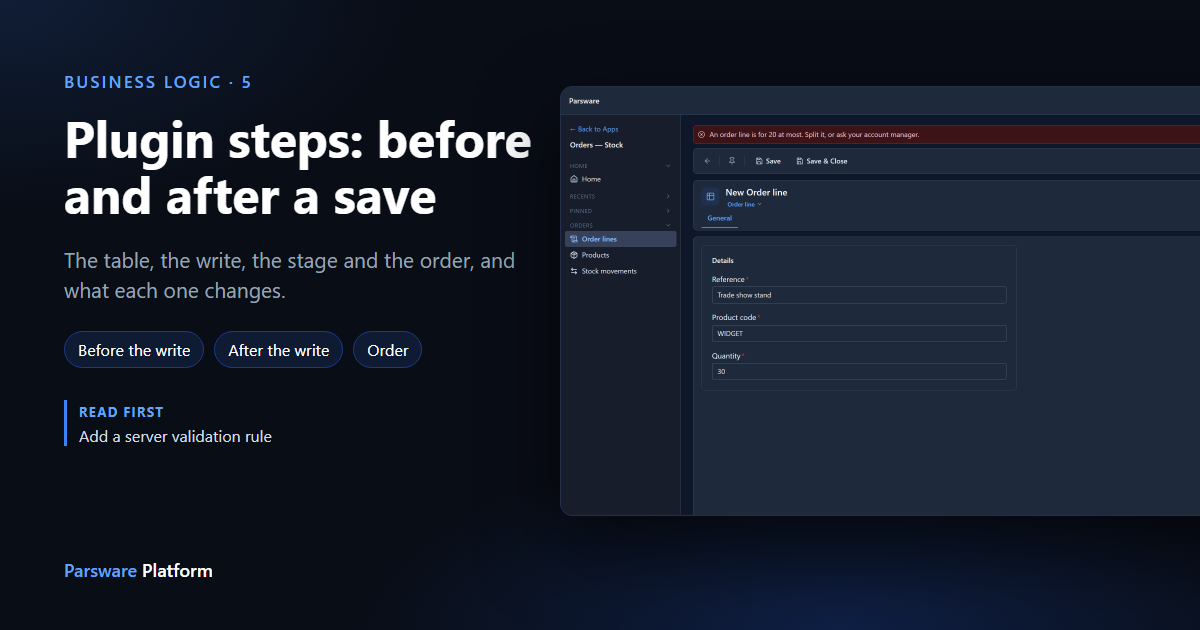
The last article added a plugin step and accepted the suggested settings. This one is about those settings: the table, the write, the stage and the order. Most of the time the stage is the one that matters, and the difference between before and after the write is easier to see than to describe, so we saved the same order line twice with the stage changed.
We used the Order Stock sample; import it from
samples/solutions/business-rules-order-stock to follow along. It adds an Orders — Stock app
with three tables: products, order lines, and stock movements.
The sample's step
In the maker portal we opened the sample's solution and chose Plugin steps. There's one:
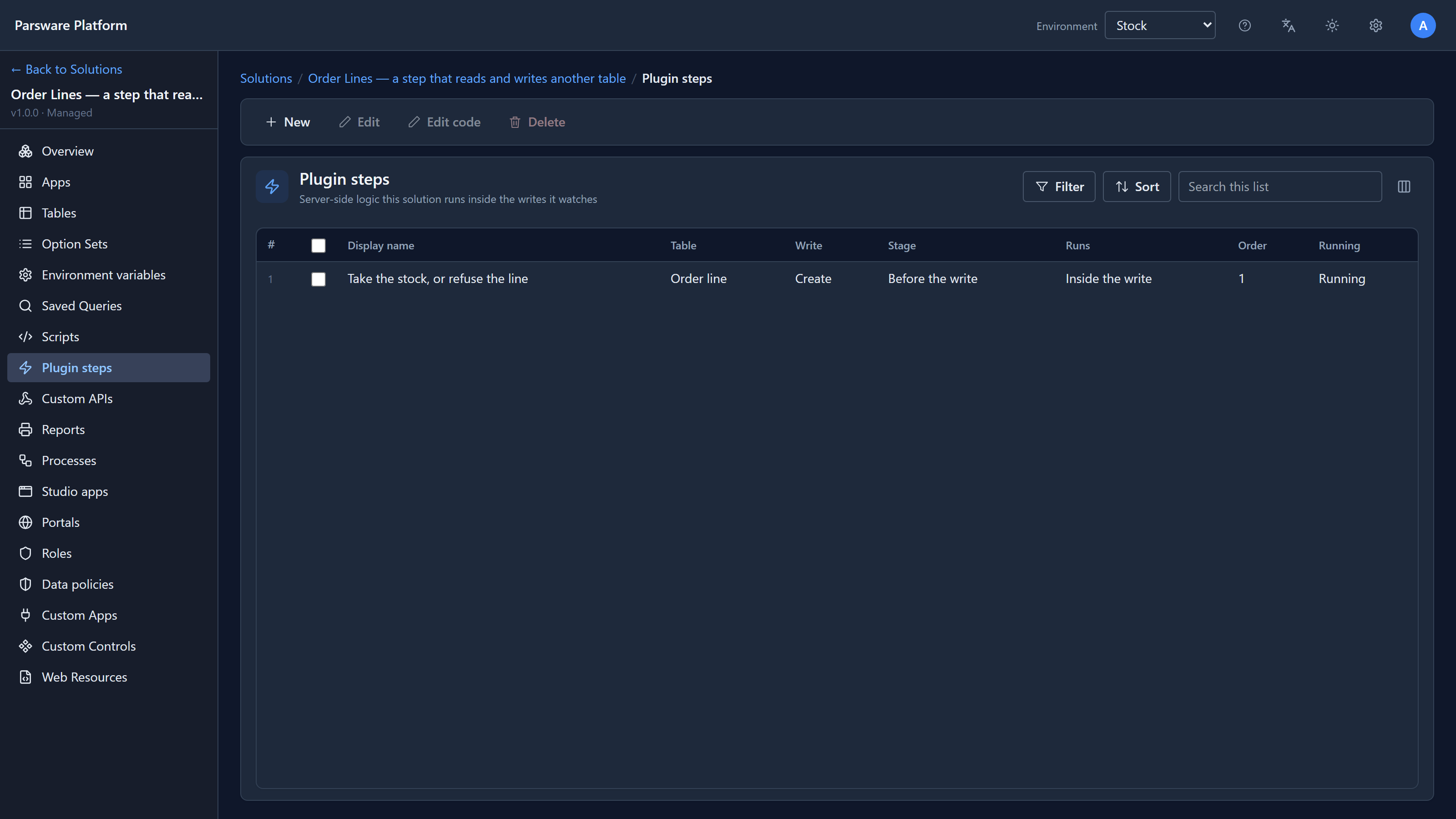
When an order line is saved, it finds the product, refuses the line if there isn't enough stock, and otherwise takes the stock and writes a movement. The next article reads its script. Here we only need its settings, which Edit shows:
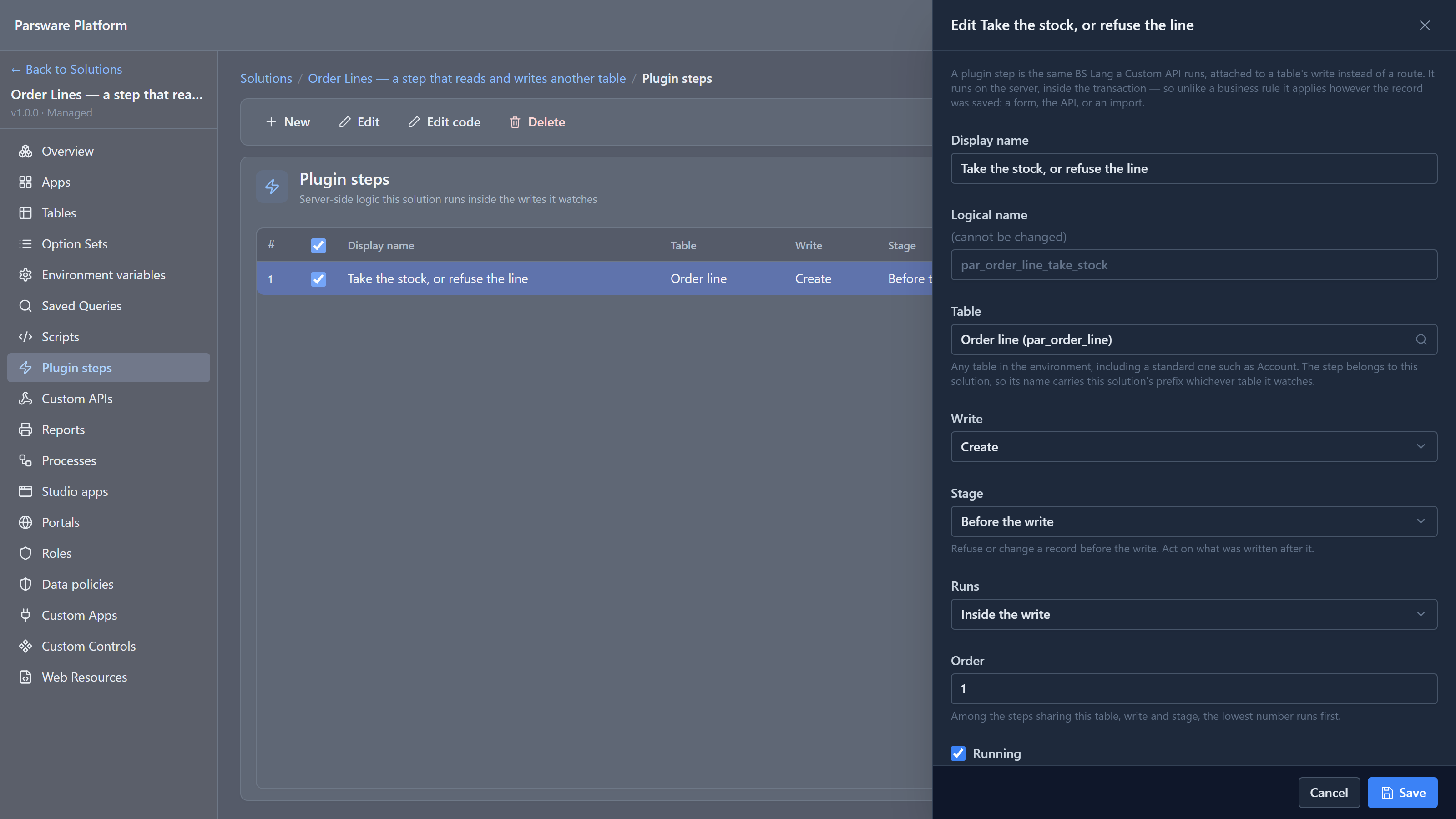
| Setting | What it decides |
|---|---|
| Table | Which table's writes the step watches |
| Write | Create, Update or Delete. One step watches one kind of write |
| Stage | Before or after the record is written. See below |
| Runs | Inside the write, or after the response has gone |
| Order | Among steps on the same table, write and stage, the lowest runs first |
| Running | Untick it to switch the step off without deleting it |
Three stages
The Stage list has three choices:
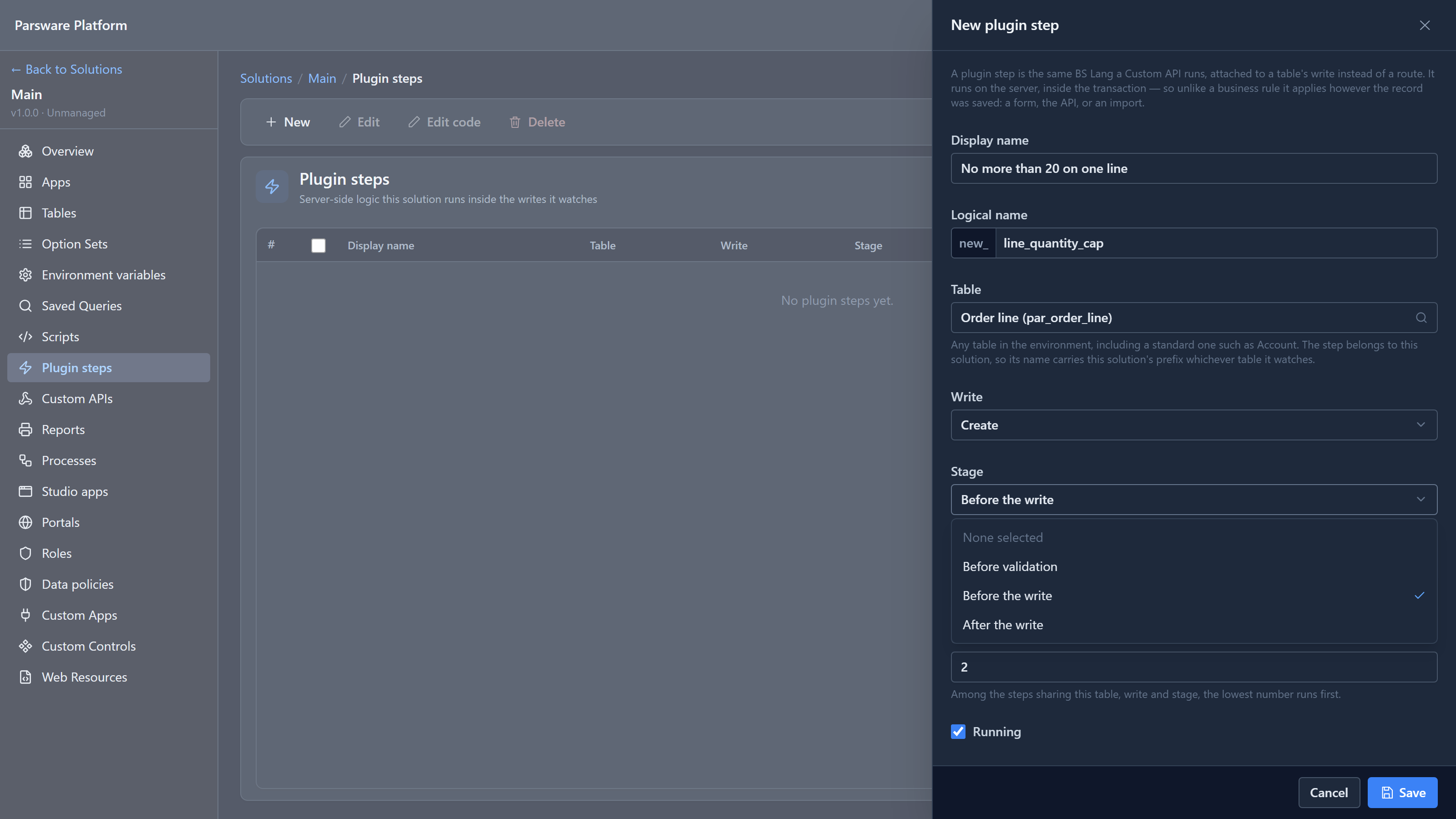
- Before validation runs first, for quick checks on what arrived.
- Before the write runs next. It can refuse the record, or change its values with
setValue. - After the write runs once the record is stored. It can act on what was stored, but it can't take the save back.
The first two run inside one database transaction, together with the write itself. That's the part worth seeing.
A second step, before the write
The sample is a managed solution, so we added our step to Main, the environment's own unmanaged solution: No more than 20 on one line, on Order line, Create, Before the write, with an Order of 2 so it runs after the sample's step, which is 1.
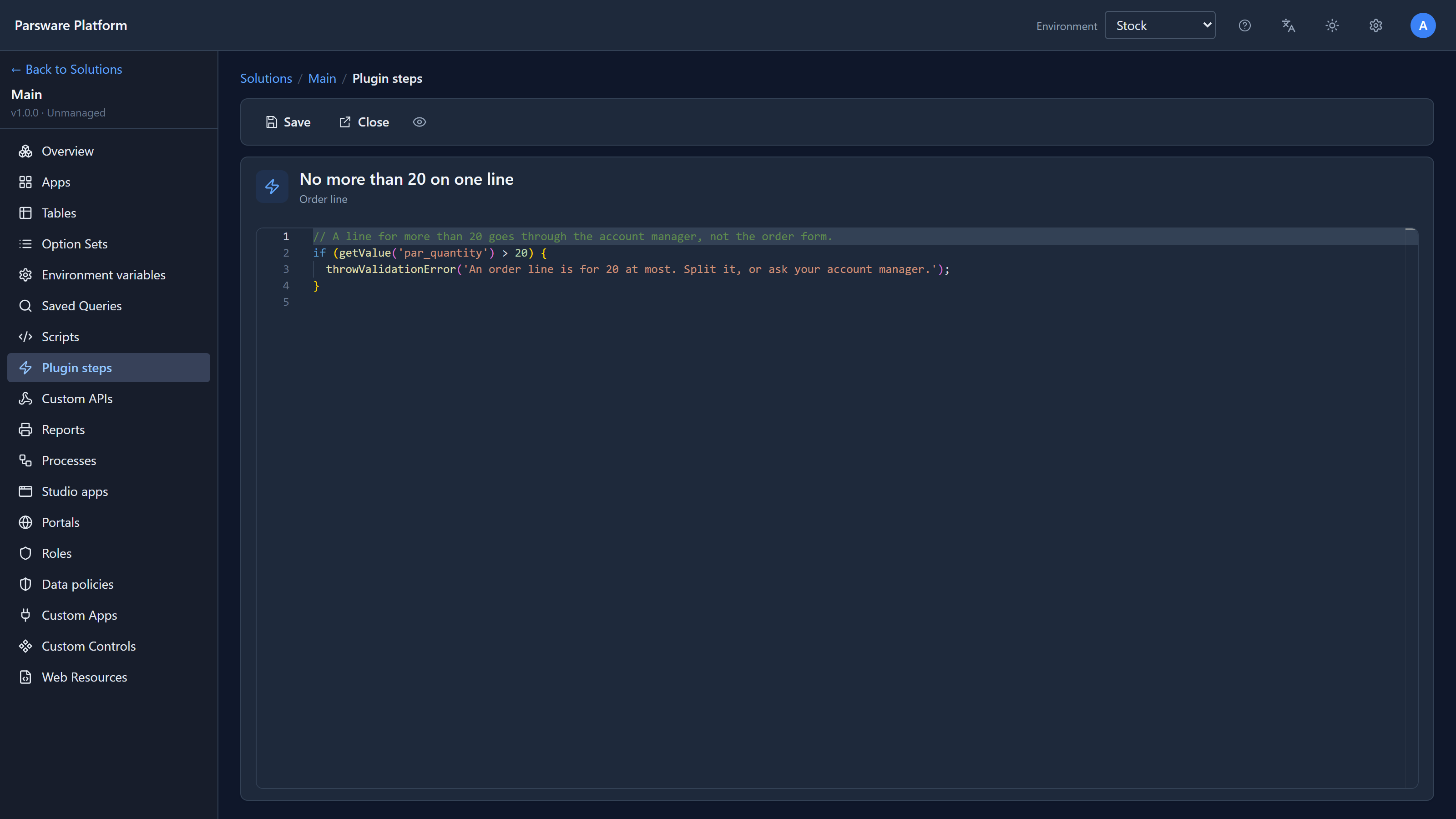
// A line for more than 20 goes through the account manager, not the order form.
if (getValue('par_quantity') > 20) {
  throwValidationError('An order line is for 20 at most. Split it, or ask your account manager.');
}
In the Shell we added a product, WIDGET, with 100 in stock. Then we saved an order line for 30 of them:
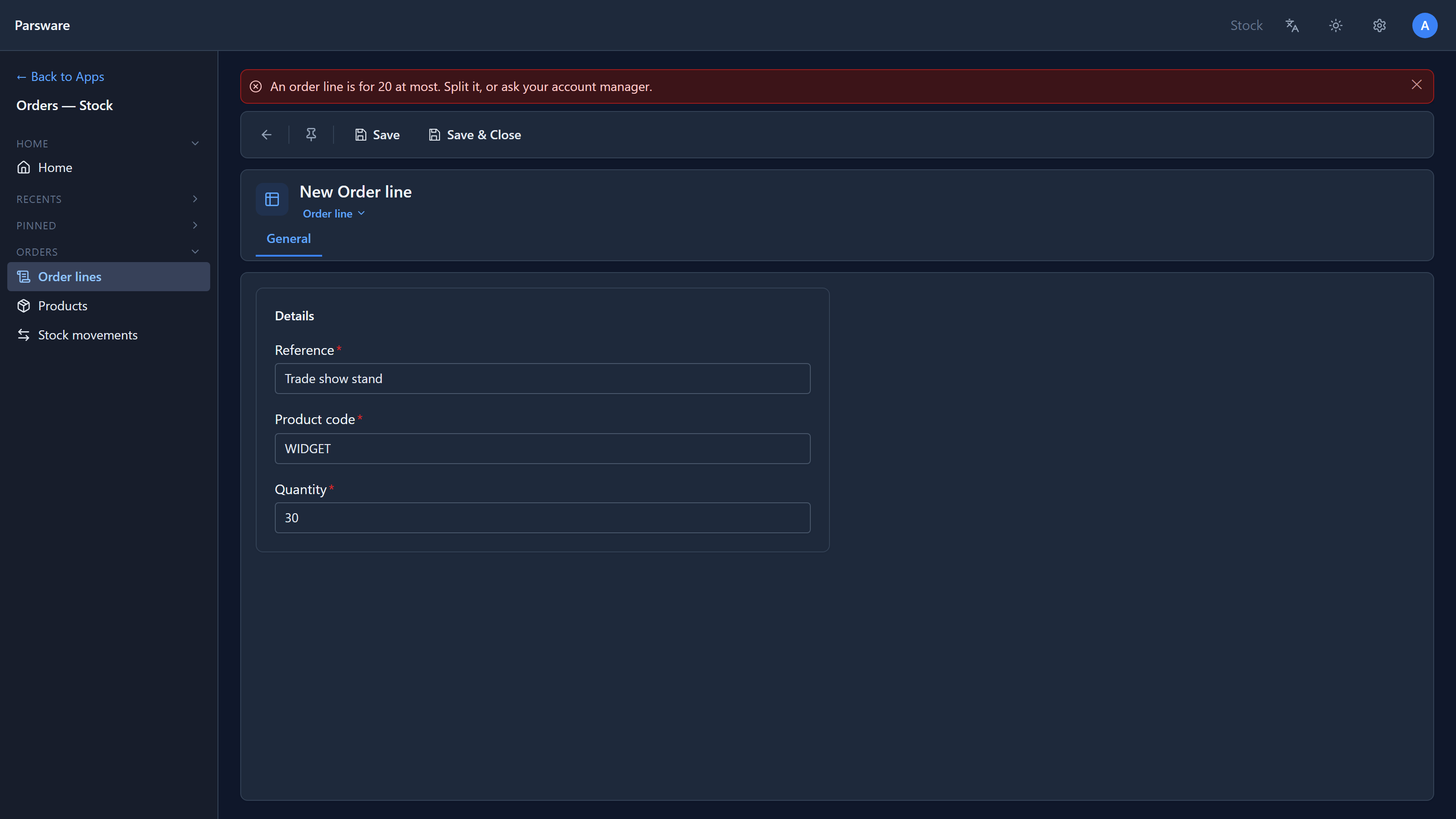
Refused, as expected. Now look at the product:
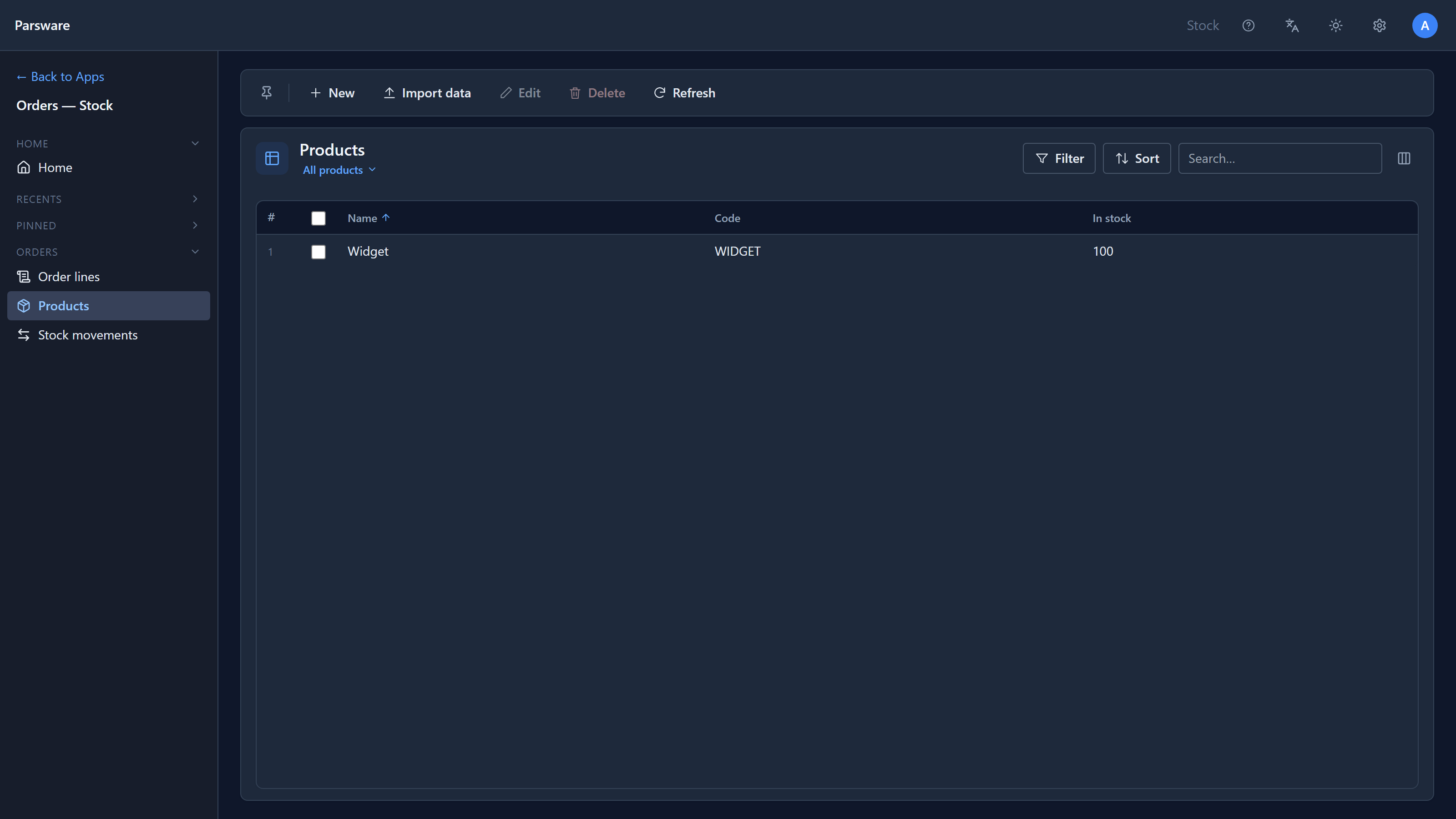
Still 100. The order is what makes that interesting. The sample's step ran first: there was enough stock, so it took 30 and wrote a stock movement. Then our step refused the line. Because both steps and the write share one transaction, the refusal undid all of it: the stock, the movement and the line. Nothing half happened.
That's the rule for Before validation and Before the write: a refusal from any step undoes every step's writes too, whatever order they ran in.
The same step, after the write
We changed our step's Stage to After the write and saved the same line again:
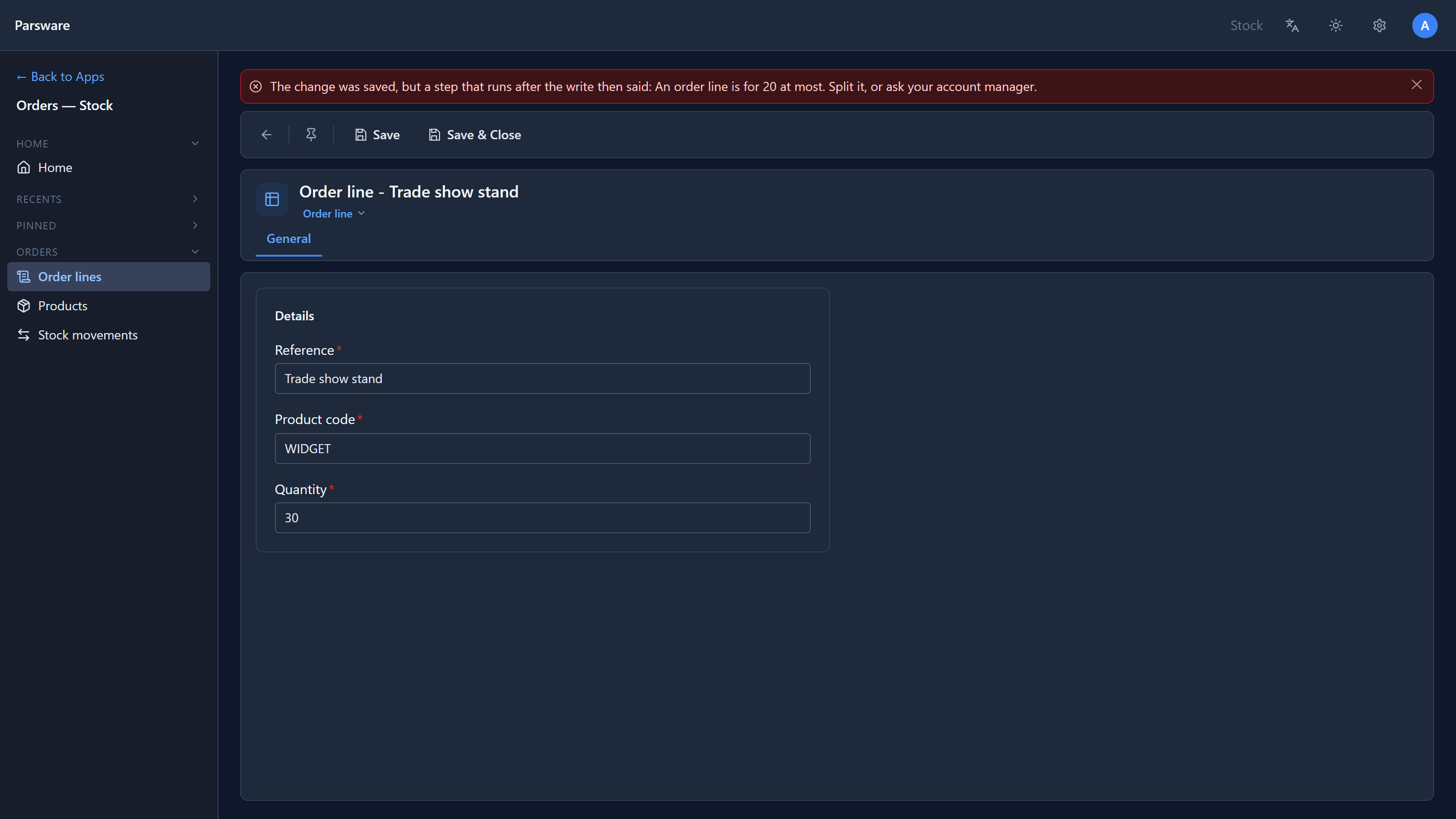
The message is the same sentence, but it now starts with The change was saved. And it was:
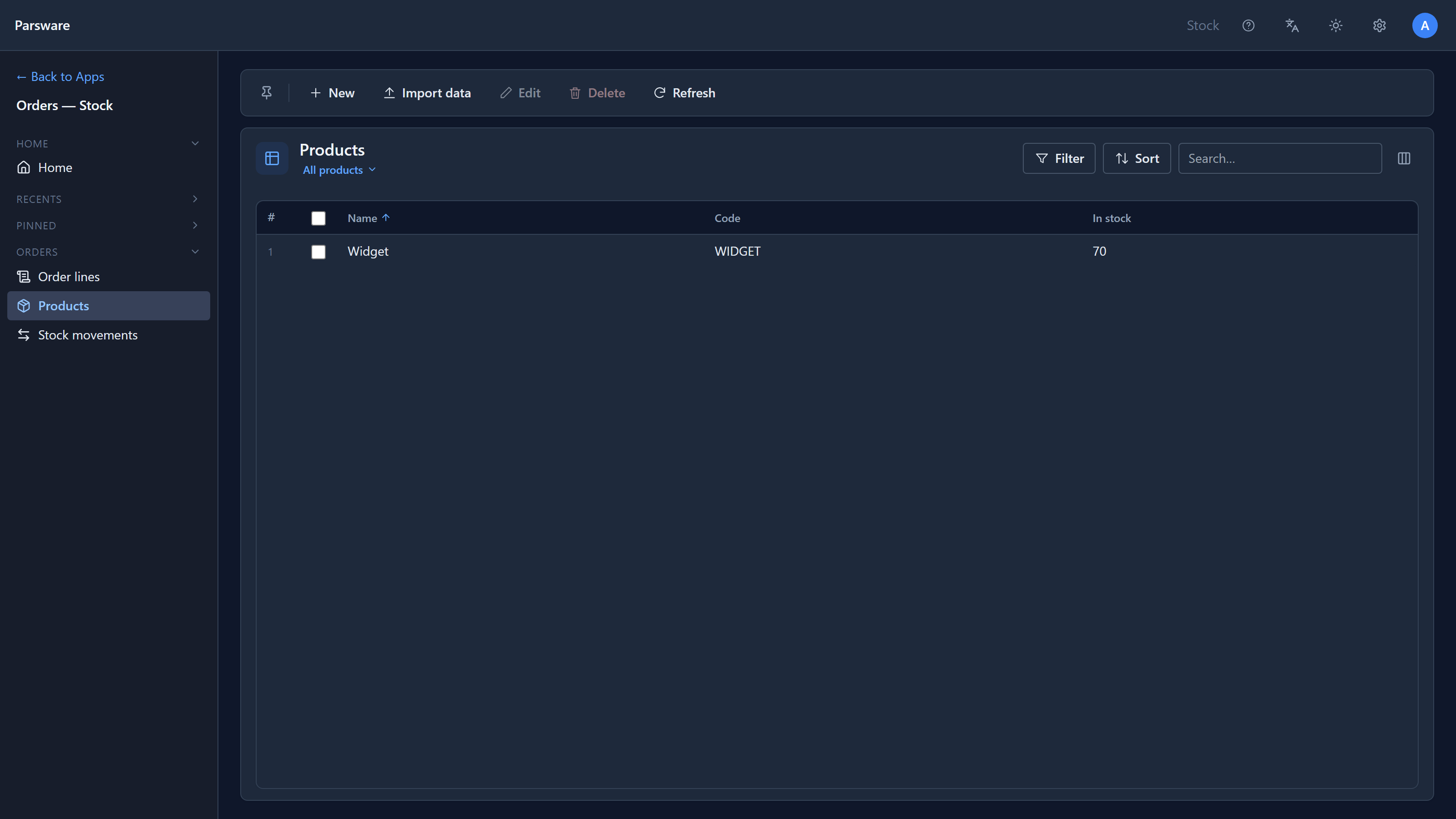
70 in stock, a stock movement for 30, and an order line for 30, which is exactly what the step was supposed to prevent. After the write, the record is already stored and the transaction has finished. A step there can report a problem, but it can't refuse.
So the rule of thumb:
- To refuse or change a record, use Before the write. Before validation works too, but there's rarely a reason to prefer it.
- To act on what was stored, use After the write: send a notification, update a total, start something else. That's where the record exists and has its final values, including numbers the platform fills in as it saves, such as auto-numbers.
After the response
Runs has two choices. Inside the write means whoever saved waits for the step. After the response means the save answers straight away and the step runs a moment later, in the background:
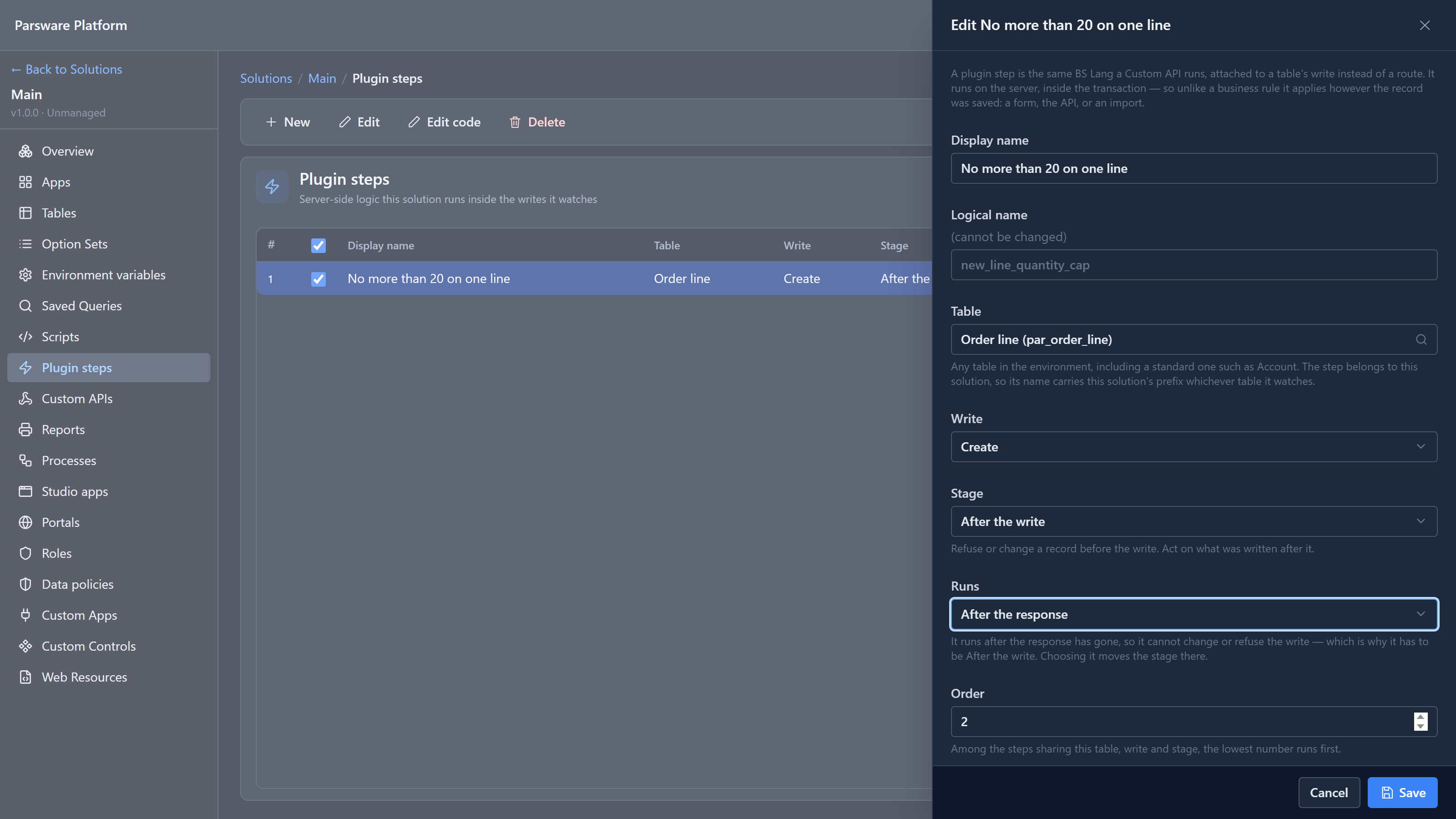
A step that runs after the response can't change or refuse anything, so choosing it moves the stage to After the write for you. Use it for slow work the person saving shouldn't wait for. If it fails, nobody is looking at a form to be told, so its failures are listed on their own screen, which a later article in this series covers.
We finished by moving our step back to Before the write and unticking Running, so the sample behaves as shipped for the next article.
A fix from writing this
The first time we saved the line with the step after the write, the form showed the step's message in red and stayed on New Order line, as if nothing had been saved. But the line had been saved, and 30 had been taken. Pressing Save again, the obvious thing to do, would have stored a second line and taken 30 more. An import had the same problem: the row was stored, but listed among the rows to fix and import again.
The server now reports a failure after the write as saved, then what the step said, with the record's id. The form opens on the saved record, so the next Save updates it instead of creating another. An import counts the row as imported. A refusal before the write is unchanged.
Try it
Give our step an Order of 0, so it runs before the sample's step, and save the line for 30 again. The result is the same, but now the sample's step never runs at all. Then think about which order you'd want if the first step sent an email.
Next: checking stock on an order: the sample's own step, and how a step reads and writes other tables.