Parsware Platform
Category trees: records inside records
A table whose records have a parent of their own kind can be shown as a tree, with another table's records hanging underneath, the selected record's form beside it, and a check that stops a branch being moved inside itself.
Dieser Artikel ist nur auf Englisch verfügbar.
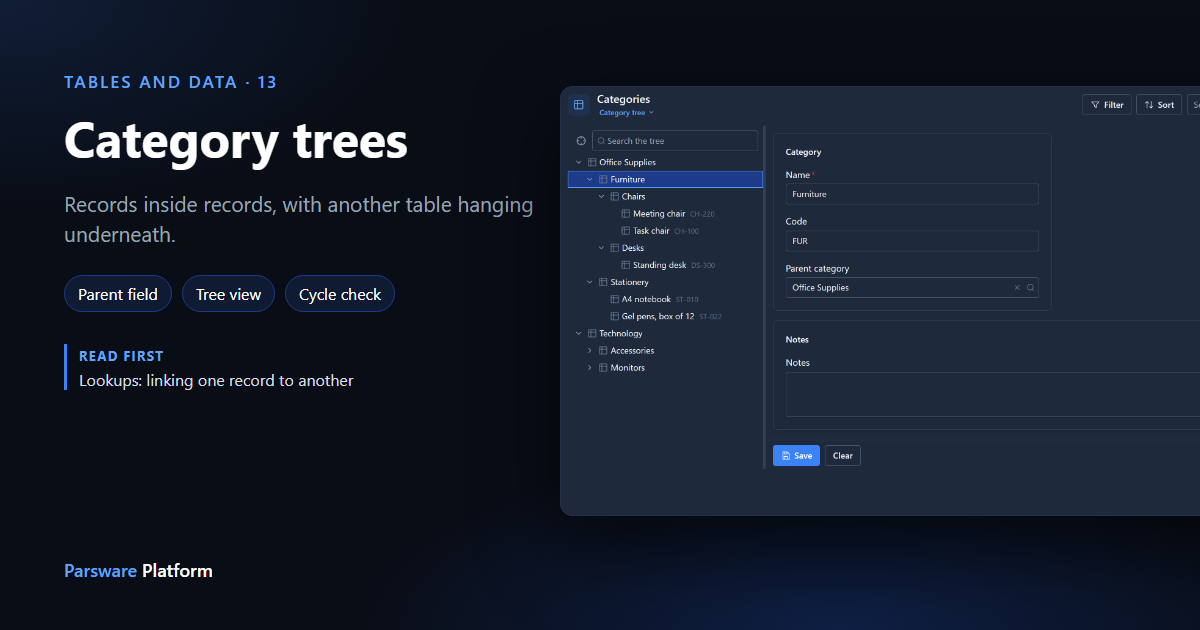
Chairs are furniture, and furniture is office supplies. Cost centres sit inside departments, and a bill of materials has parts inside parts. When a record's parent is a record of the same kind, a list is the wrong shape. You want a tree.
To follow along, import the Product Categories sample. It comes with the platform's sample solutions and has two tables, Category and Product, and a Product Catalogue app. The sample ships the structure only, so we typed in a small catalogue. Every picture is the real product.
A lookup that points at its own table
A category's parent is another category, so Category has a lookup field, Parent category, that points back at Category itself. Tell the table that this is how its records nest: select the field on the table's Fields and choose Use as parent field. The field is then marked (Parent field):
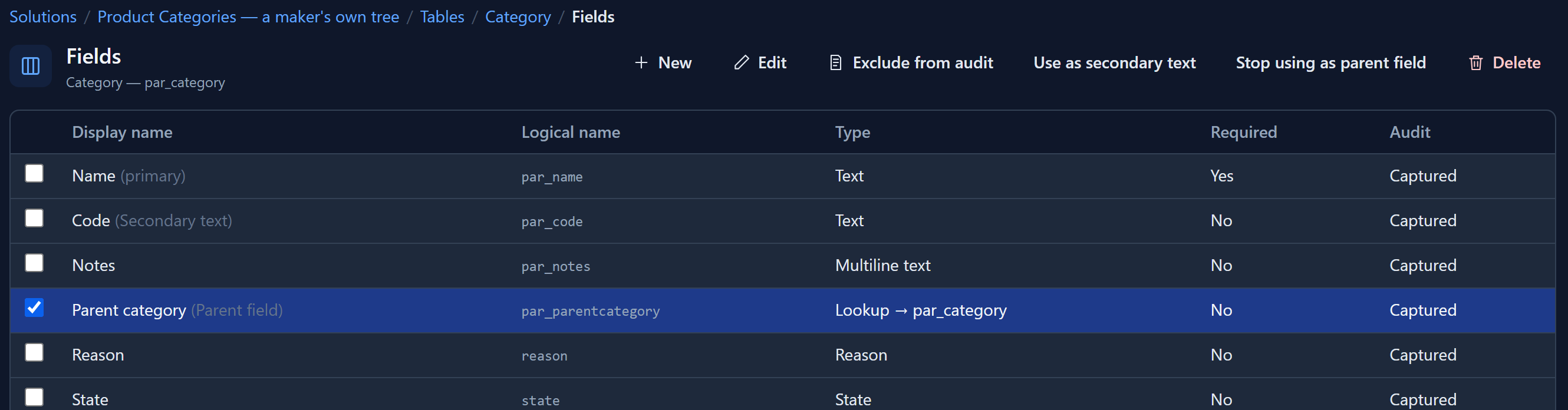
The button only appears on a lookup that points at the same table. A lookup to a different table doesn't describe nesting.
Make a view into a tree
In the View Designer, set Layout to Tree and press the Tree button beside Filter. The panel says what the tree draws:
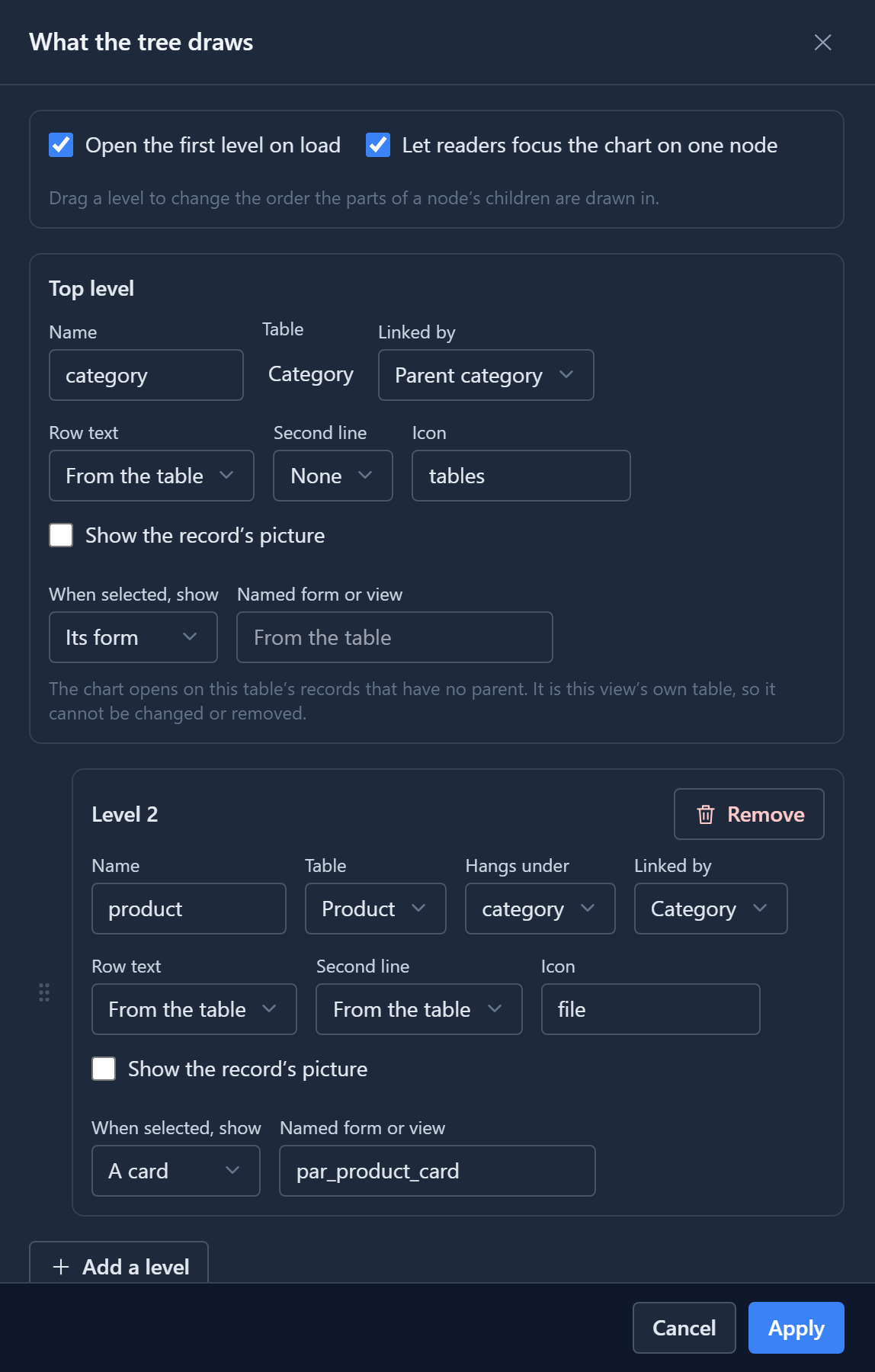
- Top level is the view's own table, nested by the parent field. Everything else on the card is optional and comes from the table if you leave it. Here Second line is set to None, because in a tree the parent is already the row above.
- Add a level hangs another table underneath. Here Product hangs under Category, linked by the product's own Category lookup, so each category's products appear inside it.
- When selected, show decides what opens beside the tree: the record's form for records people edit, a read-only card for records people only read, or nothing.
Apply, then save the view.
Using the tree
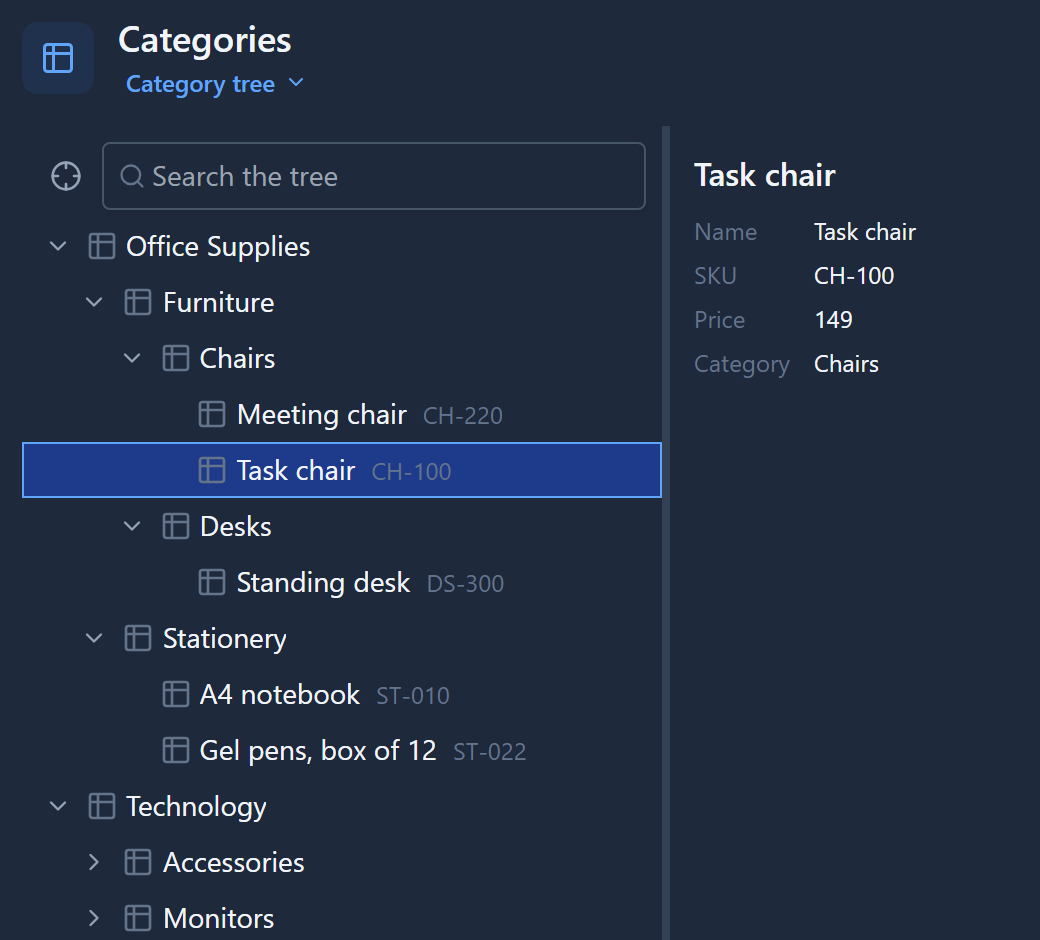
Open the app and the tree is the page. Click a category and its form opens beside the tree, where you can change it and save:
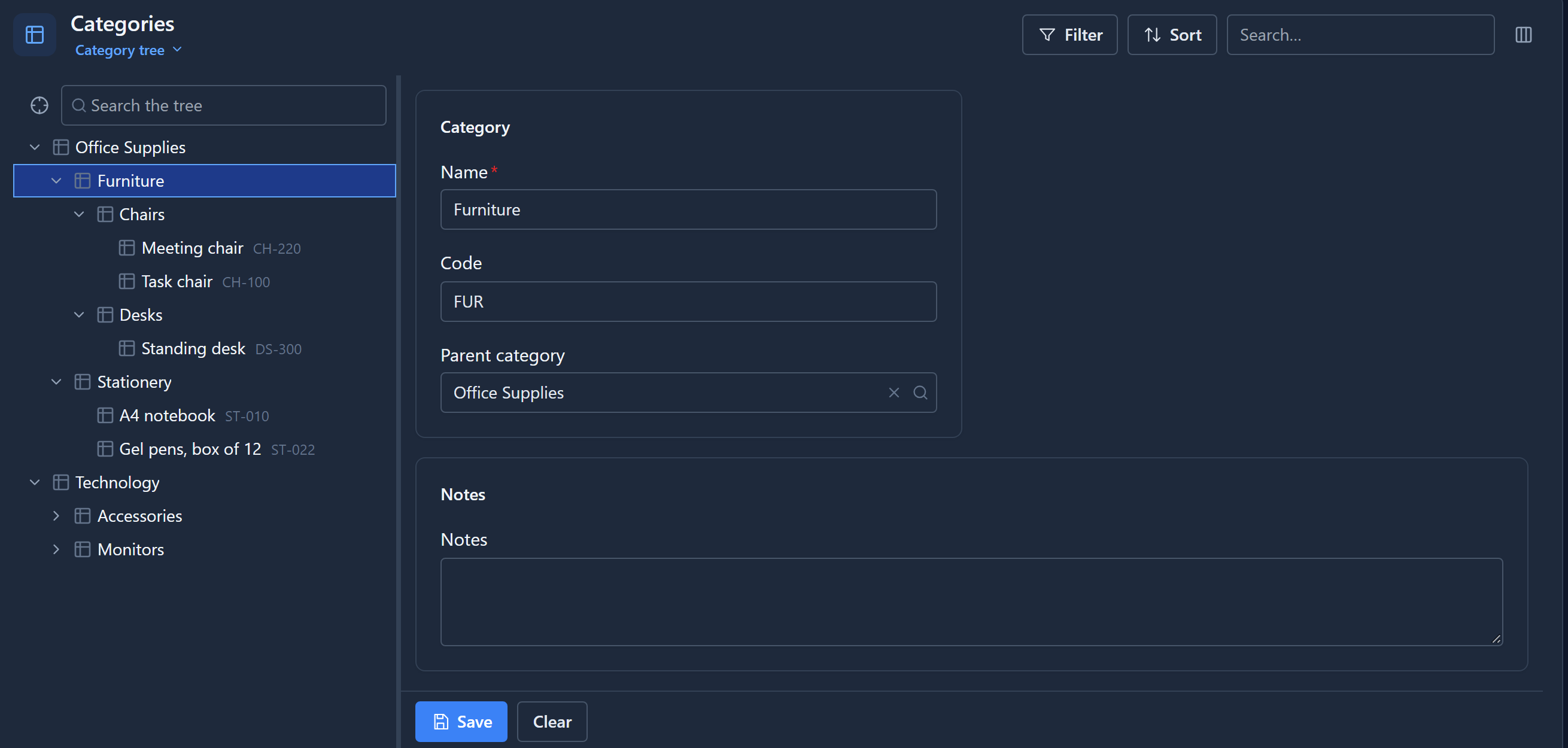
Products show their SKU as a second line, from the table's secondary text. Click one and its card opens instead of a form, because the view said so:
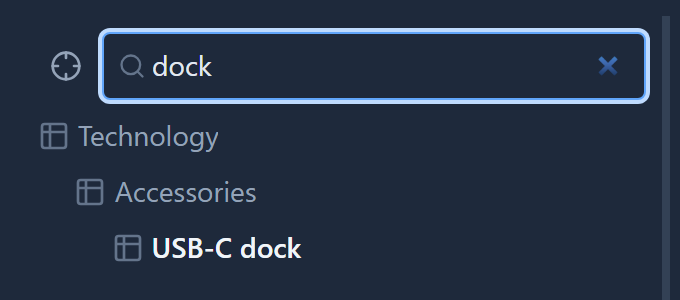
Search the tree finds a record wherever it is and shows the branch it sits in:
Readers can also focus the tree on one branch, with the crosshair beside the search box, and step back out with the trail above it.
A branch can't move inside itself
What if someone makes Office Supplies a child of Chairs? Chairs is inside Office Supplies, so the tree would loop forever. The save is refused, whichever screen it comes from:
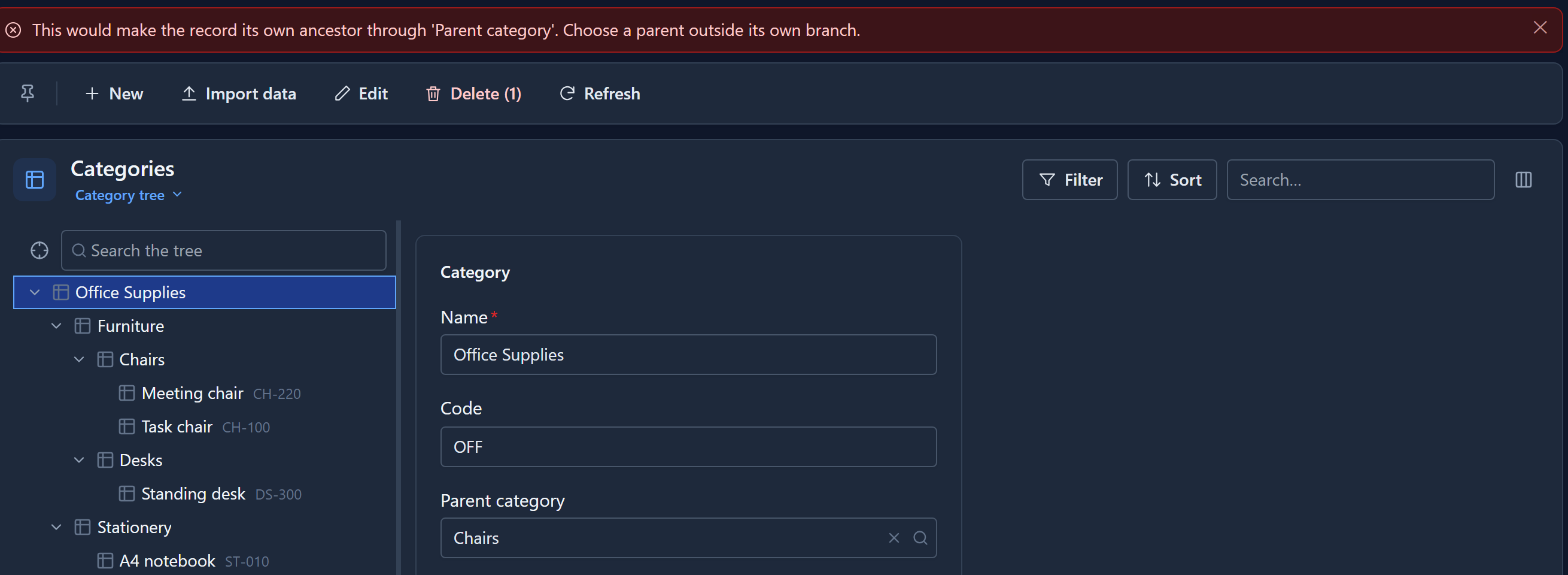
A record can't be its own parent either. Moving a branch somewhere else outside itself is fine, and everything under it moves with it.
What it's good for
The same mechanism draws the platform's own organisation chart, with units inside units and the people of each unit underneath. It's not a special screen for categories. Any table with a parent of its own kind can be a tree: regions, cost centres, folders, parts.
Next: importing records from a spreadsheet, and what happens to the rows that don't fit.